




 here!
I’m your shopping assistant for PC builds, upgrades, and everything tech.
Got questions? Ask away!
Start a conversation
here!
I’m your shopping assistant for PC builds, upgrades, and everything tech.
Got questions? Ask away!
Start a conversation





| Best Seller Ranking | #34 in Office & Accounting |
|---|
| Disclaimer | Currently, this item is available only to customers located in the United States. |
|---|
| Brand | Adobe |
|---|---|
| Model | 30014925 |
| Type |
| Name | Adobe Acrobat Studio |
|---|---|
| Contract Period | Perpetual |
| Operating Systems Supported | Windows & Mac OS |
| Packaging | Download |
| System Requirements | Windows Key requirements to install Acrobat Studio, Acrobat Pro, and Acrobat Standard on Windows: Component Requirement: Processor: Intel or AMD processor (1.5GHz or faster) Operating system: Windows 11 (64-bit) Windows 10 (64-bit) v1809 or later Windows Server 2022 Windows Server 2019 (64-bit) Windows Server 2016 (64-bit) RAM: 2GB of RAM Hard disk space: 4.5GB of available hard-disk space Monitor resolution: 1024x768 screen resolution Graphics card: Video hardware acceleration (optional) macOS Key requirements to install Acrobat Studio, Acrobat Pro, and Acrobat Standard on macOS: Component Requirement: Processor: Intel processor; M1, M2, M3, and M4 Apple Silicon processor Operating system: macOS v12, macOS v13, macOS v14 (Sonoma), macOS v15 (Sequoia), or macOS v26 (Tahoe) RAM: 2GB of RAM Hard disk space: 2.75GB of available hard-disk space Monitor resolution: 1024x768 screen resolution |
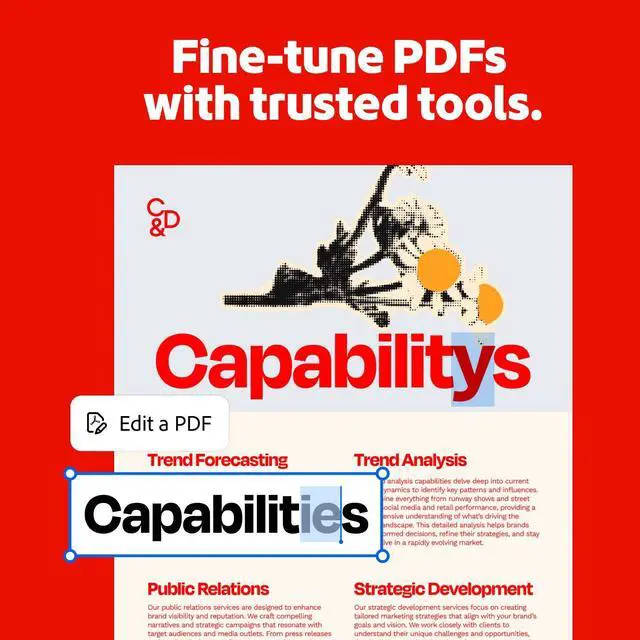
| Feature | Meet the new Acrobat. Transform documents into powerful workspaces with PDF Projects, specialized assistants, and easy content creation. Adobe Acrobat Studio includes a complete set of PDF tools, Acrobat AI Assistant, PDF Spaces, and Adobe Express Premium brought together in one trusted platform where you can uncover insights, create standout content, and collaborate from start to finish. Acrobat Studio is where your best work comes together. |
|---|
| First Listed on Newegg | April 02, 2026 |
|---|
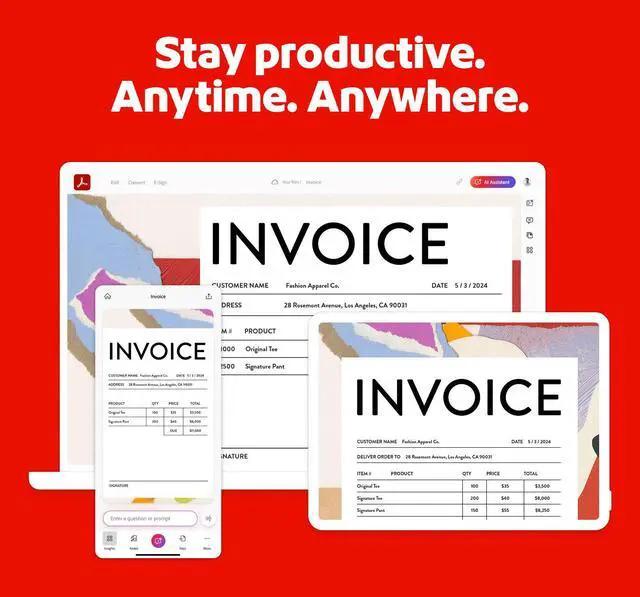
Adobe Acrobat Studio is downloadable PDF software for Windows and Mac that combines document editing, conversion, e-signatures, Acrobat AI Assistant, PDF Spaces, and Adobe Express Premium, making it suitable for people who need to analyze, create, and collaborate on documents in one platform.
| Attribute | Value |
|---|---|
| Best For | Creating, editing, organizing, converting, signing, and collaborating on PDFs, with AI-assisted insights and content-creation tools |
| PDF And Content Capabilities | Includes PDF tools, Acrobat AI Assistant, PDF Spaces, and Adobe Express Premium for document workflows, insights, content creation, and collaboration |
| Software And License | PDF software for Windows and Mac OS; download packaging with a perpetual contract |
| System Requirements | Windows: Intel or AMD processor at 1.5GHz or faster, Windows 11 (64-bit), Windows 10 (64-bit) v1809 or later, or Windows Server 2016, 2019 (64-bit), or 2022; 2GB RAM, 4.5GB available disk space, and 1024×768 resolution. macOS: Intel or Apple Silicon M1, M2, M3, or M4 processor; macOS 12, 13, 14 (Sonoma), 15 (Sequoia), or 26 (Tahoe); 2GB RAM, 2.75GB available disk space, and 1024×768 resolution. Video hardware acceleration is optional |
| Model Identifiers | Adobe Acrobat Studio, model 30014925 |


