Your Browsing History
Meet Your Seller
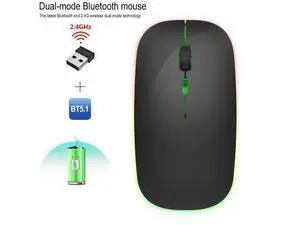
M40 dual-mode 2.4G + Bluetooth multi-color glowing wireless mouse for quiet laptops and desktop office use
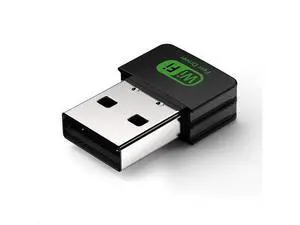
- Package List:; 1 * 2.4 G Wireless Mouse; 1 * USB Receiver; 1 * USB Charging Cable(25cm); Installation and use steps:; 1. Remove the wireless mouse from the box.; 2. Remove the mini receiver installed in the bottom of the mouse, insert the computer's USB interface,; Free code, plug and play.; 3.This product is a built-in lithium battery. You only need to set the bottom switch to the ON position.; A charging cable is included in the package. When the cursor movement delay occurs, please insert the charging cable into the front end interface of the mouse to charge. Please try not to use it while charging
+
+
Overview
Specs
Reviews
Any questions? Our AI beta will help you find out quickly.
Try me now
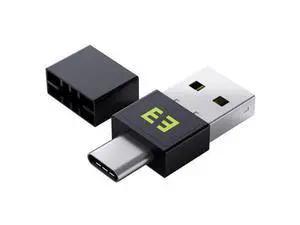
Package List:; 1 * 2.4 G Wireless Mouse; 1 * USB Receiver; 1 * USB Charging Cable (25cm);
Installation and use steps:; 1. Remove the wireless mouse from the box.; 2. Remove the mini receiver installed in the bottom of the mouse, insert the computer's USB interface,; Free code, plug and play.; 3. This product is a built-in lithium battery. You only need to set the bottom switch to the ON position.; A charging cable is included in the package. When the cursor movement delay occurs, please insert the charging cable into the front end interface of the mouse to charge. Please try not to use it while charging
Warranty & Returns
Warranty, Returns, And Additional Information
Warranty
- Please contact the Seller directly for warranty information. Warranty information may also be found on the Manufacturer's website.
- CONTACT
Return Policies
- Return for refund within: 30 days
- Return for replacement within: 30 days
- This item is covered by ProGear Haven Return Policy
Manufacturer Contact Info
- For a directory of all our manufacturers, please click below.
- Manufacturers Directory
LOADING...