

Your Browsing History


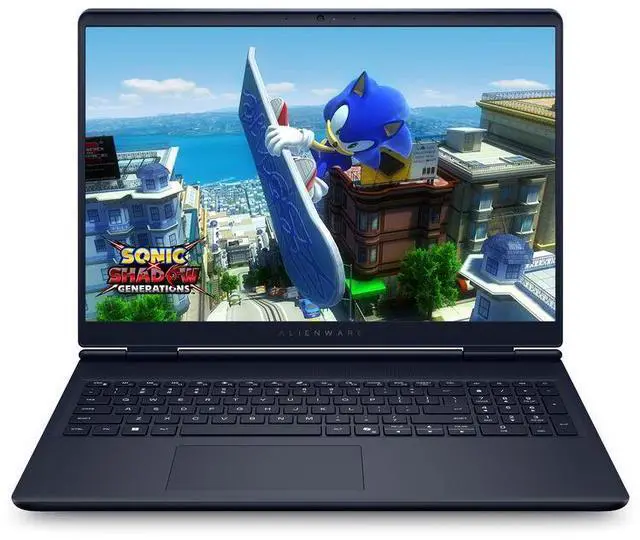
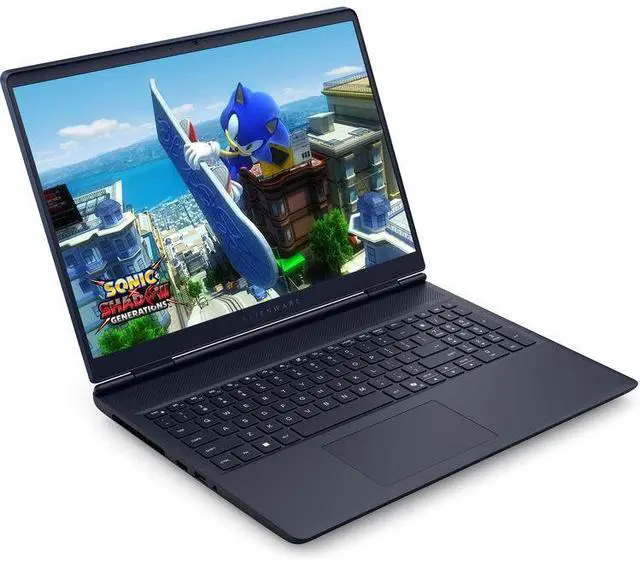
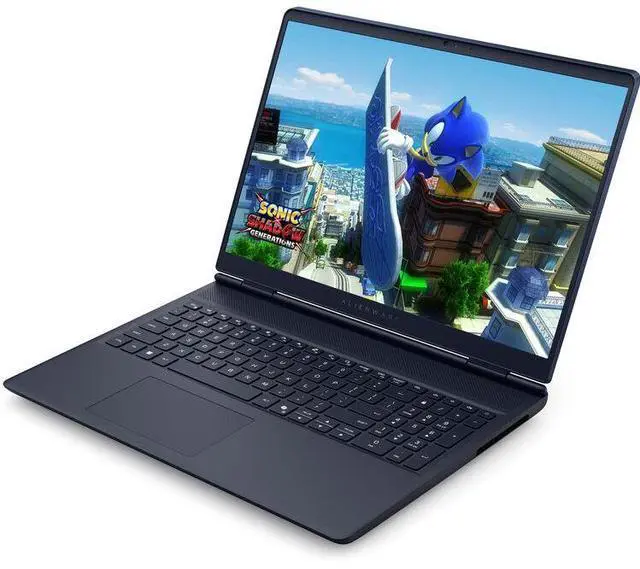
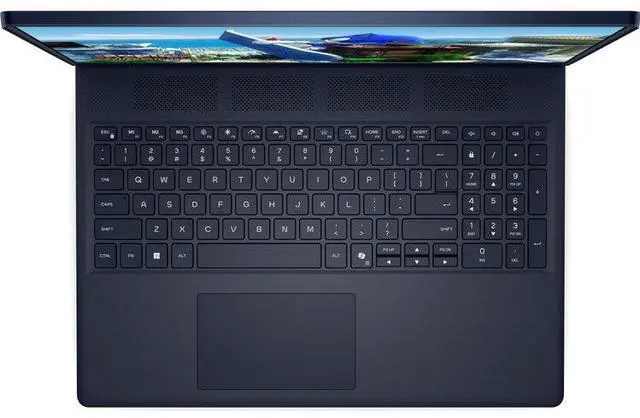

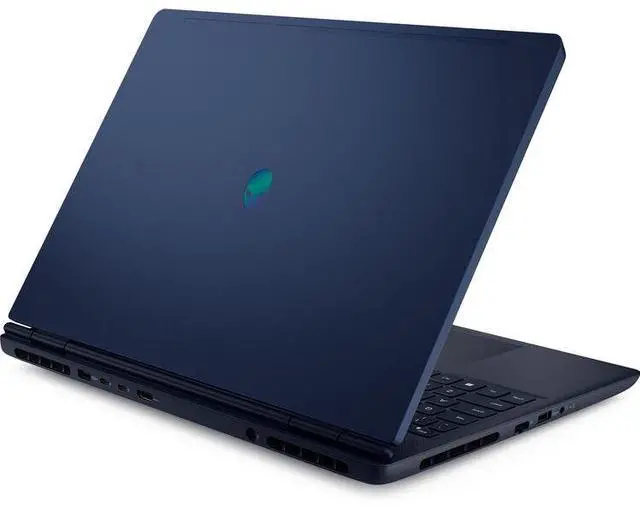


Dell Alienware 16 Aurora 16" WQXGA Intel Core 9 270H 2.7 GHz up to 5.80 GHz 32GB DDR5 1TB SSD NVIDIA GeForce RTX 5070 Windows 11 Home Gaming Laptop, Blue - AW16Au-Ultra9
Free Nvidia game w/ purchase, limited offer
- Intel Core 9 270H (14 Core, Up to 5.80GHz, 24MB Cache, 45W) | NVIDIA GeForce RTX 5070 8GB GDDR7
- 32GB (2X16GB) Up to 5600MT/s DDR5 SoDIMM Non-ECC | 1TB PCIe M.2 NVMe Gen 4 Class 35 Solid State Drive
- 16 inch WQXGA (2560 x 1600) 120Hz 300-nits ComfortView Plus 100% sRGB Color Gamut Non-Touch Display
- MediaTek Wi-Fi 7 MT7925 2x2 802.11be, MU-MIMO Wireless Card
- Windows 11 Home
+
+
Overview
Specs
Reviews
See all Q & A 
Any questions? Our AI mode will help you find out quickly.
Try me now
Intel Core 9 270H (14 Core, Up to 5.80GH z, 24MB Cache, 45W) | NVIDIA GeForce RTX 5070 8GB GDDR7
32GB (2X16GB) Up to 5600MT/s DDR5 SoDIMM Non-ECC | 1TB PCIe M. 2 NVMe Gen 4 Class 35 Solid State Drive
16 inch WQXGA (2560 x 1600) 120Hz 300-nits ComfortView Plus 100% sRGB Color Gamut Non-Touch Display
MediaTek Wi-Fi 7 MT7925 2x2 802.11 be, MU-MIMO Wireless Card
Windows 11 Home
32GB (2X16GB) Up to 5600MT/s DDR5 SoDIMM Non-ECC | 1TB PCIe M. 2 NVMe Gen 4 Class 35 Solid State Drive
16 inch WQXGA (2560 x 1600) 120Hz 300-nits ComfortView Plus 100% sRGB Color Gamut Non-Touch Display
MediaTek Wi-Fi 7 MT7925 2x2 802.11 be, MU-MIMO Wireless Card
Windows 11 Home
Warranty & Returns
Warranty, Returns, And Additional Information
Warranty
- Limited Warranty period (parts): 1 year
- Limited Warranty period (labor): 1 year
- Read full details
Return Policies
- Return for refund within: 15 days
- Return for replacement within: 15 days
- This item is covered by Newegg.com's 15-Day Return Policy.
- Read full return policy for details.
Manufacturer Contact Info
LOADING...
LOADING...
Learn about this product
The Dell Alienware 16 Aurora AW16Au-Ultra9 is a 16-inch gaming laptop with an Intel Core 9 270H, GeForce RTX 5070, 32GB DDR5, and a 1TB SSD, making it a strong fit for gamers and creators who want fast 1440p-class performance, a sharp 120Hz display, and modern Wi-Fi 7 connectivity.
Recommended For
- Students or hybrid workers who want one laptop for class/work by day and plugged-in gaming at home. The 16-inch 2560x1600 display, 32GB RAM, 1TB SSD, and repeated community feedback around better-than-typical battery life for a gaming laptop fit this mixed-use pattern.
- Buyers moving up from a handheld, console, or older mainstream gaming laptop who want a more understated 16-inch gaming notebook rather than a flashy desktop replacement. Community discussions repeatedly frame the Aurora line as a conservative, portable gaming step-up.
- Gamers targeting 1080p high settings or 1600p with tuned settings instead of chasing maxed-out AAA performance. Review coverage consistently positions the Aurora 16 as a midrange gaming laptop, and user discussions around RTX 5070 models point to best results below 'everything maxed' expectations.
- Users who keep many apps, browser tabs, game launchers, and background tools open while gaming or multitasking. This configuration's 32GB RAM and 1TB SSD match the needs of people who want fewer compromises in everyday multitasking than entry-level gaming laptops.
Real-World Use Scenarios
- Playing current AAA games at the laptop’s native 2560 x 1600 resolution with settings tuned to medium or high is a realistic fit. The usual experience is smooth single-player gameplay, but this class of Alienware 16 Aurora is generally seen as more practical for balanced settings than for maxed-out ray tracing presets.
- Using it as a daily laptop for work or school plus gaming later is a common real-world scenario. With 32GB RAM and a 1TB SSD, the expected experience is easy multitasking across many browser tabs, Office apps, Discord, and game launchers without the system feeling cramped.
- For competitive games like Fortnite, Valorant, or Apex, the 120Hz display matches a use case where the buyer wants responsive play without needing an esports-focused machine. In practice, it should feel fluid for mainstream multiplayer gaming, though shoppers chasing the highest frame rates often look to faster-screen models.
- Basic creator workloads such as 1080p to light 4K video editing, Photoshop work, and running several productivity apps at once are a reasonable match. The likely outcome is good timeline and export responsiveness for mixed gaming-and-creator use, but professionals doing heavier color-critical or GPU-heavy work may still prefer higher-tier displays and GPUs.
- Portable gaming around the house, on campus, or while traveling is realistic if most demanding play happens while plugged in. Community and review patterns suggest it works well as a carryable 16-inch gaming system, but battery-friendly tasks like browsing, video, and documents are a better fit off the charger than long gaming sessions.
Spec Summary
| Attribute | Value |
|---|---|
| Best For | Gamers and power users who need a 16-inch WQXGA laptop for high-refresh-rate gaming and content creation, leveraging a high-performance Intel Core 9 270H CPU and NVIDIA GeForce RTX 5070 GPU |
Reference Q&A
Q: Should I buy the Alienware 16 Aurora or step up to the Alienware 16X Aurora?
A: Choose the Alienware 16 Aurora if you want a simpler, more value-focused 16-inch Alienware with RTX 5070 graphics, 32GB RAM, and a 1600p display for mainstream gaming and everyday use. Step up to the Alienware 16X Aurora if your priority is a more performance-oriented configuration, since review coverage and Dell's product positioning show the 16X Aurora pairing the RTX 5070 with a higher-power platform and a faster 240Hz-class display. The practical trade-off is that the 16 Aurora is the more balanced choice, while the 16X Aurora makes more sense for buyers who care more about display speed and higher sustained gaming performance.
Q: Is this Alienware 16 Aurora with RTX 5070 worth it over an RTX 4060 or RTX 4070 gaming laptop?
A: This configuration makes more sense than an RTX 4060 laptop if you want more graphics headroom for newer games, higher settings, or longer useful life at 2560x1600. Against RTX 4070 laptops, the decision is closer: third-party benchmark coverage shows RTX 5070 laptop performance often lands near well-configured RTX 4070 systems, with gains depending on power limits and the game. In practice, this Alienware is the better choice when you specifically want the newer GPU generation plus 32GB of memory out of the box, while a discounted RTX 4070 laptop can still be the better value if price is clearly lower.
Q: Should I choose this Alienware 16 Aurora or a Lenovo Legion Pro 5i-style alternative?
A: Choose this Alienware 16 Aurora if you want an Alienware design, a large memory capacity out of the box, Wi-Fi 7 support, and a configuration that balances gaming with general-use convenience. Choose a Legion Pro 5i-type alternative if your priority is maximizing gaming performance per dollar, because comparative review coverage commonly places Lenovo's Pro-series systems as stronger value-oriented competitors in this class. The trade-off is straightforward: the Alienware leans more toward a polished all-around package, while Legion-style alternatives are often favored when raw performance value matters most.
Q: Is this a better fit than a thinner portability-first 16-inch laptop?
A: Yes, if your main goal is gaming performance and upgrade-friendly laptop hardware. This Alienware 16 Aurora is better suited to buyers who want dedicated RTX 5070 graphics, 32GB of socketed DDR5 memory, and a 16-inch 2560x1600 display instead of the compromises that usually come with thinner portability-first machines. A thinner 16-inch laptop is the better fit if lower carry weight, quieter everyday use, or creator-style mobility matters more than sustained gaming performance.
Q: Should I pay more for an RTX 5070 Ti or higher-tier gaming laptop instead of this RTX 5070 model?
A: Pay more for an RTX 5070 Ti-class laptop if you are specifically targeting higher frame rates at 1600p, heavier ray tracing, or more performance margin for future games. Stay with this RTX 5070 Alienware 16 Aurora if you want a more balanced purchase for mixed gaming, school, work, and daily use without moving into a clearly higher price tier. Review data suggests the RTX 5070 tier is solid for upper-midrange gaming, while the 5070 Ti tier is the more suitable step for buyers who know GPU performance is their top priority.
Q: Is this a good laptop for both gaming and everyday work like documents, coding, and meetings?
A: Yes. This configuration is easily powerful enough for office work, multitasking, coding, web apps, and video calls, and it has far more graphics power than a typical work laptop. The trade-off is that it is still a 16-inch gaming laptop, so it will usually be heavier, louder under load, and less battery-efficient than a thin-and-light business laptop. It fits best for buyers who want one machine for both serious gaming and regular productivity, not for buyers prioritizing quiet all-day mobile work.
Q: Is it worth buying as a travel work device?
A: Only if gaming performance matters on the trip. For travel-focused work, this laptop is less convenient than a thinner 14-inch or mainstream productivity laptop because a 16-inch gaming chassis is bulkier and usually needs its charger more often. It makes sense for travelers who also want hotel-room gaming or GPU-heavy work. It is a weaker fit for buyers who mainly want long battery life, low carry weight, and quiet use in airports, classrooms, or meetings.
Q: Is it good for note-taking, meetings, and office work?
A: Yes for performance, but only partly for mobility. The 32GB RAM, fast CPU, and 1TB SSD make it very comfortable for Office apps, browser-heavy workflows, remote work, and multitasking. Wi‑Fi 7 is also a plus for modern wireless networks. The main limitation is not speed but form factor: a gaming laptop is usually thicker, less battery-efficient, and more conspicuous than a dedicated work laptop. If your work is desk-based and you also game, it is a practical all-in-one option.
Q: Who is this laptop most suitable for?
A: It is most suitable for buyers who want one laptop for modern gaming plus demanding everyday computing. That includes students, creators, engineers, and professionals who need strong CPU/GPU performance and do not mind a larger 16-inch system. It is less suitable for buyers who mainly want portability, long unplugged runtime, or a subtle business-first laptop.
Q: What are the main trade-offs versus a thinner alternative like the ASUS ROG Zephyrus G16?
A: This Alienware-style configuration is the safer choice if you value upgradeability and a more traditional gaming-laptop design. A thinner alternative like the Zephyrus G16 is usually more attractive for portability and premium everyday carry. The trade-off is that thin gaming laptops often prioritize slimness over easy upgrades and sometimes over sustained thermals. Choose the Alienware-type setup if you want a more replaceable-storage-and-memory-friendly gaming machine; choose the thinner alternative if mobility and design matter more than serviceability.
Q: Is the Alienware 16 Aurora worth buying with the RTX 5070 configuration?
A: It is mainly worth buying if price matters more than getting Alienware’s higher-tier 16X model. Reddit discussion around the Aurora line repeatedly focuses on value, GPU limits, and whether the standard Aurora gives enough performance for the money. Based on the listed specs, this version gives strong everyday speed, 32GB RAM, 1TB SSD, and a sharp 2560x1600 display, but the 120Hz 300-nit panel and RTX 5070 8GB make it a more balanced midrange gaming laptop than a premium no-compromise one. It makes the most sense for buyers who want Alienware branding and solid gaming performance, but not for shoppers expecting top-tier GPU headroom or the best display in its class.
Q: Who is the Alienware 16 Aurora best suited for?
A: It is best suited for someone who wants one laptop for gaming, school, and general desktop-style use. Reddit posts about the Aurora 16 commonly frame it as a machine for moderate gaming, Discord, schoolwork, and carry-around use rather than as a pure esports or creator-first system. With a Core 9 270H, 32GB RAM, and 1TB SSD, this configuration is well suited to multitasking, office work, study, media use, and modern games at sensible settings. It is a better fit for mixed-use buyers than for people who only care about maximum gaming performance per dollar.
Q: Is the Alienware 16 Aurora a good travel or carry-around gaming laptop?
A: It is portable enough for regular transport, but it is still a gaming laptop with the usual trade-offs in battery life, charger size, and unplugged gaming behavior. Community discussion around Aurora models often compares power and portability, with users describing the line as usable on the go but still closer to a desktop-replacement mindset than an ultrabook. This model’s 16-inch size, dedicated RTX graphics, and gaming-focused hardware make it practical for commuting, campus use, or room-to-room movement, but less ideal if light weight and long unplugged use are your top priorities.
Q: What are the main trade-offs of choosing this Alienware 16 Aurora over a higher-end gaming laptop?
A: The main trade-offs are display quality limits, less GPU headroom than some buyers expect, and a more mainstream rather than flagship tuning. Reddit discussion around the Aurora line repeatedly calls out concerns about screen behavior and the practical limits of an 8GB RTX 5070-class mobile GPU. From the provided specs, the screen is sharp and color-accurate enough for general use at 2560x1600 and 100% sRGB, but 120Hz and 300 nits are modest for a premium-priced gaming laptop. In short, this configuration prioritizes balanced specs over top-end display, brightness, or long-term GPU margin.