

Your Browsing History
- Free 30-day Returns
$60.89
Ships from China.



Meet Your Seller


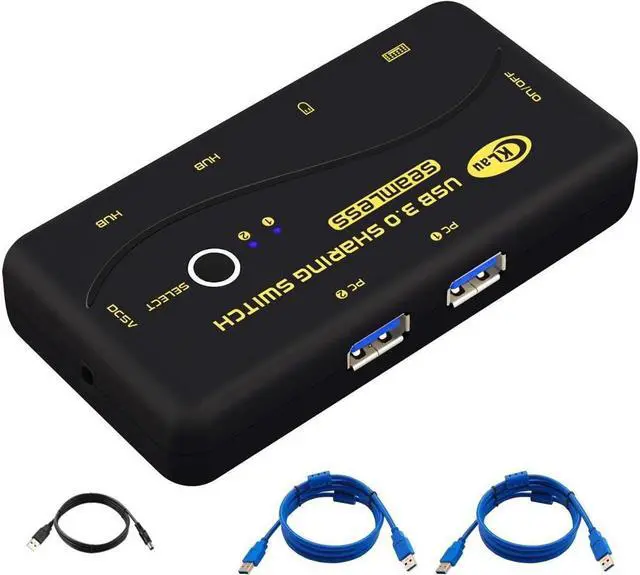
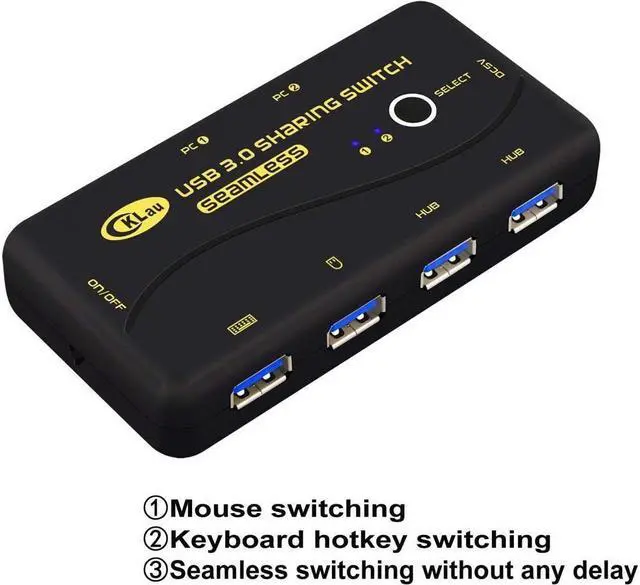


BUCIER Seamless USB 3.0 Sharing Switch Selector 4 Port 2 Computers Peripheral Switcher for PC, Printer, Scanner, Mouse, Keyboard with 2 Pack USB Cable Support Keyboard Switching and Mouse Switching
Limited time offer, ends 11/04 By Electronics store
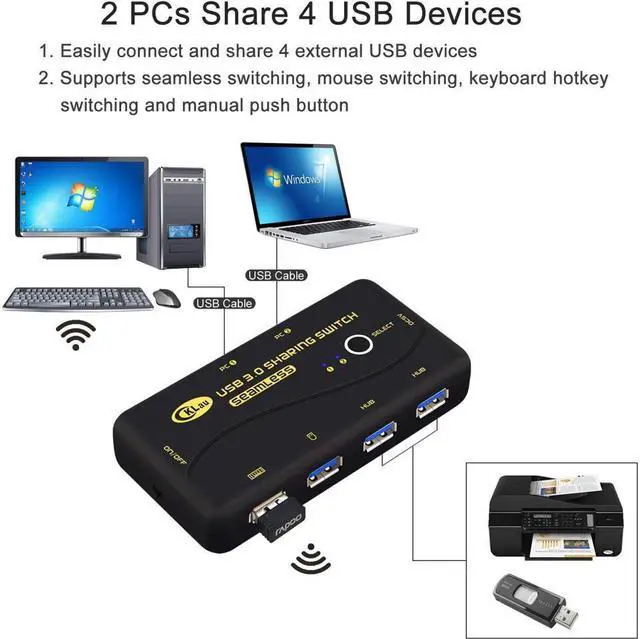
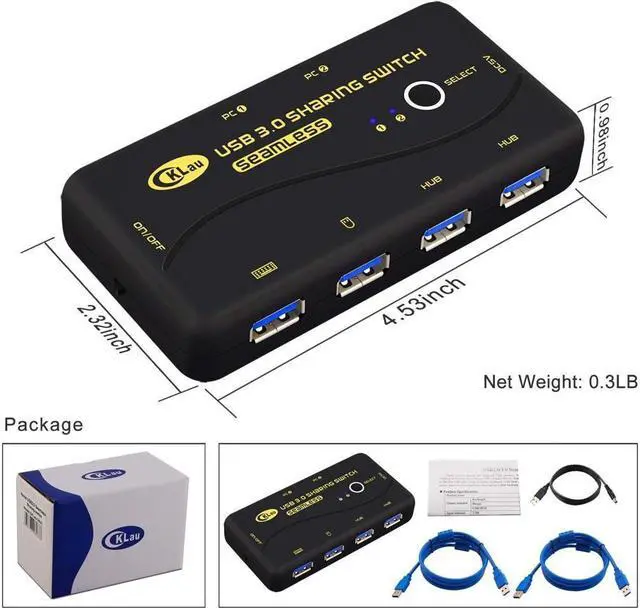
- 1. SEAMLESS SWITCH without any delay. This Pinter Switch allows 2 computers to share 4 pcs USB 3.0 peripheral devices. With 2 pack cables, plug and play. Package includes: 1 x USB 3.0 sharing switch (2 in 4 out) + 2 x USB 3.0 cables (1.5m, AM - AM) + 1 x power cable + 1 x manual.
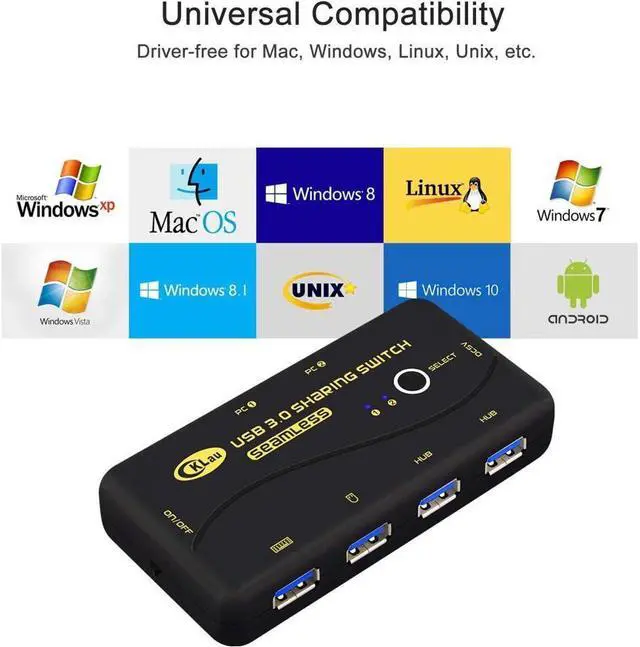
- 2. Ideal for sharing devices such as printer, scanner, mouse, keyboard, card reader, flash drive and other USB 3.0 device between 2 computers. (Tips: The keyboard and mouse should be plugged in the icons which are intended for keyboard and mouse).
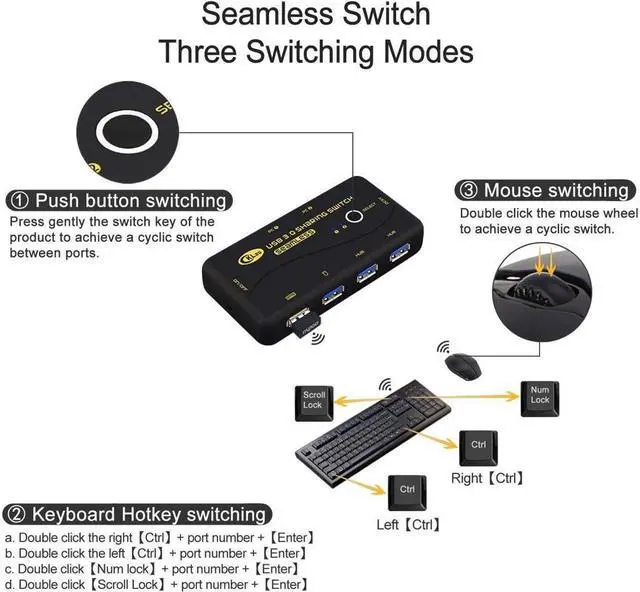
- 3. Supports mouse switching, keyboard hotkey switching and manual button switching. For gaming/mechanical/unify keyboard/mouse, hotkey switching function maybe have compatible issue, you need to turn off ON/OFF key, then the issue will be solved.
- 4. No easy to move: this Seamless USB Keyboard Switch add a metal weighting block and silicone gel antiskid corner pad, keep stability. One switch Net Weight up to 0.3LB.
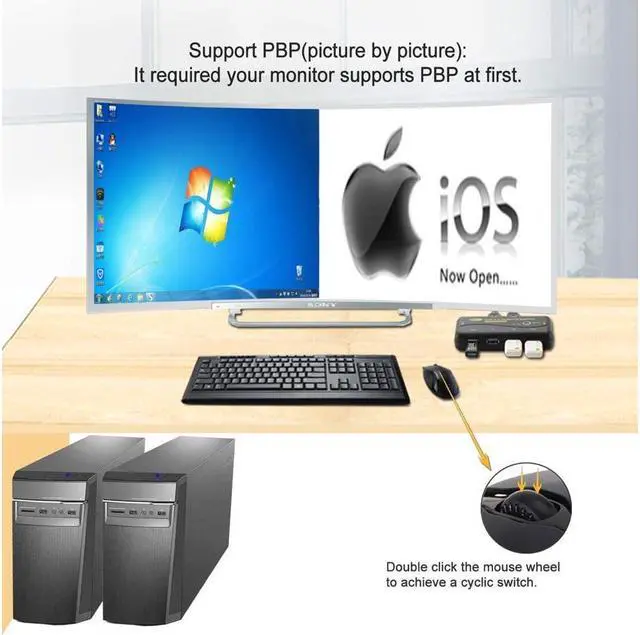
- 5. Support PBP display (it requirement your mo
+
+
Overview
Specs
Reviews

Any questions? Our AI mode will help you find out quickly.
Try me now
Printer Switch Keyboard Switch USB Keyboard Switch USB Printer Switch USB Switch 2 Computers USB Printer Sharing Switch
Datasheet
Output terminal: Keyboard: 1x USB A/F
Mouse: 1x USB A/F
USB HUB: 2x USB A/F
Input terminal: USB: 2x USB A/F
Power socket: 1x DC 1.35
USB standard: 3.0
Maximum transmission power: 5.0G bps
Maximum transmission distance (input or output): 9.84 inch (3 meters)
Power consumption: 3.2W
Housing material: plastic case
Package content: 1 x USB 3.0 sharing switch (2 in 4 out) + 2 x USB 3.0 cables ( 1.5 m, AM - AM) + 1 x power cable + 1 x manual
Warm Tips:
1. The keyboard and mouse should be plugged in the icons which are intended for keyboard and mouse, otherwise the hotkey of the keyboard cannot be operated. If the mouse and keyboard are in a wireless package, the bluetooth receiver must be plugged in the port labeled with the keyboard icon.
2. Please use Standard DC5V 1.35 mm Adapter (not included, sold separately) for powering in case of poor power supply. Any charger with higher voltage output is NOT allowed and may affect the product performance.
3. Mouse and keyboard will lag about 2-3seconds when connect the switch at first time, because the switch need to distinguish your devices.
4. For MAC and Linux system, the mouse/keyboard maybe out of control, you need to click the right [Ctrl] 2 times, then click [L], at last click [Ente]. (whole operate time should not over 5s), could solve the issue.
Datasheet
Output terminal: Keyboard: 1x USB A/F
Mouse: 1x USB A/F
USB HUB: 2x USB A/F
Input terminal: USB: 2x USB A/F
Power socket: 1x DC 1.35
USB standard: 3.0
Maximum transmission power: 5.0G bps
Maximum transmission distance (input or output): 9.84 inch (3 meters)
Power consumption: 3.2W
Housing material: plastic case
Package content: 1 x USB 3.0 sharing switch (2 in 4 out) + 2 x USB 3.0 cables ( 1.5 m, AM - AM) + 1 x power cable + 1 x manual
Warm Tips:
1. The keyboard and mouse should be plugged in the icons which are intended for keyboard and mouse, otherwise the hotkey of the keyboard cannot be operated. If the mouse and keyboard are in a wireless package, the bluetooth receiver must be plugged in the port labeled with the keyboard icon.
2. Please use Standard DC5V 1.35 mm Adapter (not included, sold separately) for powering in case of poor power supply. Any charger with higher voltage output is NOT allowed and may affect the product performance.
3. Mouse and keyboard will lag about 2-3seconds when connect the switch at first time, because the switch need to distinguish your devices.
4. For MAC and Linux system, the mouse/keyboard maybe out of control, you need to click the right [Ctrl] 2 times, then click [L], at last click [Ente]. (whole operate time should not over 5s), could solve the issue.
Warranty & Returns
Warranty, Returns, And Additional Information
Warranty
- Please contact the Seller directly for warranty information. Warranty information may also be found on the Manufacturer's website.
- CONTACT
Return Policies
- Return for refund within: 30 days
- Return for replacement within: 30 days
- This item is covered by Electronics store Return Policy
Manufacturer Contact Info
- For a directory of all our manufacturers, please click below.
- Manufacturers Directory
LOADING...