




 here!
I’m your shopping assistant for PC builds, upgrades, and everything tech.
Got questions? Ask away!
Start a conversation
here!
I’m your shopping assistant for PC builds, upgrades, and everything tech.
Got questions? Ask away!
Start a conversation Hot Seller

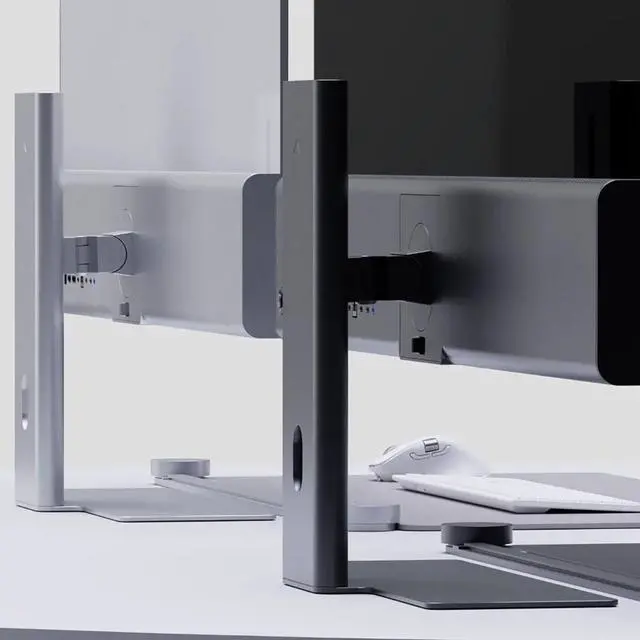
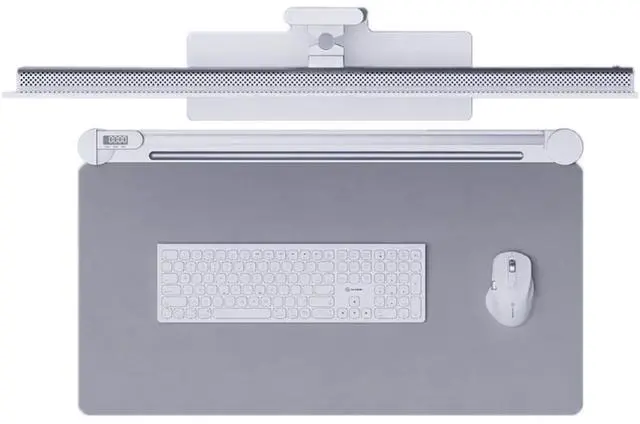



Any questions? Ask CelesteSM will help you find out quickly.
| Model: | 34C2KPD |
| Display Format: | UWQHD |
| Display Technology: | IPS |
| Flat / Curved: | Flat |
| Max Resolution: | 3440 x 1440 |
| Display Diagonal Size: | 34 Inch |
| Display / Response Time: | 14 Ms |
| Display / Refresh Rate: | 100 Hz |
| Image Contrast Ratio: | 1000:1 |
| Brightness: | 400 nits |
| Viewing Angle: | 178/178 |
| Image Aspect Ratio: | 21:9 |
| Screen Type: | Matte; Anti-glare |
| Picture Enhancements: | None |
| Network Connectivity: | None |
| Audio Output: | Yes |
| Speakers: | 2 x 3W |
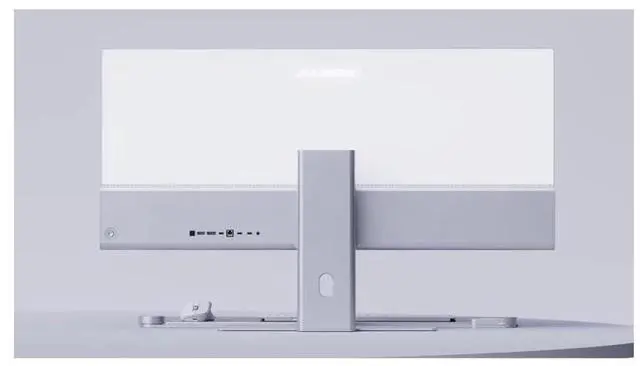
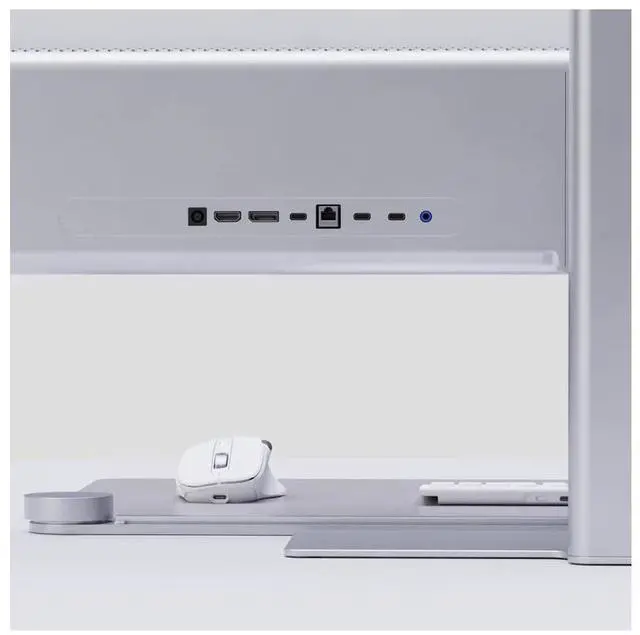
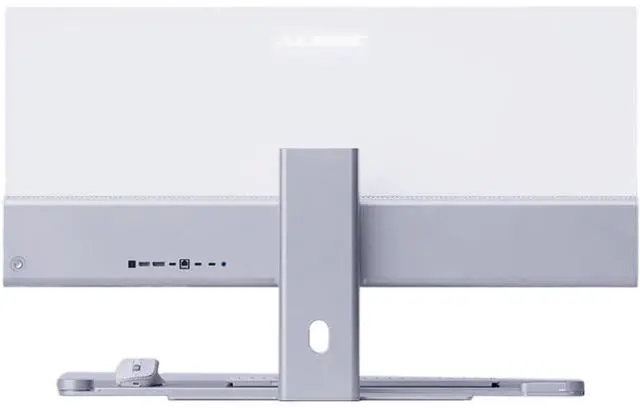
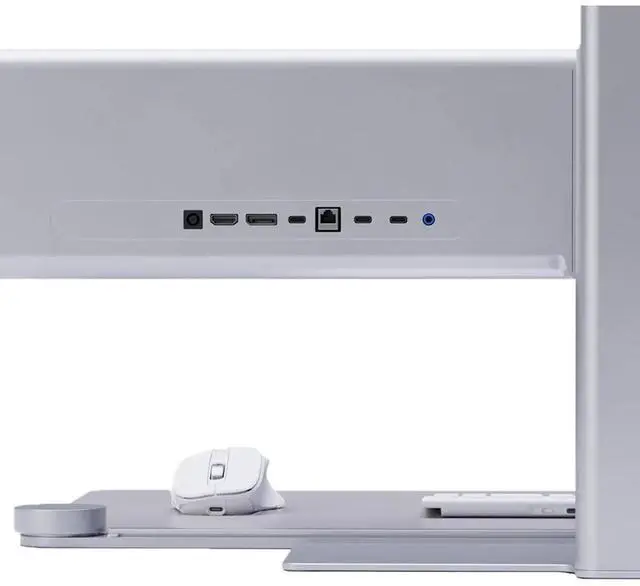
| Interfaces: | 1x USB-C (Connection for Video (DP Alt Mode required), 90W Laptop Charging and Data) 1x HDMI 2.0, 1x DisplayPort 1.4, 2x (USB 2.0, 5W Charging, For Accessories), 1x Ethernet, 1x 3.5mm Audio, 1x Kensington Security Slot |
| Video Interfaces: | DisplayPort; HDMI |
| HDMI Ports Qty: | 1 |
| DisplayPort Qty: | 1 |
| Power / Voltage Required: | AC 100-240V~, 50/60Hz |
| Color: | Silver |
| VESA Mount Compatible: | 100 mm |
| Width: | 814 Mm |
| Depth: | 367 Mm |
| Height: | 41 Mm |
| Weight: | 6 Kg |
| Service & Support Type: | 2 Years Warranty |
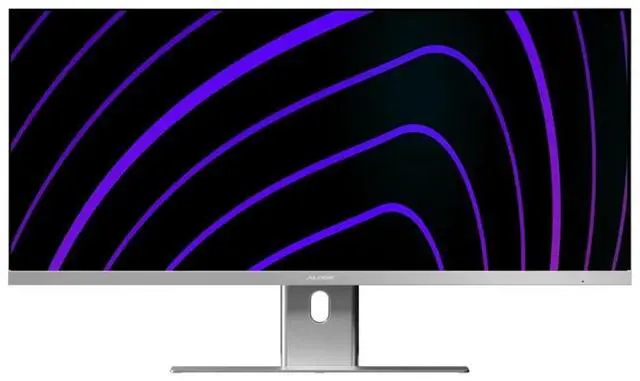
| Features: | Spectacular. Ultrawide. Laptop Charging. Edge is the perfect centrepiece for your workspace at home or in the office - With apps snapped to the left and right, Edge delivers all the benefits of a dual monitor setup without the hassle of juggling windows. |
| Brightness: | 400 nits |
| Display Diagonal Size: | 34 Inch |
| Flat / Curved: | Flat |
| Image Aspect Ratio: | 21:9 |
| Picture Enhancements: | None |
| Screen Type: | Matte; Anti-glare |
| Power / Voltage Required: | AC 100-240V~, 50/60Hz |
We want to ensure your holiday shopping this year is hassle-free. That’s why we’re automatically extending our return policies on almost every product! For purchases placed between November 1st, 2026 and December 31, 2026 you will have until January 31, 2027 to return your product.
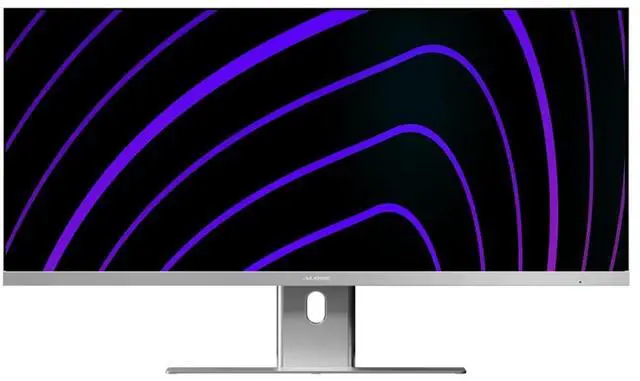
The ALOGIC Edge 34C2KPD is a 34-inch 21:9 ultrawide IPS monitor with 3440 × 1440 resolution, suited to professionals and creators who want room to view two apps side by side for spreadsheets, video editing, or music composition.
| Attribute | Value |
|---|---|
| Best For | Multi-purpose desktop use and side-by-side work in a 21:9 ultrawide workspace |
| Panel And Resolution | 34-inch LCD with a 21:9 aspect ratio and 3440 × 1440 native resolution |
| Refresh Rate And Response | 100Hz refresh rate, 14ms response time, with FreeSync and G-Sync compatibility |
| Image And Screen Surface | 400-nit brightness, 1,000:1 contrast ratio, 178°/178° viewing angles, and a matte, non-glare screen |
| Ports And Connectivity | Two HDMI ports, DisplayPort, and two USB 3.0 ports |
| Stand And Ergonomics | Height-adjustable stand |
| Audio Setup | Built-in speakers |
| Dimensions And Weight | 32 × 25 × 9.6 inches; 30.5 pounds |
| Model Identifiers | Alogic 34C2KPD |
Q: Should I choose the ALOGIC Edge 34C2KPD or the 40-inch Edge QHD?
A: Choose the Edge 34C2KPD for a 34-inch ultrawide workspace; choose the 40-inch Edge QHD for a larger screen while keeping the same 3440 × 1440 resolution, 100Hz refresh rate, and USB-C laptop charging of up to 90W. Both are 21:9 IPS monitors with a built-in USB-C hub.
Q: ALOGIC Edge 34-inch QHD or 40-inch Edge 5K: which is better for detailed work?
A: Choose the 40-inch Edge 5K when you want a 5120 × 2160 ultrawide canvas with higher pixel density for detailed creative or productivity work. Choose the Edge 34C2KPD for a 3440 × 1440 ultrawide display at 100Hz in a smaller 34-inch size.
Q: ALOGIC Edge 34-inch ultrawide or Clarity 27-inch 4K for a laptop desk setup?
A: Choose the Edge 34C2KPD for a 21:9 workspace designed to keep two apps side by side, with 100Hz refresh and up to 90W USB-C laptop charging. Choose the Clarity 27-inch for a conventional 16:9 4K display with 60Hz refresh and up to 90W USB-C charging.
Q: Can I connect my laptop with one USB-C cable and charge it?
A: Yes, if the laptop’s USB-C port supports DisplayPort Alt Mode. The monitor’s USB-C connection carries video and data and provides up to 90W of laptop charging, so a compatible laptop can use one cable for those functions.
Q: Is this monitor suitable for office work and using two apps side by side?
A: Yes. Its 34-inch, 21:9 screen and 3440 × 1440 resolution provide space for two windows side by side, which can suit spreadsheets, documents, and other multitasking. Window arrangement depends on your computer’s operating system or software.
Q: Can I use it for video editing or music production?
A: It can suit editing and music-production workflows that benefit from a wide workspace: the 21:9 display offers room for timelines and related windows, and the monitor supports HDMI, DisplayPort, and USB-C video input. Check that your computer supports the chosen connection and resolution.
Q: Can I mount it on a monitor arm or wall mount?
A: Yes. The monitor supports a 100 × 100 mm VESA mount. Confirm that the arm or mount supports that pattern and can handle the monitor’s weight before installation.
Q: Is the Alogic Edge worth buying for work?
A: The 34-inch model’s 3440 × 1440 ultrawide screen, 100Hz refresh rate, and USB-C connection make it suited to a work setup that benefits from side-by-side windows. However, the Reddit discussion found concerns about shipping, returns, and display appearance for the different 40-inch 5K Edge model; it does not establish whether those issues apply to the 34C2KPD. Treat that discussion as limited evidence, not a review of this model.


