




 here!
I’m your shopping assistant for PC builds, upgrades, and everything tech.
Got questions? Ask away!
Start a conversation
here!
I’m your shopping assistant for PC builds, upgrades, and everything tech.
Got questions? Ask away!
Start a conversation



Combo Up Savings Up To $230
The more you add, the more you'll save!
Any questions? Ask CelesteSM will help you find out quickly.
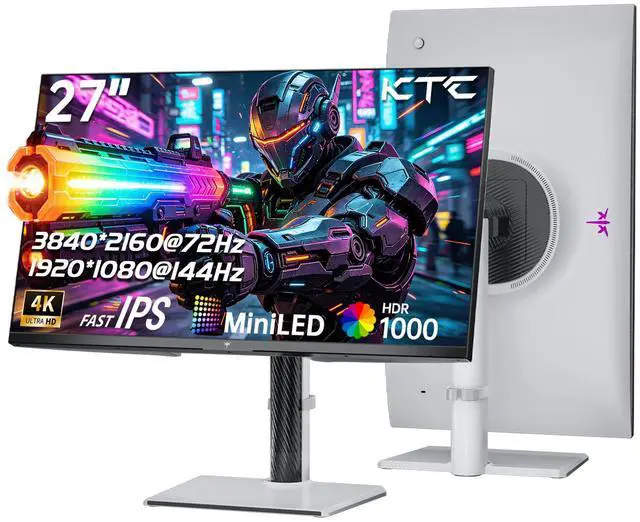
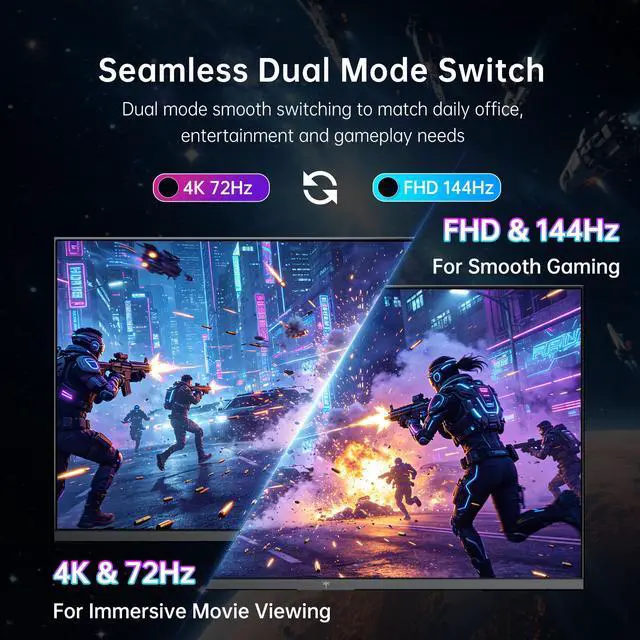
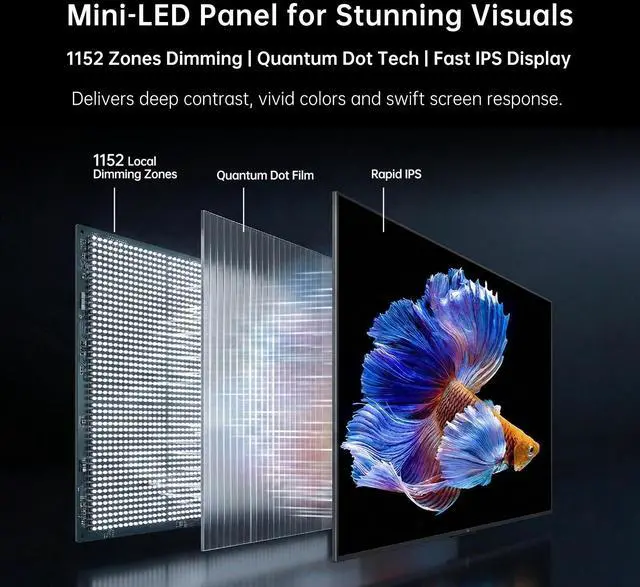
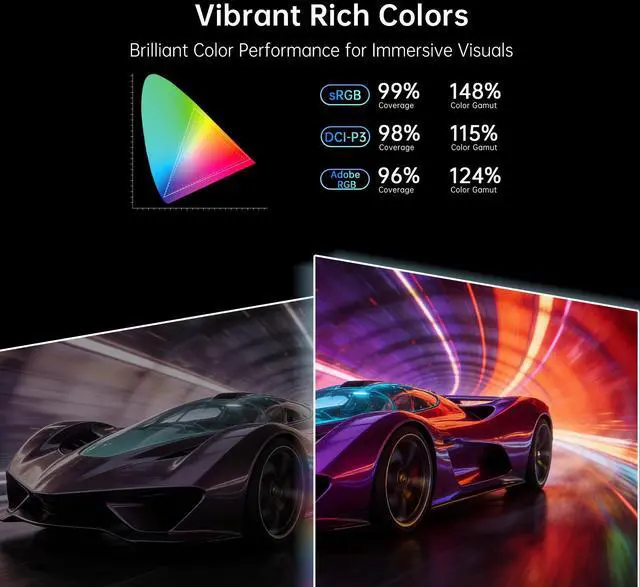
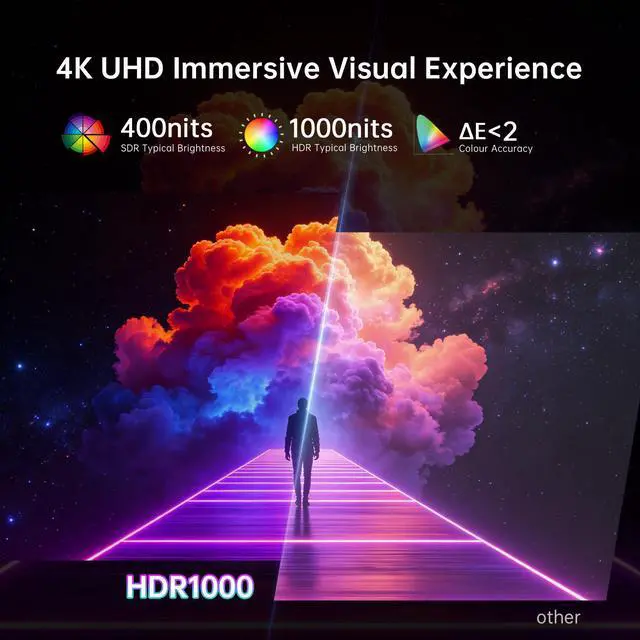
The 27-inch KTC M27U6 MiniLED monitor supports switchable 4K@72Hz and FHD@144Hz modes to meet your needs for work, movies and gaming. Equipped with 1152 dimming zones, Quantum Dot Tech and a Fast IPS panel, it hits 1000 nits peak brightness for stunning light and shadow performance. With HDR1000, 148% sRGB gamut and 1.07 billion colors, it reproduces lifelike colors. It features full ergonomic adjustments and low blue light protection, plus rich interfaces and 100mm×100mm VESA compatibility for convenient use.
The KTC M27U6 is a 27-inch 4K QD-Mini LED gaming monitor with a Fast IPS panel, HDR1000, 1152 dimming zones, and dual-mode operation at 4K 72Hz or FHD 144Hz. It suits gamers, content creators, and everyday users who want sharp UHD detail or smoother high-refresh gameplay from one display.
| Attribute | Value |
|---|---|
| Best For | Gaming, 4K content, and fast-motion viewing with dual-mode support for 3840 x 2160 at 72Hz or FHD at 144Hz |
| Panel And Resolution | 27-inch Fast IPS display with MiniLED backlighting, 3840 x 2160 maximum resolution, 16:9 aspect ratio, and 89° horizontal and vertical viewing angles |
| Refresh Rate And Response | Dual-mode refresh rates of 4K at 72Hz or FHD at 144Hz, with a 1ms response time |
| HDR And Image Quality | HDR1000 support with 1000 cd/m2 HDR brightness, a 1000:1 contrast ratio, and 1.07 billion display colors |
| Ports And Connectivity | Two HDMI ports for connecting compatible video sources |
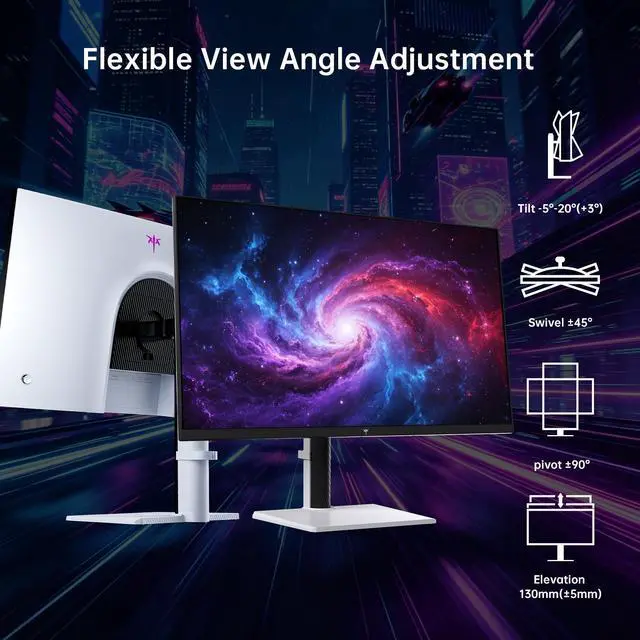
| Stand And Ergonomics | Adjustable stand with height, pivot, swivel, and tilt movement |
| Model Identifiers | KTC M27U6 |
Q: Should I buy the KTC M27U6 or a faster 4K dual-mode monitor like the AOC U27G4XM?
A: Choose the KTC M27U6 if you prioritize 4K image detail, HDR1000, Mini LED contrast, and mixed work, movie, and gaming use at a lower refresh rate. Choose the AOC U27G4XM if you want smoother high-refresh gaming: it supports 4K at 160Hz and 1080p at 320Hz, compared with the M27U6's 4K at 72Hz and 1080p at 144Hz. The AOC is better suited to competitive gaming, while the M27U6 is the more practical choice when 4K clarity and HDR are more important than maximum refresh rate.
Q: Is the KTC M27U6 better than a 27-inch 1440p 180Hz Mini LED monitor?
A: The KTC M27U6 is the better choice for sharper text, detailed 4K games, photo work, and high-resolution video. A 1440p 180Hz Mini LED monitor is better if your priority is higher refresh-rate gaming or if your graphics card cannot consistently drive 4K resolution. At 27 inches, 4K provides more pixel density, while 1440p generally places less demand on the GPU and supports smoother frame rates. The main trade-off is that the M27U6's fast mode drops to 1080p at 144Hz rather than providing a 1440p high-refresh mode.
Q: Should I upgrade from the KTC M27U6 to the KTC M27P6?
A: Upgrade to the KTC M27P6 if you want substantially faster gaming modes: the M27P6 is positioned with 4K at 160Hz, 1080p at 320Hz, and HDR1400, while the M27U6 provides 4K at 72Hz, 1080p at 144Hz, and HDR1000. Keep the M27U6 if your main uses are office work, movies, photo editing, and slower-paced games, where its 4K resolution, Mini LED backlight, Quantum Dot color, ergonomic stand, and HDR support already cover the core requirements. The M27P6 is primarily an upgrade in refresh rate and HDR headroom rather than screen size or resolution.
Q: Should I choose the KTC M27U6 or a 4K OLED gaming monitor?
A: Choose the KTC M27U6 for bright HDR highlights, long periods of static desktop use, and an LCD design that avoids the burn-in concern associated with OLED displays. Choose a 4K OLED monitor if you prioritize near-pixel-level black uniformity, minimal haloing, and faster pixel response for gaming. The M27U6's 1,152-zone Mini LED backlight can improve HDR contrast and brightness, but Mini LED does not produce the same fully independent pixel-level blacks as OLED. The decision mainly depends on whether sustained brightness and desktop durability or OLED contrast and motion clarity matter more.
Q: Who is the KTC M27U6 suitable for?
A: The KTC M27U6 is suitable for users who want one 27-inch display for high-resolution work, movies, and gaming. Its 4K mode prioritizes image detail at 72Hz, while its FHD mode supports 144Hz for smoother motion. It is less suitable for users who need a portable monitor, built-in laptop docking, USB-C connectivity, or a very high 4K refresh rate.
Q: Is the KTC M27U6 good for office work, note-taking, and meetings?
A: Yes. Its 27-inch 4K resolution provides sharp text and workspace for documents, spreadsheets, note-taking, and video meetings. The height, pivot, swivel, and tilt adjustments support ergonomic desk use. However, the listed specifications do not include a webcam, microphone, speakers, USB hub, or USB-C connection, so those functions require separate equipment or connections.
Q: How does the dual-mode display work, and what is the main trade-off?
A: The monitor switches between 3840×2160 at 72Hz and 1920×1080 at 144Hz. Use 4K mode for sharper text, detailed images, and slower-paced games; use FHD 144Hz mode when smoother motion is more important. The main trade-off is that the 144Hz setting is available at Full HD rather than at the monitor's native 4K resolution.
Q: Can the KTC M27U6 connect to a computer or console, and which ports does it use?
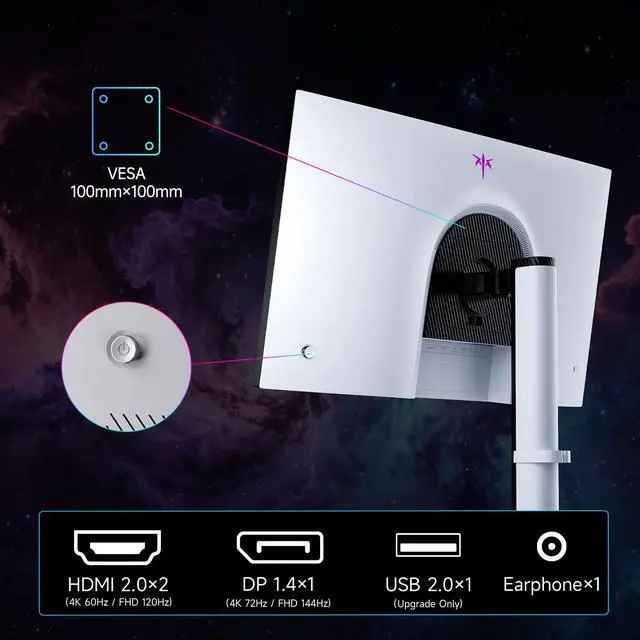
A: The KTC M27U6 provides two HDMI 2.0 ports and one DisplayPort 1.4 port. It can connect to compatible computers and consoles, but the available resolution and refresh rate depend on the source device, graphics hardware, cable, and selected display mode. DisplayPort is generally the preferred connection for maximizing PC display performance, while HDMI is useful for consoles and additional devices.
Q: Can the KTC M27U6 be mounted or adjusted for a comfortable desk setup?
A: Yes. The included stand supports height, pivot, swivel, and tilt adjustments. The monitor also supports a 100×100 mm VESA mount, allowing installation on a compatible monitor arm or wall mount. A VESA mount or arm must support the monitor's size and weight.
Q: Is the KTC M27U6 a good choice for PS5 gaming?
A: It is suitable if you prioritize 4K image quality and HDR, but it is not ideal for PS5 gaming at 4K 120Hz. The monitor’s listed modes are 4K at 72Hz and 1080p at 144Hz, so PS5 games requiring 4K 120Hz support cannot use their maximum refresh mode.
Q: Is the KTC M27U6 suitable for both work and gaming?
A: Yes, if you want sharp 4K desktop detail for work and a lower-resolution 144Hz mode for smoother gaming. The main trade-off is that the faster 144Hz mode runs at 1080p rather than 4K, so it is less suitable for users who want high refresh rates and maximum resolution simultaneously.
Q: Should I choose the M27U6 or a 32-inch 4K monitor?
A: Choose the M27U6 if you prefer a more compact 27-inch display, higher pixel density, Mini LED backlighting, and HDR1000. Choose a 32-inch 4K monitor if a larger physical viewing area is more important. The decision also depends on whether the 4K 72Hz limit is acceptable for your games.
Q: Is the KTC M27U6 worth buying if I am unsure about the KTC brand?
A: It can be considered when its Mini LED, HDR1000, dual-mode operation, and price are more important than brand reputation. Reddit discussion shows buyer uncertainty about KTC reliability and quality control, but it does not establish a model-specific failure rate for the M27U6. Buy from a seller with a clear return policy and confirm warranty coverage before purchasing.


