• $99.99
  • Free 30-day Returns
  • Price alert
    Shop it at NeweggBusiness.

    Meet Your Seller

    Thermaltake Keyboard & Mouse Tray; 3 Axis Horizontal Rotation; Adjustable Tilt and Height, Tilt, and Angle; Cup Holder; Mouse Pad Included; GR500 & GF500 Compatible; Snow; GSC-ACC-KBASWH-01

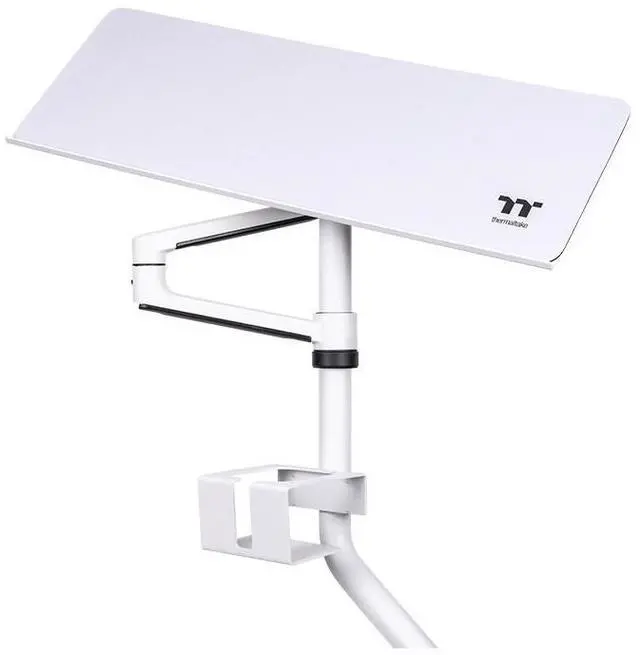
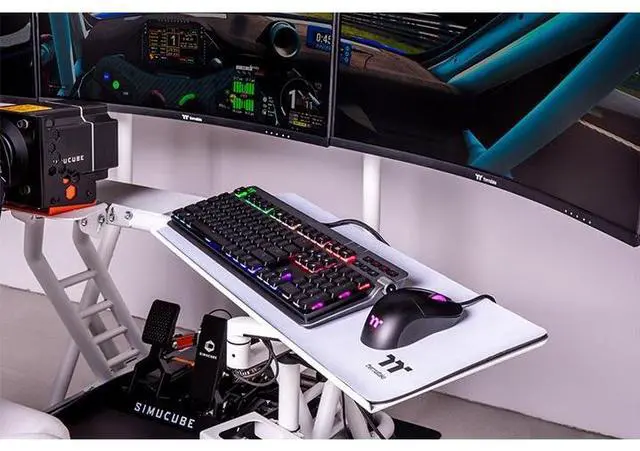
    • GR500 & GF500Designed for use with the GR500 Racing Sim and GF500 Flight Sim Cockpits the try can be used on either side of the rig for optimal placement and use.
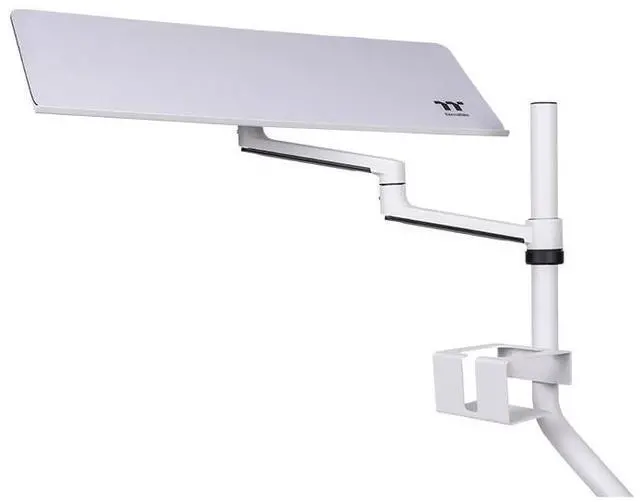
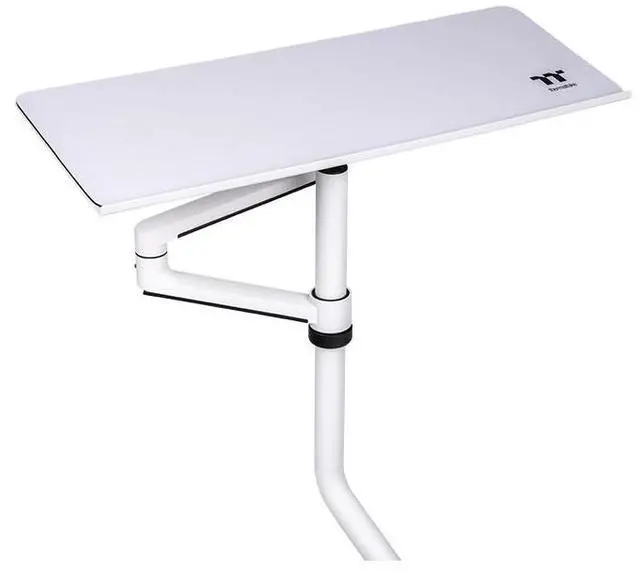
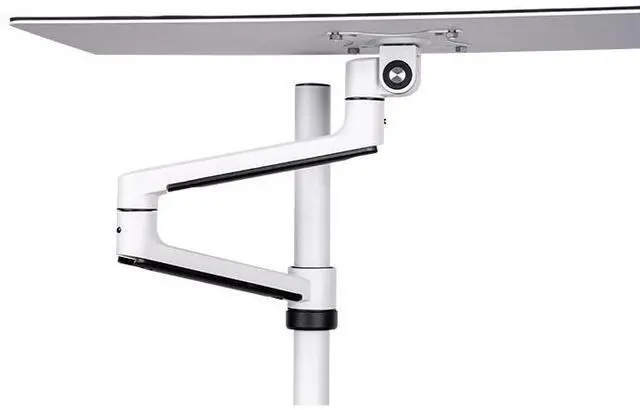
    • Find a Perfect FitWhen it comes to finding that perfect placement we have you covered with adjustable height, tilt, angle and three axes of horizontal rotation finding the optimal spot should be a breeze.
    • Cable ManagementKeep your set up clean with the cable management covers built in to the tray arm, no more cable snagging or messes.
    • Comfortable WorkspaceThe tray itself has a small lip at the bottom to keep peripherals from sliding during adjustment and use.
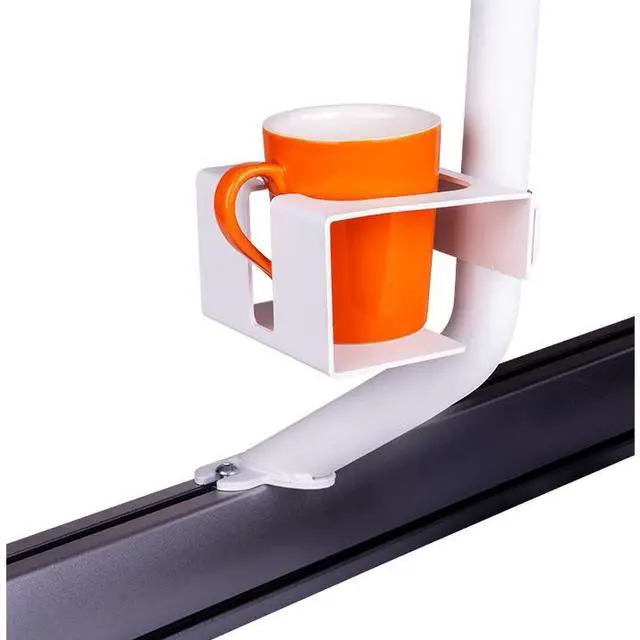
    • Creature Comforts Height adjustable on the base of the mounting post is a cup holder made to accommodate standard cups with an additional cut out for mugs too.
    +
    +
    Overview
    Specs
    Reviews

    Any questions? Ask CelesteSM will help you find out quickly.

    The Thermaltake Keyboard and Mouse Tray was created specifically as an add on for the GR500 Racing Simulator Cockpit and the GF500 Flight Simulator Cockpit to expand out the ergonomics and functionality while in use. Find the optimal height and angle with adjustable height, tilt, angle and three axes of horizontal rotation. The tray itself features a small lip at the bottom to hold peripherals in place as well as an included mousepad. As a final addition there is also an integrated cup holder.

    Warranty & Returns

    Warranty, Returns, And Additional Information

    Warranty

    • Please contact the Seller directly for warranty information. Warranty information may also be found on the Manufacturer's website.
    • CONTACT

    Return Policies

    • Return for refund within: 30 days
    • Return for replacement within: non-replaceable
    • This item is covered by Thermaltake Return Policy

    Manufacturer Contact Info

    LOADING...

    The Thermaltake Keyboard & Mouse Tray is an adjustable cockpit accessory for GR500 Racing Sim and GF500 Flight Sim owners who want a customizable place for keyboard and mouse, with adjustable height, tilt, angle, and three-axis horizontal rotation.

    Recommended For

    • GR500 or GF500 cockpit owners who want their keyboard and mouse within reach for setup changes, menus, or other PC tasks without moving to a separate desk.
    • Sim racers who use a GR500 and want to position the keyboard and mouse to the side of the rig, then adjust the tray’s height, rotation, or tilt to suit their seating position.
    • GF500 flight-simulation users who need a nearby surface for standard keyboard-and-mouse input alongside their cockpit controls.
    • Cockpit users who want a dedicated place for a keyboard and mouse and prefer built-in cable routing and an included mouse pad over balancing peripherals elsewhere on the rig.

    Real-World Use Scenarios

    • During a sim-racing session, a driver can use the tray-mounted keyboard and mouse to navigate menus or adjust settings without getting out of the cockpit; the adjustable position helps keep them within reach while seated.
    • In a flight-sim setup, a seated pilot can use a keyboard and mouse for menus and other PC controls alongside their flight hardware, instead of reaching awkwardly over to a separate desk.
    • When setting up or changing a racing sim, the user can keep the keyboard and mouse beside the cockpit to launch software, select a session, or make adjustments without switching between the rig and a desk.
    • When the keyboard or mouse is not in use, the user can reposition the tray to suit their cockpit layout, helping keep the controls accessible without leaving them fixed in one spot.
    • During a long session, a user can keep a drink in the tray’s cup holder, rather than placing it on the keyboard or another nearby surface.