




 here!
here!
I’m your shopping assistant for PC builds, upgrades, and everything tech.
Got questions? Ask away!
Start a conversation
here!
I’m your shopping assistant for PC builds, upgrades, and everything tech.
Got questions? Ask away!
Start a conversation Top Rated Top Rated



Any questions? Ask CelesteSM will help you find out quickly.
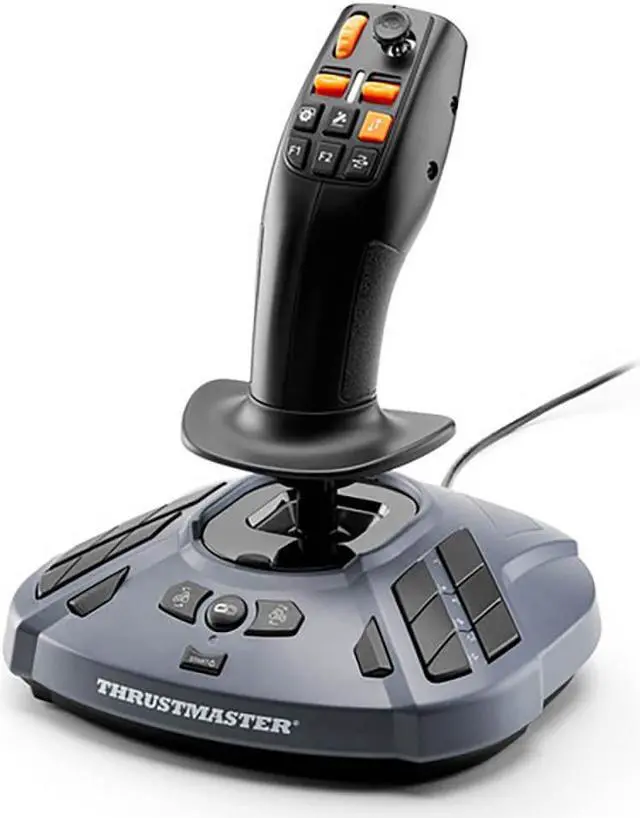
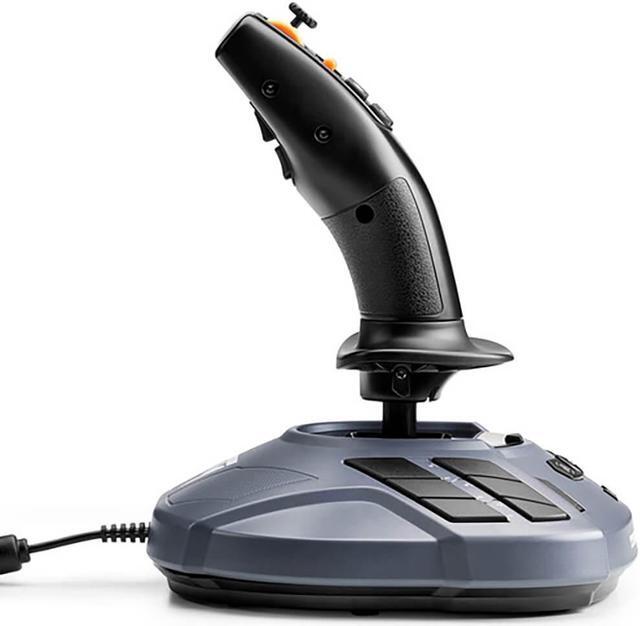
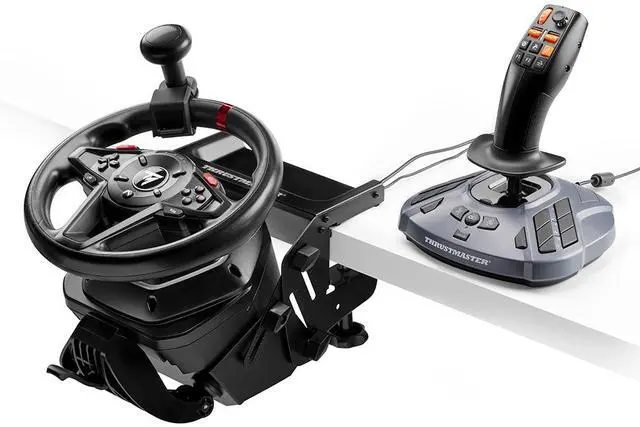
The Thrustmaster SimTask FarmStick is a PC joystick designed for Farming Simulator 25, suited to players who want plug-and-play controls for farming and heavy machinery without relying on a keyboard.
| Attribute | Value |
|---|---|
| Best For | PC farming and heavy-machinery simulation, including tractor and harvesting-equipment control |
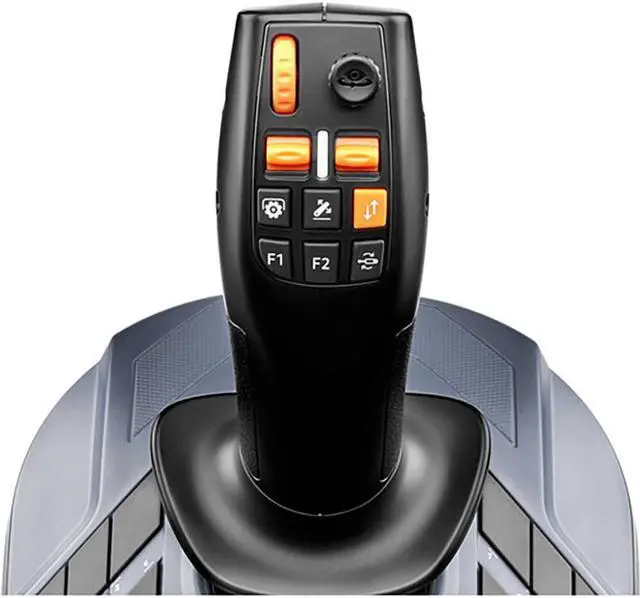
| Control And Inputs | Joystick controller with 33 buttons for simulation control |
| Connectivity And Compatibility | USB connection for Windows PCs, desktops, and laptops |
| Power | Corded electric; batteries are not required |
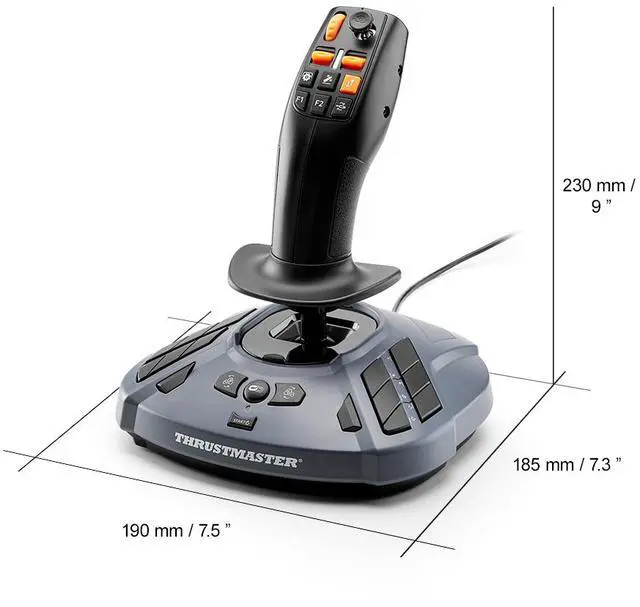
| Design And Dimensions | Black, ergonomic design; 23 cm high × 19 cm wide × 18.5 cm deep; weighs 841 g |
| Package Contents | One FarmStick joystick and one warranty flyer |
| Model Identifiers | Thrustmaster, model 2960889 |
Q: Should I get the FarmStick or the Logitech Heavy Equipment Bundle for Farming Simulator?
A: Choose the Thrustmaster SimTask FarmStick if you already have a wheel and pedals and want a dedicated joystick with 33 mapped inputs for controlling machinery. Choose the Logitech Heavy Equipment Bundle if you need a wheel, pedals, and side panel together; TechRadar found its Farming Simulator 25 controls were pre-mapped and ready to use. The FarmStick is the more focused add-on, while the Logitech bundle provides a fuller starter setup.
Q: FarmStick or Logitech Heavy Equipment Side Panel if I already own a wheel?
A: Pick the FarmStick if you want an ambidextrous joystick with a built-in control panel and 33 buttons for machinery tasks. The Logitech Side Panel is a separate control deck with 25-plus programmable buttons and switches, suited to players who prefer a panel-style layout alongside their existing wheel. Both are intended to add dedicated controls; the choice is mainly joystick-focused FarmStick versus Logitech’s side-panel layout.
Q: Is one FarmStick enough, or should I buy two?
A: One FarmStick is the more practical choice for adding machinery controls to a wheel setup or handling occasional loader and equipment tasks. Consider two if you regularly operate technical machinery, such as forestry equipment, where controlling it with a pair of joysticks fits your play style. Thrustmaster supports using FarmSticks as a duo, but a second stick is an additional purchase.
Q: Should I buy the FarmStick or a general-purpose flight joystick?
A: Choose the FarmStick if Farming Simulator is your main use and you want farming-oriented controls and a supported Farming Simulator 25 PC mapping. A general-purpose flight joystick may suit you better if you want a device primarily for flight games, but expect to configure controls for Farming Simulator. The FarmStick can also be manually configured for other joystick-compatible games.
Q: Does the FarmStick work with Farming Simulator 25 on PC, and is it compatible with Windows 11?
A: Yes. The PC version is plug-and-play with Farming Simulator 25 and is compatible with Windows 10 and Windows 11. It is a PC model, not a console-compatible version.
Q: Can I use the FarmStick without a racing wheel?
A: Yes. The FarmStick can be used on its own with a PC. A steering wheel is optional; the joystick is also designed to work in setups with a wheel or with two joysticks. Compatible wheel and steering-kit accessories are sold separately.
Q: Is one FarmStick enough for controlling farming and forestry machinery?
A: One FarmStick provides three joystick axes and up to 33 programmable inputs for vehicle and equipment controls. It can be used alone; two joysticks are also supported for players who want separate controls for more technical machinery.
Q: Can the FarmStick reduce how often I use the keyboard?
A: It can reduce keyboard use in supported games: the FarmStick has up to 33 programmable inputs, and its controls are mapped for Farming Simulator 25 on PC. Whether you can play without reaching for a keyboard depends on the game and your control setup.
Q: Is the Thrustmaster FarmStick worth buying for Farming Simulator?
A: It is most relevant if you regularly operate loaders, telehandlers, or forestry equipment and want dedicated joystick controls. In Reddit discussions, some players call it a useful addition to a wheel setup, while others say keyboard-and-mouse controls or a gamepad are enough for them. Its value depends on how often you use machinery that benefits from joystick control.
Q: Is the FarmStick useful without a steering wheel?
A: It can provide joystick control on its own, but players in Reddit discussions often describe it as a better fit alongside a wheel. Some report that using it with a keyboard still leaves them reaching for the keyboard, so it may be less convenient as a standalone upgrade.
Q: What Farming Simulator tasks is the FarmStick best suited for?
A: Players most often mention using it for loader arms, forklifts, telehandlers, pallet handling, and forestry. Reddit users also say they tend to use other controls for regular fieldwork, so it is most useful if you spend time operating machinery with several arm or implement controls.
Q: Are there reliability concerns to consider before buying?
A: Some Reddit users report drift or erratic input on the twist axis or thumbstick, while others report satisfactory use. These are individual reports, not a measure of how often failures occur. If you buy one, check the return and warranty terms and test the axes early; the product listing claims Hall Effect sensors, but that claim does not establish that every control uses that sensor type.


