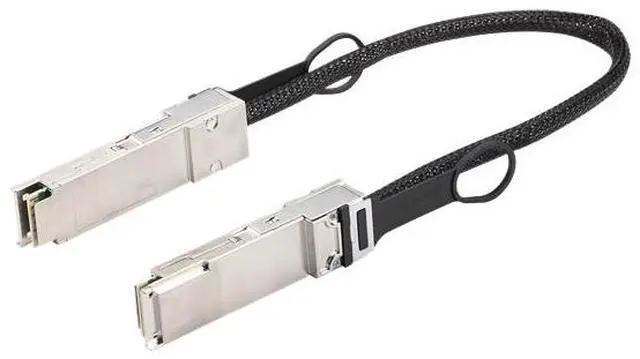
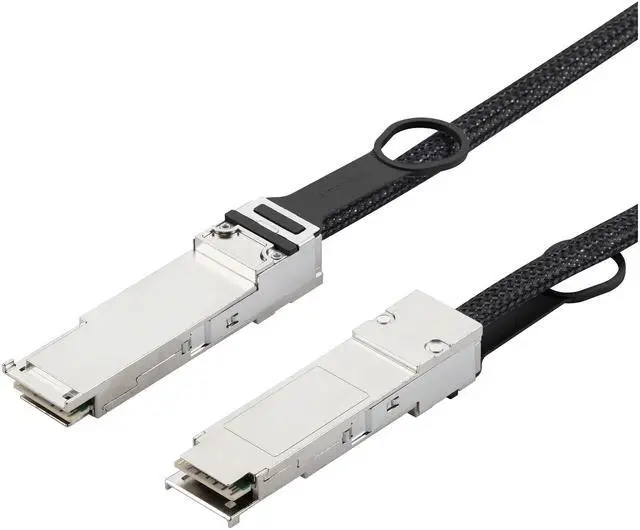
The ASUS GX10 QSFP cable is a 0.4 m QSFP112 accessory for ASUS Ascent GX10 and NVIDIA DGX Spark users who need Ethernet PAM-4 connectivity with bandwidth up to 400G.
Recommended For
- GX10 owners building a two-node AI workstation: use the direct QSFP link to connect two Ascent GX10 systems for workloads configured to run across both nodes.
- AI developers and researchers whose distributed inference or training workloads need multiple DGX Spark systems connected over a high-speed QSFP network.
- GX10 or DGX Spark users testing small multi-node AI setups at a desk, where a short 0.4 m cable can directly link nearby systems without a switch for a two-device connection.
- Teams scaling beyond two systems who are assembling a cluster and understand that larger layouts may require additional cables or a compatible switch, plus network configuration.
Real-World Use Scenarios
- When one GX10 is not enough for a two-system AI setup, connect it directly to a second GX10 or DGX Spark with this cable; after network configuration, the systems can communicate as a cluster for supported distributed workloads.
- When a model or workload does not fit on one DGX Spark-class system, use a QSFP link between systems as part of a configured cluster so compatible software can distribute work across them; the cable alone does not combine their memory or compute automatically.
- For local AI development across two nearby systems, use the short cable for a direct interconnect while testing distributed inference or fine-tuning; expect to configure the network interfaces and workload software before the systems can work together.
- When expanding beyond two systems, use this cable as one link in a multi-device layout; NVIDIA documents direct-ring and switch-based setups, which require additional cables and cluster-network configuration.
Spec Summary
| Attribute | Value |
|---|
| Best For | Connecting ASUS Ascent GX10 systems for high-speed data transfer |
|---|
| Data Transfer And Application | Up to 400 Gbps total bandwidth at 112 Gbps per lane, using PAM-4 modulation for Ethernet applications; meets IEEE 802.3ck |
|---|
| Cable And Connector | SAS/fiber cable with male-to-male QSFP112 connectors |
|---|
| Length And Weight | 0.4 m (1.3 ft; approximately 15.7 in) long, with a ±15 mm length tolerance; weighs 95 g (0.21 lb) |
|---|
| Model Identifiers | ASUS GX10 QSFP CABLE |
|---|





 here!
here!