Compatible Phone Manufacturer: Apple; Samsung and more
Compatible Phone Model: Pixel 3 / 3XL / 4 / 4XL / 5, and More, IPhone 13 / 13 Mini / 13 Pro / 13 Pro Max / 12 / 12 mini / 12 Pro / 12 Pro Max / iPhone SE (2nd generation) / 11 / 11 Pro / 11 Pro Max
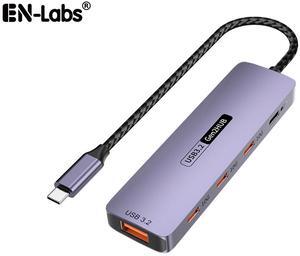
Part Number: Ports: Front: 1x TF Card Slot, 1x SD Card Slot, 2 x USB-A 5Gbps, 1 x USB-C 10Gbps, 1 x 4-Pole Phone Jack, 1x USB-C (Host, PD125W);
Rear: 1x RJ45(10/100/1000Mbps), 2 x 8K DisplayPort, 1 x 8K HDMI(Alt. Mode), 1x USB-C IN(PD140W MAX), 1 x Kensington Lock
Compatibility: Plug and play on Windows 11/10/8.1/8/7, Mac OS 11 or later, Chrome OS, Linux, iPad OS, Harmony OS, Android, iOS.
Works with your USB-C Desktop PCs, Laptops, Tablets/Mobile Phones(OTG function required).
Features: - Three video ports(1*HDMI+2*DisplayPort)work for triple display, and the resolution is up to single 8K(7680x4320)@30Hz or 4K(3840x2160)@144Hz.
- One USB-C PD 3.1 IN provides 140W power delivery for the dock, and supports 125W upstream charging for the host.
- One Gigabit Ethernet port provides a stable and high-speed network, and is backward...
Part Number: Input: 1 x USB 3.0 Cable1 x HDMI1 x VGA2 x USB 3.01 x RJ45 Gigabit EthernetCombo: 1 x SD Card Reader,1 x Micro SD Card Reader
Type: USB to HDMI Adapters
Color: Black
Features: Upstream USB3.0 foldable extension cable designed for Mini Dock handy travelling
Built in HDMI port maximum resolution up to 2560x1600 and VGA port reach at 1080p
Two USB-A ports extended USB3.0 (5Gbps) data transferring, and USB2.0 compliance
Gigabit Ethernet with devices wake up function
Combo built in USB3.0 SD and TF / Micro SD
Part Number: 1x USB-C(PD IN,100W), 1x HDMI (4K@60Hz), 2x DisplayPort(4K@60Hz), 1x Gigabit RJ45, 2xUSB3.0-A(5Gbps), 2 x USB2.0-A(480Mbps), 1x SD Card Slot, 1x TF Card Slot, 1 x Audio/Mic Port
Compatibility: Systems/ Devices Compatibility Plug and play on Windows 11/10/8.1/8/7, Mac OS, Chrome OS, Linux, iPad OS, Harmony OS, Android. Works with your USB-C Desktop PCs, Laptops, Tablets/Mobile Phones(OTG function required).
Weight: 0.27Lbs
Parts: How to Confirm if the Type-C Port of Your Laptop Supports Video Output and Charging? Step 1: Please check the model of your laptop, it should be on the back of the label; Step 2: Search “brand + the model number of the device + manual” in Google, for example: