
Your Browsing History
- In Stock
- Sold by Newegg
- Make an Offer

Quick View
Landry's $50 Gift Card (Email Delivery)
- Disclaimer: Terms and Conditions This Card is issued by MOCGC, Corp. and may be used to purchase goods and services at any participating Landry's, Inc. or affiliated location in the U.S. until the full balance is used. The Card has no cash value; except as required by law, it is not redeemable for cash. Any resale is strictly prohibited. For balance information or to report your card lost or stolen call 1-888-345-8380. For terms and conditions visit: landrysinc.com/giftcards/ terms.asp Redemption Instructions Please print this e-gift card that contains your gift card number and present it at the time of payment. For mobile redemption, you will be asked to write the e-gift card number on your guest check. The server will verify the e-gift card number on your phone and check the balance.
- Model #: LD-5000
- $50.00 –
Quick View

- Model #: GMGF0M80J-0002-NP
- $395.00 –

Quick View
- Model #: GMGF0F4LF-0001-NP
- $75.00 –

Quick View
Ruby Tuesday $10 Gift Card (Email Delivery)
- Disclaimer: Terms and Conditions For balance call 1-888-359-7657. Redeem at any participating Ruby Tuesday restaurant in the continental U.S. Lost or stolen cards will not be replaced. Ruby Tuesday will not assess any fees for card inactivity. Not redeemable for cash, except where required by law.
- Specifications: Redemption Instructions To use your eGift Card, simply print out the eGift Card and give it to your server when paying. Your server will retain the eGift Card if the balance has been depleted. If there is a remaining balance, your server will return the eGift Card to you for future use. Ruby Tuesday DOES NOT allow for mobile redemption at this time. You must print your eGift Card and present it to the cashier at the time of purchase.
- Model #: RT-1000
- $10.00 –

Quick View
- System Requirements: Compatibility: PC Language Supported: English
- Model #: R18-01855
- $33.99 –

Quick View
- System Requirements: Platform Supported:PC
- Model #: 9EM-00517
- $240.00 –

Quick View
StorageCraft ShadowProtect SPX Server (Linux–Virtual) - Maint - 1Yr GOV/EDU/Non Profit
- Type: Backup & Utilities
- Contract Period: 1 Year
- Model #: XSVS00USMG011YZZZ
- $59.25 –

Quick View
StorageCraft ShadowProtect SPX Server (Linux) - Maint - 1Yr - Qty 1-9 GOV/EDU/Non Profit
- Type: Backup & Utilities
- Contract Period: 1 Year
- Model #: XSPX00USMG011YZZZ
- $164.25 –

Quick View
StorageCraft ShadowProtect SPX Server (Linux–Virtual) GOV/EDU/Non Profit
- Type: Backup & Utilities
- Contract Period: 1 Year
- Model #: XSVS00USPG0100ZZZ
- $296.25 –
Quick View
- Model #: GMGF0MF3T-0001-NP
- $91.00 –

Quick View
Laplink Everywhere | Premium license | Remote management of 5 devices for 24 Months
- Type: Utilities
- Version: 5 Devices
- Operating Systems Supported: Windows
- Packaging: Download
- Model #: PAFGLEPR01005P0RTDML
- $165.00 –

Quick View
Adobe Acrobat Studio | PDF Software | Create and edit PDF’s with AI Insights | One-Time Purchase | PC/MAC Online Code | Activation Required
- Disclaimer: Currently, this item is available only to customers located in the United States.
- Brand: Adobe
- Name: Adobe Acrobat Studio
- Type: Accounting
- Model #: 30014925
- $299.88 –

Quick View
StorageCraft ShadowProtect SPX Server (Linux–Virtual) - Maint - 10pk - 1Yr GOV/EDU/Non Profit
- Type: Backup & Utilities
- Contract Period: 1 Year
- Model #: XSVS00USMG101YZZZ
- $359.25 –


Quick View
Ruby Tuesday $50 Gift Card (Email Delivery)
- Disclaimer: Terms and Conditions For balance call 1-888-359-7657. Redeem at any participating Ruby Tuesday restaurant in the continental U.S. Lost or stolen cards will not be replaced. Ruby Tuesday will not assess any fees for card inactivity. Not redeemable for cash, except where required by law.
- Specifications: Redemption Instructions To use your eGift Card, simply print out the eGift Card and give it to your server when paying. Your server will retain the eGift Card if the balance has been depleted. If there is a remaining balance, your server will return the eGift Card to you for future use. Ruby Tuesday DOES NOT allow for mobile redemption at this time. You must print your eGift Card and present it to the cashier at the time of purchase.
- Model #: RT-5000
- $50.00 –


Quick View
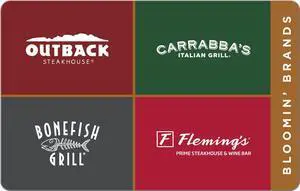
Bloomin' Brands $100 Gift Card (Email Delivery)
- Disclaimer: Redemption Instructions Print this page or present your mobile device and display the gift card number and associated PIN (if applicable) to your server at the time of payment. Server redemption Instructions; For Internal Use Only 1. In the CC Auth screen, select the E G-CARD button - the first 9 numbers of the e-gift card will pre-populate. 2. Manually key in the remaining number of the e-gift card. 3. Select ENTER - the remaining payment process will be handled as normal. Terms and Conditions Use of cards equals acceptance of following terms. Redeemable at any Bloomin' Brands restaurant locations in the United States. Also redeemable at Outback Puerto Rico and Guam locations. Card has no replacement value if lost or stolen. No returns and not redeemable for gift cards or cash except where required by law. Treat this card as cash. For locations and balance ...
- Model #: BBBfM-10000
- $100.00 –

Quick View
Ruby Tuesday $100 Gift Card (Email Delivery)
- Disclaimer: Terms and Conditions For balance call 1-888-359-7657. Redeem at any participating Ruby Tuesday restaurant in the continental U.S. Lost or stolen cards will not be replaced. Ruby Tuesday will not assess any fees for card inactivity. Not redeemable for cash, except where required by law.
- Specifications: Redemption Instructions To use your eGift Card, simply print out the eGift Card and give it to your server when paying. Your server will retain the eGift Card if the balance has been depleted. If there is a remaining balance, your server will return the eGift Card to you for future use. Ruby Tuesday DOES NOT allow for mobile redemption at this time. You must print your eGift Card and present it to the cashier at the time of purchase.
- Model #: RT-10000
- $100.00 –

Quick View
StorageCraft ShadowProtect SPX Server (Windows-Virtual) - 3pk GOV/EDU/Non Profit
- Type: Backup & Utilities
- Contract Period: 1 Year
- Model #: XSVW00USPG0300ZZZ
- $746.25 –
Quick View
Bonefish Grill $50 Gift Card (Email Delivery)
- Disclaimer: Terms and Conditions Use of cards equals acceptance of following terms. Redeemable at any Bloomin' Brands restaurant locations in the United States. Also redeemable at Outback Puerto Rico and Guam locations. Card has no replacement value if lost or stolen. No returns and not redeemable for gift cards or cash except where required by law. Treat this card as cash. For locations and balance information visit bloominbrands.com.
- Specifications: Redemption Instructions Print this page or present your mobile device and display the gift card number and associated PIN (if applicable) to your server at the time of payment.
- Model #: BBBf-5000
- $50.00 –
Quick View
Bloomin' Brands $25 Gift Card (Email Delivery)
- Disclaimer: Redemption Instructions Print this page or present your mobile device and display the gift card number and associated PIN (if applicable) to your server at the time of payment. Server redemption Instructions; For Internal Use Only 1. In the CC Auth screen, select the E G-CARD button - the first 9 numbers of the e-gift card will pre-populate. 2. Manually key in the remaining number of the e-gift card. 3. Select ENTER - the remaining payment process will be handled as normal. Terms and Conditions Use of cards equals acceptance of following terms. Redeemable at any Bloomin' Brands restaurant locations in the United States. Also redeemable at Outback Puerto Rico and Guam locations. Card has no replacement value if lost or stolen. No returns and not redeemable for gift cards or cash except where required by law. Treat this card as cash. For locations and balance ...
- Model #: BBBM-2500
- $25.00 –
Quick View
Bonefish Grill $100 Gift Card (Email Delivery)
- Disclaimer: Terms and Conditions Use of cards equals acceptance of following terms. Redeemable at any Bloomin' Brands restaurant locations in the United States. Also redeemable at Outback Puerto Rico and Guam locations. Card has no replacement value if lost or stolen. No returns and not redeemable for gift cards or cash except where required by law. Treat this card as cash. For locations and balance information visit bloominbrands.com.
- Specifications: Redemption Instructions Print this page or present your mobile device and display the gift card number and associated PIN (if applicable) to your server at the time of payment.
- Model #: BBBf-10000
- $100.00 –

Quick View
StorageCraft ShadowProtect SPX Server (Windows-Virtual) - Maint - 10pk - 1Yr
- Type: Backup & Utilities
- End User: Commercial
- Contract Period: 1 Year
- Model #: XSVW00USMS101YZZZ
- $526.99 –

Quick View
StorageCraft ShadowProtect SPX Server (Windows-Virtual) - Maint - 1Yr
- Type: Backup & Utilities
- End User: Commercial
- Contract Period: 1 Year
- Model #: XSVW00USMS011YZZZ
- $94.99 –

Quick View
Laplink Everywhere | Basic license | Remote management of 10 devices for 24 Months
- Type: Utilities
- Version: 10 Devices
- Operating Systems Supported: Windows
- Packaging: Download
- Model #: PAFGLEBA0100AP0RTDML
- $250.00 –


Quick View
- $55.00 –
Quick View
Outback Steakhouse $200 Gift Card (Email Delivery)
- Disclaimer: Terms and Conditions Use of cards equals acceptance of following terms. Redeemable at any Bloomin' Brands restaurant locations in the United States. Also redeemable at Outback Puerto Rico and Guam locations. Card has no replacement value if lost or stolen. No returns and not redeemable for gift cards or cash except where required by law. Treat this card as cash. For locations and balance information visit bloominbrands.com. Redemption Instructions Print this page or present your mobile device and display the gift card number and associated PIN (if applicable) to your server at the time of payment. Server Redemption Instructions; For Internal Use Only 1. In the CC Auth screen, select the E G-CARD button - the first 9 numbers of the e-gift card will pre-populate. 2. Manually key in the remaining number of the e-gift card. 3. Select ENTER - the remaining paymen...
- Model #: OB-20000
- $200.00 –

Quick View
- Model #: GMGF0F4MH-0003-EP
- $1,558.00 –

Quick View
ESET Protect Entry - 1 Year - Volume Licensing - 5-10 Licenses Required
- Model #: EPE-N1-B5
- $42.20 –

Quick View
Ruby Tuesday $200 Gift Card (Email Delivery)
- Disclaimer: Terms and Conditions For balance call 1-888-359-7657. Redeem at any participating Ruby Tuesday restaurant in the continental U.S. Lost or stolen cards will not be replaced. Ruby Tuesday will not assess any fees for card inactivity. Not redeemable for cash, except where required by law.
- Specifications: Redemption Instructions To use your eGift Card, simply print out the eGift Card and give it to your server when paying. Your server will retain the eGift Card if the balance has been depleted. If there is a remaining balance, your server will return the eGift Card to you for future use. Ruby Tuesday DOES NOT allow for mobile redemption at this time. You must print your eGift Card and present it to the cashier at the time of purchase.
- Model #: RT-20000
- $200.00 –

Quick View
Red Hat Enterprise Linux Server for HPC Compute Node for ARM, Self-support (Physical)
- Model #: RH02566
- $94.00 –


Any questions? Our AI beta will help you find out quickly.
Try me now