
Your Browsing History
- Sold by Newegg
- Make an Offer

Any questions? Our AI beta will help you find out quickly.
Try me now

Quick View
Hotels.com $25 Gift Card (Email Delivery)
- Disclaimer:
Usable up to balance only for new hotel bookings at www.hotels.com/gc. Only one gift card can be redeemed per online booking, but multiple gift cards may be combined into one gift card with a maximum value of $2000 by visiting the balance transfer tab found at www.hotels.com/gcbalance. Not redeemable at hotel locations or if you choose the Pay at Hotel option online. Not redeemable toward existing bookings. Not redeemable for Packages or bookings made through the Groups and Meetings tab. Not redeemable for cash unless required by law. Not reloadable. Safeguard the card. Not replaced if lost or stolen. Card is distributed by Hotels.com. However, Hotels.com is not an obligor to card owner. CARDCO CXXXIX, Inc. is the card issuer and sole obligor to card owner. CARDCO may delegate its issuer obligations to an assignee, without recourse. If... - Model #: HC-2500
- $25.00 –
Quick View
#1 Best Seller
- Specifications: Redemption Instructions 1. Go to the Payment section in the Uber app 2. Tap Add Payment Method and select Gift Card 3. Enter Gift Code
- Model #: UB-2500
- $25.00 –
Quick View
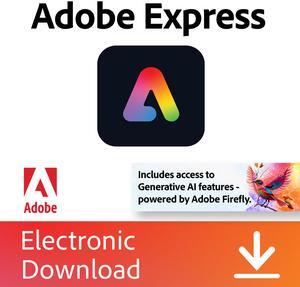
Adobe Express Premium | 12 month subscription | Download | PC/Mac & Mobile Online Code
This item can only be purchased with a combo
- Disclaimer: Currently, this item is available only to customers located in North America
- Brand: Adobe
- Packaging: Download
- Name: Adobe Express Premium
- Model #: 30015109
- $99.99 –
Quick View

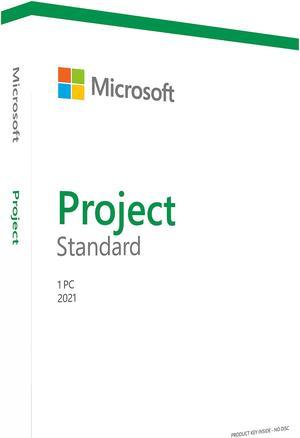
- Type: Office Suite
- Operating Systems Supported: Windows & Mac OS & Android & iOS
- Packaging: Retail
- Model #: 076-05916
- $499.99 –
- Free Shipping
Quick View
Uber $60 Gift Card (Email Delivery)
- Disclaimer: Terms and Conditions By using this gift card, you accept the following terms and conditions: This card is redeemable via the Uber or Uber Eats app within the U.S. in cities where Uber or Uber Eats is available. Funds do not expire. The card is non-reloadable and, except where required by law, cannot be redeemed for cash, refunded, or returned. You may be required to add a secondary payment method to use this gift card with the Uber or Uber Eats app. The card is not redeemable outside the U.S. Issuer is not responsible for lost or stolen cards, or unauthorized use. Depending on the state of purchase, this card is issued by Bancorp Card Services, Inc. or The Bancorp Bank. For full terms and conditions and customer service, visit uber.com/legal/gift.
- Brand: Uber
- Specifications: Redemption Instructions 1. Go to the Payment section in the...
- Model #: UB6000
- $60.00 –
Quick View
Adobe Express Premium | 2-Month Free Trial Subscription with Auto-Renewal | Download | PC/Mac & Mobile Online Code
This item can only be purchased with a combo
- Disclaimer: Free trial terms: • Billing automatically starts after the free trial ends • Adobe will send a reminder 7 days before the trial ends • To avoid being charged, be sure to cancel your subscription before the end of the 2-month trial period Cancellations can be made through Adobe’s Customer Support or at https://account.adobe.com/plans.
- Brand: Adobe
- Packaging: Download
- Name: Adobe Express Premium | 2-Month Free Trial Subscription with Auto-Renewal
- Model #: 65324512-TR
- $19.98 –
Quick View
Uber $30 Gift Card (Email Delivery)
- Specifications: To redeem this gift card: 1. Open the Account Menu and tap “Wallet” 2. Tap on the "+ Add funds" button on the Uber Cash card 3. Tap on the "Gift card" button 4. Enter Gift Code and tap "Add"
- Model #: UB-3000
- $30.00 –
Quick View
Uber $80 Gift Card (Email Delivery)
- Specifications: To redeem this gift card: 1. Open the Account Menu and tap “Wallet” 2. Tap on the "+ Add funds" button on the Uber Cash card 3. Tap on the "Gift card" button 4. Enter Gift Code and tap "Add"
- Model #: UB-8000
- $80.00 –
Quick View
Uber $40 Gift Card (Email Delivery)
- Specifications: To redeem this gift card: 1. Open the Account Menu and tap “Wallet” 2. Tap on the "+ Add funds" button on the Uber Cash card 3. Tap on the "Gift card" button 4. Enter Gift Code and tap "Add"
- Model #: UB40
- $40.00 –
Quick View
Uber $400 Gift Card (Email Delivery)
- Specifications: To redeem this gift card: 1. Open the Account Menu and tap “Wallet” 2. Tap on the "+ Add funds" button on the Uber Cash card 3. Tap on the "Gift card" button 4. Enter Gift Code and tap "Add"
- Model #: UB400
- $400.00 –
Quick View
Uber $45 Gift Card (Email Delivery)
- Specifications: To redeem this gift card: 1. Open the Account Menu and tap “Wallet” 2. Tap on the "+ Add funds" button on the Uber Cash card 3. Tap on the "Gift card" button 4. Enter Gift Code and tap "Add"
- Model #: UB45
- $45.00 –
Quick View
Uber $500 Gift Card (Email Delivery)
- Specifications: To redeem this gift card: 1. Open the Account Menu and tap “Wallet” 2. Tap on the "+ Add funds" button on the Uber Cash card 3. Tap on the "Gift card" button 4. Enter Gift Code and tap "Add"
- Model #: UB500
- $500.00 –

Quick View
Lyft $200 Gift Card (Email Delivery)
- Specifications: Redemption Instructions: 1. Open the Lyft app 2. Tap the menu icon in the top left corner 3. Tap the ‘Payment’ tab 4. Tap ‘Gift card’ and follow the instructions in the app
- Model #: LF-20000
- $200.00 –

Quick View
Lyft $50 Gift Card (Email Delivery)
- Specifications: Redemption Instructions: 1. Open the Lyft app 2. Tap the menu icon in the top left corner 3. Tap the ‘Payment’ tab 4. Tap ‘Gift card’ and follow the instructions in the app
- Model #: LF-5000
- $50.00 –

Quick View
Lyft $100 Gift Card (Email Delivery)
- Specifications: Redemption Instructions: 1. Open the Lyft app 2. Tap the menu icon in the top left corner 3. Tap the ‘Payment’ tab 4. Tap ‘Gift card’ and follow the instructions in the app
- Model #: LF-10000
- $100.00 –

Quick View
Lyft $25 Gift Card (Email Delivery)
- Specifications: Redemption Instructions: 1. Open the Lyft app 2. Tap the menu icon in the top left corner 3. Tap the ‘Payment’ tab 4. Tap ‘Gift card’ and follow the instructions in the app
- Model #: LF-1500
- $25.00 –
Quick View
Untuckit $200 Gift Card (Email Delivery)
- Disclaimer: Terms and Conditions Purchase or use of this Card constitutes acceptance of the Gift Card Terms and Conditions found at untuckit.giftcardassistance.com and the following terms. This Gift Card is redeemable in the United States only for authorized goods at www.untuckit.com and at UNTUCKit retail stores. This Gift Card is not redeemable for cash or credit nor will be replaced or refunded except where required by law. For refund or customer service inquiries please contact [email protected]. Please visit untuckit.giftcardassistance.com for Card customer service and balance information. This Card is issued and administered by TGCM UTKI - 8. This Gift Card will not expire. Resale of this Card is strictly prohibited without consent of the Issuer.
- Specifications: Redemption Instructions UNTUCKit Gift Cards can be redeemed in the United St...
- Model #: Untuckit20000
- $200.00 –
Quick View
Meta Quest $70 Gift Card (Email Delivery)

- Disclaimer: Terms and Conditions 5000 character limit. See child safety guidance online; Accounts for 10+. Meta Quest Gift Cards are solely for the purchase of content, apps and services from the Meta Horizon Store. Cards do not expire and carry no service or dormancy fees. Cards are not redeemable for cash and cannot be transferred, resold, returned, refunded or exchanged, except as required by law. Issued by Meta Platforms Technologies, LLC or its affiliates (“Meta”). Meta is not responsible for lost or stolen gift cards or unauthorized use. Terms and Conditions apply; see store.meta.com/qgc/. For assistance, visit meta.com/help/quest/.
- Specifications: Redemption Instructions Meta Horizon Mobile App: 1. Install the Meta Horizon app on your iPhone or Android phone 2. Sign in with (or create) your Meta account 3. Go to "Wallet" in the menu of the Met...
- Model #: MQ7000CA
- $70.00 –

Quick View
- $49.00 –
Quick View
Best Western $50 Gift Card (Email Delivery)
- Specifications: Redemption Instructions Best Western®Travel Cards can be redeemed at any BWH Hotel Group branded hotel that accepts the Travel Card as payment
- Model #: BW-5000
- $50.00 –
Quick View
Best Western $300 Gift Card (Email Delivery)
- Specifications: Redemption Instructions Best Western®Travel Cards can be redeemed at any BWH Hotel Group branded hotel that accepts the Travel Card as payment
- Model #: BW-30000
- $300.00 –
Quick View
Best Western $100 Gift Card (Email Delivery)
- Specifications: Redemption Instructions Best Western®Travel Cards can be redeemed at any BWH Hotel Group branded hotel that accepts the Travel Card as payment
- Model #: BW-10000
- $100.00 –
Quick View
Best Western $75 Gift Card (Email Delivery)
- Specifications: Redemption Instructions Best Western®Travel Cards can be redeemed at any BWH Hotel Group branded hotel that accepts the Travel Card as payment
- Model #: BW-7500
- $75.00 –

Quick View
Best Western $200 Gift Card (Email Delivery)
- Specifications: Redemption Instructions Best Western®Travel Cards can be redeemed at any BWH Hotel Group branded hotel that accepts the Travel Card as payment
- Model #: BW-20000
- $200.00 –
Quick View
Best Western $25 Gift Card (Email Delivery)
- Specifications: Redemption Instructions Best Western®Travel Cards can be redeemed at any BWH Hotel Group branded hotel that accepts the Travel Card as payment
- Model #: BW-2500
- $25.00 –
Quick View
Best Western $250 Gift Card (Email Delivery)
- Specifications: Redemption Instructions Best Western®Travel Cards can be redeemed at any BWH Hotel Group branded hotel that accepts the Travel Card as payment
- Model #: BW-25000
- $250.00 –
Quick View
Subway $50 Gift Card (Email Delivery)
- Disclaimer: Subway eGift Card Terms & Conditions: The Subway Card is issued by Value Pay Services LLC. This Subway Card can be loaded with a dollar value and used to purchase goods and services at participating Subway restaurants in the U.S. and Canada, and online at www.subway.com or through the Subway App. The Card may not be used to purchase other Cards and is not redeemable for cash except where required by law. The prepaid card balance never expires, nor are any fees charged in connection with its use. Check your balance at www.subway.com or call 1-877-697-8222. The remaining balance on lost, stolen, or damaged Cards will be replaced only if the Card has been registered and proof of purchase is provided. To register your Card, and for complete terms and conditions, visit www.subway.com. Use of this Card constitutes acceptance of those terms and conditions. The Subway ...
- Model #: SBW5000
- $50.00 –
Quick View
Subway $100 Gift Card (Email Delivery)
- Disclaimer: Subway eGift Card Terms & Conditions: The Subway Card is issued by Value Pay Services LLC. This Subway Card can be loaded with a dollar value and used to purchase goods and services at participating Subway restaurants in the U.S. and Canada, and online at www.subway.com or through the Subway App. The Card may not be used to purchase other Cards and is not redeemable for cash except where required by law. The prepaid card balance never expires, nor are any fees charged in connection with its use. Check your balance at www.subway.com or call 1-877-697-8222. The remaining balance on lost, stolen, or damaged Cards will be replaced only if the Card has been registered and proof of purchase is provided. To register your Card, and for complete terms and conditions, visit www.subway.com. Use of this Card constitutes acceptance of those terms and conditions. The Subway ...
- Model #: SBW10000
- $100.00 –

Quick View
Panera Bread $20 Gift Card (Email Delivery)
- Disclaimer: Terms and Conditions Redeemable only for products at panerabread.com or participating U.S. Panera Bread® bakery-cafes. Not refundable or redeemable for cash unless required by law. Not redeemable to purchase another gift card. Reloadable. This card is issued by and represents an obligation solely of Bakery Cafe Cards, LLC or, if sold by a Panera franchisee, such franchisee. For complete terms and conditions (including arbitration agreement), which are subject to change, or for balance inquiries, please visit panerabread.com or call 1-877-218-5366. Purchase, use or acceptance of this card constitutes acceptance of these terms and conditions. For Panera Bread locations, please visit panerabread.com. ©2024 Panera Bread. All Rights Reserved.
- Specifications:
1. Order for, Rapid Pick-Up® or Contactless Delivery a... - Model #: PAN-2000
- $20.00 –
Quick View
Subway $10 Gift Card (Email Delivery)
- Disclaimer: Subway eGift Card Terms & Conditions: The Subway Card is issued by Value Pay Services LLC. This Subway Card can be loaded with a dollar value and used to purchase goods and services at participating Subway restaurants in the U.S. and Canada, and online at www.subway.com or through the Subway App. The Card may not be used to purchase other Cards and is not redeemable for cash except where required by law. The prepaid card balance never expires, nor are any fees charged in connection with its use. Check your balance at www.subway.com or call 1-877-697-8222. The remaining balance on lost, stolen, or damaged Cards will be replaced only if the Card has been registered and proof of purchase is provided. To register your Card, and for complete terms and conditions, visit www.subway.com. Use of this Card constitutes acceptance of those terms and conditions. The Subway ...
- Model #: SBW1000
- $10.00 –