

Your Browsing History
- New

Any questions? Our AI mode will help you find out quickly.
Try me now
Quick View
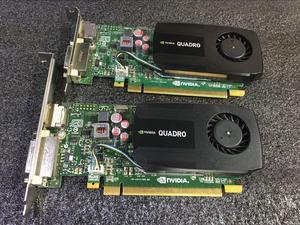
Original K600 graphics card 1G supports 4K professional graphics workstation graphics card cooler (1 set)
- Model #: k600card
- $88.99 –
- Free Shipping
Quick View
- $26.99 –
- Free Shipping

Quick View

- Model #: 100-505966
- $376.00 –
- Free Shipping
Quick View

- Model #: 967547107817-6
- $49.00 –
- Free Shipping
Quick View
- $115.00 –
Quick View
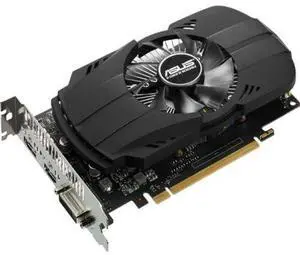
Phoenix PH-GTX1050-2G GeForce GTX 1050 2GB GDDR5 128 bit PCI Express 3.0 Graphic Card
- Specifications: 2GB
- Model #: 085A0349590281
- $245.00 –
- Free Shipping
Quick View

- SLI Bridge: 2-Way
- Thunderbolt: Yes
- Sports Team: Akron Zipps
- Model #: 46781
- $275.99 –
- Free Shipping
Quick View
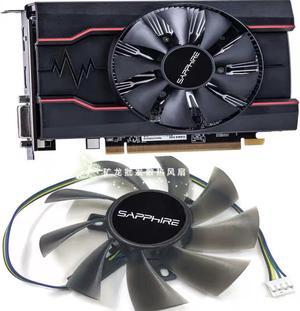
For Sapphire RX550 2G 4G League of Legends Knife Card Seconds RX560 260X 750 650 Graphics Fan
- Model #: RX550 SA
- $18.99 –
- Free Shipping
Quick View
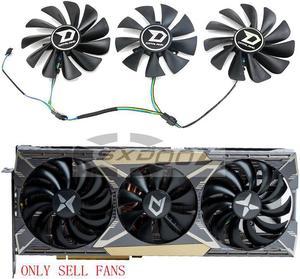
For DATALAND RX 5600XT 5700XT 5700 X Ares X War Demon Mute graphics card fan A set of three
- Model #: RX5600XT
- $33.99 –
- Free Shipping
Quick View
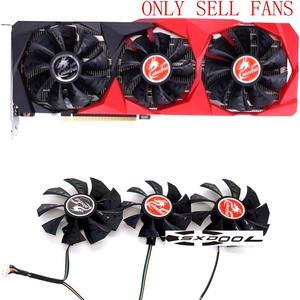
For Colorful RTX3060 3070 3080 3090 Tomahawk Graphics Card Fan (3 fans/set) 2 X 90mm, 1 X
80mm
- Model #: COL RTX30XX
- $37.99 –
- Free Shipping
Quick View
- $749.00 –
- Free Shipping
Quick View
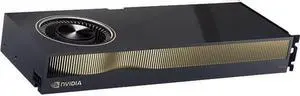
Refurbished PNY NVIDIA RTX 6000 Ada Graphic Card - 48 GB GDDR6 - 384 bit Bus Width - PCI Express 4.0 x16 - DisplayPort - 4 x DisplayPort
- Model #: VCNRTX6000ADA-PB
- $9,760.00 –
- Free Shipping
Quick View
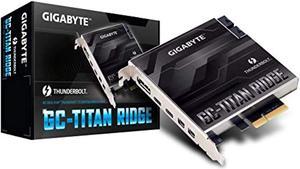
Refurbished gigabyte gc-titan ridge (titan ridge thunderbolt 3 pcie card component)

- Model #: RNAB07GBZL93X
- $224.13 –
- More options from $224.13
- Free Shipping
Quick View
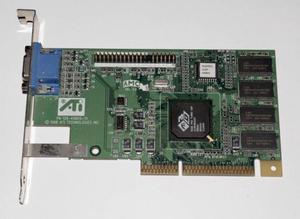
Ati 109-49800-11 Rage Pro Agp Video Card
- Model #: 109-49800-11
Quick View
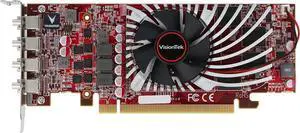
Refurbished VisionTek AMD 901466 Radeon RX 550 2 GB Graphics Card - GDDR5 - PCI-e 3.0 X8 - Output: 4x Mini DP
- Model #: 901466
- $141.49 –
- Free Shipping
Quick View
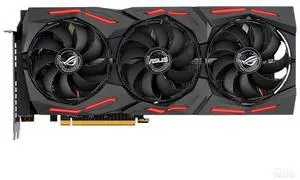
- Model #: ASUS-1290973
- $229.99 –
- Free Shipping
Quick View
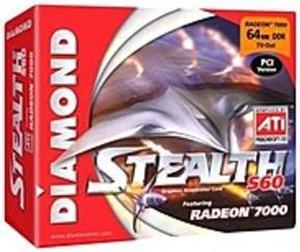
Refurbished Diamond Multimedia S60PCI64 Stealth S60 ATI Radeon 7000 64 MB Video Card - PCI - 2048 x 1536
- Model #: S60PCI64
- $150.00 –
- $12.00 Shipping
Quick View
Refurbished Jaton 3DFORCE3450-DVI ATI Radeon HD 3450 Video Card - AGP 4X/8X - 512 MB Memory - 2 x DVI
- Model #: 3DFORCE3450-DVI
- $95.00 –
- $12.00 Shipping
Quick View
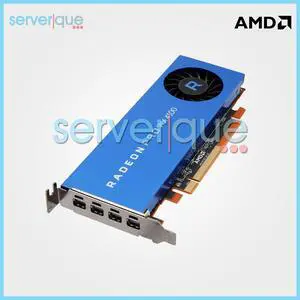
- Part Number: AMD Radeon Pro WX 4100
- Parts: 30 Days
- Labor: 30 Days
- Model #: AMD Radeon Pro WX 4100
- $115.99 –
- Free Shipping
Quick View
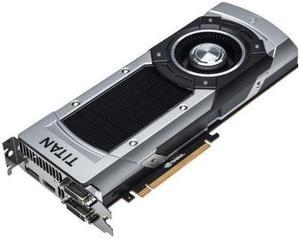
- Model #: 900-12083-0031-000
- $225.00 –
- $13.50 Shipping
| Buying an RX 9060 XT | |
|---|---|
Understanding the Radeon RX 9060 XTThe AMD Radeon RX 9060 XT is designed for gamers and creators seeking high 1080p and solid 1440p performance. As part of AMD’s RDNA 3 family, it benefits from a modern 6 nm process, improved power efficiency, and enhanced ray-tracing capabilities. Whether you’re upgrading from an older GPU or building a new system, consider how features like hardware-accelerated ray tracing, FidelityFX Super Resolution (FSR 3), and Radeon Super Resolution (RSR) can enhance your experience. Key specifications target strong 1080p and 1440p gaming performance, with the 16GB version offering more memory headroom for modern and future games, higher settings, and multitasking. The 16GB models can also feature slightly higher clock speeds, depending on the board partner. The 8GB version is more budget-friendly but may face limitations in newer games that require more VRAM, especially at higher resolutions and settings. The 16GB model is recommended for those seeking better longevity and performance in demanding titles. Both cards support FSR 4 upscaling, ray tracing, and AI-accelerated tasks, and are positioned as strong value options in their price segments compared to NVIDIA 's offerings When choosing a variant, explore custom models from brands like Sapphire, ASRock, and PowerColor. These custom cards often feature factory overclocks, enhanced cooling solutions, and RGB lighting options. Ensure your case has at least 240 mm of clearance and that your power supply provides an 8-pin PCIe connector with sufficient headroom for future upgrades. Pair the RX 9060 XT with a modern CPU—such as an AMD Ryzen 5 7600X or Intel Core i5 13600K—to avoid bottlenecking at high frame rates. For smooth multi-tasking, aim for 16 GB of dual-channel DDR4 or DDR5 RAM. Before installing, download the latest Radeon Software Adrenalin Edition drivers from AMD’s site. Enable features like Radeon Anti-Lag, Radeon Boost, and FSR 3 for optimal performance in supported games. For real-time resale and availability, visit Newegg’s category page: RX 9060 XT Graphics Cards. Filter by brand, cooling type, and clock speeds to narrow your options. When your order arrives, follow the installation guide provided by the manufacturer or Newegg’s knowledge base to ensure proper seating, power connections, and BIOS settings. |
Getting the Most Out of Your RX 9060 XTAfter installation, check for any available BIOS/UEFI updates for your motherboard. Keep Windows Update or your Linux distribution current to benefit from stability improvements. Within Radeon Software, explore presets for different game profiles and use the performance monitoring overlay to track FPS, GPU temperatures, and utilization in real time. If you notice temperatures consistently above 80 °C, adjust fan curves or improve case airflow by adding intake/exhaust fans. To extend the life of your GPU , dust your case regularly and avoid overclocking beyond manufacturer specifications unless you have adequate cooling. Utilize Radeon Super Resolution (RSR) to upscale non-FSR titles, which can deliver higher frame rates with minimal quality loss. When playing new releases, check whether developers have implemented FSR 3 support to take advantage of frame-generation enhancements. FAQs about the RX 9060 XT
|