

Your Browsing History
- Free 30-day Returns
$736.99


Meet Your Seller


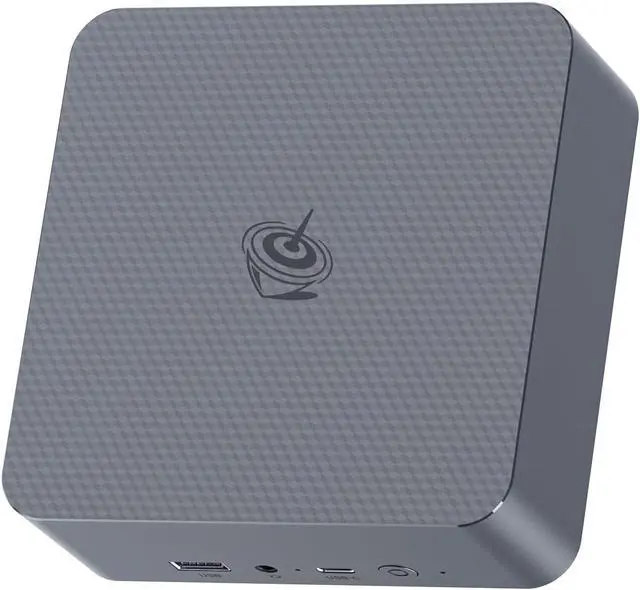


Beelink EQR5 Mini PC, AMD Ryzen 5 5500U(6C/12T, Up to 4.0GHz), Mini Computer 16G DDR4 RAM 500GB NVMe PCIe3.0x4 SSD, Micro PC 4K@60Hz Dual Display Dual HDMI/WiFi6/BT5.2/1000Mbps
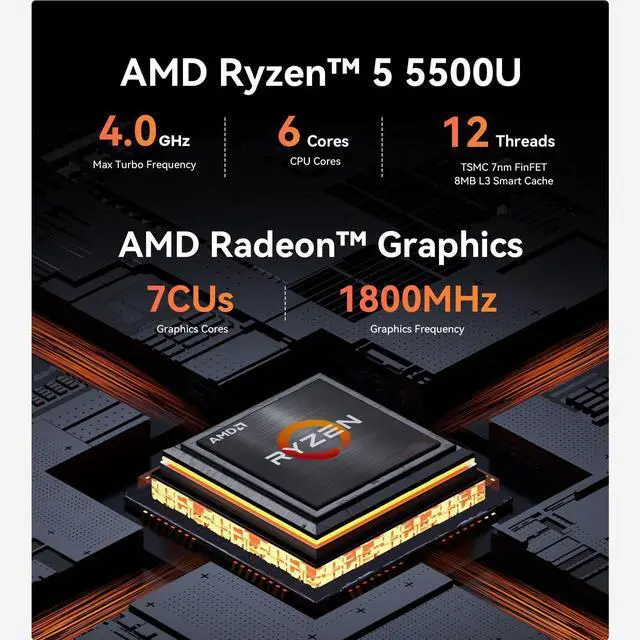
- High Performance Mini PCThe Beelink EQR5 Mini PC is powered by AMD Ryzen 5 5500U(6 Core/12 Thread, TSMC 7nm FinFET,8MB L3 Smart Cache), Support Up to 4.0GHz frequency. The Mini Computer has stable and reliable performance, reduced latency, powerful loading and processing power for a smoother experience.
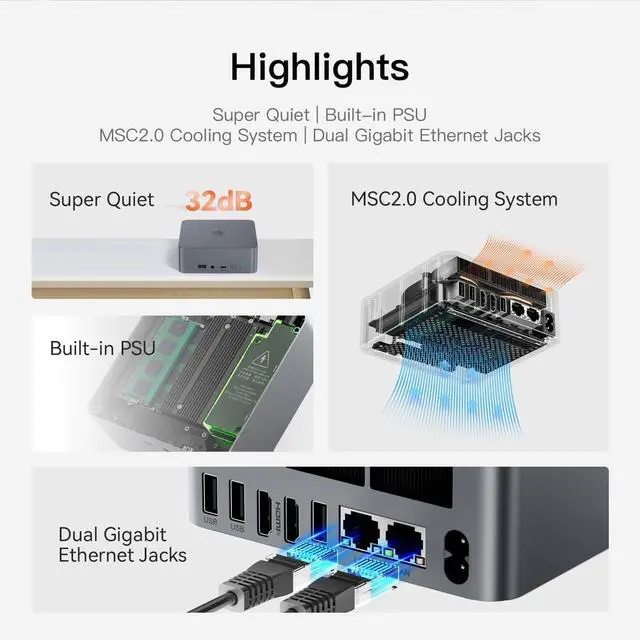
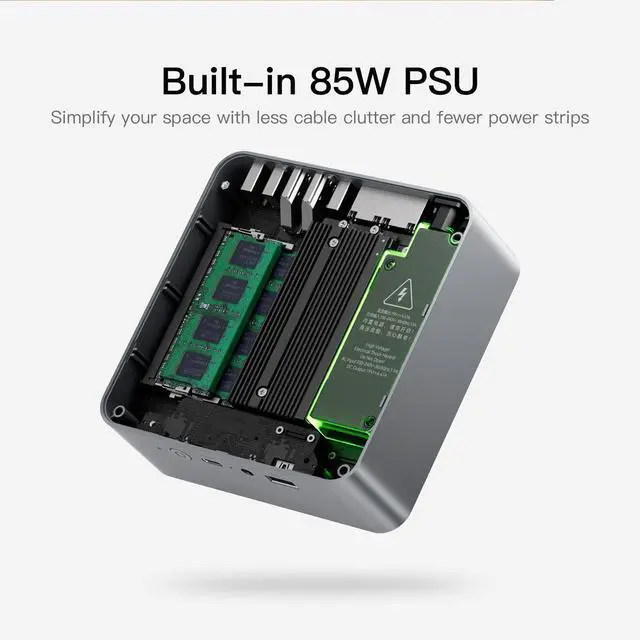
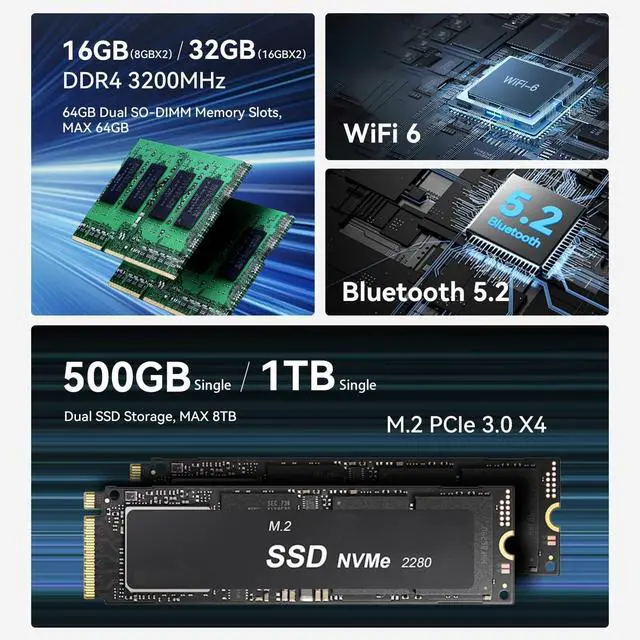
- High-capacity Storage & CoolingThe Beelink EQR5 5500U built-in 16GB 3200MHz DDR4 (Up to 64GB, 2*32G expandable memory, run memory is 30% faster than DDR3), and 500GB M.2 2280 NVMe PCIE3.0x4 SSD(comes with Dual M.2 2280 PCle3.0x4 SSD slots, Up to 4TB), more storage space will make Mini PC run more smoothly. Heat pipe, silent fan and heat fins quickly push the heat out of the mini pc, avoiding CPU overheating and throttling, offering efficient cooling for the SSD and RAM.
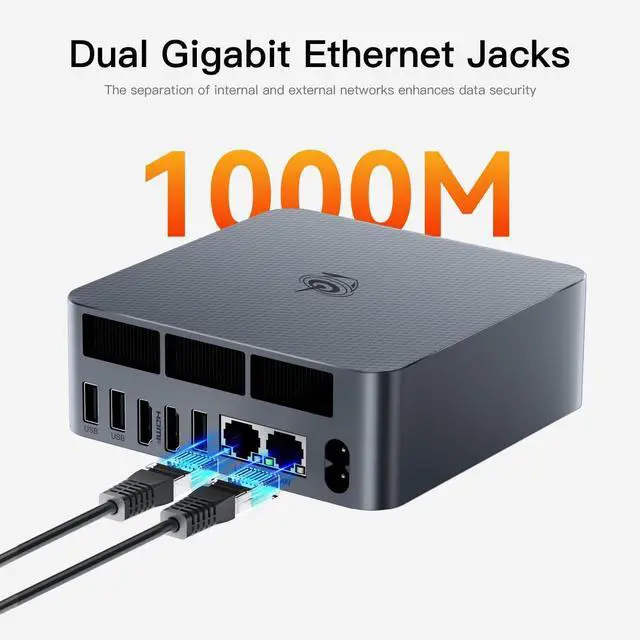
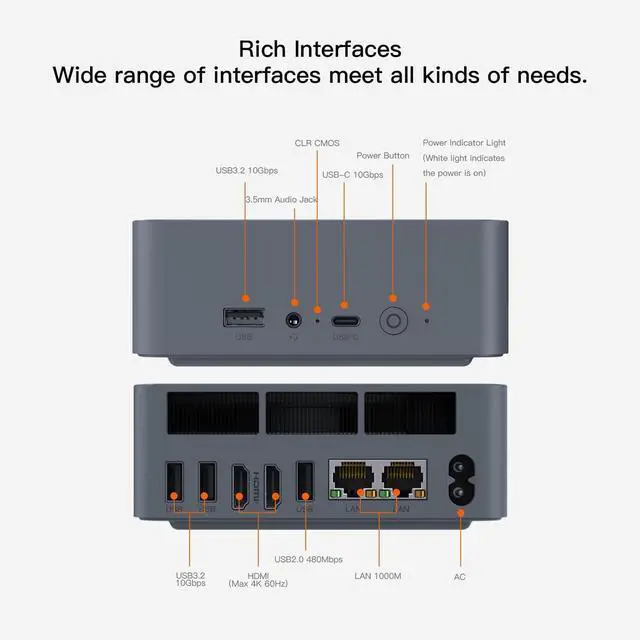
- Multiple Interfaces & PSU 85WBeelink Mini PC has a unique interface designed with 3 x USB 3.2 Gen2(10Gbps), 1 x USB 2.0 480Mbps, 1 x Type-C(data,10Gbps), 2 x HDMI(Max 4K 60Hz), 1 x AC Jack, 2 x RJ45 R
+
+
Overview
Specs
Reviews

Any questions? Our AI beta will help you find out quickly.
Try me now
How to enter BIOS?
Press "delete" to enter the BIOS settings; press "F7" to enter the boot options menu (click continuously immediately after booting).
What's in the box?
1 x Mini PC
1 x HDMI Cable
1 x Power Adapter
1 x User Manual
How to Switch the Audio Playback Device in Windows?
If your Windows Mini PC is connected to multiple audio playback devices (e.g.speakers, headphones, webcams with built-in microphones, and Bluetoothheadsets) simultaneously, you will need to choose one of them for audio playback.
Does the Beelink Mini PC have a built-in system?
The mini computer has a built-in universal system that meets the needs of more than 99% of people. If you need other systems such as Linux, you can install the system yourself after receiving the mini pc.
What do I need to be aware of when using this mini pc for the first time?
How to enter BIOS?
What's in the box?
How to Switch the Audio Playback Device in Windows?
Does the Beelink Mini PC have a built-in system?
Press "delete" to enter the BIOS settings; press "F7" to enter the boot options menu (click continuously immediately after booting).
What's in the box?
1 x Mini PC
1 x HDMI Cable
1 x Power Adapter
1 x User Manual
How to Switch the Audio Playback Device in Windows?
If your Windows Mini PC is connected to multiple audio playback devices (e.g.speakers, headphones, webcams with built-in microphones, and Bluetoothheadsets) simultaneously, you will need to choose one of them for audio playback.
Does the Beelink Mini PC have a built-in system?
The mini computer has a built-in universal system that meets the needs of more than 99% of people. If you need other systems such as Linux, you can install the system yourself after receiving the mini pc.
What do I need to be aware of when using this mini pc for the first time?
How to enter BIOS?
What's in the box?
How to Switch the Audio Playback Device in Windows?
Does the Beelink Mini PC have a built-in system?
Warranty & Returns
Warranty, Returns, And Additional Information
Warranty
- Please contact the Seller directly for warranty information. Warranty information may also be found on the Manufacturer's website.
- CONTACT
Return Policies
- Return for refund within: 30 days
- Return for replacement within: 30 days
- This item is covered by Zhanfu Technology Co., Limited Return Policy
Manufacturer Contact Info
- For a directory of all our manufacturers, please click below.
- Manufacturers Directory
LOADING...
LOADING...