Specifications: 4Kn Support: Yes
Hot Swap Capability: Yes
Insertion Rating: 50,000 cycles
Max Drive Capacity: Currently tested with up to 10TB 7200 RPM hard drives
Maximum Data Transfer Rate : 6 Gbps
S.M.A.R.T. Support: Yes
TRIM Support: Yes
Type and Rate: USB 3.0 - 5 Gbit/s / SATA III (6 Gbps)
UASP Support: Yes
Specifications: 1. 4/5 Bay Docking station with clone function for 2.5 & 3.5 inch HDD / SSD
2. High speed Type-C 3.1, save your time
3. High heat dissipation efficiency
4. IntelligentAnd durable
5. Store what you want
6.Offline clone function
Operating Systems Supported: System Requirements
- Microsoft Windows & Apple Mac OS
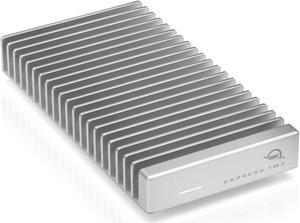
- Thunderbolt5/4/3,USB4/3.2/2.0 computers
- Only compatible with M.2 M-Key and M&B-Key connector
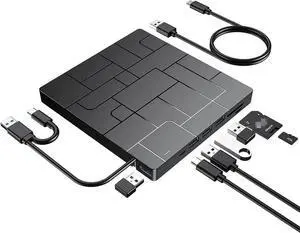
Features: - Supports two M.2 M-Key slots, allowing simultaneous insertion of two PCle NVMe SSDs for quick expansion.
- Offline cloning function allows fast and accurate cloning of original disk data to the target disk,eliminating the transmission process.
- Supports mobile OTG function, enabling easy reading and writing of data from mobile devices to the hard disk.
- USB-C interface with a transfer rate of up to 40Gbps, compatible with Thunderbolt 5/4/3, USB4/3.2/2.0 computers.
- A single PCle 4.0 drive supports a maximum sequential read speed of 3300MB/s and a maximum seauential write speed of 3000MB/s. If you use PCle 3.0 SSD, the per...
Specifications: Interface: USB 3.0 & eSATA
Number of Drives: 2
Drive Size: 2.5in & 3.5in
Drive Type: SATA
Drive Installation: Removable
Chipset ID: JMicron - JMS562
Drive Connectors: 2 - SATA Data & Power Combo (7+15 pin) Receptacle
Host Connectors:
1 - eSATA (7 pin; Data) Female
1 - USB 3.0 B (9 pin; SuperSpeed) Female
Type and Rate: USB 3.0 - 5 Gbit/s
UASP Support: Yes
Type and Rate: SATA III (6 Gbps)
Max Drive Capacity: Currently tested with up to 4TB 7200 RPM 3.5" hard drives per bay (8TB total) and 2TB 5900 RPM 2.5" hard drives (2TB total)
Insertion Rating: 15,000 Cycles
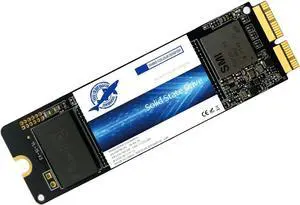
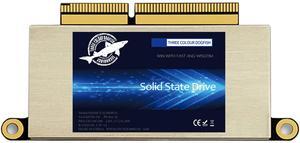
Specifications: Applications: 1. Make sure to move to High Sierra while still on your old drive, so that a newer firmware is installed that can handle NVMe. 2. Do a full backup to your TimeMachine. 3. Create a High Sierra Installer on a bootable USB stick. 4. Open the macbook and disconnect the battery while wsitching out the drive and make sure both adapter and new SSD sit snug. Finally reconnect the battery before closing the shell. 5. Insert the installer USB stick from step2, and press the option key while the machine starts. Once its up you can now go to the disk utils to format.
Package Contents: 1x M.2 NVMe SSD Adapter Card for Upgrade of Macbook 2013-2017.