
Your Browsing History

Any questions? Our AI beta will help you find out quickly.
Try me now
Quick View
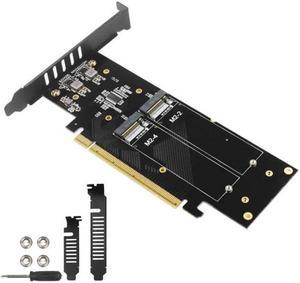
PCIe To M2 Adapter Card PCIe X16 4 Port M2 NVME M Key SSD Converter M.2 PCI Express X16 Adapter VROC RAID Expansion Card
Limited time offer, ends 03/12
- Changer Type: USB to DB9 (RS-232)
- Model #: HT-PciAdapter000513
- $57.58 –
- More options from $57.58 - $62.06
- Free Shipping
Quick View
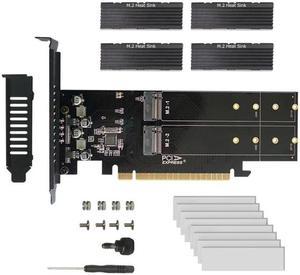
To M2 Adapter Card, X16 4 Port M2 NVME M Key SSD Add on Card M.2 PCI Express X16 Adapter VROC RAID Expansion Card Chia
Limited time offer, ends 02/27
- Changer Type: USB to DB9 (RS-232)
- Model #: HT-PciAdapter000582
- $64.99 –
- More options from $64.99 - $71.46
- Free Shipping
Quick View
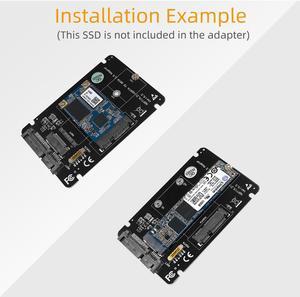
2 in 1 Combine M.2 NGFF key B & mSATA SSD To SATA3 Adapter
- Changer Type: eSATA to SATA
- Model #: 02305
- $15.99
- See price in cart
- $1.99 Shipping

Quick View
2 in 1 Combine M.2 NGFF key B & mSATA SSD To SATA3 Adapter
- Changer Type: eSATA to SATA
- Model #: 02304
- $15.99
- See price in cart
- $1.99 Shipping

Quick View
M.2 NVMe SSD Convert Adapter Card for MacBook Air Pro Retina (Year 2013-2017), NVME/AHCI SSD Upgraded Kit for A1465 A1466 A1398 A1502
Limited time offer, ends 02/22
- Color: Black
- Specifications: Applications: 1. Make sure to move to High Sierra while still on your old drive, so that a newer firmware is installed that can handle NVMe. 2. Do a full backup to your TimeMachine. 3. Create a High Sierra Installer on a bootable USB stick. 4. Open the macbook and disconnect the battery while wsitching out the drive and make sure both adapter and new SSD sit snug. Finally reconnect the battery before closing the shell. 5. Insert the installer USB stick from step2, and press the option key while the machine starts. Once its up you can now go to the disk utils to format.
- Package Contents: 1x M.2 NVMe SSD Adapter Card for Upgrade of Macbook 2013-2017.
- Model #: NVMETMAC
- $11.95 –
- Free Shipping