




 here!
I’m your shopping assistant for PC builds, upgrades, and everything tech.
Got questions? Ask away!
Start a conversation
here!
I’m your shopping assistant for PC builds, upgrades, and everything tech.
Got questions? Ask away!
Start a conversation







Any questions? Ask CelesteSM will help you find out quickly.
Key Features and Benefits:
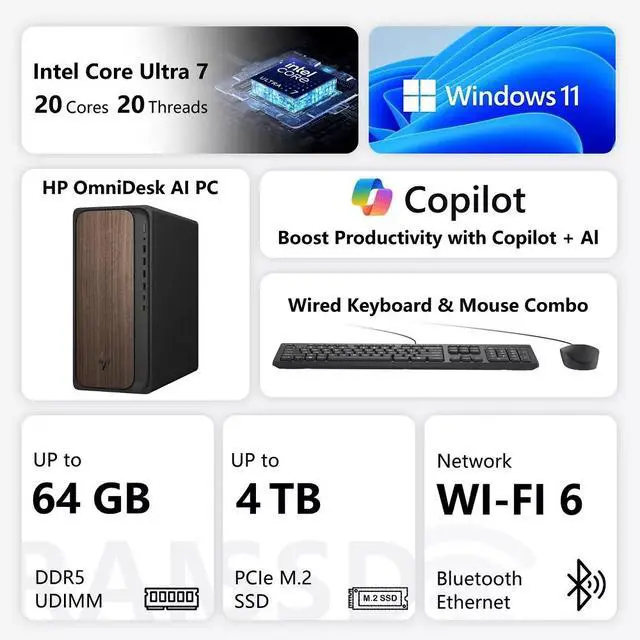
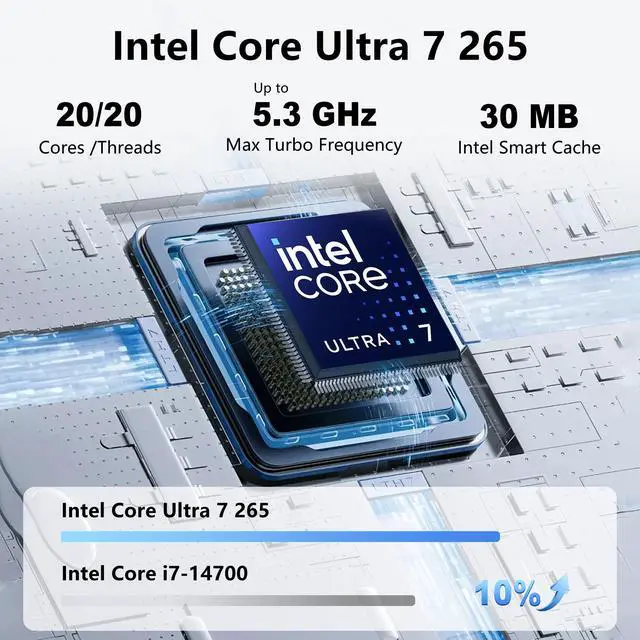
CPU: Intel Core Ultra 7 265 Processor (20 Cores, 20 Threads, 30MB L3 Cache, Base Speed: 3.9GHz, Turbo Speed: 5.3GHz)
Memory: Up to 64GB DDR5 UDIMM RAM
Hard Drive: Up to 4TB PCIe M.2 SSD
Operating System: Windows 11 Pro
Graphics: Intel Graphics
Ports:
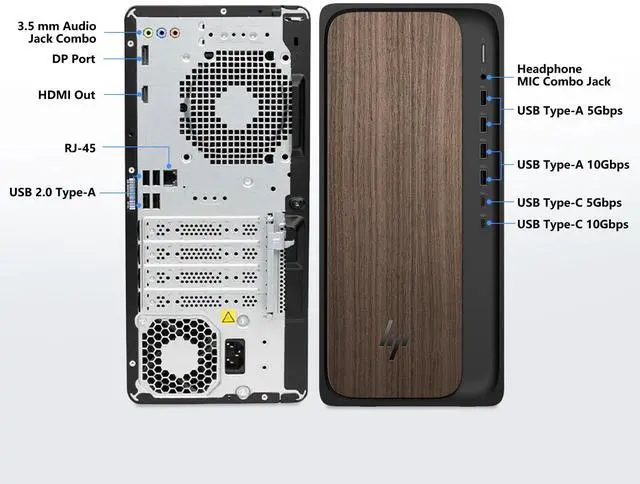
4 x USB 3.0 Type-A
2 x USB Type-C
4 x USB 2.0 Type-A
1 x HDMI
4 x headphone/microphone combo
1 x Full Size DP Port
1 x Ethernet Port
Optical Drive: None
Media Card Reader: None
Keyboard & Mouse: US Wired Keyboard & Wired Mouse
Wireless Connectivity: Wi-Fi 6 & Bluetooth Available
Dimensions: 13.27 x 6.10 x 21.85 inchs
Weight: 11.78 lbs
Color: Black
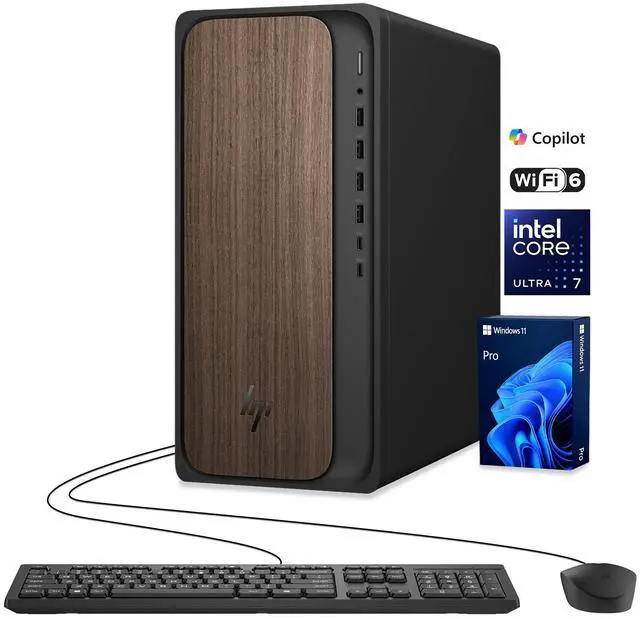
The HP OmniDesk M03 is a Windows 11 Pro business desktop with an Intel Core Ultra 7 265, 32GB of DDR5 memory, and a 2TB SSD, suited to office work, business multitasking, and general content creation.
| Attribute | Value |
|---|---|
| Best For | Business productivity and content-creation workloads |
| Processor And Core Count | Intel Core Ultra 7 265, 20-core 64-bit processor with a 2.40 GHz base frequency, up to 5.30 GHz turbo frequency, and 30 MB L3 cache |
| Graphics | Integrated Intel Graphics |
| Memory Configuration | 32 GB DDR5-4800 memory; 2 slots, both available, with support for up to 128 GB |
| Storage | 2 TB SSD |
| Networking And Connectivity | Wi-Fi 6 (802.11ax), Bluetooth, integrated Gigabit LAN (10/100/1000 Mbps), and 1 RJ45 port |
| Video And Display Connections | 1 DisplayPort and 1 HDMI port |
| Audio | Integrated audio chipset and 4 front audio ports |
| Keyboard And Mouse | Wired keyboard and wired mouse |
| Cooling | Air cooling |
| Operating System | Windows 11 Pro |
| Physical Specifications | Black; 13.27 × 6.10 × 21.85 in (H × W × D); 11.78 lb |
| Model Identifiers | HP OmniDesk |
Q: HP OmniDesk M03 Core Ultra 7 265 vs Core Ultra 5 225: which configuration should I choose?
A: Choose this Core Ultra 7 265 configuration when you want more processor cores and the included 32GB of memory and 2TB SSD. HP lists the Ultra 7 265 at 20 cores and up to 5.3 GHz, compared with 10 cores and up to 4.9 GHz for the Ultra 5 225. The Ultra 5 configuration is a fit for buyers who prefer that processor tier and a more basic memory and storage setup.
Q: HP OmniDesk M03 32GB/2TB vs 16GB/2TB: which one makes more sense?
A: Choose this 32GB/2TB configuration if you want more memory for running multiple applications or larger projects while keeping 2TB of storage. HP’s M03-0173t pairs an Intel Core Ultra 7 processor with 16GB of memory and the same 2TB SSD, making it the lower-memory option in this comparison.
Q: HP OmniDesk M03 Core Ultra 7 vs the previous-generation OmniDesk M02 Core i7: what’s the difference?
A: Choose this M03 configuration for its Intel Core Ultra 7 265 processor and 32GB of memory. HP’s M02-0075t pairs a 14th-generation Intel Core i7 with 16GB of memory and a 2TB SSD, so it keeps the same listed storage capacity with a different processor generation and memory amount.
Q: Which processor does this desktop actually have?
A: The title and specifications identify an Intel Core Ultra 7 265, but the bullet description says AMD Ryzen 9 9900X3D. Those details conflict, so confirm the exact processor with the seller before purchasing.
Q: Is this desktop suitable for office work and multitasking?
A: Based on the listed Intel Core Ultra 7 265, 32GB of RAM, 2TB SSD, and Windows 11 Pro, it is configured for typical office tasks and multitasking. A monitor is not listed among the included items, so plan to provide one or confirm package contents with the seller.
Q: Does it come with a monitor?
A: A monitor is not listed among this desktop’s included items. Plan to use a separate display, and confirm the package contents with the seller if you are unsure.
Q: Is it a good choice for demanding gaming?
A: It is not listed with a dedicated graphics card; the specifications identify Intel Graphics. It is a better fit for office work and everyday computing than demanding games, and gaming performance will depend on the specific game and settings.
Q: Is this OmniDesk suitable for gaming or GPU-heavy 3D work?
A: It has Intel integrated graphics and no dedicated graphics card listed, so it is better suited to everyday work and lighter graphics tasks than demanding gaming or GPU-heavy 3D workloads. Reddit discussions about other M03 configurations distinguish integrated-graphics models from versions with discrete GPUs; performance may differ by configuration.
Q: Can I add a graphics card to an OmniDesk M03 later?
A: A Reddit owner reports adding a discrete graphics card to a different M03 configuration, but that does not confirm compatibility with this listing. Before buying a card, verify the exact model’s available space, power supply, and supported upgrades; this product data does not specify its power supply.
Q: Can I add a 3.5-inch internal hard drive?
A: A Reddit owner describes adding a 3.5-inch drive to an OmniDesk and finding a compatible power cable, but configurations can differ. Confirm the exact unit has a suitable bay, connector, and cable before purchasing a drive.


