

Your Browsing History
- Free 30-day Returns
$308.99


Meet Your Seller

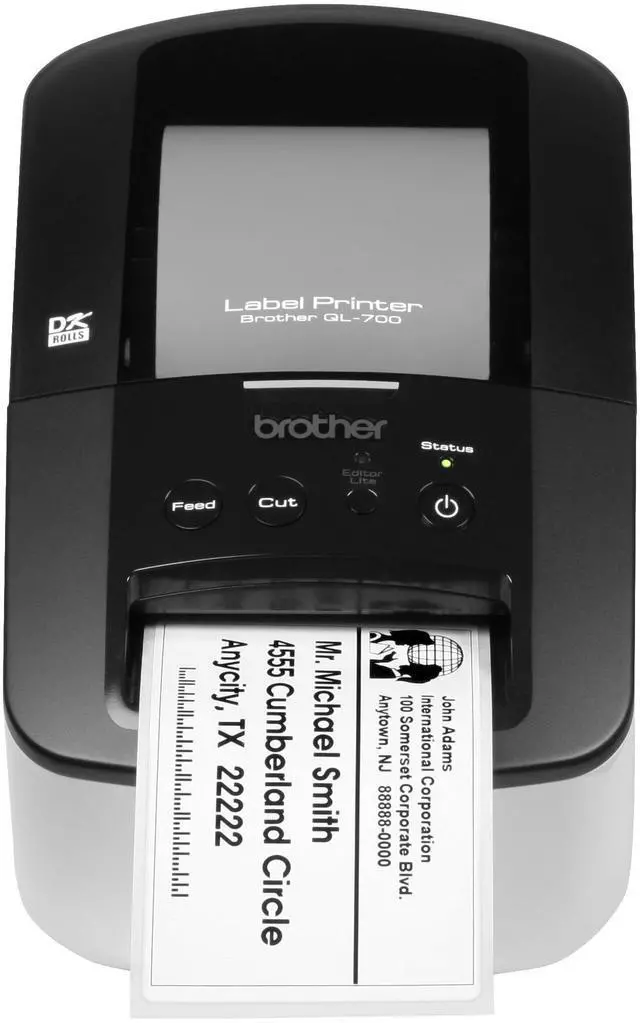
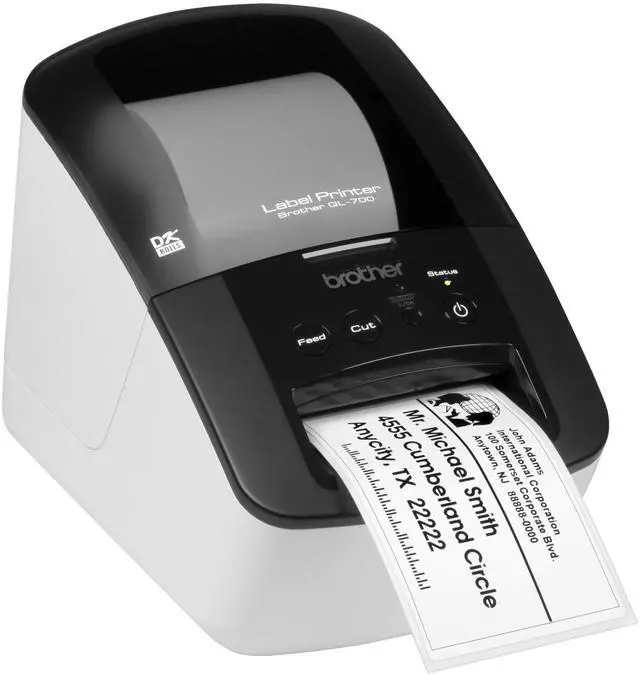
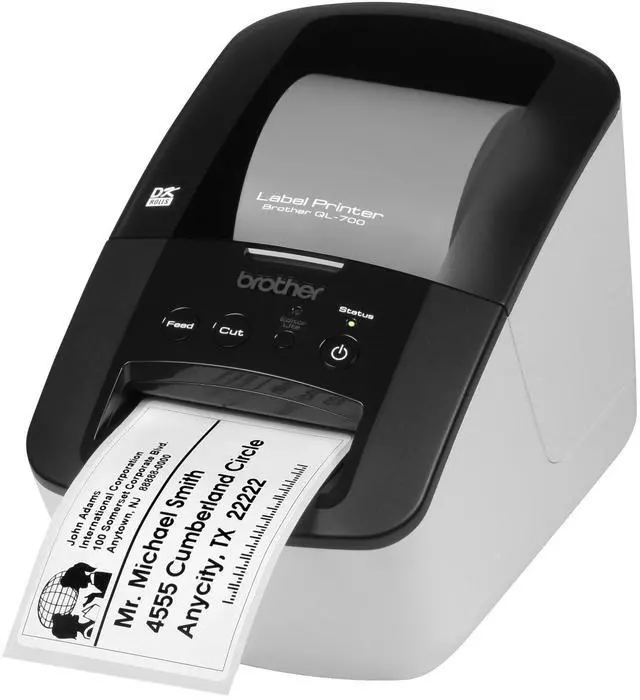


Brother QL-700 High-speed, Professional Label Monochrome Printer
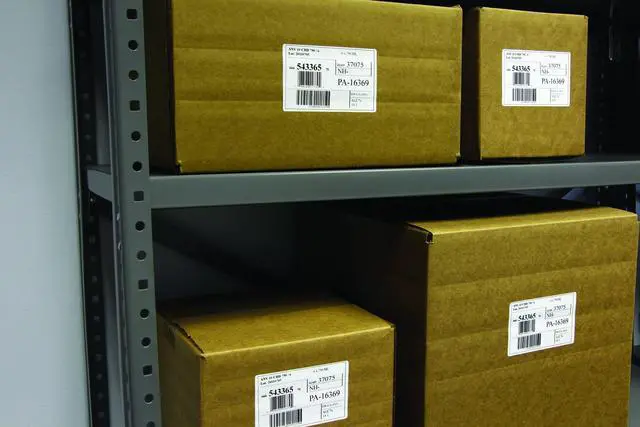
- Create cost-effective paper labels for packages, envelopes, file folders, discs, banners, postage and more. Ultra-fast, printing upto 93 labels per minute
- Prints pre-sized, easy-peel, rounded-corner labels. Also prints on continuous-length paper and film tapes for banners and signs upto 3 feet long
- Capable of printing postage for packages and envelopes, right from your desk
- Convenient, drop-in rolls. No ink or toner needed
- Auto cutter provides precise cuts for printing 1 or multiple labels at a time
+
+
Overview
Specs
Reviews

Any questions? Our AI mode will help you find out quickly.
Try me now
From the Manufacturer
Create cost-effective paper labels for packages, envelopes, file folders, discs, banners, postage3, and more with the QL-700. Offering ultra-fast, high-quality printing at up to 93 labels per minute1, the QL-700 features an auto cutter, giving a clean and accurate finished edge and allowing for printing one or multiple labels at a time, eliminating wasted label sheets. The Plug & Label feature supports quick label printing of most basic labels, with no software installation required2. For advanced applications, such as bar code labels, use the included P-touch Editor software.
Print from Microsoft Word / Excel / Outlook, and select from a wide variety of convenient, drop-in labeling supplies available. The QL-700 needs no ink or toner.
(View Larger. ) QL-700
* Tape widths are approximate.
(View Larger. ) Fast Print Speed
Quickly tackle labeling tasks in a busy office with this professional, high-speed label printer. The QL-700 supports ultra-fast print speeds up to 93 labels per minute1 to help save time on big projects. Whether you print one label or multiple labels at a time, the convenient, automatic cutter speeds your job along. Print Postage Right from Your Desktop
Save trips to the Post Office to buy stamps. Print stamps using pbSmartPostage the first cloud-based postage service3. With no software to download and no monthly fee, the service is available when you need it 24 hours a day whether you are at home or in the office. Prints a Variety of Label Sizes and Types
Print cost-effective, pre-sized paper labels for common office uses such as file folders, envelopes, DVDs - even packages. Versatile so you can also print on continuous paper and tape rolls for banners and signs up to three feet long. The built-in auto cutter lets you create almost any label size you need and ensures a clean and finished edge every time. Save Time with our Label Collection
Need a great label fast? Use the Label Collection Download feature to import and print pre-designed labels using P-touch Editor. Print labels for files, office signs, shipping applications, recycling programs, retail environments even create festive labels for gift tags. Easy Drop-In Tape Rolls
Switch label types in seconds! Brother label printers use a direct thermal printing mechanism with easy drop-in tape rolls - so there is no ribbon, ink or toner to replace. The machine automatically recognizes the roll size and adjusts the label template accordingly.
Compare QL-700 Series Models
QL-700 QL-710W QL-720NW Uses DK labels and tapes up to 2.4 -inches wide X X X Die-cut and continuous-length label rolls X X X Automatic cutter X X X Up to 93 labels per minute print speed1 X X X Label Collection download feature X X X Postage printing3 X X X Windows- and Mac-compatible X X X Wireless interface X X Mobile printing via iPrint & Label app
Create cost-effective paper labels for packages, envelopes, file folders, discs, banners, postage3, and more with the QL-700. Offering ultra-fast, high-quality printing at up to 93 labels per minute1, the QL-700 features an auto cutter, giving a clean and accurate finished edge and allowing for printing one or multiple labels at a time, eliminating wasted label sheets. The Plug & Label feature supports quick label printing of most basic labels, with no software installation required2. For advanced applications, such as bar code labels, use the included P-touch Editor software.
Print from Microsoft Word / Excel / Outlook, and select from a wide variety of convenient, drop-in labeling supplies available. The QL-700 needs no ink or toner.
(View Larger. ) QL-700
Product Details
Create cost-effective paper labels for packages, envelopes, file folders, discs, banners, postage, and more Ultra-fast, printing up to 93 labels per minute1 Prints pre-sized, easy-peel, rounded-corner labels Prints on continuous-length paper and film tapes for banners and signs up to three feet long Capable of printing postage for packages and envelopes, right from your desk3 Convenient, drop-in rolls No ink or toner needed Auto cutter provides precise cuts for printing one or multiple labels at a time High-resolution (up to 300 x 600 dpi) printing, for crisp text and graphics Plug & Label feature lets you create and print labels without installing software2 Label Collection Download feature provides eye-catching, pre-designed labels and banners with commonly-used text Integrates with Microsoft Word, Excel and Outlook Connects to computer via included USB What's in the Box Software USB Cable Power Cord Quick Setup Guide Documentation Starter rolls: DK-1201 Die-cut Standard Address Labels (100 labels), plus DK-2205 2.4" Continuous Length Paper Tape ( 26.2 ft. )* Tape widths are approximate.
(View Larger. ) Fast Print Speed
Quickly tackle labeling tasks in a busy office with this professional, high-speed label printer. The QL-700 supports ultra-fast print speeds up to 93 labels per minute1 to help save time on big projects. Whether you print one label or multiple labels at a time, the convenient, automatic cutter speeds your job along. Print Postage Right from Your Desktop
Save trips to the Post Office to buy stamps. Print stamps using pbSmartPostage the first cloud-based postage service3. With no software to download and no monthly fee, the service is available when you need it 24 hours a day whether you are at home or in the office. Prints a Variety of Label Sizes and Types
Print cost-effective, pre-sized paper labels for common office uses such as file folders, envelopes, DVDs - even packages. Versatile so you can also print on continuous paper and tape rolls for banners and signs up to three feet long. The built-in auto cutter lets you create almost any label size you need and ensures a clean and finished edge every time. Save Time with our Label Collection
Need a great label fast? Use the Label Collection Download feature to import and print pre-designed labels using P-touch Editor. Print labels for files, office signs, shipping applications, recycling programs, retail environments even create festive labels for gift tags. Easy Drop-In Tape Rolls
Switch label types in seconds! Brother label printers use a direct thermal printing mechanism with easy drop-in tape rolls - so there is no ribbon, ink or toner to replace. The machine automatically recognizes the roll size and adjusts the label template accordingly.
Compare QL-700 Series Models
Specifications
Currently ViewingQL-700 QL-710W QL-720NW Uses DK labels and tapes up to 2.4 -inches wide X X X Die-cut and continuous-length label rolls X X X Automatic cutter X X X Up to 93 labels per minute print speed1 X X X Label Collection download feature X X X Postage printing3 X X X Windows- and Mac-compatible X X X Wireless interface X X Mobile printing via iPrint & Label app
Warranty & Returns
Warranty, Returns, And Additional Information
Warranty
- Please contact the Seller directly for warranty information. Warranty information may also be found on the Manufacturer's website.
- CONTACT
Return Policies
- Return for refund within: 30 days
- Return for replacement within: 30 days
- This item is covered by Detail Driven Return Policy
Manufacturer Contact Info
- For a directory of all our manufacturers, please click below.
- Manufacturers Directory
LOADING...