

Your Browsing History

Meet Your Seller

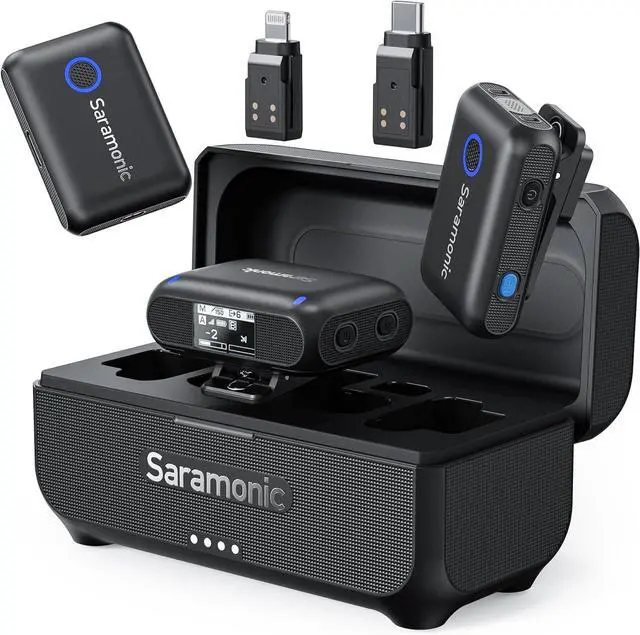



Saramonic BLINK500B2+ Wireless Lavalier Microphone for iPhone/Camera/Android, Detail-Rich Audio, 40h Battery Life, Clip on Wireless Lapel Mic for Live Streaming Video Conference Recording
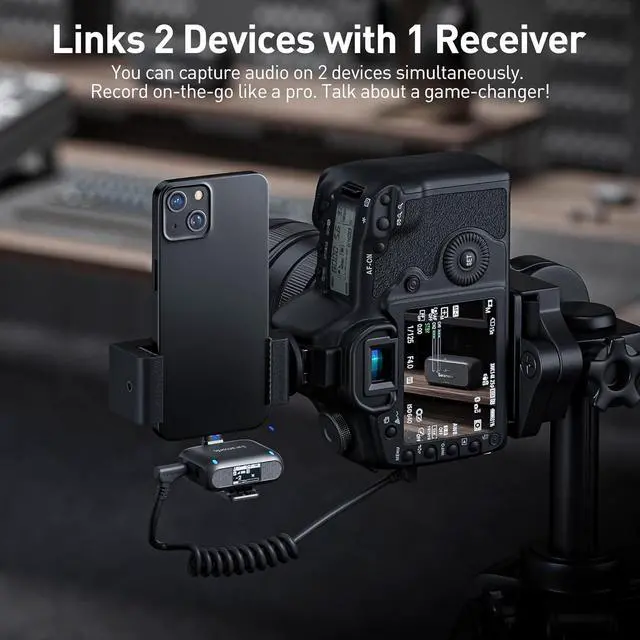
- [IDEAL WIRELESS MIC SYSTEM] Incredibly Easy-to-Use 2-Person wireless clip-on mic system that is ideal for Content Creation, Interviews, Vlogging, Mobile Journalism, Live Streaming, Podcasts, Virtual Meetings & More
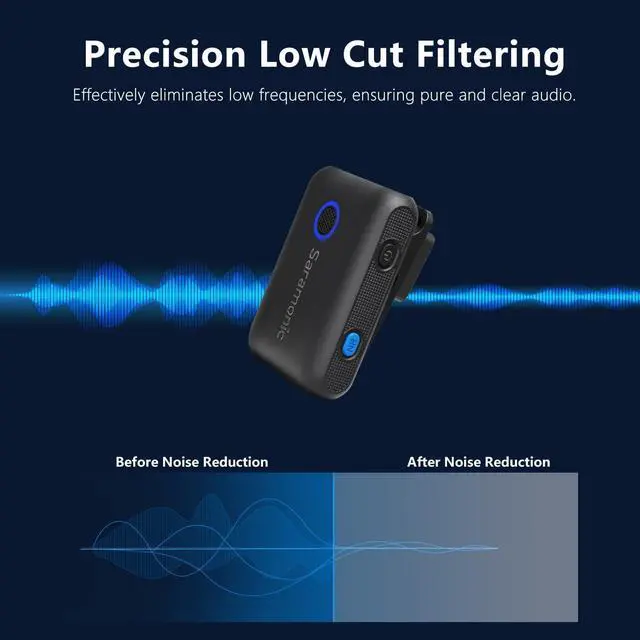
- FEATURE PACKED RECEIVER] Ultra-Light & Compact 2-Ch Receiver with OLED Display, Mono/Stereo/Safety Output Settings, 75/150Hz Low Cut Filter, Headphone Output, & Mobile Device Speaker Enable
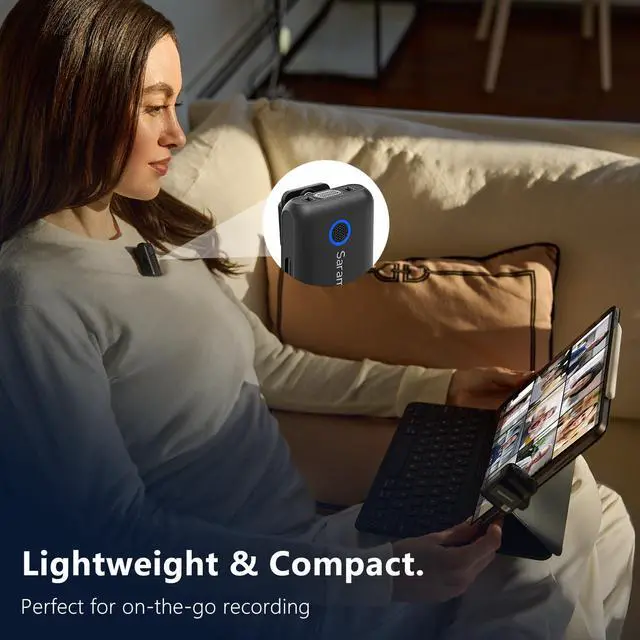
- [POWERFUL TRANSMITTERS] 2x Clip-On Transmitters with built-in Omnidirectional Mics, 2-Stage Noise Cancelling for Ultra-Clean Audio, 17-step Remote Gain Control, Furry Windscreens, Mute, & Magnetic Mounts
- [UNIVERSAL COMPATIBILITY] 3.5mm TRS & TRRS, USB-C, and Lightning Outputs connects to Cameras, iPhones, iPads, Android Devices, Computers, Action Cameras, Recorders, & Any Device with an Audio Input
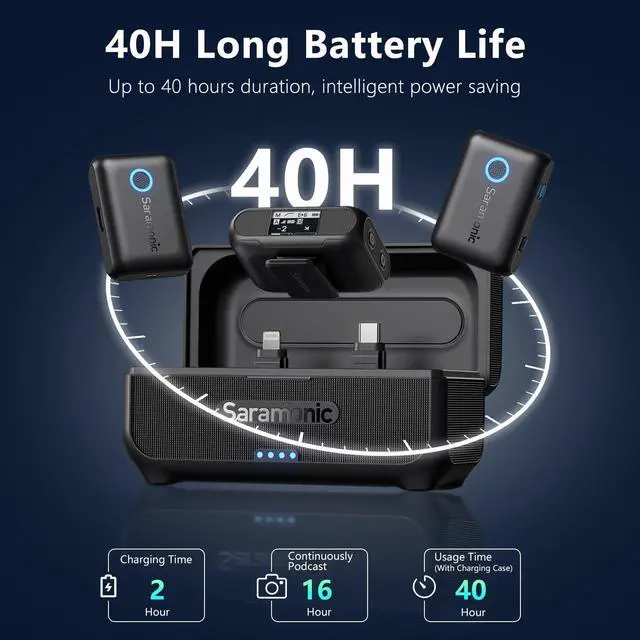
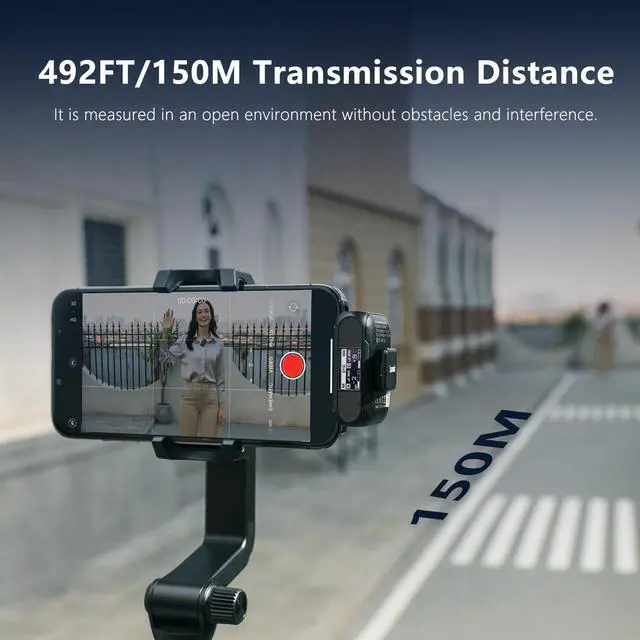
- [LONG RANGE & POWER] Up to 492.1' (150m) Range with Remarkable Runtime of 20-Hrs Transmitters & 16-hrs Receiver with Auto On/Off, 1250mAh Charging Case provides an additional 1.6x charges
+
+
Overview
Specs
Reviews

Any questions? Our AI beta will help you find out quickly.
Try me now
1High-quality Sound2Noise Cancelling3High-wind Protection140-hour Battery2492' (150m) Range3Multi-Scenario Creation4Magnetic & Clip on Mic What kind of products can Blink500 B2+ be used with?
Currently it can be used with cameras (3.5mm TRS), smartphones (supports USB-C, Lightning, 3.5mm TRRS), computers, tablets and other devices.
Can the Android adapter of Blink500 B2+ be used with the iPhone15 or iPhone15 Pro series?
Yes, it can be used seamlessly and supports providing audio to the iPhone through the receiver.
How do I adjust the microphone volume?
1. Short press the power button can quickly select the TX/RX volume value, at this time short press the M button to adjust the volume size
2. You can quickly adjust the TX/RX volume value through APP.
Does Blink500 B2+ receiver support connecting multiple transmitters?
Blink500 B2+ receiver only supports connecting 1 or 2 transmitters
Saramonic BLINK500B2 Wireless Lavalier Microphone What kind of products can Blink500 B2+ be used with?
Can the Android adapter of Blink500 B2+ be used with the iPhone15 or iPhone15 Pro series?
How do I adjust the microphone volume?
Does Blink500 B2+ receiver support connecting multiple transmitters?
Currently it can be used with cameras (3.5mm TRS), smartphones (supports USB-C, Lightning, 3.5mm TRRS), computers, tablets and other devices.
Can the Android adapter of Blink500 B2+ be used with the iPhone15 or iPhone15 Pro series?
Yes, it can be used seamlessly and supports providing audio to the iPhone through the receiver.
How do I adjust the microphone volume?
1. Short press the power button can quickly select the TX/RX volume value, at this time short press the M button to adjust the volume size
2. You can quickly adjust the TX/RX volume value through APP.
Does Blink500 B2+ receiver support connecting multiple transmitters?
Blink500 B2+ receiver only supports connecting 1 or 2 transmitters
Saramonic BLINK500B2 Wireless Lavalier Microphone What kind of products can Blink500 B2+ be used with?
Can the Android adapter of Blink500 B2+ be used with the iPhone15 or iPhone15 Pro series?
How do I adjust the microphone volume?
Does Blink500 B2+ receiver support connecting multiple transmitters?
Warranty & Returns
Warranty, Returns, And Additional Information
Warranty
- Please contact the Seller directly for warranty information. Warranty information may also be found on the Manufacturer's website.
- CONTACT
Return Policies
- Return for refund within: 30 days
- Return for replacement within: 30 days
- This item is covered by Guhong Trade'Shop Return Policy
Manufacturer Contact Info
- For a directory of all our manufacturers, please click below.
- Manufacturers Directory
LOADING...