here!
here!
I’m your shopping assistant for PC builds, upgrades, and everything tech.
Got questions? Ask away!
Start a conversation
here!
I’m your shopping assistant for PC builds, upgrades, and everything tech.
Got questions? Ask away!
Start a conversation
![Main image of Air Tracker Tags-4 Pack (iOS Only), [Apple MFi Certified] Key Finder | Replaceable Battery Bluetooth Tracker Compatible with Apple Find My, Item Locator Smart Tag for Keys, Bag, Luggage and More](https://c1.neweggimages.com/productimage/nb640/C99BD2609150M382B30.jpg)
![Alt view image 2 of 7 - Air Tracker Tags-4 Pack (iOS Only), [Apple MFi Certified] Key Finder | Replaceable Battery Bluetooth Tracker Compatible with Apple Find My, Item Locator Smart Tag for Keys, Bag, Luggage and More](https://c1.neweggimages.com/productimage/nb640/C5RZD2603260YC5Z5D9.jpg)
![Alt view image 3 of 7 - Air Tracker Tags-4 Pack (iOS Only), [Apple MFi Certified] Key Finder | Replaceable Battery Bluetooth Tracker Compatible with Apple Find My, Item Locator Smart Tag for Keys, Bag, Luggage and More](https://c1.neweggimages.com/productimage/nb640/C5RZD2603260YC65N87.jpg)
![Alt view image 4 of 7 - Air Tracker Tags-4 Pack (iOS Only), [Apple MFi Certified] Key Finder | Replaceable Battery Bluetooth Tracker Compatible with Apple Find My, Item Locator Smart Tag for Keys, Bag, Luggage and More](https://c1.neweggimages.com/productimage/nb640/C5RZD2603260YC66Q06.jpg)
![Alt view image 5 of 7 - Air Tracker Tags-4 Pack (iOS Only), [Apple MFi Certified] Key Finder | Replaceable Battery Bluetooth Tracker Compatible with Apple Find My, Item Locator Smart Tag for Keys, Bag, Luggage and More](https://c1.neweggimages.com/productimage/nb640/C5RZD2603260YC67B11.jpg)
![Alt view image 6 of 7 - Air Tracker Tags-4 Pack (iOS Only), [Apple MFi Certified] Key Finder | Replaceable Battery Bluetooth Tracker Compatible with Apple Find My, Item Locator Smart Tag for Keys, Bag, Luggage and More](https://c1.neweggimages.com/productimage/nb640/C5RZD2603260YC670EB.jpg)
![Alt view image 7 of 7 - Air Tracker Tags-4 Pack (iOS Only), [Apple MFi Certified] Key Finder | Replaceable Battery Bluetooth Tracker Compatible with Apple Find My, Item Locator Smart Tag for Keys, Bag, Luggage and More](https://c1.neweggimages.com/productimage/nb640/C99BD2609150M39GO6D.jpg)



Any questions? Ask CelesteSM will help you find out quickly.
Is it possible to replace the battery in the tracker?
Yes, the Tukio Lucid tag is equipped with a CR2032 battery, which you can easily replace when needed. When the battery is low, Tukio tracking device will notify you to replace the battery.
How do I add my Tukio Lucid tag device to Apple's Find My app?
Press and hold the button on Lucid tag for 3s, you will hear a tone. Open the "Find My" app and tap ltems > + > Add Other ltem. "Find My" app will find your Lucid tag device. Follow the on screen prompts to complete setup.
Can not connect?
[Step 1] Check iPhone network & Bluetooth: Make sure the iPhone network is working properly and Bluetooth is turned on.
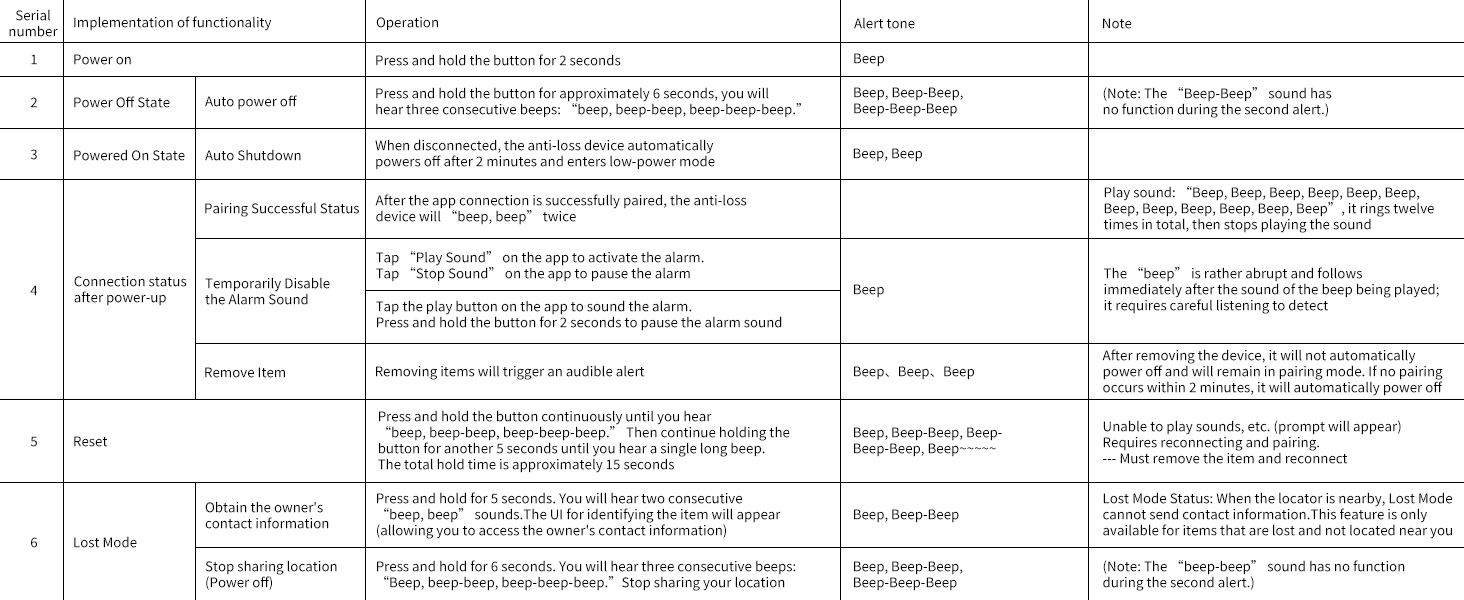
[Step 2] Reset the tag: Quickly press the button 4 times, hold 5th press until tone for factory reset and re-pair in Find My app.
Is Tukio Lucid tag certified by Apple?
Yes, it is certified and works seamlessly with the "Find My" app and network.
What is Apple Find My app and Find My network?
Find My app is a pre-installed app on device from Apple. It allows you to locate Tukio Lucid tag via the find My network, which is a network of hundreds of millions of Apple devices to detect missing devices or items nearby and report their location.


At Tukio, our mission is to revolutionize the way people keep track of their valuables. Founded by a passionate team of innovators, we have dedicated ourselves to providing solutions that make everyday life convenient and smooth.
Since our inception, we have proudly served thousands of users worldwide, helping them overcome the frustration of misplaced items.
Choose Tukio, everything we build is built with care for you.

![2026 New [Apple MFi Certified] Air Tracker Tags-4 Pack (iOS Only), Tukio Bluetooth Tracker for Ap...](http://c1.neweggimages.com/sellingpilot/modules/product/a-plus/a352878a6022888927ea7b8aca5c8b4b730fa09a56c125c14dfc8a9013d95952.jpg)
![2026 New [Apple MFi Certified] (iOS Only) Tracker Tags-4 Pack, Tukio Bluetooth 5.3 GPS Tracker fo...](http://c1.neweggimages.com/sellingpilot/modules/product/a-plus/9e005ed9f51562ae8f51439a703248fbd5331c5fc40eac85c9df0b217284bf3c.jpg)
![2026 New [Apple MFi Certified] (iOS Only) Tracker Tags-3 Pack, Bluetooth 5.3 GPS Tracker for Appl...](http://c1.neweggimages.com/sellingpilot/modules/product/a-plus/189a0686229c513f881939f2e0f689f6672553157975f8bc3c9e981053242e4d.jpg)
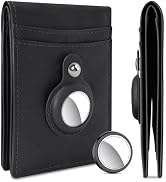
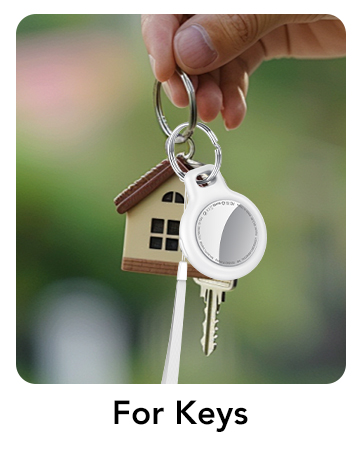
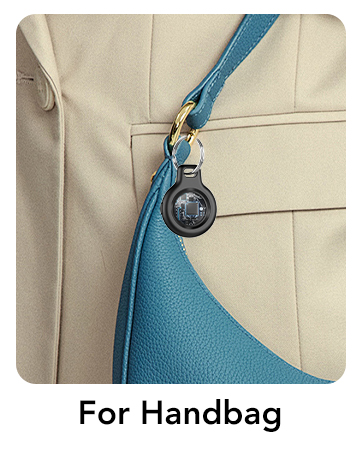
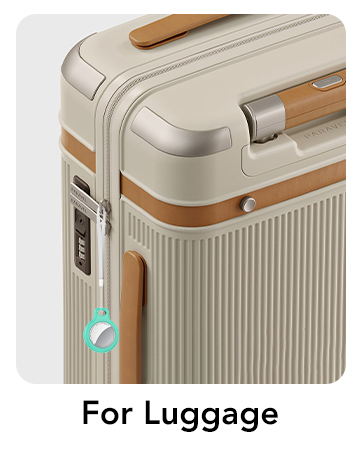
First go to your order page, find the order number of the product in the list and contact seller.
We began our journey fueled by passion and a vision. Inspired to create something meaningful, we embarked on this adventure, shaping our brand with dedication.
Crafted with precision and innovation, our products stand out for their unparalleled quality. We prioritize excellence, ensuring each item delivers a distinctive and exceptional experience.


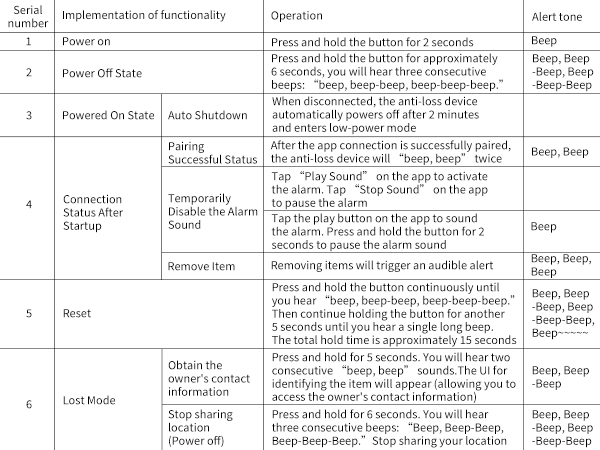
Is it possible to replace the battery in the tracker?
Yes, the Tukio Lucid tag is equipped with a CR2032 battery, which you can easily replace when needed. When the battery is low, Tukio tracking device will notify you to replace the battery.
How do I add my Tukio Lucid tag device to Apple's Find My app?
Press and hold the button on Lucid tag for 3s, you will hear a tone. Open the "Find My" app and tap ltems > + > Add Other ltem. "Find My" app will find your Lucid tag device. Follow the on screen prompts to complete setup.
Can not connect?
[Step 1] Check iPhone network & Bluetooth: Make sure the iPhone network is working properly and Bluetooth is turned on.
[Step 2] Reset the tag: Quickly press the button 4 times, hold 5th press until tone for factory reset and re-pair in Find My app.
Is Tukio Lucid tag certified by Apple?
Yes, it is certified and works seamlessly with the "Find My" app and network.
What is Apple Find My app and Find My network?
Find My app is a pre-installed app on device from Apple. It allows you to locate Tukio Lucid tag via the find My network, which is a network of hundreds of millions of Apple devices to detect missing devices or items nearby and report their location.
At Tukio, our mission is to revolutionize the way people keep track of their valuables. Founded by a passionate team of innovators, we have dedicated ourselves to providing solutions that make everyday life convenient and smooth.
Since our inception, we have proudly served thousands of users worldwide, helping them overcome the frustration of misplaced items.
Choose Tukio, everything we build is built with care for you.
First go to your order page, find the order number of the product in the list and contact seller.
We began our journey fueled by passion and a vision. Inspired to create something meaningful, we embarked on this adventure, shaping our brand with dedication.
Crafted with precision and innovation, our products stand out for their unparalleled quality. We prioritize excellence, ensuring each item delivers a distinctive and exceptional experience.