


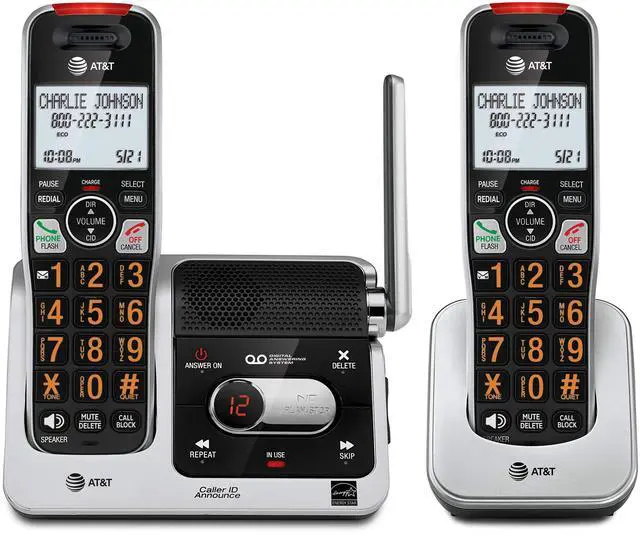


- Phonebook directory - 50 Name and number contacts
- Caller ID/call waiting - 50 name and number caller ID history
- Quiet mode
- ECO mode power-conserving technology
- Conference between an outside line and up to 4 cordless handsets
- Intercom between handsets
- Smart call block list - 1000 Name and number entries
- Volume control
- Voicemail waiting indicator
- Quick access key for voicemail box
- Last 10 number redial
- Mute
- Any key answer
- English/Spanish/French setup menu
*Disclaimer – Audio quality is dependent on your service provider’s network quality

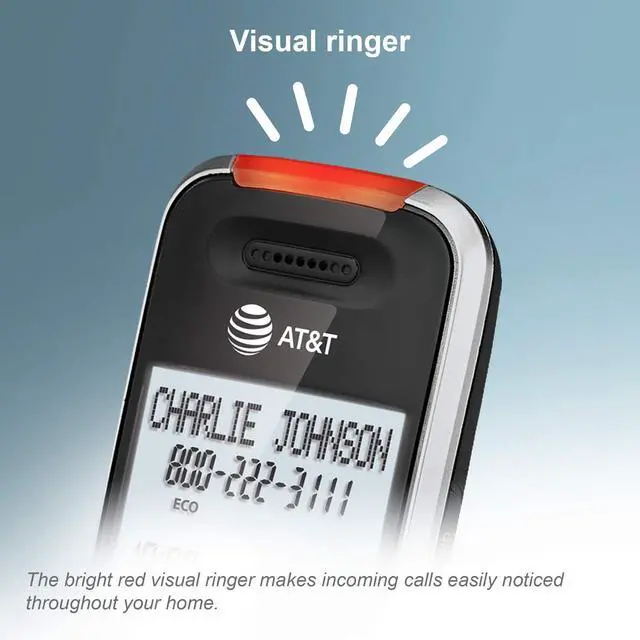
A light on the top of the handset flashes when the phone rings, signaling an incoming call. With the ringers muted, this visual indicator can let you know the calls in silence. Also helpful for those who are hearing impaired.

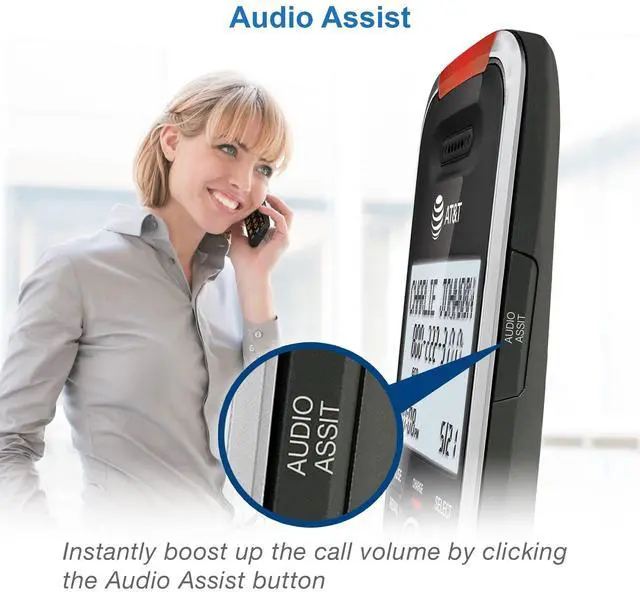
Audio Assist button instantly increases incoming call's volume and enhances sound frequencies to make speech easier to understand. It is easy to use, just one press on the Audio Assist button on handset. Press again to turn off.

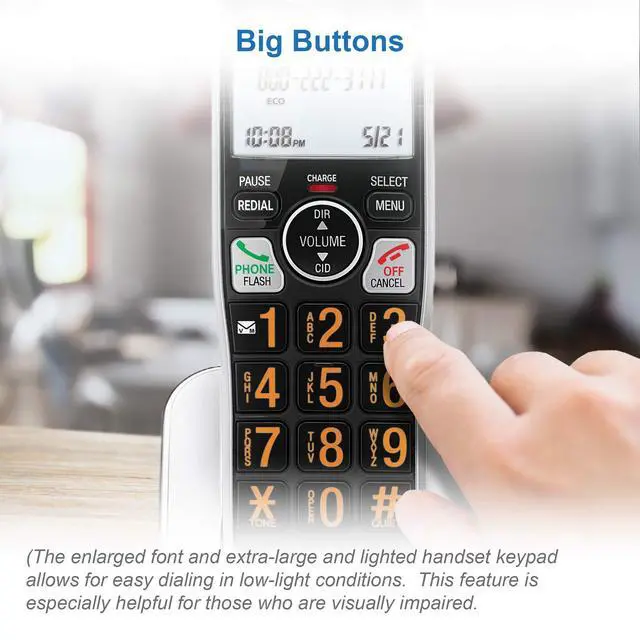
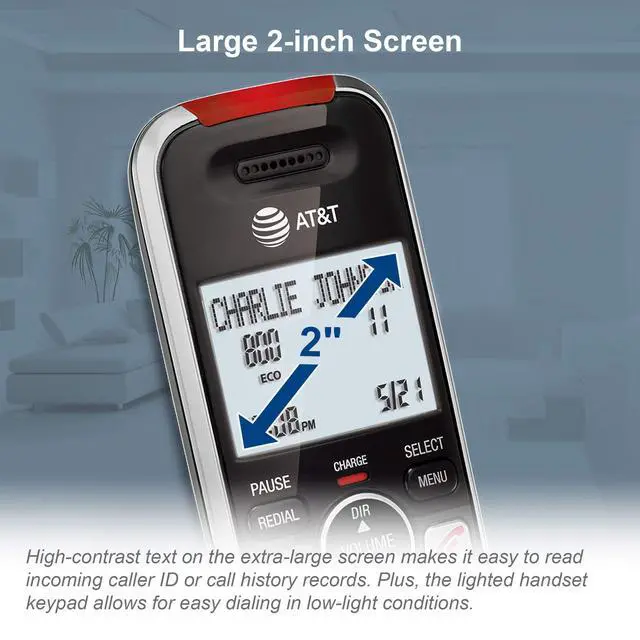
2" backlit display on handset with high contrast text makes it easy to read incoming caller ID or call history records. Plus, the lighted handset keypad allows for easy dialing in low light conditions.

With the full-duplex speakerphone on the handset, this phone set not only lets you speak hands-free but also allows both ends to speak and be heard at the same time. Enjoy conversations that are more true to life.

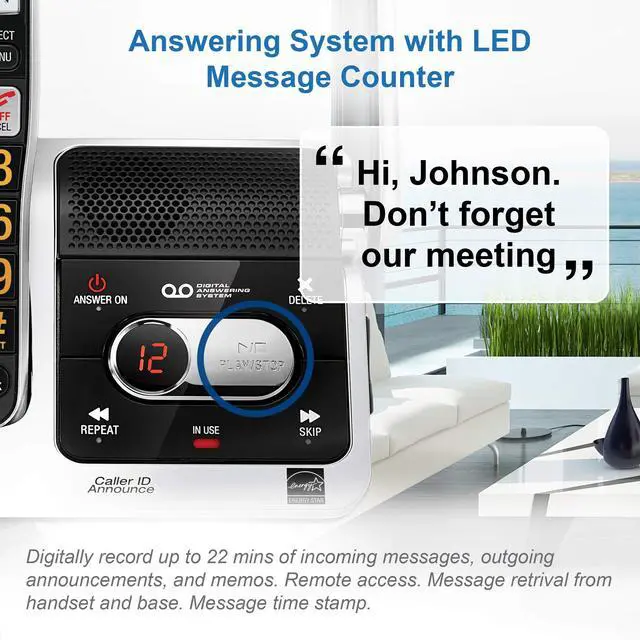
Stay informed even when you are away from home. All calls are routed to the built-in digital answering machine when necessary, recording key messages for you.

Screening calls has never been easier. The handset announces the name of the caller, so you don't have to scramble for the handset to see who's calling.

Experience the best in long-range coverage and clarity, provided by a unique antenna design and advances in noise-filtering technology.

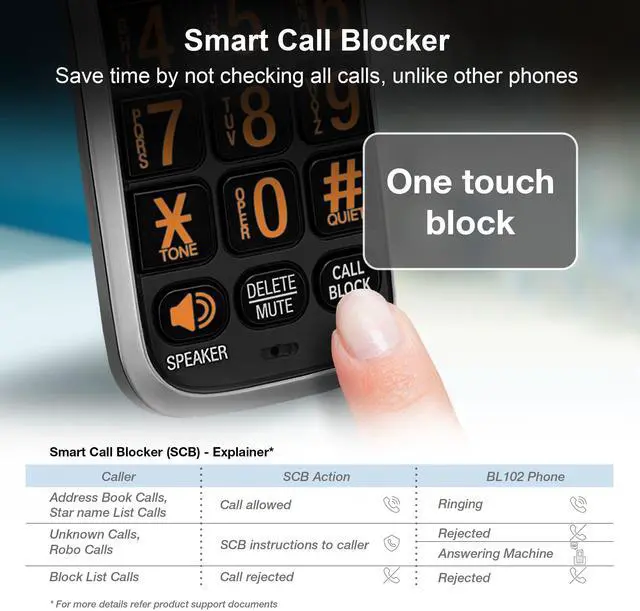
What's a Smart Call Blocker?
A simple one-time setup to filter unwanted calls while letting trusted ones through.
Quick Setup to let the system working for you
Set Directory - for your family so their calls will go through without the screening. 1. Press MENU on handset. 2. Press Up/Down arrow key to Directory, then Select. 3. Press Select again to choose Add new entry, then Select. 4. Enter the telephone number, then Select.
Set Allow list - so their calls do not get through the screening. 1. Press CALL BLOCK. 2. Press Up/Down arrow key to Allow list, then Select. 3. Press Up/Down arrow key to Add new entry, then Select. 4. Enter telephone number, then Select. 5. Enter name, then Select.
Set Block List - to prevent their calls from ringing through. 1. Press CALL BLOCK. 2. Press Up/Down arrow key to Block list, Select. 3. Press Up/Down to Add new entry, Select. 4. Enter the telephone number, then press Select.
Set Star name list for your trusted organizations - 1. Press CALL BLOCK. 2. Press Up/Down arrow key to Star name list, Select. 3. Press Up/Down to Add new entry, Select. 4. Enter the name (up to 15 characters), then press Select.
Pick one of our Smart Call Block options which suits your preferences:
Screen and block robocalls - 1. Press CALL BLOCK. 2. Press Up/Down arrow key to Set profile, then Select. 3 Press Up/Down arrow key to Screen robot, then Select.
The callers will be asked to press the pound key.
Screen all unknown calls - 1. Press CALL BLOCK. 2. Press Up/Down arrow key to Set profile, then Select. 3. Press Up/Down key to Screen Unknown, then Select.
The callers will be asked to record their names and press the pound key. After your caller completes the request, the phone rings and announces the caller's name. You then can choose to block or answer the call, or forward the call to the answering system.
Block calls on the block list only - (This is also the Default settings of the system.) 1. Press CALL BLOCK. 2. Press Up/Down arrow key to Set profile, then Select. 3. Press Up/Down arrow key to Allow unknown, then Select.
For complete operation instructions, the user's manual can be found from the Product Support section of our company website.
 AT&T BL102-2 |  ATT BL3107-2 |  AT&T BL3112-2 |  AT&T CL82218 |  AT&T DL72219 | |
|---|---|---|---|---|---|
| Customer Reviews | — | — | — | — | — |
| Price | — | — | — | — | — |
| Smart Call Blocker | ? | ? | ? | ? | ? |
| One-touch Call Block | 1000 Numbers | 1000 Numbers | 1000 Numbers | 1000 Numbers | 1000 Numbers |
| Bluetooth Connect To Cell | no data | ? | ? | no data | ? |
| Answering System | Record up to 22 mins | Record up to 22 mins | Record up to 22 mins | Record up to 22 mins | Record up to 22 mins |
| Download Cellphone Phonebook | Download up to 1000 Contacts | Download up to 1200 Contacts | Download up to 1000 Contacts | Download up to 1000 Contacts | Download up to 1000 Contacts |
| LCD Display Size | 2" Handset Backlit Display | 2" Handset & 3" Base Backlit Display | 2" Handset Backlit Display | 2" Handset Backlit Display | 1.8" Handset Backlit Display |
| Caller ID Announce | ? | ? | no data | ? | no data |
| Base Dial Keypad with Speakerphone | no data | ? | no data | no data | no data |
| Expandability | no data | Expandable up to 5 Handsets | Expandable up to 5 Handsets | no data | Expandable up to 5 Handsets |
| Visual Ringer | ? | no data | ? | no data | no data |
- Phonebook directory - 50 Name and number contacts
- Caller ID/call waiting - 50 name and number caller ID history
- Quiet mode
- ECO mode power-conserving technology
- Conference between an outside line and up to 4 cordless handsets
- Intercom between handsets
- Smart call block list - 1000 Name and number entries
- Volume control
- Voicemail waiting indicator
- Quick access key for voicemail box
- Last 10 number redial
- Mute
- Any key answer
- English/Spanish/French setup menu
*Disclaimer – Audio quality is dependent on your service provider’s network quality
A light on the top of the handset flashes when the phone rings, signaling an incoming call. With the ringers muted, this visual indicator can let you know the calls in silence. Also helpful for those who are hearing impaired.
Audio Assist button instantly increases incoming call's volume and enhances sound frequencies to make speech easier to understand. It is easy to use, just one press on the Audio Assist button on handset. Press again to turn off.
2" backlit display on handset with high contrast text makes it easy to read incoming caller ID or call history records. Plus, the lighted handset keypad allows for easy dialing in low light conditions.

With the full-duplex speakerphone on the handset, this phone set not only lets you speak hands-free but also allows both ends to speak and be heard at the same time. Enjoy conversations that are more true to life.
Stay informed even when you are away from home. All calls are routed to the built-in digital answering machine when necessary, recording key messages for you.
Screening calls has never been easier. The handset announces the name of the caller, so you don't have to scramble for the handset to see who's calling.
Experience the best in long-range coverage and clarity, provided by a unique antenna design and advances in noise-filtering technology.
What's a Smart Call Blocker?
A simple one-time setup to filter unwanted calls while letting trusted ones through.
Quick Setup to let the system working for you
Set Directory - for your family so their calls will go through without the screening. 1. Press MENU on handset. 2. Press Up/Down arrow key to Directory, then Select. 3. Press Select again to choose Add new entry, then Select. 4. Enter the telephone number, then Select.
Set Allow list - so their calls do not get through the screening. 1. Press CALL BLOCK. 2. Press Up/Down arrow key to Allow list, then Select. 3. Press Up/Down arrow key to Add new entry, then Select. 4. Enter telephone number, then Select. 5. Enter name, then Select.
Set Block List - to prevent their calls from ringing through. 1. Press CALL BLOCK. 2. Press Up/Down arrow key to Block list, Select. 3. Press Up/Down to Add new entry, Select. 4. Enter the telephone number, then press Select.
Set Star name list for your trusted organizations - 1. Press CALL BLOCK. 2. Press Up/Down arrow key to Star name list, Select. 3. Press Up/Down to Add new entry, Select. 4. Enter the name (up to 15 characters), then press Select.
Pick one of our Smart Call Block options which suits your preferences:
Screen and block robocalls - 1. Press CALL BLOCK. 2. Press Up/Down arrow key to Set profile, then Select. 3 Press Up/Down arrow key to Screen robot, then Select.
The callers will be asked to press the pound key.
Screen all unknown calls - 1. Press CALL BLOCK. 2. Press Up/Down arrow key to Set profile, then Select. 3. Press Up/Down key to Screen Unknown, then Select.
The callers will be asked to record their names and press the pound key. After your caller completes the request, the phone rings and announces the caller's name. You then can choose to block or answer the call, or forward the call to the answering system.
Block calls on the block list only - (This is also the Default settings of the system.) 1. Press CALL BLOCK. 2. Press Up/Down arrow key to Set profile, then Select. 3. Press Up/Down arrow key to Allow unknown, then Select.
For complete operation instructions, the user's manual can be found from the Product Support section of our company website.
AT&T BL102-2 | ATT BL3107-2 | AT&T BL3112-2 | AT&T CL82218 | AT&T DL72219 | |
|---|---|---|---|---|---|
| Customer Reviews | — | — | — | — | — |
| Price | — | — | — | — | — |
| Smart Call Blocker | ? | ? | ? | ? | ? |
| One-touch Call Block | 1000 Numbers | 1000 Numbers | 1000 Numbers | 1000 Numbers | 1000 Numbers |
| Bluetooth Connect To Cell | no data | ? | ? | no data | ? |
| Answering System | Record up to 22 mins | Record up to 22 mins | Record up to 22 mins | Record up to 22 mins | Record up to 22 mins |
| Download Cellphone Phonebook | Download up to 1000 Contacts | Download up to 1200 Contacts | Download up to 1000 Contacts | Download up to 1000 Contacts | Download up to 1000 Contacts |
| LCD Display Size | 2" Handset Backlit Display | 2" Handset & 3" Base Backlit Display | 2" Handset Backlit Display | 2" Handset Backlit Display | 1.8" Handset Backlit Display |
| Caller ID Announce | ? | ? | no data | ? | no data |
| Base Dial Keypad with Speakerphone | no data | ? | no data | no data | no data |
| Expandability | no data | Expandable up to 5 Handsets | Expandable up to 5 Handsets | no data | Expandable up to 5 Handsets |
| Visual Ringer | ? | no data | ? | no data | no data |