
Your Browsing History

Any questions? Our AI beta will help you find out quickly.
Try me now
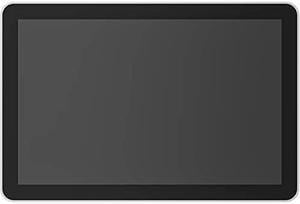
Quick View

- Specification: Screen Size: 10.1" (256.54 mm) diagonal IPS (In-Plane Switching) LCD Panel with LED Backlighting Resolution: 1280 x 800 resolution Touch: Capacitive, 10 points multi-touch Brightness: 400 nits Contrast: 1000:1 Anti Fingerprint: Oleophobic coating Viewing angle: 85 degrees (U/D/L/R) Position angle: 0 degrees (flat on mounting surface) General Integrated accelerometer Integrated ambient light sensor 100 mm x 100 mm VESA FDMI Cable exits: horizontal / vertical / center Compatibility and Certifications Logitech Tap Scheduler integrates with leading room scheduling solutions as a Microsoft Teams Panel Zoom Rooms Scheduling Display Robin-Powered scheduling panel Meetio scheduling panel Package Contents Logitech Tap Scheduler (White) Multi-surface mount (glass/drywall) Corner mount accessory Mullion mount Mounting hardware Documentation
- Display Size: ...
- Model #: 952-000094
- $699.00 –
- More options from $406.56 - $1,366.99
- Free Shipping
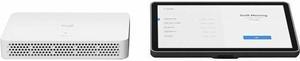
Quick View
- Additional Features: Make video collaboration easier for employees and IT admins by adding Logitech Tap IP touch controller and Logitech RoomMate appliance to any meeting space with an existing Logitech conference camera in Zoom Rooms and RingCentral rooms.
- Specification: Package Contents: Logitech Tap IP touch controller Logitech RoomMate appliance
- Model #: 991-000397
- $1,770.30
- $1,709.72 –
- More options from $1,709.72 - $2,145.87
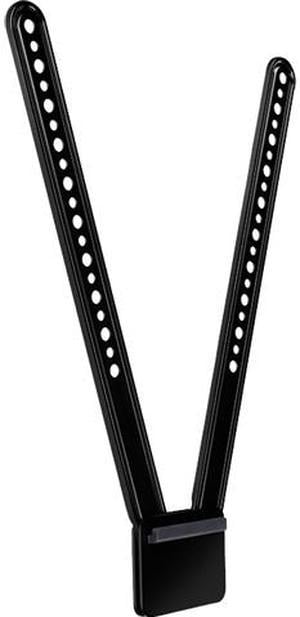
Quick View
- Additional Features: Mounting pattern: VESA standard with alternating 8mm and 6mm holes System Requirements: Logitech MeetUp Package Contents: TV mount Mounting hardware User documentation
- Dimensions: 15.75" x 3.25" x 0.63"
- Weight: 0.62 lb.
- Model #: 939-001498
- $99.99
- $98.44 –
- More options from $72.99 - $198.23
- Free Shipping
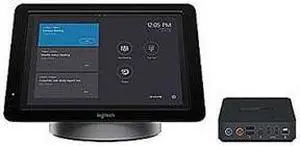
Quick View
- Additional Features: Compatibility: SmartDock works with a wide range of meeting room AV devices including Logitech ConferenceCams Additional Features: Pivoting, cast-metal support platform, IR motion sensor, plug-and-play camera setup System Requirements: - Microsoft Surface Pro 4 with: Intel Core i5 required (Core i7 and Core m3 are not supported), Windows 10 Enterprise (not included with Microsoft Surface Pro 4) - Microsoft Skype Room System Software - Room Resource Account for Skype for Business (accounts can be either on-premises server or Online Office 365) - Internet access via Ethernet with DHCP enabled - External display or projector with HDMI input - A Logitech ConferenceCam (recommended) or other Skype certified AV devices - 100-240v AC
- Model #: 960-001094
- $38.97 –
- Free Shipping