

Your Browsing History
- Free 30-day Returns
$64.99
Ships from China.
Best Sellers
 Smarter & Better Life Marketplace
 Top Rated
- $73.99
- + FREE SHIPPING

Meet Your Seller

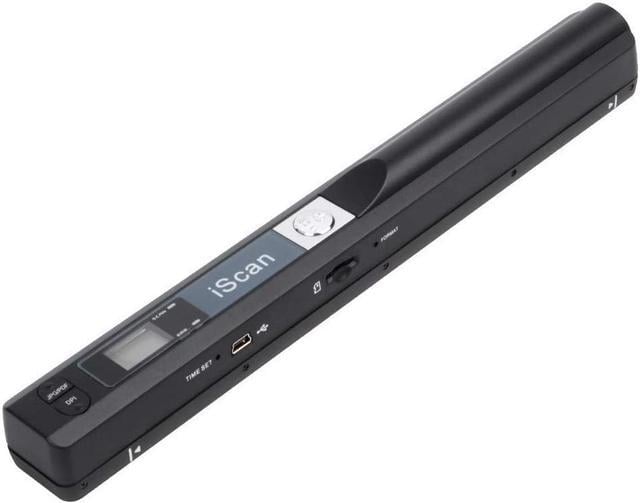

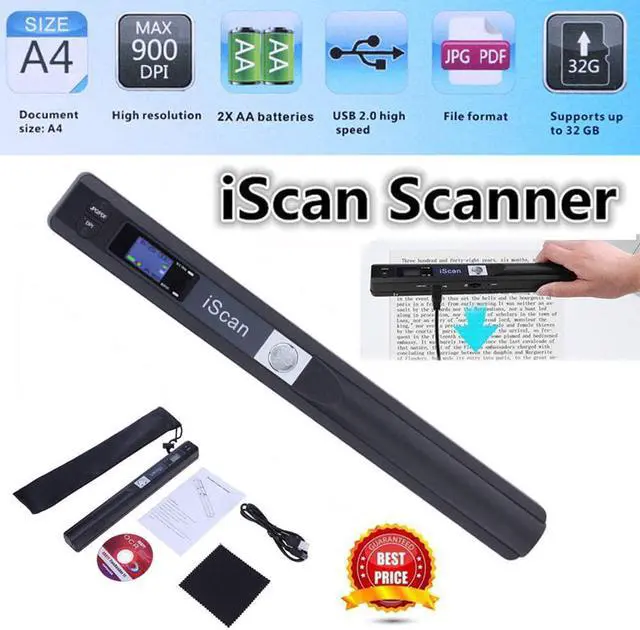


Portable Scanner iSCAN 900 DPI A4 Document Scanner Handheld for Business, Photo, Picture, Receipts, Books, JPG/PDF Format Selection, Micro SD Card Hand Scanner
Limited time offer, ends 09/19 By Shenzhen Qiuyiyue Store
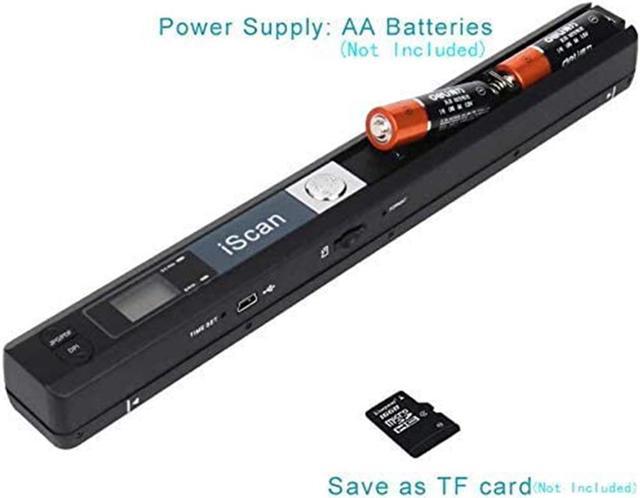
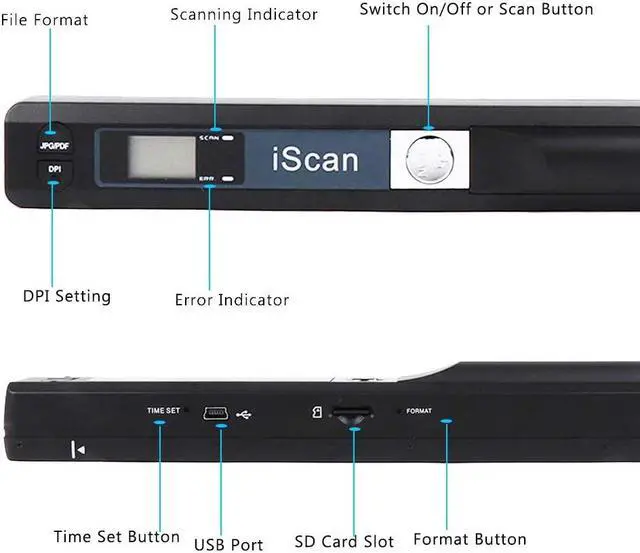
- Note: You need 2 AA batteries ( included) and a memory card (not included) to use. Scan mode: Press and hold "Scan" for 2 seconds to turn on the device, and then press "Scan", the green light is on. The scanner moves to scan the file until the green light turns off automatically (or press the "Scan" key and the green light goes out). The number shown on the display increases by 1 to indicate that the scan is complete.
- Portable Scanner scans images quickly: Store JPEG/PDF files within seconds, scan images or pictures quickly, plug and play. Compatible with Windows XP/7/Vista/Mac OS 10.4 or above version.
- Lightweight and travel-friendly: Stored in Micro SD card directly, support read data on your computer or phone with USB connected.
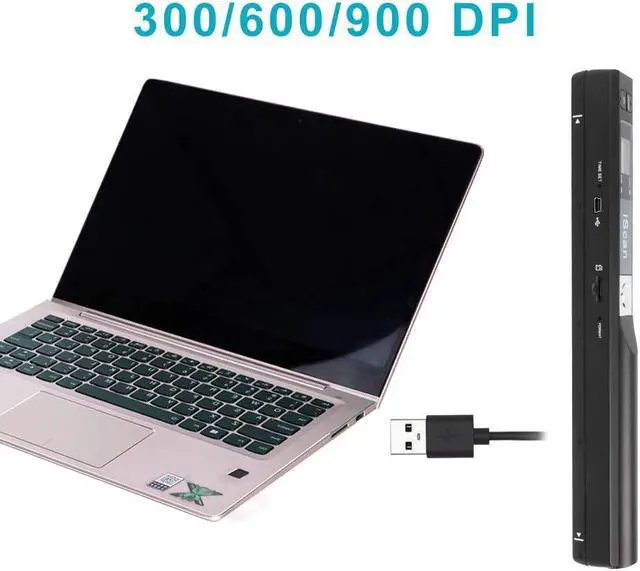
- 3 Image Resolution: 3 modes for your options: 300dpi/600dpi/900dpi, you can save it at the clearest way, picture and document are showed clear as it is. File Format: JPEG/PDF format is all available.
- Widely Used: It is applicable in bank, home, office etc..
+
+
Overview
Specs
Reviews

Any questions? Our AI mode will help you find out quickly.
Try me now
Handheld scanner is an extremely compact scanner that easily fits into a drawer or your laptop pocket.
Whether you are at home, in the office or library or enjoying a cup of coffee, the hand scanner can always be there!
High resolution scanner for A4 size documents and images, excellent scanning performance.
Compact size and lightweight design, easy to carry around.
Built-in real time scanning detector, avoid image distortion.
Supports memory card up to 32G (Not included), can store large capacity files.
Direct plug-in, driver installation not required.
Suitable for businessmen, students, travelers, artists and amateur architects.
Resolution: 900DPI/ 600DPI/ 300DPI
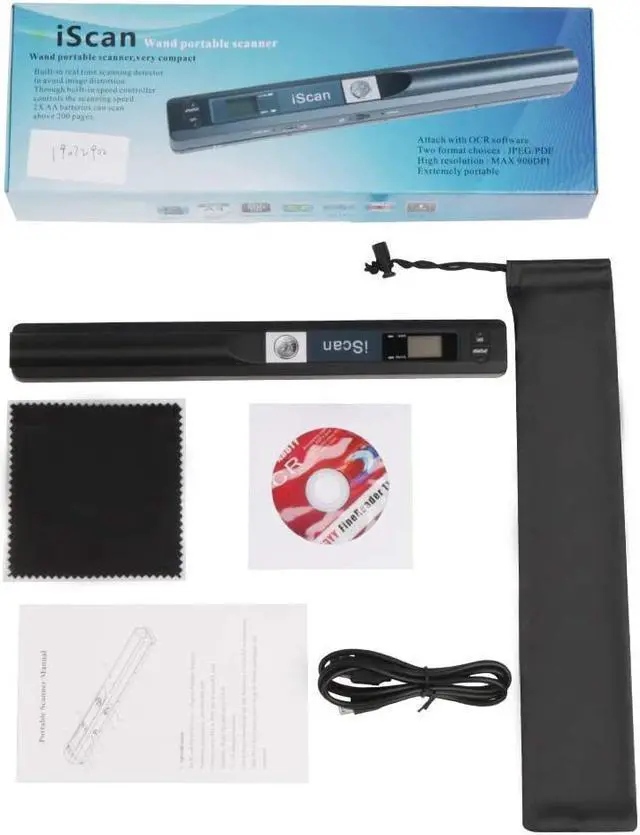
Package Contents:
1 x Portable Document Scanner
1 x USB Cable
1 x English User Manual
1 x Pocket
1 x Cleaning cloth
How to use
1. Put the right position on the scanning objects
2. Hold the scanner and press "iScan" to start
3. Moving slowly and keep stable
4. Press"iScan" to stop
Common problems.
1. Error light (flashing red), not scanning, not working?
Solution: Need to perform White balance calibration.
Use to perform a calibration to adjust the white balance calibration.
1) Place the scanner against a white background, press the Scan button to turn the power on and start.
2)Press the JPEG/PDF button while pressing the "Scan" button to enter auto calibration mode.
3)The red and green lights come on at the same time, do not move the scanner after the red light goes out.
4)Start scanning by sliding smoothly until the green LED goes out. (If necessary, slide the scanner backwards)
5)Press the Scan button "Scan" to close the scanner when you have finished calibrating.
2. The SD card keeps showing that it is full.
SD cards support up to 32G. cards over 32G cannot be used.
3.
Indicating Light: Green--scanning, red--scanning too quickly.
Whether you are at home, in the office or library or enjoying a cup of coffee, the hand scanner can always be there!
High resolution scanner for A4 size documents and images, excellent scanning performance.
Compact size and lightweight design, easy to carry around.
Built-in real time scanning detector, avoid image distortion.
Supports memory card up to 32G (Not included), can store large capacity files.
Direct plug-in, driver installation not required.
Suitable for businessmen, students, travelers, artists and amateur architects.
Resolution: 900DPI/ 600DPI/ 300DPI
Package Contents:
1 x Portable Document Scanner
1 x USB Cable
1 x English User Manual
1 x Pocket
1 x Cleaning cloth
How to use
1. Put the right position on the scanning objects
2. Hold the scanner and press "iScan" to start
3. Moving slowly and keep stable
4. Press"iScan" to stop
Common problems.
1. Error light (flashing red), not scanning, not working?
Solution: Need to perform White balance calibration.
Use to perform a calibration to adjust the white balance calibration.
1) Place the scanner against a white background, press the Scan button to turn the power on and start.
2)Press the JPEG/PDF button while pressing the "Scan" button to enter auto calibration mode.
3)The red and green lights come on at the same time, do not move the scanner after the red light goes out.
4)Start scanning by sliding smoothly until the green LED goes out. (If necessary, slide the scanner backwards)
5)Press the Scan button "Scan" to close the scanner when you have finished calibrating.
2. The SD card keeps showing that it is full.
SD cards support up to 32G. cards over 32G cannot be used.
3.
Indicating Light: Green--scanning, red--scanning too quickly.
Warranty & Returns
Warranty, Returns, And Additional Information
Warranty
- Please contact the Seller directly for warranty information. Warranty information may also be found on the Manufacturer's website.
- CONTACT
Return Policies
- Return for refund within: 30 days
- Return for replacement within: non-replaceable
- This item is covered by Shenzhen Qiuyiyue Store Return Policy
Manufacturer Contact Info
- For a directory of all our manufacturers, please click below.
- Manufacturers Directory
LOADING...
LOADING...