
Your Browsing History
- Sold by Newegg
- Make an Offer

Any questions? Our AI beta will help you find out quickly.
Try me now

Quick View
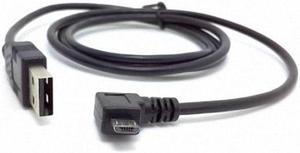
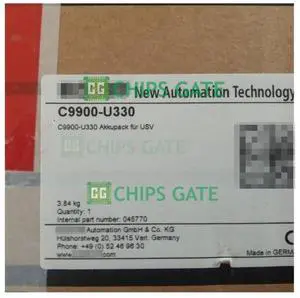
C9900-U330 for USV New in Box Ship by Fast DHL/FedEx/UPS
- Model #: PEGDB0C9C8NKCQ
- $758.64 –
- More options from $758.64
- Free Shipping
Quick View
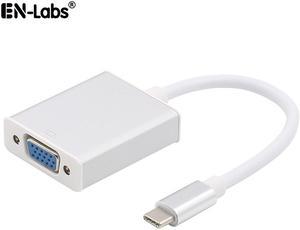
EnLabs UC2VGASL USB C TO VGA Adapter - USB 3.1 Type C (USB-C) to VGA 1080p Adapter (Thunderbolt 3), DP Alt Mode Converter w/ Aluminium Case for 2017 MacBook Pro/Yoga 920 - Silver
Limited time offer, ends 05/30
- Color: Silver
- Specifications: USB 3.1 Type-C to VGA adapter for connecting a USB-C enabled smartphone, tablet or computer to an VGA-equipped monitor or display Compatible with analog VGA-enabled TVs/Monitors/Projectors for both video transfer This USB-C to VGA adapter Only Compatible with device with DisplayPort Alt Mode, Windows computers may need updated USB-C or Thunderbolt 3 drivers from the manufacturer. Video resolution up to 1920x1080p@60Hz for compatibility with most displays, monitors and projectors compatible with the following PC, Laptop: iMac 2017 / iMac Pro 2017 MacBook Pro 2017 & 2016 MacBook 2016 & 2015 New Chromebook Pixel Dell XPS 15 & 13 & 12 Yoga 920 Yoga 910, For Yoga 910 users, please ONLY plug the adapter into the White USB-C female port. Yoga 900(Yoga 4 Pro) HP Spectre x360 13 & 15 inch Asus Zen AIO All in One PC Surface Book 2 More Thunde...
- Model #: UC2VGASL
Quick View
C9900-U330 for USV New in Box Ship by Fast DHL/FedEx/UPS
- Model #: CLADB0C9C8NKCQ
- $756.64 –
- More options from $756.64
- Free Shipping
Quick View
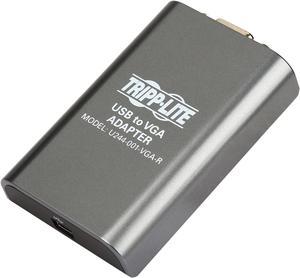
Tripp Lite USB 2.0 to VGA Dual/Multi-Monitor External Video Graphics Card Adapter, 128 MB SDRAM, 1080p @ 60hz (U244-001-VGA-R)
- Changer Type: USB to VGA
- Specifications: Connector A: USB MINI-B 5-PIN (FEMALE) Connector B: HD15 (FEMALE)
- Weight: 0.45
- Package Contents: U244-001-VGA-R USB to VGA display adapter 3 ft. USB Cable Quick Start Guide Driver CD with Owner's Manual
- Model #: U244-001-VGA-R
- $161.77 –
- More options from $51.28 - $161.77
- Free Shipping
Quick View
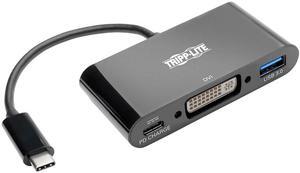
Tripp Lite USB C to DVI Adapter USB Hub & PD Charging USB Type C to DVI 6in (U444-06N-DUB-C)
- Type: USB-C to DVI Adapter with USB-A Hub, Thunderbolt 3
- Changer Type: USB-C to DVI, USB-A, Thunderbolt 3
- Color: Black
- Cable Length: 6"
- Model #: U444-06N-DUB-C
- $183.22 –
- Free Shipping
Quick View
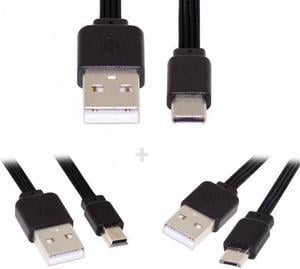
Chenyang U2-036-BK+U2-042-BK+UC-096-BK 3pcs/lot 13cm USB 2.0 Type-A to Mini Micro USB Type-C Male Data Flat Slim FPC Cable for FPVDiskPhone
- Model #: U2-036-BK+U2-042-BK+UC-096-BK-NGA
Quick View
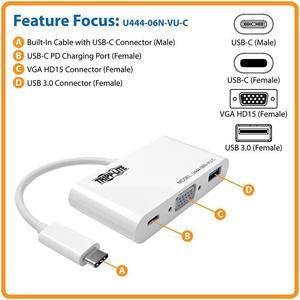
Tripp Lite USB C to VGA Multiport Adapter w/ PD Charging USB Type C to VGA (U444-06N-VU-C)
- Type: USB to VGA Adapters
- Specifications: System Requirements USB-C device that supports USB DisplayPort Alternate Mode VGA-enabled display
- Thunderbolt 3: Yes
- Output Connector: Side B - Connector 1: HD15 (FEMALE) Side B - Connector 2: USB 3.0 A (FEMALE) Side B - Connector 3: USB C (FEMALE)
- Model #: U444-06N-VU-C
- $142.01 –
- More options from $49.89 - $142.01
- Free Shipping
Quick View
Tripp Lite USB C to DVI Video Adapter Converter 1080p USB Type C to DVI 6in (U444-06N-DVI-AM)
- Type: USB to DVI Adapters
- Color: White
- Specifications: Connector A: USB C (MALE) Connector B: DVI-D DUAL LINK (FEMALE) Chromebook Compatible: Yes System Requirements Windows XP, Vista, 7, 8 or 8.1 or Mac OS X 10.8.3 and later (32- and 64-bit versions) Computer with USB-C port and at least 1.2 GHz single-core CPU and 512 MB of RAM HDMI-enabled monitor Supports Surface tablets running non-RT Windows 8 or 8.1
- Thunderbolt 3: Yes
- Model #: U444-06N-DVI-AM
- $105.78 –
- Free Shipping
Quick View
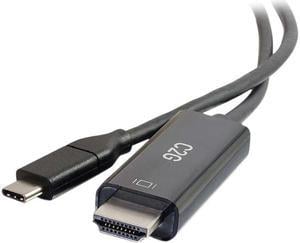
C2G 26889 USB-C to 4K UHD HDMI Audio/Video Adapter Cable (60Hz) Black (6 Feet, 1.82 Meters)
- Type: USB-C to HDMI Adapters
- Changer Type: USB-C Male to HDMI Male
- Color: Black
- Cable Length: 6 ft.
- Model #: 26889
- $32.45 –
- More options from $17.49 - $54.74
- Free Shipping
Quick View
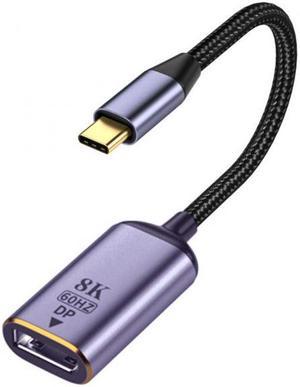
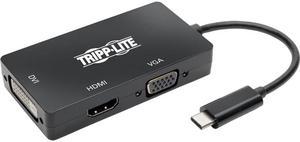
Tripp Lite USB C Multiport Adapter HDMI / DVI / VGA 4Kx2K USB Type C Black (U444-06N-HDV4KB)
- Type: USB-C Multiport Adapter
- Color: Black
- Changer Type: USB-C to HDMI / DVI / VGA
- Specifications: Max Supported Video Resolution: HDMI: 4K x 2K (3840 x 2160) @30Hz, VGA: 1920 x 1200 (1080p) @60Hz, DVI: 1920 x 1080 (1080p) @60Hz HDMI Specification: 1.4 HDCP Specification: 1.3 USB Specification: USB 3.1 Gen 1 (up to 5 Gbps) Driver Required: No
- Model #: U444-06N-HDV4KB
- $278.04 –
- More options from $48.06 - $278.04
- Free Shipping
Quick View
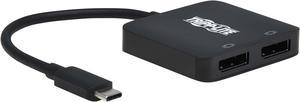
Tripp Lite USB C Adapter Dual-Display 4K60Hz DisplayPort 8K HDR 4:4:4 Black
- Type: USB-C to DisplayPort Adapters
- Changer Type: USB to DP
- Color: Black
- Specifications: Ports: 2 Side A - Connector 1: USB C (MALE) Side B - Connector 1: (2) Displayport (FEMALE) Connector Plating: Nickel Displayport Specification: 1.4 HDCP Specification: 2.2 USB Specification: USB 3.1 Gen 2 (up to 10 Gbps) Driver Required: No MST Support: Yes Multi-Resolution Support: No Video Input: USB C (MALE) Video Output: Displayport (FEMALE) Number of Monitors Supported: 2 Video Ports: (2) Displayport (FEMALE) Video Ports Details: HDCP 1.4; HDCP 2.2; DisplayPort 1.4 Supported Resolutions: 1280x720 (720p); 1920x1080 (1080p); 3840x2160 (4K); 7680x4320 (8K) Max Supported Video Resolution: 7680 x 4320 @ 30 Hz Audio Ports: (2) Displayport (FEMALE) Audio Ports Details: Supports pass-through audio function via dual DisplayPort outputs Audio Input: USB-C Au...
- Model #: U444-2DP-MST4K6
- $59.71 –
- More options from $59.71 - $112.59
- Free Shipping
Quick View
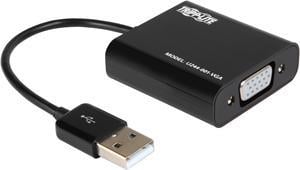
Tripp Lite USB 2.0 to VGA Dual/Multi-Monitor External Video Graphics Card Adapter w/Built-In USB Cable, 128 MB SDRAM, 1080p @ 60 Hz (U244-001-VGA)
- Type: USB to VGA Adapters
- Color: Black
- Specifications: Easy to Add Displays: Extend video to a second monitor, duplicate the same video on both monitors or make the second monitor your primary display Ideal for multitasking, viewing spreadsheet data, editing documents, giving presentations, watching movies and playing video games Add up to 6 adapters for a total of 7 displays (Windows) Add up to 4 adapters for a total of 5 displays (Mac) No need to reboot system after adding or removing a monitor Plug and play - no external power supply needed Vibrant, Superior Video Quality: Supports high-definition video resolutions up to 1920 x 1080 (1080p) @ 60 Hz Features 128 MB DDR SDRAM of memory Resumes automatically from hibernation and suspend modes Broad Compatibility: Works with 32- and 64-bit Windows 2000 and later Works with 32- and 64-bit Intel Mac OS...
- Model #: U244-001-VGA
- $132.01 –
- More options from $32.50 - $132.01
- Free Shipping
Quick View
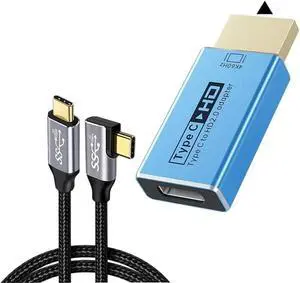
Uni-Directional USB C(Source) to HDMI-Compatible(Display) 4K@60Hz Adapter with Video Cable
- Model #: CLAWB0FK3773QS
- $115.99 –
- Free Shipping
Quick View
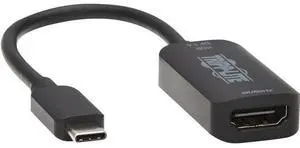
Tripp Lite U444-06N-HDR4-B HDMI/USB-C Audio/Video Adapter U44406NHDR4B
- Model #: U44406NHDR4B
- $88.55 –
- More options from $38.23 - $119.99
- Free Shipping
Quick View
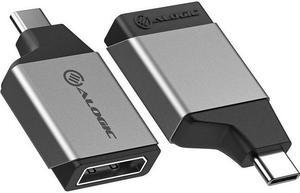
ALOGIC Ultra Mini USB-C to DisplayPort Adapter ULCDPMNSGR
- Changer Type: USB to DP
- Model #: ULCDPMNSGR
- $91.86 –
- More options from $25.56 - $91.86
- Free Shipping
Quick View
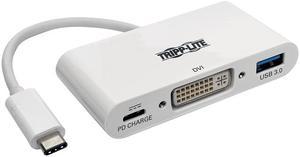
Tripp Lite USB C to DVI Multiport Adapter Converter Hub USB Type C to DVI (U444-06N-DU-C)
- Type: USB to DVI Adapters
- Color: White
- Specifications: System Requirements: USB-C device that supports USB DisplayPort Alternate Mode DVI-enabled monitor
- Thunderbolt 3: Yes
- Model #: U444-06N-DU-C
Quick View
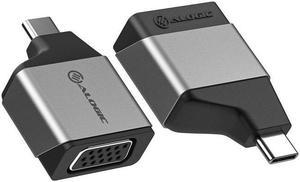
Alogic Ultra Mini USB-C to VGA Adapter ULCVGMNSGR
- Model #: ULCVGMNSGR
- $90.35 –
- Free Shipping
Quick View
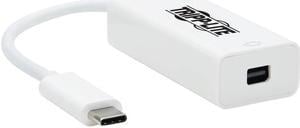
Tripp Lite U444-06N-MDP8W Mini DisplayPort/USB-C A/V Adapter U44406NMDP8W
- Model #: U44406NMDP8W
- $108.91 –
- Free Shipping
Quick View
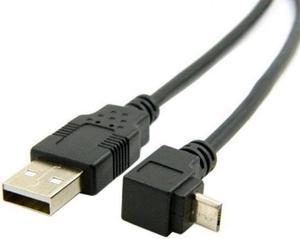
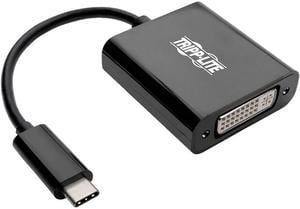
Tripp Lite USB C to DVI Adapter Converter 1080P M/F Black USB Type C to DVI (U444-06N-DVIBAM)
- Type: USB-C to DVI Adapters
- Color: Black
- Specifications: USB-C to DVI cable connects your DVI display to the USB-C or Thunderbolt 3 port on your laptop, MacBook or Chromebook. Transmits video signals from sources supporting USB DisplayPort Alt Mode Delivers HD picture quality at resolutions up to 1920 x 1080 (1080p) @ 60 Hz Supports USB 3.1 Gen 1 speeds up to 5 Gbps to ensure fast data transfers Reversible USB-C plug connects in either direction for immediate no-fuss use Easy installation with plug-and-play operation-no software required Connector: Side A - Connector 1: USB-C (MALE) Side B - Connector 1: DVI-D DUAL-LINK (FEMALE) (WIRED TO DVI-D SINGLE-LINK)
- Thunderbolt 3: Yes
- Model #: U444-06N-DVIBAM

Quick View
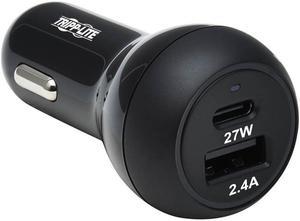
Tripp Lite U280-C02-39W-1B Auto Adapter
- Type: Wall Charger
- Model #: 037332254085
- $22.49 –
- More options from $22.49 - $47.86
- Free Shipping