shipping Holiday Shipping Details & Extended Holiday Returns

  • $39.99
  • Free 30-day Returns
  • Price alert
    Sold by Fegfrght

    Shipped by Fegfrght

    Shop it at NeweggBusiness.

    Meet Your Seller

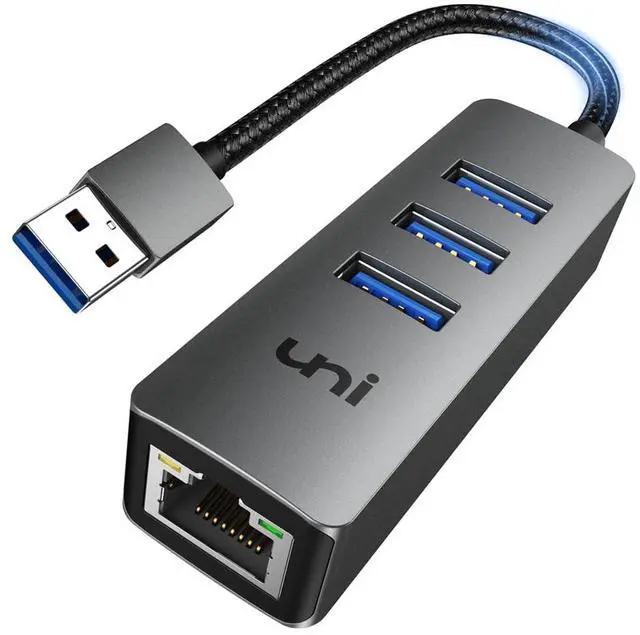
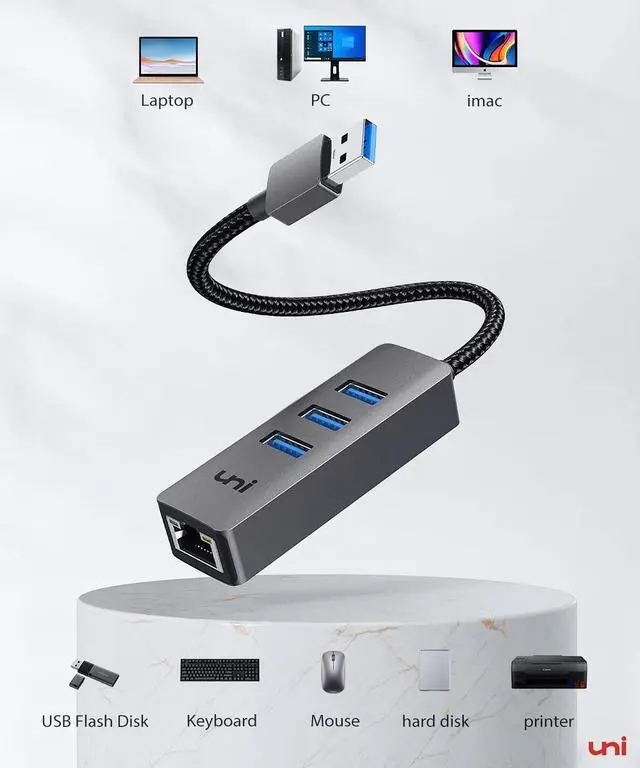
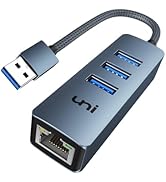
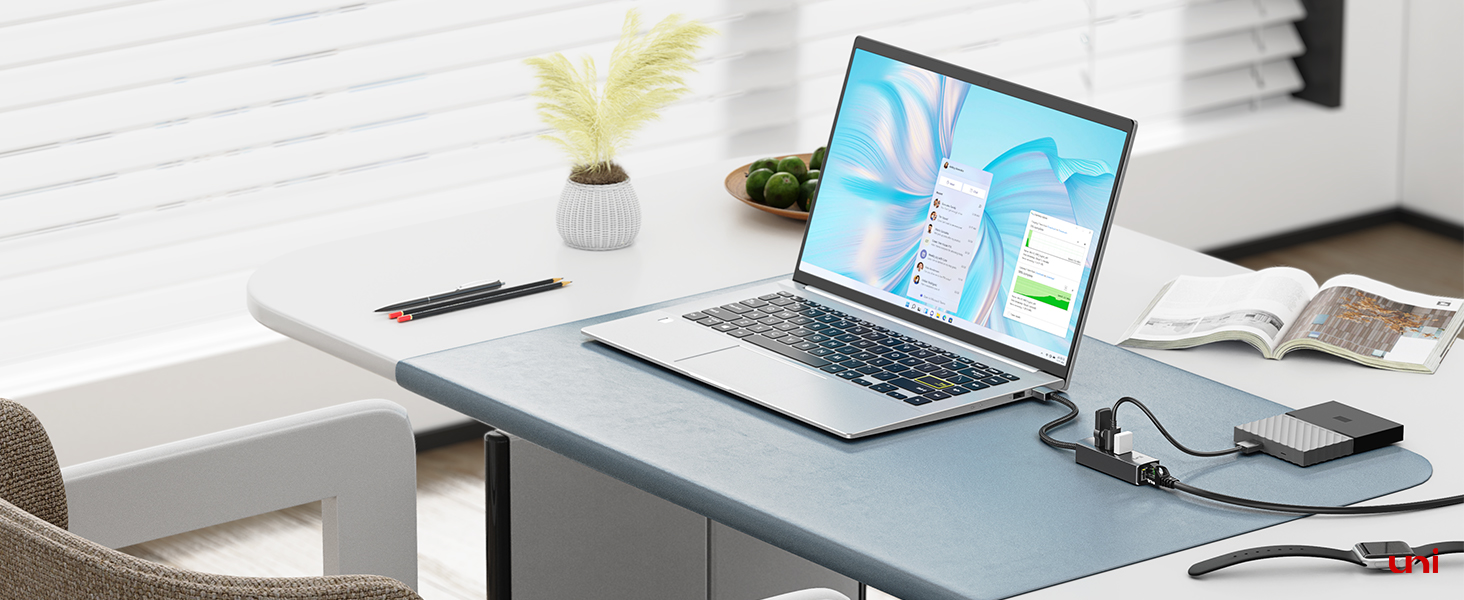
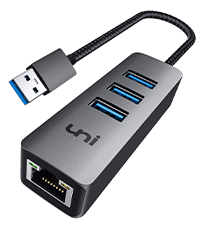
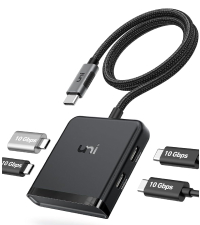
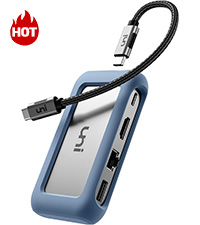
    uni USB to Ethernet Adapter, USB 3.0 Hub with 100/1000 Mbps RJ45 Ethernet Driver Free, Sturdy Aluminum 4-in-1 USB-A to LAN Network Adapter Compatible with iMac, PC, Chromebook Laptops, and More

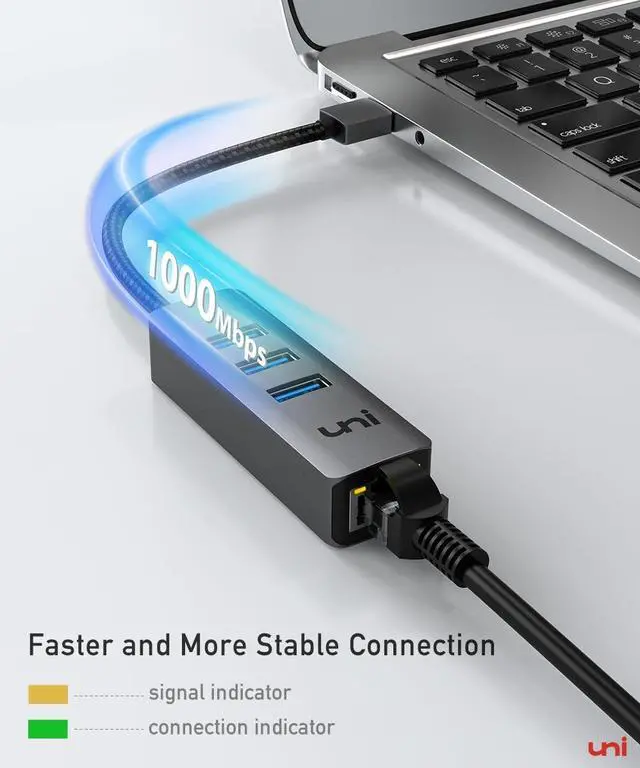
    • [Quick Gigabit Ethernet] - With uni USB to Ethernet Adapter, connect via a wired network for stable and smooth transmission without problems caused by the wireless network card. Perfectly compatible with 10/100/1000Mbps bandwidth. (To reach 1Gbps, please make sure to connect with CAT6 & above Ethernet cable).
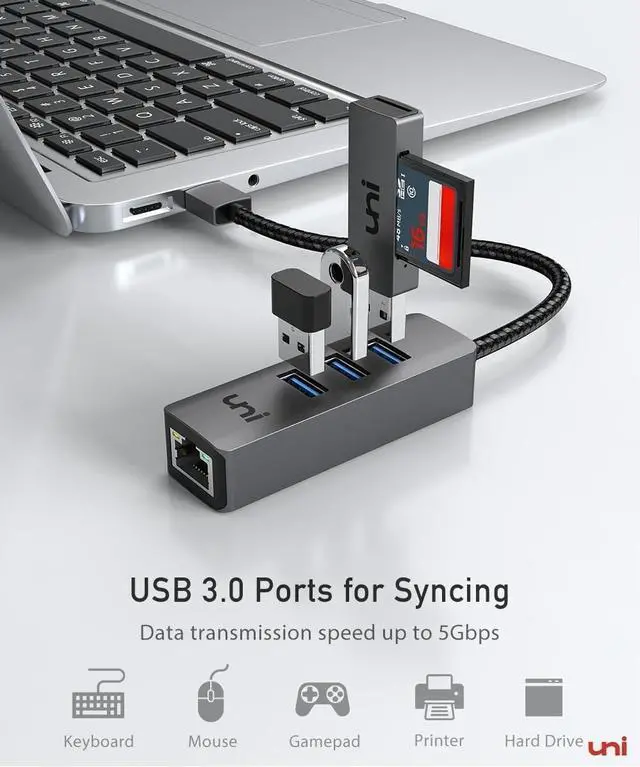
    • [USB 3.0 High-Speed Data Transfer] The USB Ethernet Adapter has 3* USB 3.0 ports with speeds up to 5Gbps for file transfer, 10 times faster than USB 2.0. Easily connect USB-A peripherals such as USB flash drive, mouse, keyboard, webcam, and printer. Work simultaneously without pressure. (Note: Charging is NOT supported)
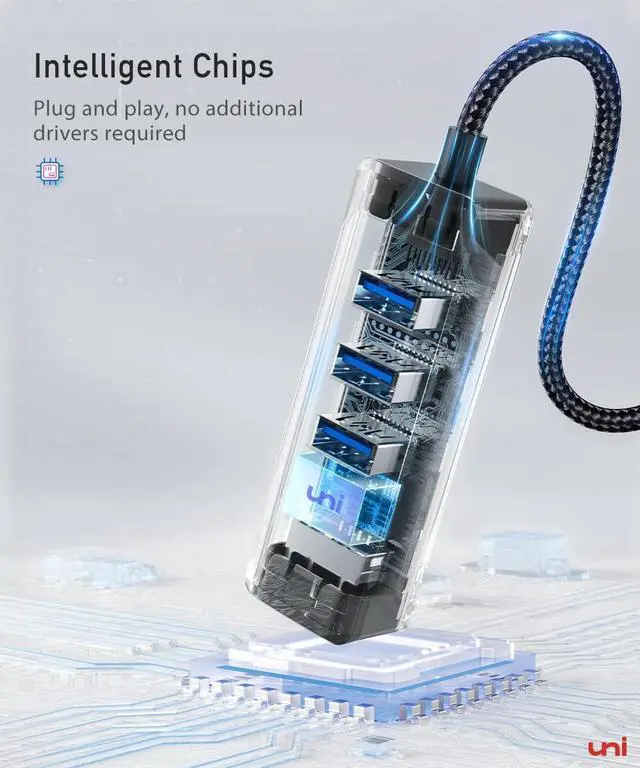
    • [Wide Compatibility]Plug and play, no additional driver/software required. The USB Hub with Ethernet Adapter is suitable for iMac, XPS, Surface Pro, PC, Chromebook, laptop and many devices etc. Compatible with ChromeOS, Windows (32/64 bit) 8/7/Vista /XP/10, Mac OS X 10.5 or later, Linux. (Note: Driver is required on Win 11)
    • [Compact & Convenient] Soft braided nylon cable for extra durability. The premium aluminum housing design makes this USB to Ethernet Adapter for laptop durable to use, keeping you away from a cheap and fragile plastic look. Two indicators are designed for status display and problem diagnosis. (Note: M2 chipset and NS are NOT supported)
    +
    +
    Overview
    Specs
    Reviews
    avatar

    Any questions? Our AI beta will help you find out quickly.

    USB 3.0 Ethernert Hub

    Compatibility (NOT A FULL LIST)

    ??Male Port (?) Desktop, Laptop, Apple MacBook, PC, Chromebook, and more
    ?? System (?) Windows (XP and above), macOS (10.9 and above), Chrome OS and Linux
    ??IEEE (?) Compatible with IEEE 802.3, IEEE 802.3U and IEEE 802. 3ab, IEEE 802.3az
    ?? Incompatible (?) Nintendo Switch, Wii, Wii U, Wii Mini, Peloton bike+
    ??How to download the driver? Realtek Official Web >Downloads > Communications Network ICs > Realtek USB/ GbE/ 2.5GbE/ Gaming Family Controller Software
    ??FAQ Some USB 3 devices may cause radio frequency interference
    - Wi-Fi and Bluetooth devices operating in the 2.4GHz band to have issues communicating with your computer. Here are some tips to avoid this issue:
    - If your USB device has a cable long enough that you can move the device, place it away from your computer—and make sure not to place it behind your computer, or near the hinge of its display.
    - To avoid interference on the 2.4GHz band using Wi-Fi, try using the 5GHz. Bluetooth always uses 2.4GHz, so this alternative isn't available for Bluetooth. Try to cover the USB-A connector with tinfoil, it may help with this situation.

    More Choice for You

    https://m.media-amazon.com/images/S/aplus-media-library-service-media/0a6c6b78-0262-4179-901a-3358b52e3ee2.__CR0,0,200,225_PT0_SX200_V1___.png

    usb to ethernet adapter

    https://m.media-amazon.com/images/S/aplus-media-library-service-media/6f296f1d-d04b-4657-af6c-f5e9225de05a.__CR0,0,400,450_PT0_SX200_V1___.jpg

    usb c to ethernet adapter

    https://m.media-amazon.com/images/S/aplus-media-library-service-media/c5df53b4-8f59-47fc-9de4-d7de7020f7e9.__CR0,0,200,225_PT0_SX200_V1___.png

    USB C to 4 USB A HUB

    https://m.media-amazon.com/images/S/aplus-media-library-service-media/f614cfe8-e5f1-4d02-b520-2799cbd33e4c.__CR0,0,200,225_PT0_SX200_V1___.jpg

    4 in 1 USB C to 4C Hub

    https://m.media-amazon.com/images/S/aplus-media-library-service-media/5a63c64d-0c43-4205-b192-39910505e5ed.__CR0,0,200,225_PT0_SX200_V1___.jpg

    USB C Hub

    Customer Reviews
    Price
    Data Transfer
    5Gbps 5Gbps 5Gbps 10Gbps 5Gbps
    Male Port
    USB A USB C USB C USB C USB C
    Female Port
    3*USB A Ports, 1*Ethernet Port 3*USB A Ports, 1*Ethernet Port 4*USB A Ports 4*USB C Ports 8 IN 1
    Cable Length
    5.3 IN 5.3 IN 0.6FT 2FT 0.7FT
    Support Charging
    ? ? ? ? ?
    USB 3.0 Ethernert Hub

    Compatibility (NOT A FULL LIST)

    ??Male Port (?) Desktop, Laptop, Apple MacBook, PC, Chromebook, and more
    ?? System (?) Windows (XP and above), macOS (10.9 and above), Chrome OS and Linux
    ??IEEE (?) Compatible with IEEE 802.3, IEEE 802.3U and IEEE 802. 3ab, IEEE 802.3az
    ?? Incompatible (?) Nintendo Switch, Wii, Wii U, Wii Mini, Peloton bike+
    ??How to download the driver? Realtek Official Web >Downloads > Communications Network ICs > Realtek USB/ GbE/ 2.5GbE/ Gaming Family Controller Software
    ??FAQ Some USB 3 devices may cause radio frequency interference
    - Wi-Fi and Bluetooth devices operating in the 2.4GHz band to have issues communicating with your computer. Here are some tips to avoid this issue:
    - If your USB device has a cable long enough that you can move the device, place it away from your computer—and make sure not to place it behind your computer, or near the hinge of its display.
    - To avoid interference on the 2.4GHz band using Wi-Fi, try using the 5GHz. Bluetooth always uses 2.4GHz, so this alternative isn't available for Bluetooth. Try to cover the USB-A connector with tinfoil, it may help with this situation.

    More Choice for You

    https://m.media-amazon.com/images/S/aplus-media-library-service-media/0a6c6b78-0262-4179-901a-3358b52e3ee2.__CR0,0,200,225_PT0_SX200_V1___.png

    usb to ethernet adapter

    https://m.media-amazon.com/images/S/aplus-media-library-service-media/6f296f1d-d04b-4657-af6c-f5e9225de05a.__CR0,0,400,450_PT0_SX200_V1___.jpg

    usb c to ethernet adapter

    https://m.media-amazon.com/images/S/aplus-media-library-service-media/c5df53b4-8f59-47fc-9de4-d7de7020f7e9.__CR0,0,200,225_PT0_SX200_V1___.png

    USB C to 4 USB A HUB

    https://m.media-amazon.com/images/S/aplus-media-library-service-media/f614cfe8-e5f1-4d02-b520-2799cbd33e4c.__CR0,0,200,225_PT0_SX200_V1___.jpg

    4 in 1 USB C to 4C Hub

    https://m.media-amazon.com/images/S/aplus-media-library-service-media/5a63c64d-0c43-4205-b192-39910505e5ed.__CR0,0,200,225_PT0_SX200_V1___.jpg

    USB C Hub

    Customer Reviews
    Price
    Data Transfer
    5Gbps 5Gbps 5Gbps 10Gbps 5Gbps
    Male Port
    USB A USB C USB C USB C USB C
    Female Port
    3*USB A Ports, 1*Ethernet Port 3*USB A Ports, 1*Ethernet Port 4*USB A Ports 4*USB C Ports 8 IN 1
    Cable Length
    5.3 IN 5.3 IN 0.6FT 2FT 0.7FT
    Support Charging
    ? ? ? ? ?

    If you are looking for an ethernet solution to USBlook no further. This hub is absolutely perfect size and allows three additional USB ports for whatever your needs. Enabled you to go from 44 Mbps (wireless) to 1 Gbpsby establishing a hardwire to the router/ modem. 3 x USB 3.0 1 x Ethernet | 1 Gigabit 5 Gbps Fast Speed 3 x USB 3.0 Port, easy to expand your laptop or desktop for file transferring, super speed up to 5.0 Gbps data transfer. - Efficiently transfer photos, download high-resolution videos, or backup in the hard drive and flash drive. - For multiple USB peripherals, such as USB flash drive / Mouse / Keyboard / Card reader / Camera / Printer / Hard drive. Plug and play, no additional drivers/software required. GIGABIT SOLUTION With unis Ethernet adapter, access secure and fast internet for large files downloads, stable online group meetings, and sync group projects. Obtain stable connection speeds up to 1 Gbps, downward compatible with 100Mbps / 10Mbps / 1Mbps. Intelligent Chip: RTL8153, Protocol: IPv4 / IPv6. CAT6 & up ethernet cable needed to reach 1Gbps network.


    Product information

    Brand uni
    Color Grey
    Hardware Interface Ethernet, USB 3.0, USB 3.0 Type C
    Special Feature 1Gbps High-Speed Ethernet, Plug and Play
    Compatible Devices Desktops, Keyboards, Laptops, Mouse, Printers
    Product Dimensions 5.12 x 2.36 x 0.67 inches
    Item Weight 1.69 ounces
    Item model number EHUB02
    Date First Available April 13, 2020
    Manufacturer uni

    Additional Features

    • [18-Month Warranty]uni USB 3.0 to Ethernet Hub with a hassle-free 18-month warranty and 24/7 customer service. If you have any questions, please contact us, we solve most issues within 12 hours. Please rest assured we stand behind our products and customers.
    • [Note]Wi-Fi and Bluetooth devices operating in the 2.4GHz band to have issues communicating with your computer. Here are some tips to avoid this issue: 1. If your USB device has a cable long enough that you can move the device, place it away from your computerand make sure not to place it behind your computer, or near the hinge of its display. 2. To avoid interference on the 2.4GHz band using Wi-Fi, try using the 5GHz. Bluetooth always uses 2.4GHz, so this alternative isn't available for Bluetooth. Try to cover the USB-A connector with tinfoil, it may help with this situation.

    Warranty & Returns

    Warranty, Returns, And Additional Information

    Warranty

    • Please contact the Seller directly for warranty information. Warranty information may also be found on the Manufacturer's website.
    • CONTACT

    Return Policies

    • Return for refund within: 30 days
    • Return for replacement within: 30 days
    • This item is covered by Fegfrght Return Policy

    Manufacturer Contact Info

    LOADING...