


  • $199.99
  • Free 30-day Returns
  • Ships from China.
    Price alert
    Shop it at NeweggBusiness.

    AUTYUE 8K@30Hz KVM Switch 2 Monitors 6 Computers, 4K@144Hz Dual Monitor 1 HDMI + 1 Displayport KVM for 6 PCs Sharing 2 Display and 4 USB 3.0 Devices , Power Adapter + Wired Controller Included

    Limited time offer, ends 10/03 By Shenzhen Qiuyiyue Store

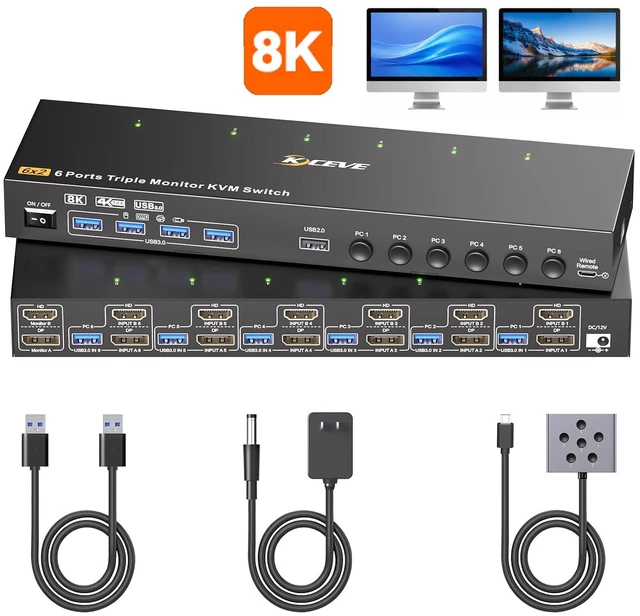
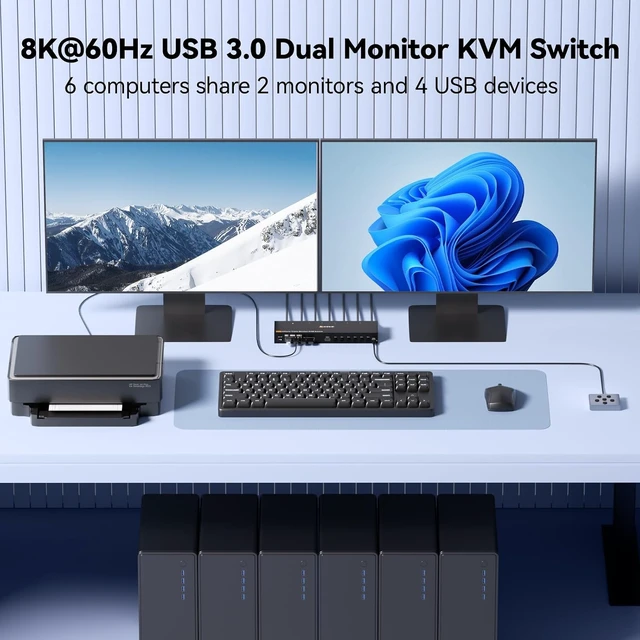
    • 6 Comouters KVM Switch: 1*DP1.4 and 1*HDMI2.1, USB 3.0 KVM switch enables 6 computers to share 2 monitors with 4 USB 3.0 devices(including keyboards, mouse, printer, camera ). It keeps your workspace organized and efficient, a premium choice for office work setups.
    • Uncompromised 8K Brilliance via KVM Switch: Engineered metal casing eliminates signal distortion Perfect for lag-free gaming & cinema-day marathons. Just connect and enjoy zero setup needed
    • Save Time & Simplify Your Setup: USB 3.0 KVM switch reduce constant cable swapping and effortlessly control multiple devices from one place. Perfect for your desk, tech hub, or home entertainment center.
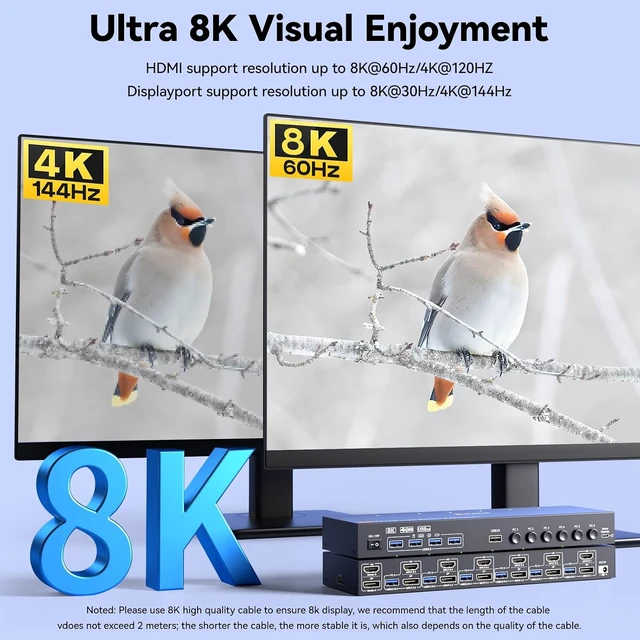
    • Support High Resolution and High Refresh Rate: Triple monitor KVM switch supports up to 8K@60Hz/30Hz, 4K@144Hz/120Hz (HDMI port supports 8K@60Hz/4K@120Hz, DP port supports 8K@30Hz/4K@120Hz). Warning: Use HDMI2.1 and DP1.4 cables for a better experience, shorter cables are better when distance allow.
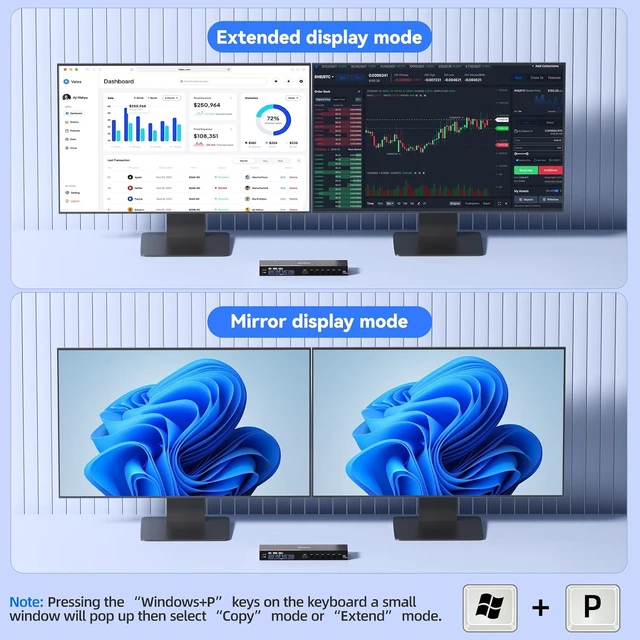
    • Dual Display Modes for Any Task: Extended Mode:Spread work across 3 screens like a pro (ideal for multitasking). Duplicate Mode: Show identical content on every display (perfect for presentations). Quick Switch Tip: Press P + Windows keys to toggle modes instantly.
    +
    +
    Overview
    Specs
    Reviews
    avatar

    Any questions? Our AI mode will help you find out quickly.

    8K@30Hz KVM Switch 2 Monitors 6 Computers, 4K@144Hz Dual Monitor 1 HDMI + 1 Displayport KVM for 6 PC

    Displayport + HDMI KVM switch for 6 computers to share 2 monitors and 4 USB 3.0 devices.

    Displayport HDMI KVM switch for 6 computers to share 2 monitors and 4 USB 3.0 devices.

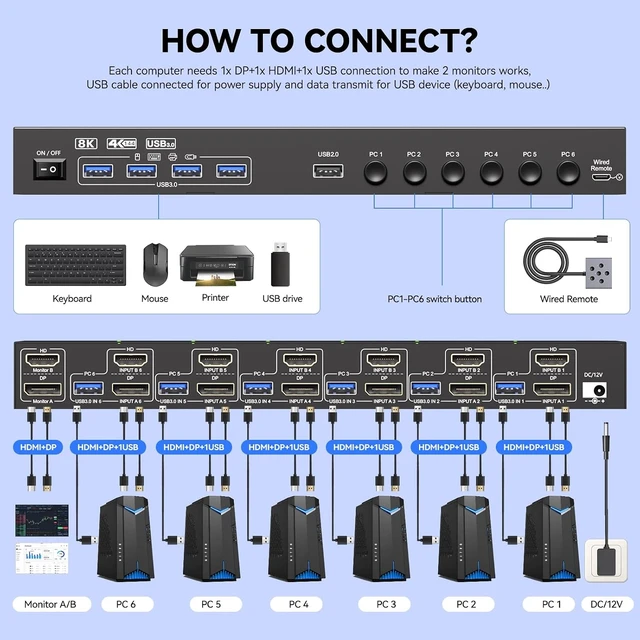
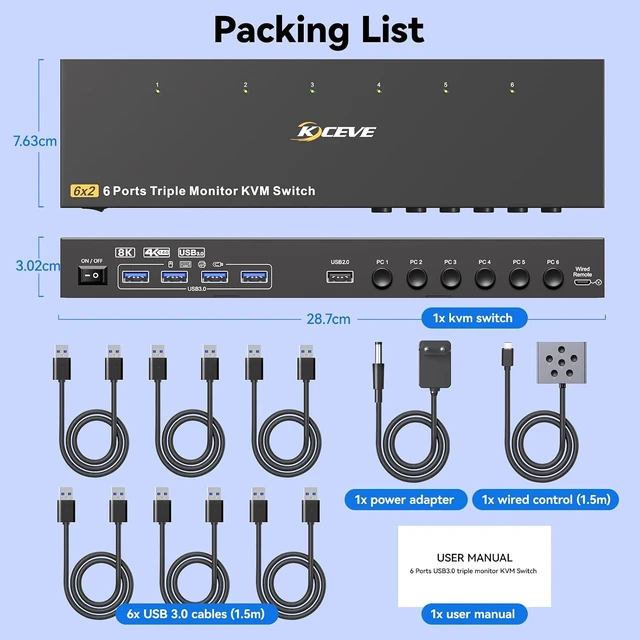
    At least 1 or 2 USB 3.0 cables must be connected to the computer, otherwise USB devices such as mouse and keyboards will not work properly.

    At least 1 or 2 USB 3.0 cables must be connected to the computer, otherwise USB devices such as mous


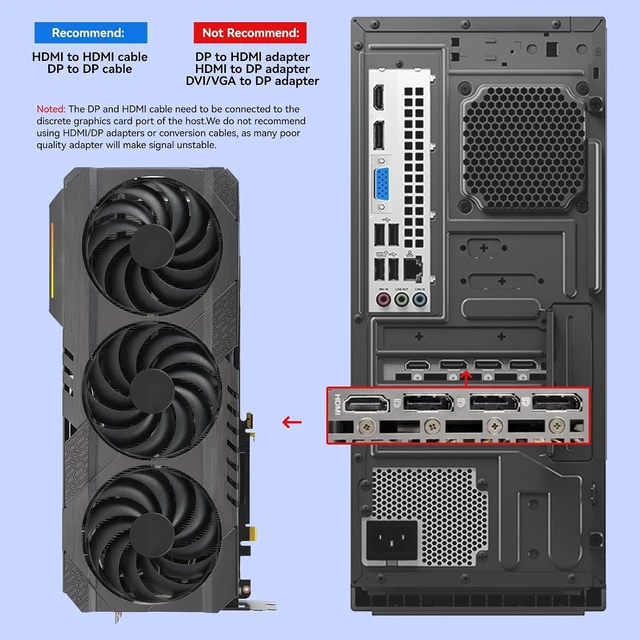
    Each computer needs 1 DisplayPort +1 HDMI connection to make 2 monitors work.

    Extended display  When in extend mode, the window from the main screen can be dragged to the second


    Extended display

    When in extend mode, the window from the main screen can be dragged to the second output screen.


    Note: Press "Window+P", a small window will pop up, then choose "Duplicate" Mode or "Extend" Mode according to your need. (Note: MAC M1/M2 only support duplicated mode display)

    Extended display  When in extend mode, the window from the main screen can be dragged to the second


    Duplicated display

    When in copy mode the main screen can be copied to the second output screen.


    Note: Press "Window+P", a small window will pop up, then choose "Duplicate" Mode or "Extend" Mode according to your need. (Note: MAC M1/M2 only support duplicated mode display)

    Duplicated display  When in copy mode the main screen can be copied to the second output screen.  N


    Enjoy 8k@60hz, 4k@144Hz resolution

    We recommend using shorter HDMI + DP cable to get a satble 8K resolution (it is recommended not to exceed 2 meters).

    Enjoy 8k@60hz, 4k@144Hz resolution  We recommend using shorter HDMI + DP cable to get a satble 8K r


    Fast data transmission for USB devices

    This 6 computers 3 monitors KVM switch with 4 USB 3.0 port for sharing mouse, keyboard, USB printers, scanners, etc.

    Fast data transmission for USB devices  This 6 computers 3 monitors KVM switch with 4 USB 3.0 port
    Fast data transmission for USB devices  This 6 computers 3 monitors KVM switch with 4 USB 3.0 port
    Fast data transmission for USB devices  This 6 computers 3 monitors KVM switch with 4 USB 3.0 port


    12V DC power adapter is provided for extra power supply. External power supply is NOT required for KVM switch if devices work properply.

    12V DC power adapter is provided for extra power supply. External power supply is NOT required for K


    Please buy good HDMI and DP cable yourself, if HDMI cable and DP cable is not good enough, the screen will flicker or unstable.

    Features
    1. 6 Comouters KVM Switch 2*DP1.4 and 1*HDMI2.1, USB 3.0 KVM switch enables 6 computers to share 2 monitors with 4 USB 3.0 devices(including keyboards, mouse, printer, camera ). It keeps your workspace organized and efficient, a premium choice for office work setups.
    2. Uncompromised 8K Brilliance via KVM SwitchEngineered metal casing eliminates signal distortion Perfect for lag-free gaming & cinema-day marathons. Just connect and enjoy zero setup needed
    3. Save Time & Simplify Your Setup USB 3.0 KVM switch reduce constant cable swapping and effortlessly control multiple devices from one place. Perfect for your desk, tech hub, or home entertainment center.
    4. Support High Resolution and HighRefresh Rate Triple monitor KVM switch supports up to 8K@60Hz/30Hz, 4K@144Hz/120Hz (HDMI port supports 8K@60Hz/4K@120Hz, DP port supports 8K@30Hz/4K@120Hz). Warning: Use HDMI2.1 and DP1.4 cables for a better experience, shorter cables are better when distance allow.
    5. Dual Display Modes for Any Task Extended Mode:Spread work across 3 screens like a pro (ideal for multitasking). Duplicate Mode: Show identical content on every display (perfect for presentations). Quick Switch Tip: Press P + Windows keys to toggle modes instantly.


    Warranty & Returns

    Warranty, Returns, And Additional Information

    Warranty

    • Please contact the Seller directly for warranty information. Warranty information may also be found on the Manufacturer's website.
    • CONTACT

    Return Policies

    Manufacturer Contact Info

    LOADING...