• $41.88
  • Free 30-day Returns
  • Ships from China.
    Price alert
    Shop it at NeweggBusiness.

    Meet Your Seller

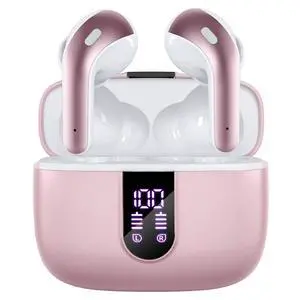
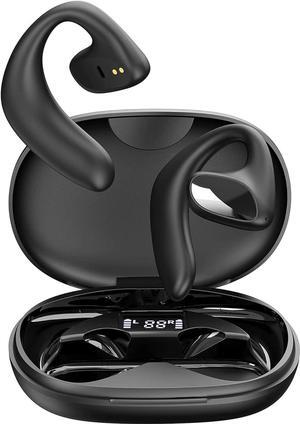
    Wireless Earbuds Bluetooth Headphones 60H Playtime Ear Buds with LED Power Display Charging Case Earphones in-Ear Earbud with Microphone for Android Cell Phone Gaming Computer Laptop Sport Black

    • Upgraded 60H Playtime & LED Power Display: X15 upgraded Bluetooth earbuds with a longer battery charging case, it has 10 hrs more playtime than X15 1st generation. Up to 60 hrs of total listening time in turn, one earbud can be used for 5 hours on one charge. The case can provide extra 5 times the full charge for earbuds. The ear buds wireless bluetooth earbuds with a dual digital power display case, easy to know the remaining power in real-time while opening or closing the case.
    • Dual Charging of Wireless & Type C: The wireless headphones support wireless and USB Type-C fast charging. For wireless charging, just put the case on the wireless charging pad, and keep the led display facing up. Meanwhile, bluetooth headphones come equipped with a USB Type C cable, you just use it and a charging adapter(not included) to charge the case. Both charging methods take just 1 hour to charge the case with 100% power.The number on the right screen will flash when the case is charging.
    • One-Step Pa
    +
    +
    Overview
    Specs
    Reviews
    avatar

    Any questions? Our AI beta will help you find out quickly.

    Good Music, Worth Listening to Again with ZINGBIRD
    Previous page
    Next page
    1. Wireless earbuds

    2. Eartips

    3. User manual

    4. Charge case

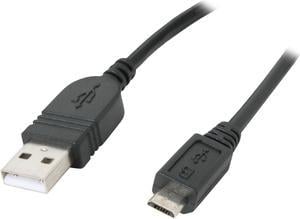
    5. Type c charging cable
    * How to charge wireless headphones?
    Earbuds: place X15 earbuds in the charging case. (keep the charging case needs to be charged. )
    Case: Connect the case to a power source with the USB-C cable that's included. (Note: power adapter is not included)
    * After working for a period of time, the earbuds or the case won't get charge, or digital display won't light up. or the number displayed is abnormal. What should I do?
    Cause: The charging contact points of the earbuds or case are dirty. Or incorrect charging cable used.
    Troubleshooting: Please clean them use a cleaning stick dipped in a little alcohol. Or use the included cable to charge the set.
    * The volume of the earbuds become lower than before. The sound quality is not good. *
    Cause: The grilles or the ear tips are dirty, or the ear tips don't fit well enough.
    Troubleshooting: Please clean them use a cleaning stick dipped in a little alcohol. Or try other included ear tips for the best fitting.
    * The earbuds can't be connected to my other devices. I just connected to my phone/tablet before. *
    Cause: The earbuds can only be connected to one device at the same time.
    Troubleshooting: Turn off the Bluetooth on all paired devices first. Then, turn on the Bluetooth on the desired device. Find X15 to connect it.
    Brand Slogan Support Wireless Charging Smart Touch Control Immersive Sound High Quality Material What's in the Package? What's in the box? X15 Troubleshooting Guide

    Warranty & Returns

    Warranty, Returns, And Additional Information

    Warranty

    • Please contact the Seller directly for warranty information. Warranty information may also be found on the Manufacturer's website.
    • CONTACT

    Return Policies

    Manufacturer Contact Info

    LOADING...