

Your Browsing History
- In Stock
- Sold by Newegg
- Make an Offer
- New

Any questions? Our AI beta will help you find out quickly.
Try me now

Quick View

- Model #: 65UH5N-M
- $3,060.00 –
- More options from $1,099.99 - $3,060.00
- $8.00 Shipping
Quick View
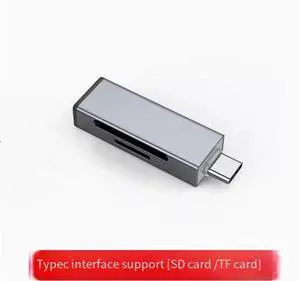
USB3.0 Camera card reader USB3.0 high-speed multi-function all-in-one universal sd memory card tf storage to Typec Mobile phone otg Computer tablet for Apple 16 Huawei ipad Canon ccd read Type-C port
Limited time offer, ends 07/29
- Model #: wa-1382
- $11.99 –
- Free Shipping
Quick View
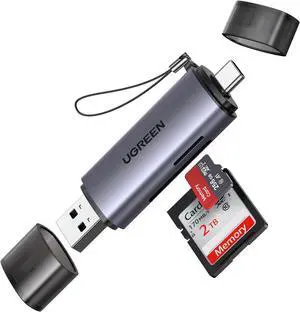
UGREEN SD Card Reader USB C, USB 3.0 Micro SD Card Reader 2 in 1 Memory Card Reader for MicroSD SDHC SDXC Compatible with PC Computer MacBook Laptop iPad iPhone 17 16 15 Pro/Pro Max
Limited time offer, ends 07/28
- Model #: ee-42
- $48.98 –
- Free Shipping
Quick View
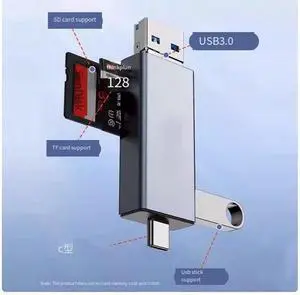
USB3.0 camera card reader High-speed multi-function all-in-one universal sd memory card tf storage to Typec Mobile phone otg Computer tablet for Apple 16 Huawei ipad Canon ccd read USB3.0+Type-C port
Limited time offer, ends 07/29
- Model #: wa-1385
- $16.99 –
- Free Shipping
Quick View
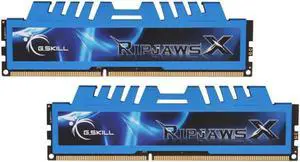
G.SKILL Ripjaws X Series 16GB (2 x 8GB) 240-Pin PC RAM DDR3 1600 (PC3 12800) Desktop Memory Model F3-1600C9D-16GXM
- Connector Type: Mini USB to Micro USB
- Model #: F3-1600C9D-16GXM
- $65.99 –
- Free Shipping
Quick View
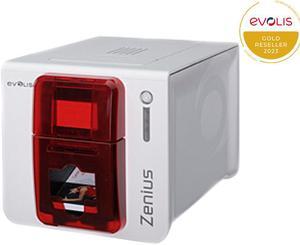
Evolis ZN1U0000RS Zenius Classic Card Printer without options
- Memory: 16 MB of RAM
- Barcode Type: Code 39, code 128, EAN 13, Interleaved 2 of 5
- Interface: USB
- Dimensions: Height 195 mm (7.68") x length 205 mm (8.07") x width 310 mm (12.2")
- Model #: ZN1U0000RS
- $1,108.00 –
- $4.99 Shipping
Quick View
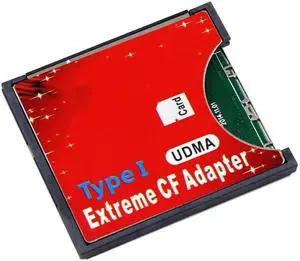
Aomoproing SD SDHC SDXC to High-Speed Extreme Compact Flash CF Type I Adapter For 16/32/64/128 GB
- Model #: oo-919
- $17.19 –
- Free Shipping
Quick View
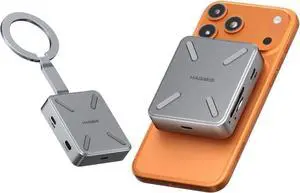
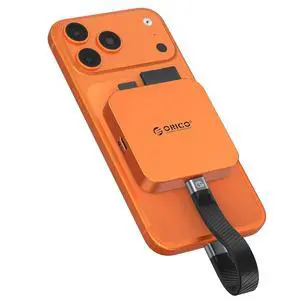
Ultra-Thin Magnetic SD Card Reader for iPhone 17/16/15 Series/iPad/MacBook, USB C Camera Adapter with SD/TF 3.0 Solt, 100W PD Pass-Through
Limited time offer, ends 07/26
- Model #: LC6W1JU1-110
- $45.53 –
- Free Shipping
Quick View
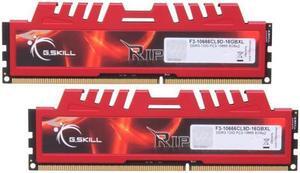
G.SKILL Ripjaws X Series 16GB (2 x 8GB) DDR3 1333 (PC3 10666) Desktop Memory Model F3-10666CL9D-16GBXL
- Connector Type: Micro USB to USB A
- Model #: 3U8H13C9GS0R02
- $65.99 –
- Free Shipping
Quick View
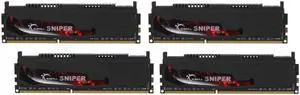
G.SKILL Sniper 16GB (4 x 4GB) 240-Pin DDR3 SDRAM DDR3 1600 (PC3 12800) Desktop Memory Model F3-12800CL9Q-16GBSR
- Connector Type: Lighting to USB C
- Model #: F3-12800CL9Q-16GBSR
- $65.99 –
- Free Shipping
Quick View
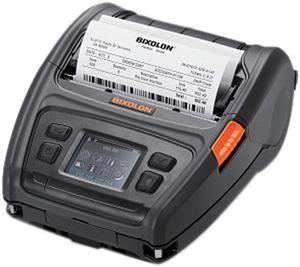
Bixolon XM7-40 Mobile Label Printer
- Printer Type: Mobile
- Memory: 128 MB SDRAM, 256 MB Flash 256 MB SDRAM, 512 MB Flash (Optional)
- Fonts Included: 10 SLCS / One SLCS / 16 BPL-Z / One BPL-Z / 7 BPL-C / 23 Code Page / Unicode supported (UTF-8, UTF-16LE, UTF-16BE)
- Barcode Type: 1D: Codabar, Code 11, Code 39, Code 93, Code 128, EAN-13, EAN-8, Industrial 2-of-5, Interleaved 2-of-5, Logmars, MSI, Plessey, Postnet, GS1 DataBar (RSS-14), Standard 2-of-5, UPC/EAN extensions, UPC-A, UPC-E, IMB 2D: Aztec, Codablock, Code 49, Data Matrix, MaxiCode, MicroPDF417, PDF417, QR code, TLC 39
- Model #: XM7-40
- $706.99 –
- More options from $705.59 - $706.99
- Free Shipping
Quick View
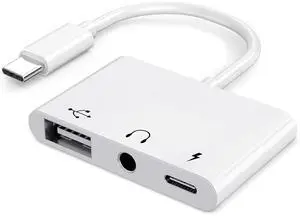
USB C to USB Adapter, 3 in 1 AUX to USB C Adapter with 3.5mm Headphone Jack + OTG + 60W PD Fast Charging Port,Compatible with iPhone 15/16, iPad Pro, MacBook and More
- Brand: AKWOR
- Connector Number: 1
- Terminal Gender: usb c to 3.5mm
- Speed: usb c to 3.5mm
- Model #: 398961132475
- $15.99 –
- More options from $15.99 - $25.87
- Free Shipping
Quick View
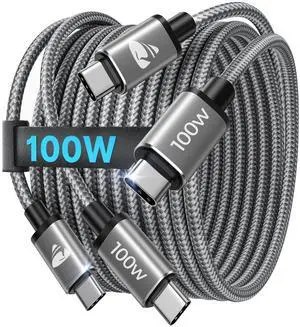
USB C to USB C Cable 6FT 2Pack, 100W Fast Charging Cord Type C, Braided USBC Charger Cable, 6 FT USB C Charging Cable for iPhone 17 16 15 Pro/Max, Samsung S25 S24 S23 MacBook Pro/Air iPad
- Brand: Aioneus
- Type: USB
- Connector Type: USB Type C
- Color: Silver-Gray
- Model #: 746846046491
- $19.99 –
- Free Shipping
Quick View
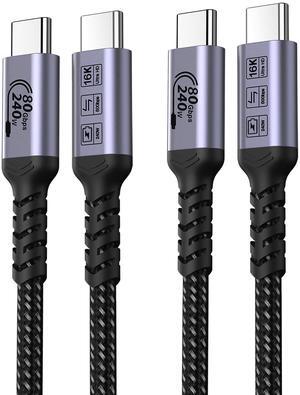
SUMPK USB C to USB C Cable 80Gbps 3.3ft 2 Packs, 240W USB 4 Cable, Gen 4 Data Cables, 16K HDR Video Monitor Compatible with Thunderbolt 5, iPhone 16 Pro Max, iPhone 15/15Plus, MacBook, iPad, eGPU
Limited time offer, ends 08/16
- Model #: 569563153283
- $51.29 –
- More options from $45.99 - $51.29
- Free Shipping
Quick View
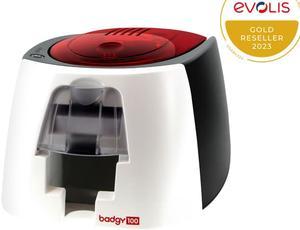
EVOLIS BADGY100 COLOR ID CARD PRINTER
- Memory: 16 MB of memory (RAM)
- Barcode Type: Single-side print module
- Media Type: Card type: PVC cards
- Media sizes supported: Card thickness: 0.50 to 0.76 mm, automatic adjustment of the gauge Card format: ISO CR-80 – ISO 7810 (53.98 x 85.60 mm) Included in the solution: pack of 50 PVC cards 0.76 mm
- Model #: B12U0000RS
- $649.00
- $599.00 –
- Save: $50.00 (7%)
- More options from $599.00 - $631.78
- Free Shipping
Quick View
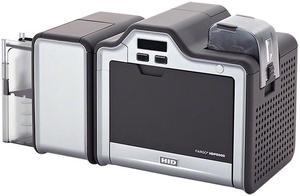
HID Fargo HDP5000 Dual-sided ID Card Printer & Encoder, HDP Dye-Sublimation / Resin Thermal Transfer, 300 dpi, USB, Ethernet - 089640
- Memory: 16 MB
- Media Type: ABS Card Laminated PVC PET Card PETG Card Proximity Card Smart Card Magnetic Stripe Card Optical Media Card
- Model #: 089640
- $5,168.80 –
- More options from $3,458.28 - $5,192.00
- Free Shipping
Quick View
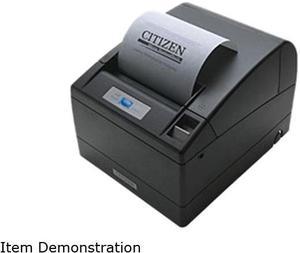
Citizen CT-S4000RSU-BK CT-S4000 Two-Color Receipt Printer
- Color: Black
- Memory: 384K bytes
- Fonts Included: Character Size Font A: 1.25 x 3.0 mm (12 x 24 dots), Font B: 0.88 x 2.13mm (9 x 17 dots), Font C: 0.88 x 2.00 (8 x 16 dots) Character Table Code page 437, 850, 852, 857, 858, 860, 863, 864, 865, 866, Katakana, WPC1252, Thai code 18
- Barcode Type: UPC-A/E, JAN/EAN-8, JAN/EAN-13, ITF, Code 39, Code 93, Code 128, CODABAR, PDF417 (Label type only)
- Model #: CT-S4000RSU-BK
- $418.11 –
- Free Shipping

Quick View
- $27.25 –
- Free Shipping
Quick View
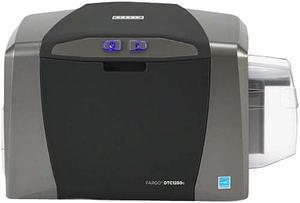
HID Global 050000 Fargo DTC1250e Single-sided ID Direct-to-Card Printer & Encoder, Base Model (NA), USB
- Printer Type: Single-Side
- Memory: 32 MB RAM
- MSR: N/A
- Media Type: PVC or polyester cards with polished PVC finish; monochrome resin required for100% polyester cards; optical memory cards with PVC finish; rewrite
- Model #: 050000
- $1,005.00
- $979.50 –
- More options from $979.50 - $2,234.99
- Free Shipping
Quick View
G.SKILL Ripjaws X Series 4GB DDR3 1866 (PC3 14900) Desktop Memory Model F3-14900CL9S-4GBXL
- Connector Type: USB A to Micro USB
- Model #: F3-14900CL9S-4GBXL
- $65.99 –
- Free Shipping
Quick View
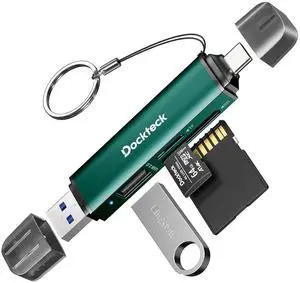
SD Card Reader, 5G Super Speed USB3.0 SD/TF Card Reader, 3-Slot USB A/C to SD/Micro SD/USB A Memory Card Reader for UHS-I SD/Micro SD/SDHC/SDXC/MMC, Support OTG for Plug&Play,Green
Limited time offer, ends 07/26
- Model #: LC6W1J16-031
- $34.64 –
- Free Shipping
Quick View
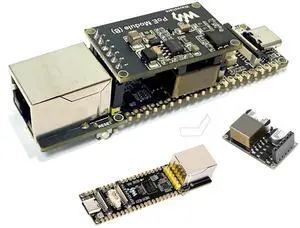
ESP32-P4 PoE ETH AI Development Board, Based On ESP32-P4 Chip, with PoE Module, Support P oE & USB-C Power Supply, Onboard Ethernet Port, MIPI-CSI/DSI, Microphone, Speaker Header, USB, etc
Limited time offer, ends 07/26
- Model #: LC6W1J30-490
- $62.36 –
- Free Shipping
Quick View
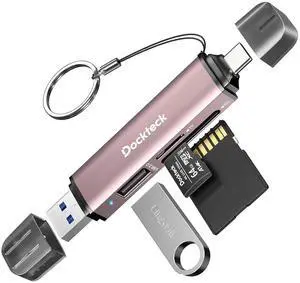
SD Card Reader, 5G Super Speed USB3.0 SD/TF Card Reader, 3-Slot USB A/C to SD/Micro SD/USB A Memory Card Reader for UHS-I SD/Micro SD/SDHC/SDXC/MMC, Support OTG for Plug&Play,Pink
Limited time offer, ends 07/26
- Model #: LC6W1J16-033
- $34.64 –
- Free Shipping
Quick View
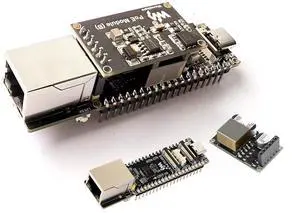
ESP32-P4 PoE Ethernet AI Development Board, Based On ESP32-P4 Chip, with PoE Module, Support P oE & USB-C Power Supply, Onboard ETH Port, MIPI-CSI/DSI, Microphone, Speaker Header, USB, etc
Limited time offer, ends 07/26
- Model #: LC6W1J30-695
- $67.31 –
- Free Shipping
Quick View
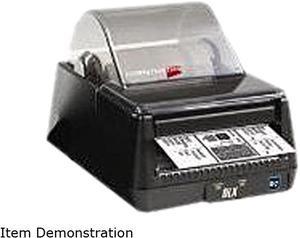
CognitiveTPG DBD42-2085-G1S DLXi Thermal Desktop Label Printer
- Printer Type: Desktop
- Memory: 16 MB RAM, 8 MB Flash
- Fonts Included: Bitmapped: 7 styles with up to 10x10 magnification, variable boldness and spacing International: Sans serif font in 7 pt. sizes, up to 4x4 magnification, variable boldness and spacing Scalable Smooth Fonts: 3 Ultra Font styles for smooth characters in any size and boldness Rotations: 0, 90, 180, 270 degrees
- Barcode Type: 29 standard bar codes, including Add2, Add5, Codabar, Code39, Code93, Code 128A/B/C, D2of5, I2of5, EAN8/8+, EAN13/13+, EAN128, Maxicode mode 0, MSI/MSI1, PDF417, Plessey, Postnet, UPCA/A+, DataMatrix, Aztec, QR Code, RSS
- Model #: DBD42-2085-G1S
- $644.99
- $415.99 –
- Save: $229.00 (35%)
- Free Shipping
Quick View
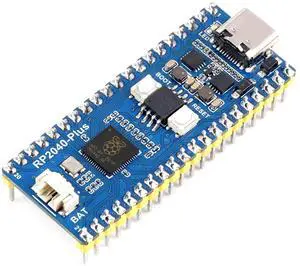
RP2040-Plus with Pre-Soldered Header,Pico-Like MCU Board Based on Raspberry Pi RP2040, Dual-Core Arm Cortex M0+ Processor Onboard 4MB Flash,USB-C Connector,Recharge Header, Higher Current DC-DC Chip
Limited time offer, ends 07/26
- Model #: LC6W1J30-669
- $39.59 –
- Free Shipping
Quick View
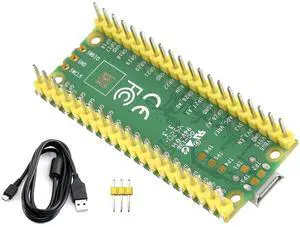
Pre-Soldered Header Raspberry Pi Pico with USB Cable, Based on Raspberry Pi RP2040 Dual-Core ARM Cortex M0+ Processor, Running up to 133 MHz, Beginner-Friendly Microcontroller
Limited time offer, ends 07/26
- Model #: LC6W1J30-422
- $28.70 –
- Free Shipping
Quick View
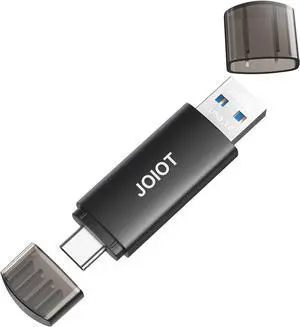
JOIOT 256GB USB C Flash Drive Dual USB 3.0 Type C + USB A Portable 2-in-1 Thumb Drive for Smartphone Tablet Computer Mac iPhone 15 Black
- Model #: TOLKB0DW7P5FB2
- $83.99 –
- Free Shipping
Quick View
Pre-Soldered Header Raspberry Pi Pico with USB Cable, Based on Raspberry Pi RP2040 Dual-Core ARM Cortex M0+ Processor, Running up to 133 MHz, Beginner-Friendly Microcontroller
Limited time offer, ends 07/26
- Model #: LHXC6W1JU13-608
- $31.67 –
- Free Shipping
Quick View
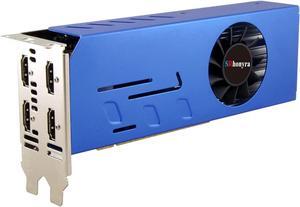
GTX 750 Ti 4GB Graphics Card GDDR5 Dual Slot 4HDMI Monitor Video Card 128-Bit PCIe Bus Powered
- Model #: TOLKB0B2439J6J
- $251.99 –
- Free Shipping
Quick View
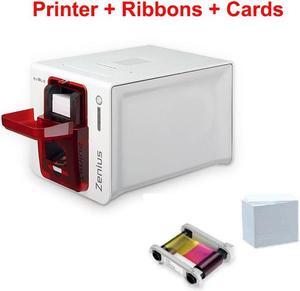
Evolis Zenius Single Sided ID Printer with ID Software with R5F008S134 Ribbon and PVC Printed White Card
- Part Number: R5F008S134
- Printer Type: ID Card Printers
- Memory: 16 MB
- Dimensions: 41cm 39cm 30cm
- Model #: Zenius R5F008S134 PVC-C-250P
- $1,440.20 –
- More options from $1,440.20
- Free Shipping
Quick View
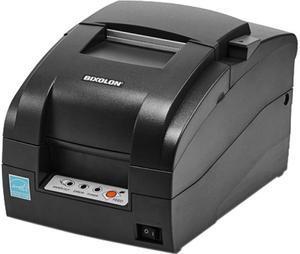
Bixolon Srp-275Iii Dot Matrix Printer - Monochrome - Desktop - Receipt Print
- Color: Black
- Printer Type: Desktop
- Memory: 64 Mbit SDRAM, 16 Mbit FlashROM
- Fonts Included: Character Size Font A: 9 x 9 Font B: 7 x 9 KOR: 17 x 9 CHN: 16 x 16 Characters Per Line Font A: 35 Font B: 40 KOR: 20 CHN: 22 Character Sets Alphanumeric: 95 Extended Graphics:128 x 27 page International: 48
- Model #: SRP-275IIICOPG
- $299.00
- $227.99 –
- Save: $71.01 (23%)
- More options from $227.99 - $244.52
- $2.99 Shipping
Quick View
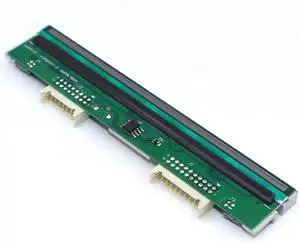
GETPARTS PHD20-2263-01 New Printhead for Datamax M-Class M-4308 Mark II Thermal Barcode Printer OEM Replacement 300dpi
Limited time offer, ends 07/26
- Model #: OYS-C5TJ-2607130347
- $623.75 –
- Free Shipping
Quick View
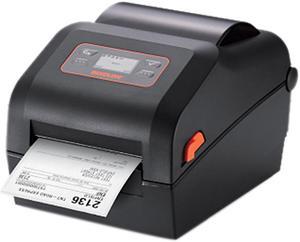
Bixolon XD5-40d 4 inch Direct Thermal Label Printer
- Printer Type: Mobile
- Memory: 64 MB SDRAM, 128 MB Flash
- Fonts Included: 10 SLCS / One SLCS / 16 BPL-Z / One BPL-Z / 5 BPL-E / 23 Code Page / Unicode supported (UTF-8, UTF-16LE, UTF-16BE)
- Barcode Type: 1D: Codabar, Code 11, Code 39, Code 93, Code 128, EAN-13, EAN-8, Industrial 2-of-5, Interleaved 2-of-5, Logmars, MSI, Plessey, Postnet, GS1 DataBar (RSS-14), Standard 2-of-5, UPC / EAN extensions, UPC-A, UPC-E, IMB 2D: Aztec, Codablock, Code49, Data Matrix, MaxiCode, MicroPDF417, PDF417, QR Code, TLC39
- Model #: XD5-40d
- $274.99 –
- $11.33 Shipping
Related searches
Choosing the Right Printer for Your Office Needs
When it comes to office solutions, printers and scanners are essential tools for any business. Whether you need to print important documents, scan invoices, or create professional-quality marketing materials, having the right equipment is crucial. In this article, we will explore the different types of printers and scanners available in the market and provide tips on how to choose the best one for your office.
All-in-One Printers: Versatility and Convenience
all-in-one printers, also known as multifunction printers, are a popular choice for offices. These devices combine the functionality of a printer, scanner, copier, and sometimes even a fax machine into a single unit. They offer versatility and convenience, allowing you to perform multiple tasks without the need for separate devices. All-in-one printers are available in both inkjet and laser options, catering to different printing needs and budgets.
Specialized Printers for Specific Tasks
In addition to all-in-one printers, there are specialized printers designed for specific tasks. For example, 3D printers are ideal for creating prototypes or intricate models, while barcode and label printers are perfect for businesses that require efficient inventory management. laser printers are known for their fast printing speeds and high-quality output, making them suitable for offices with high-volume printing needs. inkjet printers, on the other hand, are more cost-effective and can produce vibrant color prints.
Choosing the Right Supplies
Once you have selected the right printer for your office, it is important to choose the right supplies to ensure optimal performance and longevity. When it comes to inkjet printers, using high-quality ink cartridges is essential to achieve the best print quality and prevent clogging. For laser printers, it is important to choose the right type of toner cartridges that are compatible with your printer model. Additionally, investing in high-quality paper can make a significant difference in the final print results.
FAQs: Common Questions about Printers and Scanners
| Q: How often should I replace the ink cartridges? | A: The frequency of replacing ink cartridges depends on your printing volume. However, it is recommended to replace them when the print quality starts to degrade. |
|---|---|
| Q: Can I use third-party ink cartridges with my printer? | A: While it is possible to use third-party ink cartridges, it is important to ensure compatibility with your printer model. Using incompatible cartridges may result in poor print quality or damage to the printer. |
| Q: How do I clean the scanner glass? | A: To clean the scanner glass, use a soft, lint-free cloth slightly dampened with glass cleaner. Gently wipe the glass surface to remove any smudges or debris. |
| Q: What is the difference between optical and interpolated resolution in scanners? | A: Optical resolution refers to the actual hardware resolution of the scanner, while interpolated resolution is achieved through software enhancements. Optical resolution provides more accurate and detailed scans. |
| Q: How can I improve the scanning speed? | A: To improve scanning speed, reduce the scanning resolution, use black and white mode instead of color, and ensure that the scanner is connected to a high-speed USB port. |