
Your Browsing History
- In Stock
- Sold by Newegg
- Make an Offer
- New

Any questions? Our AI beta will help you find out quickly.
Try me now


Quick View
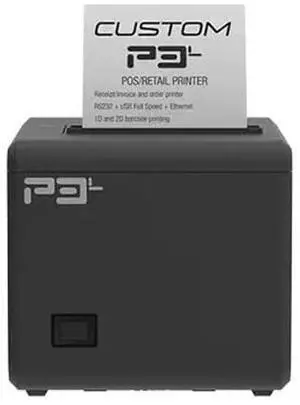
Custom America P3L Thermal Receipt Printer | USB, Serial & Ethernet | 200mm/s High-Speed | 203 dpi | Auto Cutter | 80/58mm Paper | Windows, Linux, Android, iOS Compatible
- Model #: 683491603341
- $135.99 –
- $5.00 Shipping
Quick View
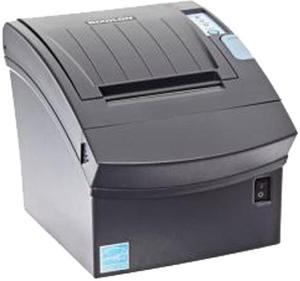
Bixolon SRP-350II 3” Direct Thermal Receipt Printer, USB, Auto Cutter, Black - SRP-350IIICOG
- Color: Black
- Memory: 64 Mbit SDRAM, 32 Mbit FlashROM
- Fonts Included: Character Size: Font A: 12 × 24 Font B: 9 × 17 Font C: 9 × 24 KOR, CHN, JPN: 24 x 24 Characters Per Line: Font A: 42 Font B, C: 56 KOR, CHN, JPN: 21 Character Sets: Alphanumeric: 95 Extended Graphics: 128 × 37 page International: 32 Graphics: Supporting user-defined fonts, graphics, formats, and logos
- Reliability MCBF: Printer Unit (MCBF): 70 Million Lines Thermal Print Head (TPH): 150 km Auto Cutter: 1.8 Million Cuts
- Model #: SRP-350IIICOG
- $250.69 –
- More options from $250.69
- Free Shipping
Quick View
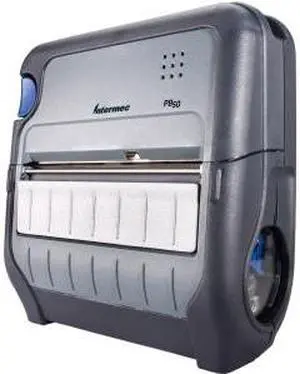
Intermec PB50 Direct Thermal Printer - Monochrome - Mobile - Label Print
- Interface: Serial / USB
- Model #: PB50B11000100
- $948.69 –
- More options from $948.69
- Free Shipping
Quick View
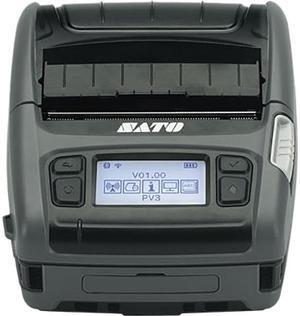
SATO PV3 Mobile Label Printer
- Printer Type: Mobile
- Memory: 256MB Flash
- Fonts Included: 33 Bitmap and 2 Scalable Fonts, Multi-national Langauge, Support for Major Latin, Pan European and Asian Languages, Single and Double Byte Fonts
- Media Type: Roll (face-out), Fan-fold Label, Receipt
- Model #: WWPV31280
- $686.99 –
- More options from $685.99 - $687.09
- Free Shipping
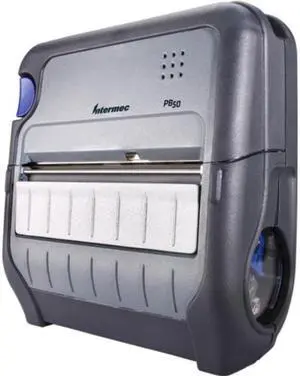
Quick View
Intermec PB50 Network Thermal Label Printer
- Memory: 16 MB
- Media Type: Tag
- Interface: Serial
- Parts: 1 Year
- Model #: PB50A11004100
- $954.69 –
- More options from $954.69
- Free Shipping
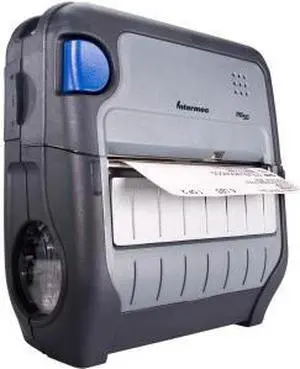
Quick View
Intermec PB50 Direct Thermal Printer - Monochrome - Portable - Label Print
- Model #: PB50B10803100
- $948.69 –
- More options from $948.69
- Free Shipping
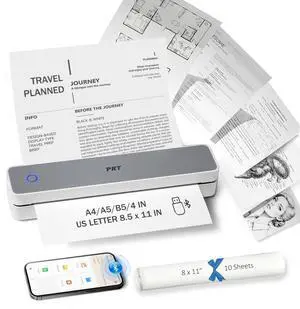
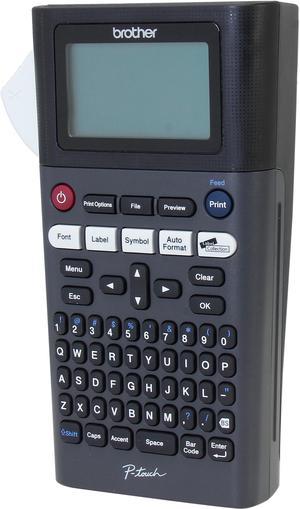
Quick View
brother P-touch PT-H300 20mm/sec 180 dpi Label Printer
- Printer Type: Mobile
- Memory: 30 MB
- Fonts Included: Font Sizes: Small, Medium, Large, Extra Large Number of Font Styles: 14 Font Styles: Normal, Italic Solid, Bold, Outline, Shadow, Italic, Italic Bold, Italic Outline, Italic Shadow, Solid Fonts: Helsinki, Brussels, US, Florida, Belgium, San Diego, Los Angeles, Calgary, Adams, Atlanta, Brunei, Germany, Sofia, Letter Gothic
- Barcode Type: 9 kinds: CODE39, ITF 2/5, EAN13, EAN8, UPC-A, UPC-E, CODABAR, GS1-128(UCC/EAN128), CODE128
- Model #: PTH300
- $90.70 –
- More options from $86.99 - $132.60
- Free Shipping
Quick View
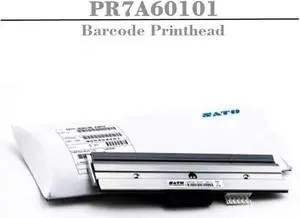
Sato PR7A60101 Print Head for M10E Printer, 10.5", 305 dpi Resolution
- Model #: PR7A60101-w17
- $752.79 –
- More options from $752.00
- Free Shipping
Quick View
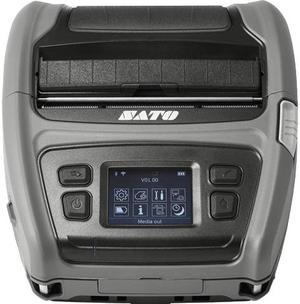
Sato WWPV41280 Direct Thermal 5 ips 203 dpi Label Printer
- Printer Type: Mobile
- Memory: 256MB Flash
- Fonts Included: 33 Bitmap and 2 Scalable Fonts, Multi-national Langauge, Support for Major Latin, Pan European and Asian Languages, Single and Double Byte Fonts
- Media Type: Roll (face-out), Fan-fold Label, Receipt
- Model #: WWPV41280
- $1,161.94 –
- More options from $1,160.00 - $1,495.00
- Free Shipping
Quick View
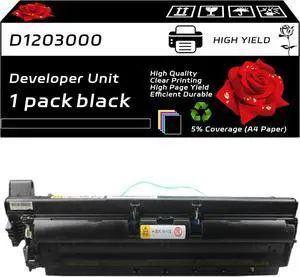
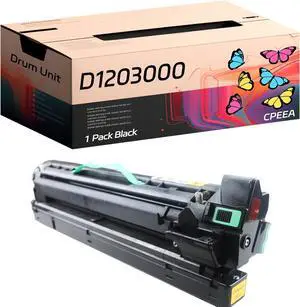
D1203000 Developer Unit Compatible for Ricoh Aficio MP 2352SP 2852 2852SP 3352 3352SP MP 2553 3053 3353 Printers, with Chip, High Yield 70000 Pages, Clear Printing (Black)
- Model #: LEMLB0DWJZM5VC
- $352.99 –
- Free Shipping
Quick View
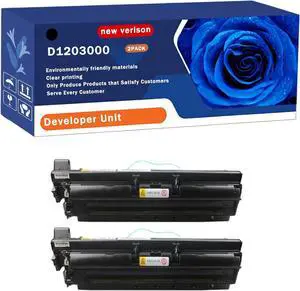
D1203000 Developer Unit Compatible for Ricoh Aficio MP 2352SP 2852 2852SP 3352 3352SP MP 2553 3053 3353 Printers, Print Up to 70000 Pages, Bright Colors (2-Pack Black)
- Model #: LEMLB0F6CBN9TW
- $801.99 –
- Free Shipping
Quick View
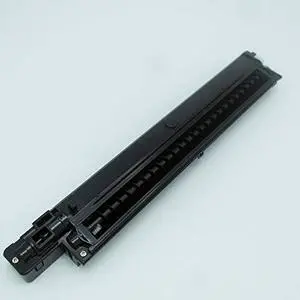
Replacement Parts for Printer PRTA01922 Compatible for Ricoh Aficio 1027 2027 1022 2022 3025 3030 MP 2550 3350 Developer Case Development Unit Ass'y
- Model #: LEMLB08NFY4TQB
- $268.99 –
- Free Shipping
Quick View
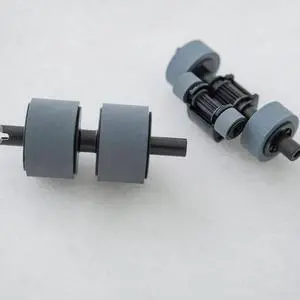
Brother PRK-A3001 scanner roller replacement kit PRKA3001
- Product Type: Roller
- Model #: PRKA3001
- $45.00 –
- More options from $43.38 - $67.64
- Free Shipping
Quick View
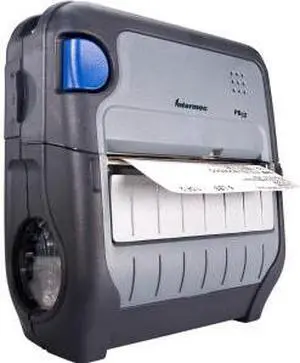
Honeywell (Intermec) PB50 4" Direct Thermal Label/Receipt Printer, 203 dpi, Standard, Fingerprint/DP, WLAN FCC - PB50B12804100
- Printer Type: Mobile
- Memory: 64MB Flash
- Interface: Serial / USB / WLAN
- Weight: 4
- Model #: PB50B12804100
- $599.99 –
- More options from $499.99 - $994.99
- $20.99 Shipping
Quick View
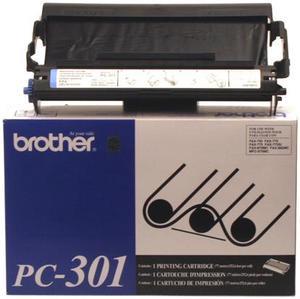
Brother PC301 Print Cartridge - Black
- Part Number: PC301
- Cartridge Quantity: Single Pack
- Compatible Products: IntelliFax-775SI, IntelliFax-875MC, MFC-970MC, IntelliFax-750, IntelliFax-770, IntelliFax-775, IntelliFax-870MC, IntelliFax-885MC
- Approximate Page Yield: 250 Pages
- Model #: PC301
- $28.99 –
- More options from $28.99 - $58.14
- Free Shipping

Quick View
INGENICO LANE 3000 V5 PRD30311795T GENERIC NO ACCESSORIES NO SOFTWARE NO KEY INJECTION UPP LICENSE FEE INCLUDED
- Model #: LAN300-USBLU11A
- $413.72 –
- More options from $23.69 - $413.72
- Free Shipping
Quick View
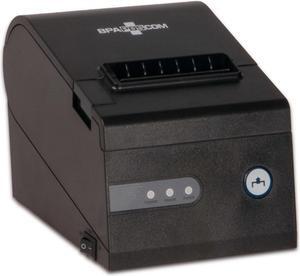
Business Software Solutions Inc. Thermal Receipt Printer
- Model #: PTR_BSS_RP80260II
- $195.00 –
- Free Shipping
Quick View
#1 Best Seller
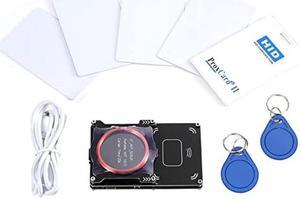
- Model #: 639042344560
- $130.99 –
- Free Shipping
Quick View
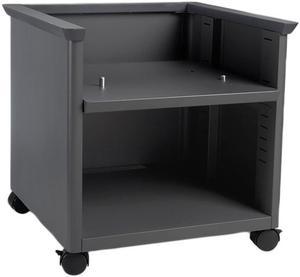
LEXMARK 35S8502 Adj PR Stand Black
- Product Sort: Printer Accessories
- Color: Black
- Compatibility: Lexmark Printers: CX510de CX410de CX410e CX510dhe CX510dthe CX410dte CX310dn CX310n MX611de MX511dM3150
- Weight: 81
- Model #: 35S8502
- $425.45 –
- More options from $369.99 - $677.10
- Free Shipping
Quick View
NXT Premium PRMC9352AN Tri-Color Ink Cartridge, 165 Pages
- Replacement Brand: HP
- Capacity: 6 ml
- Approximate Page Yield: 165 Pages
- Model #: PRMC9352AN
- $14.99 –
- $6.81 Shipping
Quick View
NXT Premium PRMLC3013BK Black Ink Cartridge, 400 Pages
- Replacement Brand: Brother
- Compatible Products: Brother MFC-J491DW, MFC-J497DW, MFC-J690DW
- Approximate Page Yield: 400 Pages
- Model #: PRMLC3013BK
- $7.99 –
- $6.81 Shipping
Quick View
NXT Premium PRMCB335WN Black Ink Cartridge, 200 Pages
- Replacement Brand: HP
- Compatible Products: HP Deskjet D4260, D4360, HP Officejet J5730, J5740, J5780, J6480, HP Photosmart C4210, C4240, C4250, C4280, C4345, C4380, C4383, C4385, C4435, C4440, C4450, C4480, C4580, C4599
- Capacity: 4.5 ml
- Approximate Page Yield: 200 Pages
- Model #: PRMCB335WN
- $9.99 –
- $6.81 Shipping
Quick View
NXT Premium PRMC4913A Yellow Toner Cartridge
- Cartridge Quantity: 1 Pack
- Replacement Brand: HP
- Compatible Products: HP - Designjet 10ps HP - Designjet 120 HP - Designjet 120nr HP - Designjet 20ps HP - Designjet 500 24in HP - Designjet 500 42in HP - Designjet 500 plus 24inch HP - Designjet 500 plus 42inch HP - Designjet 500ps 24in HP - Designjet 500ps 42inch HP - Designjet 50ps HP - Designjet 510 24-in HP - Designjet 510 42-in HP - Designjet 800 24-in HP - Designjet 800 42-in HP - Designjet 800ps 24-in HP - Designjet 800ps 42-in HP - Designjet 815 HP - DesignJet 815mfp HP - Designjet 820 MFP HP - DesignJet cc800ps
- Model #: PRMC4913A
- $24.99 –
- Free Shipping
Quick View
NXT Premium PRMCF363X Magenta Toner Cartridge
- Cartridge Quantity: 1 Pack
- Replacement Brand: HP
- Compatible Products: HP - Color LaserJet Enterprise Flow MFP M577c HP - Color LaserJet Enterprise M552dn HP - Color LaserJet Enterprise M553dn HP - Color LaserJet Enterprise M553n HP - Color LaserJet Enterprise M553x HP - Color LaserJet Enterprise MFP M577dn HP - Color LaserJet Enterprise MFP M577f
- Model #: PRMCF363X
- $52.99 –
- $2.99 Shipping
Quick View
NXT Premium PRMC2P05AN Black Ink Cartridge, 600 Pages
- Replacement Brand: HP
- Compatible Products: HP ENVY 5540, 5541, 5542, 5543, 5544, 5545, 5547, 5548, 5549, 5640, 5642, 5643, 5644, 5660, 5661, 5663, 5664, 5665, 7640, 7643, 7644, 7645 HP Officejet 200, 250, 258, 5740, 5741, 5742, 5743, 5744, 5745, 5746, 8040
- Capacity: 12 ml
- Approximate Page Yield: 600 Pages
- Model #: PRMC2P05AN
- $25.99 –
- $6.81 Shipping
Quick View
NXT Premium PRMMLTD309L Black Toner, 30000 Pages
- Replacement Brand: Samsung
- Compatible Products: Samsung ML-5510ND, ML-5512ND, ML-5515ND, ML-6510ND, ML-6512ND, ML-6515ND
- Approximate Page Yield: 30000 Pages
- Model #: PRMMLTD309L
- $83.99 –
- $11.22 Shipping
Quick View
NXT Premium PRMCF294X Black Toner Cartridge
- Cartridge Quantity: 1 Pack
- Replacement Brand: HP
- Compatible Products: HP - LJ Pro M118dw HP - LJ Pro MFP M148dw HP - LJ Pro MFP M148fdw
- Model #: PRMCF294X
- $26.99 –
- $11.62 Shipping
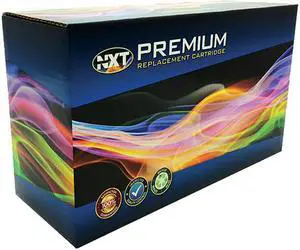
Quick View
NXT Premium PRMC2P24AN Cyan Toner Cartridge
- Cartridge Quantity: 1 Pack
- Replacement Brand: HP
- Compatible Products: HP - OfficeJet 6815 All-in-One Printer HP - Officejet 6820 All-in-One Printer HP - Officejet Pro 6230 ePrinter HP - Officejet Pro 6830 e-All-in-One printer
- Model #: PRMC2P24AN
- $13.99 –
- $11.62 Shipping
Choosing the Right Printer for Your Office Needs
When it comes to office solutions, printers and scanners are essential tools for any business. Whether you need to print important documents, scan invoices, or create professional-quality marketing materials, having the right equipment is crucial. In this article, we will explore the different types of printers and scanners available in the market and provide tips on how to choose the best one for your office.
All-in-One Printers: Versatility and Convenience
all-in-one printers, also known as multifunction printers, are a popular choice for offices. These devices combine the functionality of a printer, scanner, copier, and sometimes even a fax machine into a single unit. They offer versatility and convenience, allowing you to perform multiple tasks without the need for separate devices. All-in-one printers are available in both inkjet and laser options, catering to different printing needs and budgets.
Specialized Printers for Specific Tasks
In addition to all-in-one printers, there are specialized printers designed for specific tasks. For example, 3D printers are ideal for creating prototypes or intricate models, while barcode and label printers are perfect for businesses that require efficient inventory management. laser printers are known for their fast printing speeds and high-quality output, making them suitable for offices with high-volume printing needs. inkjet printers, on the other hand, are more cost-effective and can produce vibrant color prints.
Choosing the Right Supplies
Once you have selected the right printer for your office, it is important to choose the right supplies to ensure optimal performance and longevity. When it comes to inkjet printers, using high-quality ink cartridges is essential to achieve the best print quality and prevent clogging. For laser printers, it is important to choose the right type of toner cartridges that are compatible with your printer model. Additionally, investing in high-quality paper can make a significant difference in the final print results.
FAQs: Common Questions about Printers and Scanners
| Q: How often should I replace the ink cartridges? | A: The frequency of replacing ink cartridges depends on your printing volume. However, it is recommended to replace them when the print quality starts to degrade. |
|---|---|
| Q: Can I use third-party ink cartridges with my printer? | A: While it is possible to use third-party ink cartridges, it is important to ensure compatibility with your printer model. Using incompatible cartridges may result in poor print quality or damage to the printer. |
| Q: How do I clean the scanner glass? | A: To clean the scanner glass, use a soft, lint-free cloth slightly dampened with glass cleaner. Gently wipe the glass surface to remove any smudges or debris. |
| Q: What is the difference between optical and interpolated resolution in scanners? | A: Optical resolution refers to the actual hardware resolution of the scanner, while interpolated resolution is achieved through software enhancements. Optical resolution provides more accurate and detailed scans. |
| Q: How can I improve the scanning speed? | A: To improve scanning speed, reduce the scanning resolution, use black and white mode instead of color, and ensure that the scanner is connected to a high-speed USB port. |