

Your Browsing History
- Sold by Newegg
- Make an Offer
- New

Any questions? Our AI beta will help you find out quickly.
Try me now
Quick View
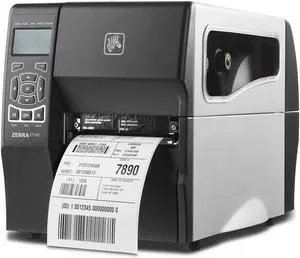
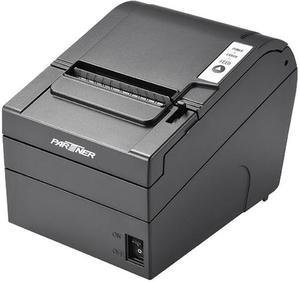
PARTNER TECH RP630 PRINTER THERMAL RECEIPT 40 COLUMN BLACK USB SER ETHERNET 3 YEAR WARRANTY
- Model #: 930001L14C000
- $199.00
- $148.99 –
- Save: $50.01 (25%)
- More options from $148.99 - $173.80
- $11.42 Shipping

Quick View
Lexmark CX331ADWE Small-Medium Workgroup Up to 26 ppm Color Ethernet (RJ-45) / USB / Wi-Fi Laser Printer
- Recommended Use: Small-Medium Workgroup
- Output Capacity, std.: 100 pages 20 lb or 75 gsm bond
- Black Print Speed: Up to 26 ppm
- Black Print Quality: 4800 Color Quality, 600 x 600 dpi
- Model #: CX331ADWE dup
- $574.99 –
- $4.99 Shipping
Quick View
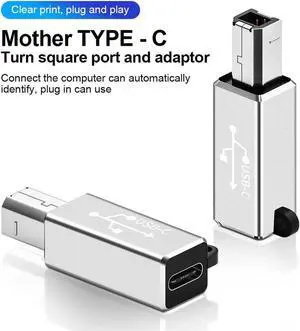
USB-C Printer Cable For USB-C Equipped Laptop PC to USB Type B Printer Server Fax Machine Hard Drive Camera Piano Silver
- Model #: Aomoproing-C-3
- $16.39 –
- Free Shipping

Quick View
MC-PRINT2 THERMAL 2IN CUTTER
- Color: Black
- Printer Type: Desktop
- Fonts Included: Font Size: 12 x 24
- Cutter: Auto Cutter: Guillotine (Partial Cut)
- Model #: 39653110
- $317.00
- Request Price
- More options from $316.50 - $362.68
- Free Shipping
Quick View
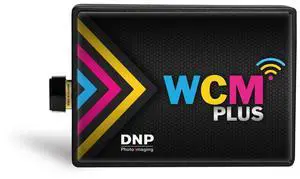
DNP WCM Plus Wireless Connect Module for Select Printer
- Model #: WCM-PLUS
- $229.00 –
- Free Shipping
Quick View
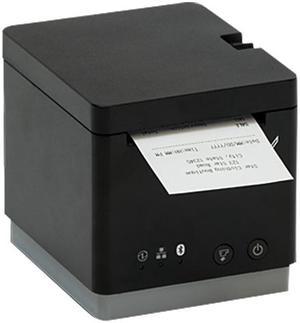
Star Micronics 39652110 mC-Print2 Thermal Receipt Printer, 2", Cutter, Ethernet (LAN), USB, CloudPRNT, Black - MCP20 BK US
- Color: Black
- Printer Type: Desktop
- Cutter: Auto Cutter (Partial Cut)
- Reliability MCBF: 60 Million Lines
- Model #: 39652110
- $250.72 –
- More options from $237.99 - $261.13
- Free Shipping
Quick View
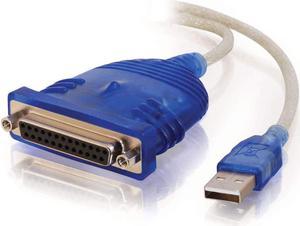
C2G USB to Parallel Printer Cable - DB25 Adapter Connects Printers to Computer USB Ports - 6ft Cable with Molded Connectors for Durability - 16899
- Model #: LB000UX21PY
- $47.99 –
- Free Shipping
Quick View
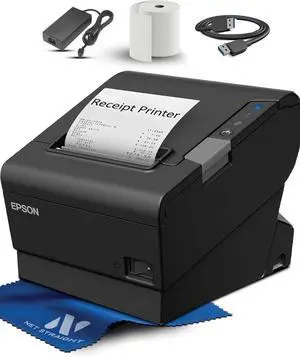
TM-T88VI Professional POS Receipt Printer - Commercial Thermal Printer, Ethernet Network, USB Serial, 350mm/s, Auto Cut, Restaurant/Retail Black (C31CE94061 for Epson)
- Model #: DARKB0FTM4XLT5
- $599.99 –
- Free Shipping
Quick View
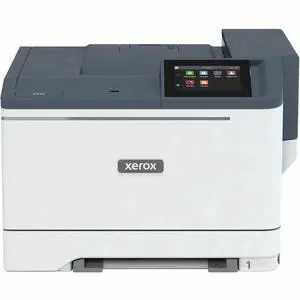
Xerox C410 Color Printer, up to 42PPM, Duplex, TAA Compliant
- Brand: Xerox
- Model #: C410/YDN
- $798.70 –
- More options from $796.99 - $1,023.82
- Free Shipping
Quick View
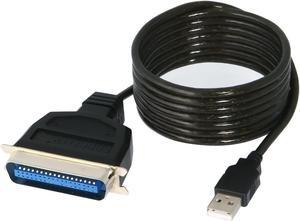
SABRENT USB to Parallel IEEE 1284 Printer Cable Adapter (CB-CN36)
- Type: USB to Parallel IEEE 1284 Printer Cable Adapter
- Color: Black
- Connector Number: 2
- Connector Detail: USB to Parallel IEEE 1284
- Model #: CB-CN36

Quick View
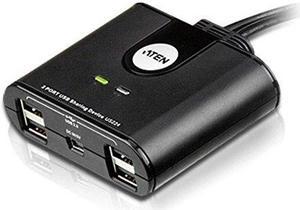
Aten Corp 4 User 2 Port USB Hub (US224)
- Model #: US224
- $33.78 –
- More options from $33.50 - $48.00
- Free Shipping
Quick View

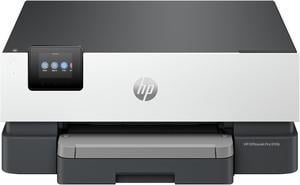
- Part Number: 5A0S1A#B1H
- Color Print Speed: Up to 22 ppm
- Black Print Quality: 1200 x 1200 dpi
- Time To First Page (seconds): 12 sec
- Model #: 5A0S1A#B1H
- $199.89 –
- More options from $199.89
- Free Shipping
Quick View
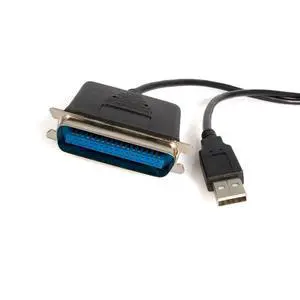
10 ft USB to Parallel Printer Adapter - M/M - USB to ieee 1284/centronics/Parallel Cable (ICUSB128410), Black
- Brand: SABRENT
- Type: USB
- Type: USB C to DVI Cable
- Length: 6 Feet
- Model #: 842094188370
- $59.99 –
- Free Shipping
Quick View
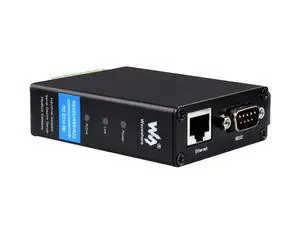
Waveshare Industrial Serial Server, RS232/485/422 to RJ45 Ethernet Module, TCP/IP to Serial, Small
- Model #: TOLKB0C74FJPPQ
- $69.99 –
- Free Shipping
Quick View
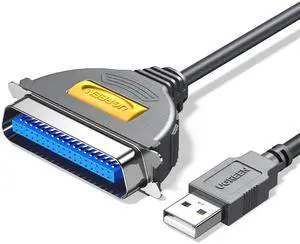
10FT USB to Parallel Port Printer Cable, CN36 Cable Adapter IEEE1284 for Old Printer, Centronics Parallel Converter with Fast Transmission
- Brand: SABRENT
- Type: USB
- Type: USB C to DVI Cable
- Length: 6 Feet
- Model #: 097294076092
- $39.99 –
- Free Shipping
Quick View
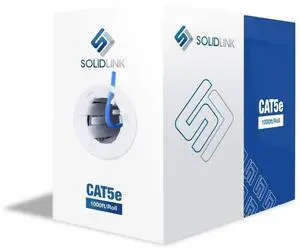
CAT5e Ethernet Cable 1000ft 24AWG Solid CCA UTP Unshielded CAT 5e, High Speed Lan Network, RJ45 Cable, Easy Pull Box Ethernet Cord (Blue)
- Model #: TOLKB0CWBL2CN3
- $126.99 –
- Free Shipping
Quick View
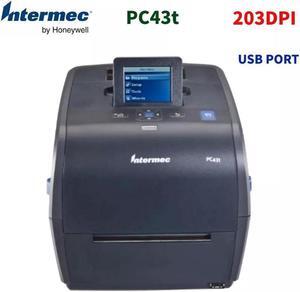
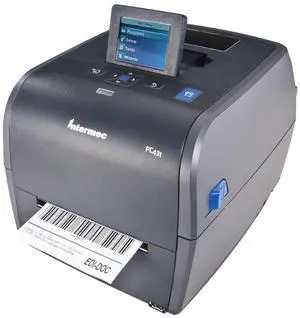
Intermec PC43T USB Thermal Transfer Barcode Printers LCD 300dpi Label Printer
- Product Sort: Printer Accessories
- Product Type: Label Dispenser
- Model #: PC43t_300DPI-BGDXC13
- $533.69 –
- Free Shipping
Quick View
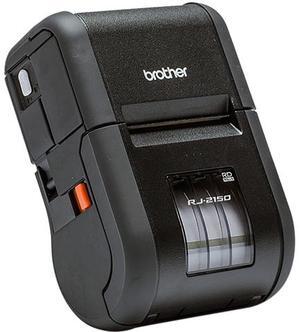
Brother RJ2150 Direct Thermal 6ips (152.4mm/sec) 203 dpi RuggedJet 2, Portable 2" Direct Thermal Receipt/Label Printer w/Wi-Fi, Bluetooth Technology/MFi, USB
- Printer Type: Portable
- Memory: Available Memory: 12 MB Flash Memory: 32MB RAM: 32MB
- Barcode Type: Code39 Code93 Code128 ITF(I-2/5) UPC-A UPC-E EAN-8 EAN-13 GS1-128 (UCC/EAN-128) GS1 DataBar (RSS) MSI Codabar (NW-7) Postnet
- Media Type: Receipts, Labels, Tags
- Model #: RJ2150
- $895.00
- $795.00 –
- Save: $100.00 (11%)
- Free Shipping
Quick View
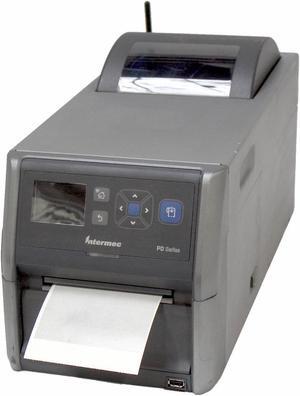
Intermec PD43 PD43A0330001020 Thermal Barcode Label Printer USB Wireless Bluetooth 203dpi
- Printer Type: Industrial
- Memory: 128MB Flash
- Cutter: Tear Off
- Media Type: Standard
- Model #: PD43A0330001020
- $1,196.69 –
- More options from $499.00 - $1,196.99
- Free Shipping
Quick View
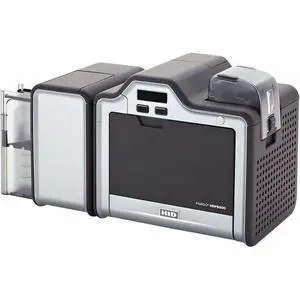
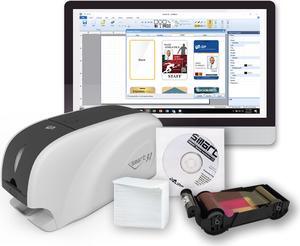
Fargo HDP5000e Single Sided Desktop Dye Sublimation/Thermal Transfer Printer - USB 2.0 - Up to 24 seconds per card / 150 cards per hour (YMC with transfer) - 300 dpi - 096600
- Brand: Fargo Electronics
- Part Number: 096600
- Print Technology: Thermal
- Interface: USB 2.0 (high speed) and Ethernet with internal print server
- Model #: 096600
- $6,222.68
- $3,668.99 –
- Save: $2,553.69 (41%)
- Free Shipping
Quick View
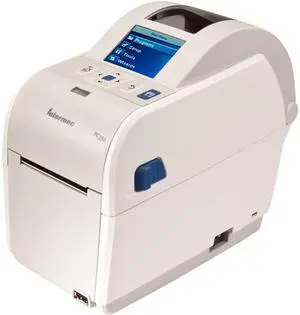
Honeywell (Intermec) PC23d 2" Direct Thermal Desktop Label Printer, LCD, 203 dpi, Latin Font, Adjustable Gap Sensor, USB v2.0, USB Host Port, NA PC, RTC - PC23DA0010021
- Printer Type: Desktop
- Memory: 128MB Flash
- Interface: USB 2.0
- Dimensions: 6.90" x 4.90" x 8.50"
- Model #: PC23DA0010021
- $557.04 –
- More options from $202.95 - $557.04
- Free Shipping
Quick View
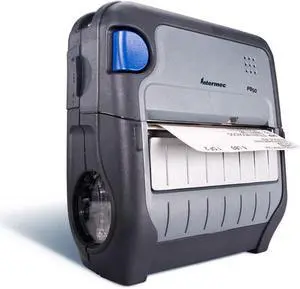
Intermec PB50 Network Thermal Label Printer
- Memory: 16 MB
- Media Type: Tag
- Interface: Serial
- Weight: 5
- Model #: PB50A11804100
- $954.49 –
- Free Shipping
Quick View
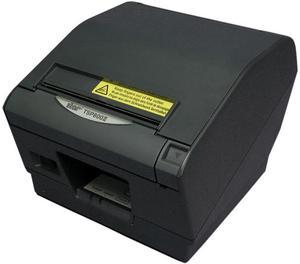
Star Micronics 39443911 TSP800II Series Direct Thermal Receipt Printer - Gray - TSP847IIU-24GRY
- Color: Gray
- Printer Type: Desktop
- Memory: tandard Memory: 2 MB Memory Technology: SRAM Flash Memory: 16 MB
- Cutter: 2 Million Cuts
- Model #: 39443911
- $565.99 –
- $2.99 Shipping
Quick View
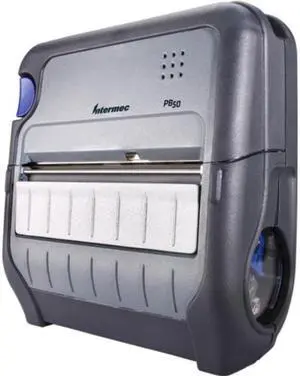
Intermec PB50 Network Thermal Label Printer
- Memory: 16 MB
- Media Type: Tag
- Interface: Serial
- Parts: 1 Year
- Model #: PB50A11004100
- $954.49 –
- Free Shipping
Quick View
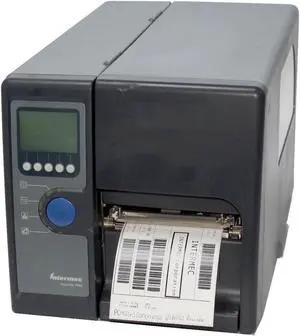
Intermec Easycoder PD42 PD42GJ1100001020 Thermal Barcode Label Printer Parallel USB Network Serial Rewinder 203DPI
- Printer Type: Industrial
- Memory: 8MB Flash
- Cutter: Internal Rewinder
- Media Type: Standard
- Model #: PD42GJ1100001020
- $399.00
- Request Price
- More options from $398.50
- Free Shipping
Quick View
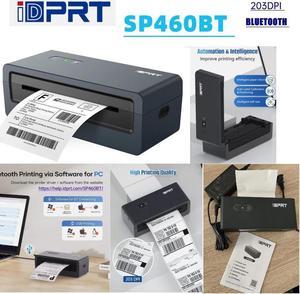
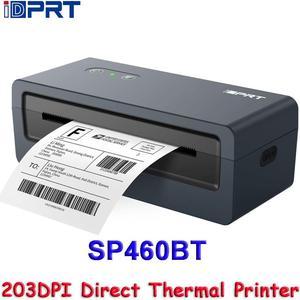
iDPRT SP460BT USB Direct Thermal Printer 203DPI Wireless Label Printer Bluetooth 1D 2D Barcode 4IPS High Speed Printing
- Model #: SP460BT*US-4
- $145.58 –
- More options from $142.00 - $145.88
- Free Shipping
Quick View
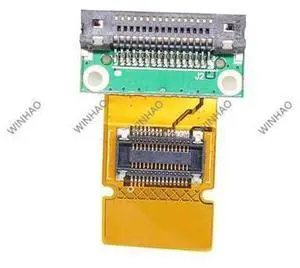
PDA Supplies Sync Communication Interface For MC3000 MC3070 MC3090 MC1000 MC75 Barcode Hand Terminal
- Model #: barcod2836
- $25.63 –
- $15.00 Shipping
Quick View
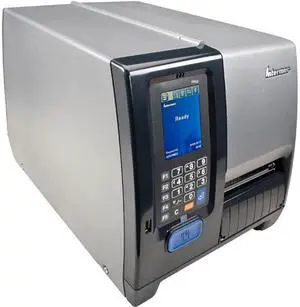
Used - Good Intermec PM43 300dpi Thermal Transfer Printer w/ Touch Display
- Printer Type: Industrial
- Memory: 128MB Flash memory, 128MB SDRAM
- Fonts Included: Monotype font engine Non-Latin fonts available through WTLE
- Media Type: Labels and Tags, Linerless and Linered media
- Model #: PM43A11000000301
- $499.00 –
- Free Shipping
Quick View
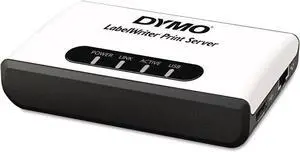
DYMO LabelWriter Print Server, Wireless Network Label Makers,Monochrome Output
- Model #: CHIDB001PKUUHM
- $351.99 –
- Free Shipping

Quick View
Original Network Interface Card for Intermec PD43 Thermal Label Printer
- Model #: CHIDB0DLB6K35N
- $124.99 –
- Free Shipping
Choosing the Right Printer for Your Office Needs
When it comes to office solutions, printers and scanners are essential tools for any business. Whether you need to print important documents, scan invoices, or create professional-quality marketing materials, having the right equipment is crucial. In this article, we will explore the different types of printers and scanners available in the market and provide tips on how to choose the best one for your office.
All-in-One Printers: Versatility and Convenience
all-in-one printers, also known as multifunction printers, are a popular choice for offices. These devices combine the functionality of a printer, scanner, copier, and sometimes even a fax machine into a single unit. They offer versatility and convenience, allowing you to perform multiple tasks without the need for separate devices. All-in-one printers are available in both inkjet and laser options, catering to different printing needs and budgets.
Specialized Printers for Specific Tasks
In addition to all-in-one printers, there are specialized printers designed for specific tasks. For example, 3D printers are ideal for creating prototypes or intricate models, while barcode and label printers are perfect for businesses that require efficient inventory management. laser printers are known for their fast printing speeds and high-quality output, making them suitable for offices with high-volume printing needs. inkjet printers, on the other hand, are more cost-effective and can produce vibrant color prints.
Choosing the Right Supplies
Once you have selected the right printer for your office, it is important to choose the right supplies to ensure optimal performance and longevity. When it comes to inkjet printers, using high-quality ink cartridges is essential to achieve the best print quality and prevent clogging. For laser printers, it is important to choose the right type of toner cartridges that are compatible with your printer model. Additionally, investing in high-quality paper can make a significant difference in the final print results.
FAQs: Common Questions about Printers and Scanners
| Q: How often should I replace the ink cartridges? | A: The frequency of replacing ink cartridges depends on your printing volume. However, it is recommended to replace them when the print quality starts to degrade. |
|---|---|
| Q: Can I use third-party ink cartridges with my printer? | A: While it is possible to use third-party ink cartridges, it is important to ensure compatibility with your printer model. Using incompatible cartridges may result in poor print quality or damage to the printer. |
| Q: How do I clean the scanner glass? | A: To clean the scanner glass, use a soft, lint-free cloth slightly dampened with glass cleaner. Gently wipe the glass surface to remove any smudges or debris. |
| Q: What is the difference between optical and interpolated resolution in scanners? | A: Optical resolution refers to the actual hardware resolution of the scanner, while interpolated resolution is achieved through software enhancements. Optical resolution provides more accurate and detailed scans. |
| Q: How can I improve the scanning speed? | A: To improve scanning speed, reduce the scanning resolution, use black and white mode instead of color, and ensure that the scanner is connected to a high-speed USB port. |