

Your Browsing History
- In Stock
- Sold by Newegg
- Make an Offer
- New
Quick View
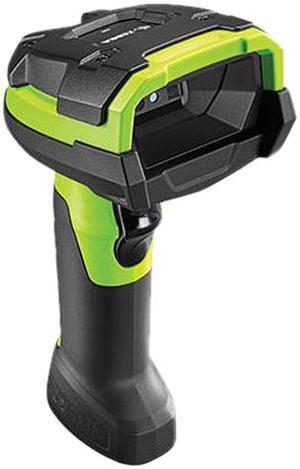
Zebra DS3678-ER2F003VZWW DS3608-SR Ultra-Rugged Handheld Barcode Scanner
- Part Number: DS3678-ER2F003VZWW
- Form Factor: Handheld
- Connectivity: Cordless
- Scan Engine: 2D Area Imager
- Model #: DS3678-ER2F003VZWW
- $1,061.00
- $913.99 –
- Save: $147.01 (13%)
- More options from $745.57 - $913.99
- Free Shipping
Quick View
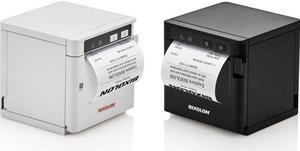
Bixolon SRP-Q302 Direct Thermal Receipt Printer, Bluetooth, USB, Ethernet, Black - SRP-Q302BTK
- Printer Type: Desktop
- Media Type: Receipt
- Model #: SRP-Q302BTK
- $469.00
- $360.99 –
- Save: $108.01 (23%)
- More options from $360.99 - $404.64
- Free Shipping
Quick View
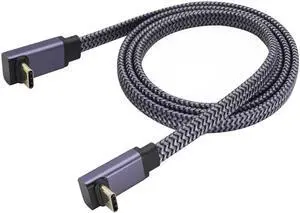
1M 90 Degree Up & Down Angled Flat Braided USB C 3.1 Cable, Double Type-C Male Cord 60W Fast Charging 10Gbps Data Video Transmission Compatible with Phones Computers
Limited time offer, ends 07/09
- Model #: C472-L7221
- $15.99 –
- Free Shipping
Quick View
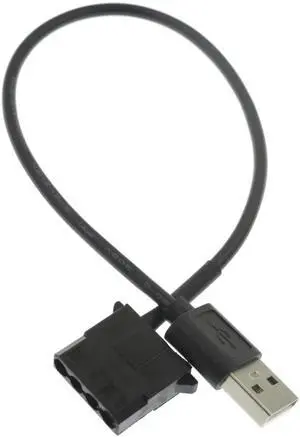
30cm/11.8'' USB to 4-Pin Molex 5V Case Fan Power Supply Cable, Computer Chassis Fan USB Power Adapter Cord
Limited time offer, ends 07/09
- Model #: C472-L6664
- $10.99 –
- Free Shipping
Quick View
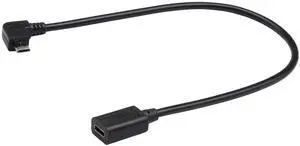
30cm Left Bend 90 Degree Micro USB Male to USB-C Female Cable, Micro USB 2.0 Right Angle Extension Charging Data Sync Cord for Phones Computers
Limited time offer, ends 07/09
- Model #: C472-L6730
- $13.99 –
- Free Shipping
Quick View
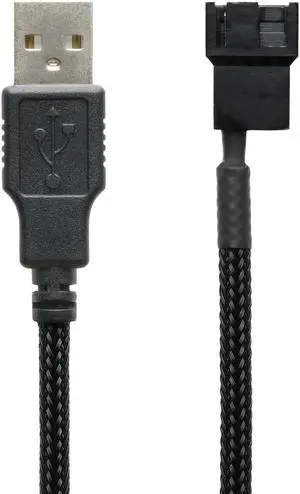
60cm 24 Inch 5V USB PC Fan Power Adapter Cable Black Sleeved Silent Fan Speed Adapter Compatible with 3-Pin 4-Pin Computer Cooling Fans
Limited time offer, ends 07/09
- Model #: C472-L6822
- $13.49 –
- Free Shipping
Quick View
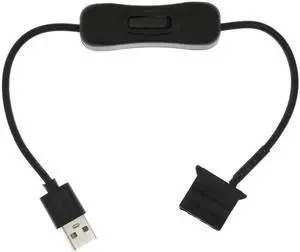
USB to Molex 4-Pin Fan Power Cable with On/Off Switch, 30cm/11.8inch Computer Case Fan Power Extension Cord
Limited time offer, ends 07/09
- Model #: C472-L6715
- $11.99 –
- Free Shipping
Quick View
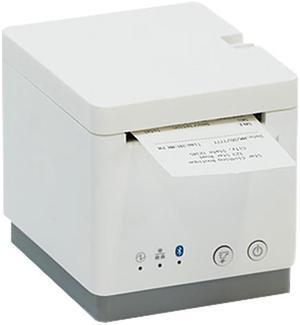
Star Micronics 39652010 mC-Print2 Thermal Receipt Printer, 2", Cutter, Ethernet (LAN), USB, CloudPRNT, White - MCP20 WT US
- Color: White
- Printer Type: Desktop
- Cutter: Auto Cutter (Partial Cut)
- Reliability MCBF: 60 Million Lines
- Model #: 39652010
- $220.99 –
- More options from $220.99 - $517.65
- $11.33 Shipping
Quick View
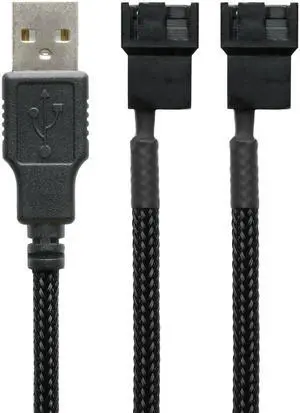
24 Inch 5V USB Dual PC Fan Power Adapter Cable, 60cm Black Sleeved Silent Fan Speed Cord, Compatible with 3-Pin & 4-Pin Computer Cooling Fans
Limited time offer, ends 07/09
- Model #: C472-L6616
- $13.95 –
- Free Shipping
Quick View
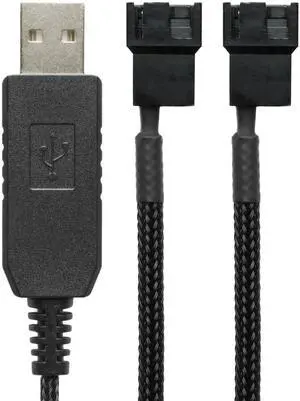
60cm 12V Step-Up USB to Dual PC Fans Power Adapter Cable, Black Sleeved Full Speed Power Cord for 3-Pin/4-Pin Cooling Fans
Limited time offer, ends 07/09
- Model #: C472-L6784
- $13.99 –
- Free Shipping
Quick View
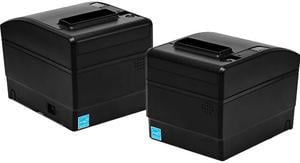
Bixolon SRP-S300 3" Direct Thermal Label and Receipt Printer, 203 dpi, Built in USB, Ethernet Interface Card, Auto Cutter, Liner free Restick Paper Media, Taken Sensor, Black - SRP-S300TOEK
- Color: Black
- Printer Type: Desktop
- Cutter: Auto-Cutter
- Interface: Ethernet / USB
- Model #: SRP-S300TOEK
- $312.99 –
- More options from $287.26 - $320.78
- $5.99 Shipping
Quick View
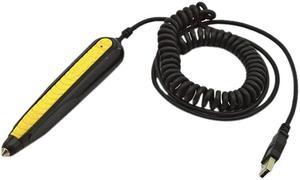
Wasp 633808142421 WandReader Pen Barcode Scanner - USB Interface
- Form Factor: Wand
- Connectivity: Corded
- Scan Engine: 1D Linear Imager
- Included Cables: 6' USB Cable Included
- Model #: 633808142421
- $99.00
- $90.99 –
- Save: $8.01 (8%)
- Free Shipping
Quick View
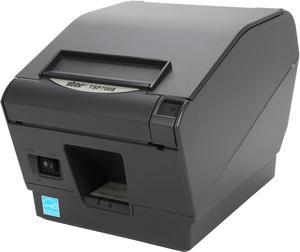
Star Micronics 39442210 TSP700 Series Direct Thermal Receipt Printer, Parallel - Gray - TSP743IIC-24GRY
- Color: Gray
- Memory: Flash: 16MB
- Fonts Included: ESC/POS
- Barcode Type: 9 versions / PDF417, QR, Maxicode Options
- Model #: 39442210
- $505.00
- See price in cart
- $2.99 Shipping
Quick View
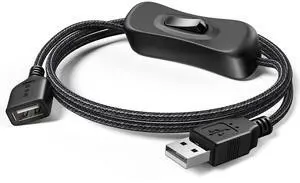
USB Switch Extension Cable, (Upgraded Data + Power) USB Extension Cord with On/Off Power Switch Cable for LED Strips, iOS System, etc- 3.3 FT
- Cable Length: 100 centimeters
- Brand: ANDTOBO
- Type: USB
- Connector Type: Usb
- Model #: 342805751888
- $13.97 –
- Free Shipping
Quick View
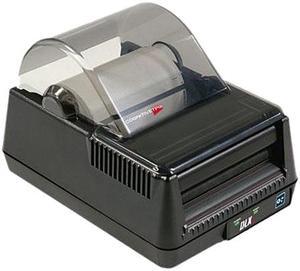
Cognitive TPG DLXi 4" Desktop Direct Thermal Label Printer, 203 dpi, USB/Serial/Mini Cent Parallel/Ethernet - DBD42-2085-G1E
- Printer Type: Desktop
- Memory: 8MB
- Fonts Included: Bitmapped: 7 styles with up to 10x10 magnification, variable boldness and spacing International: Sans serif font in 7 pt. sizes, up to 4x4 magnification, variable boldness and spacing Scalable Smooth Fonts: 3 Ultra Font styles for smooth characters in any size and boldness Rotations: 0, 90, 180, 270 degrees
- Barcode Type: 29 standard bar codes, including Add2, Add5, Codabar, Code39, Code93, Code 128A/B/C, D2of5, I2of5, EAN8/8+, EAN13/13+, EAN128, Maxicode mode 0, MSI/MSI1, PDF417, Plessey, Postnet, UPCA/A+, DataMatrix, Aztec, QR Code, RSS
- Model #: DBD42-2085-G1E
- $599.99
- $502.99 –
- Save: $97.00 (16%)
- Free Shipping
Quick View
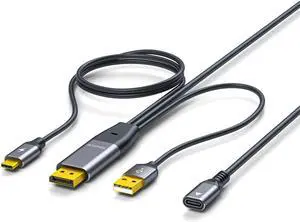
DisplayPort to USB-C Cable, DP to Type-c Female with Power Supply Suitable for Portable Displays and AR Glasses, Compatible with Type-C Display Devices Xreal, Rokid and RayNeo
- Brand: NEXHYPE
- Type: Display Port
- Connector Type: DisplayPort
- Connector Number: 20
- Model #: 725364491639
- $52.97 –
- Free Shipping
Quick View
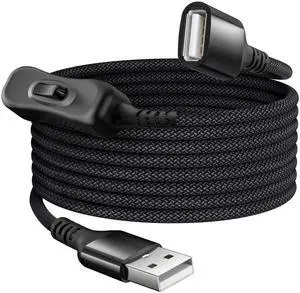
USB On Off Switch Cable,USB Extension Cable Support Data and Power 6.6FT/2M,Inline Power Switch,Male to Female with Toggle Switch for LED Lamp,LED Light Strips,Driving Recorder
- Cable Length: 6.6
- Brand: Itramax
- Type: Type A
- Connector Type: Usb
- Model #: 771839792166
- $17.97 –
- Free Shipping
Quick View
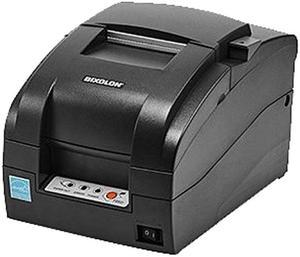
Bixolon SRP-275III 3" Impact Dot Receipt Printer, USB, Serial, Auto Cutter, Black - SRP-275IIICOSG
- Color: Black
- Printer Type: Desktop
- Memory: 64 Mbit SDRAM, 16 Mbit FlashROM
- Cutter: Auto-Cutter
- Model #: SRP-275IIICOSG
- $220.99 –
- More options from $209.41 - $261.18
- $2.99 Shipping
Quick View
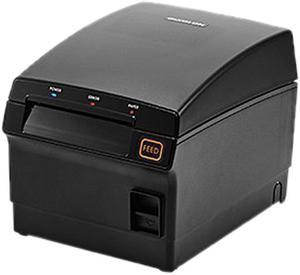
BIXOLON SRP-F310II - Receipt Printer - B/W - Direct Thermal
- Color: Black
- Printer Type: Desktop
- Memory: 64 MB
- Barcode Type: UPC-A, UPC-E, PDF417, EAN-8, QR code, ITF, Code 93, EAN-13, Code 128, Code 39, Codabar
- Model #: SRP-F310IICOSK
- $399.00
- $284.99 –
- Save: $114.01 (28%)
- More options from $284.99 - $316.52
- Free Shipping
Quick View
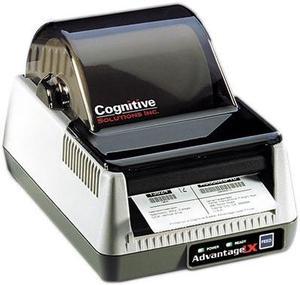
CognitiveTPG LBD42-2043-013G Advantage LX Desktop Barcode Printer - Cables Sold Separately
- Printer Type: Desktop
- Memory: RAM 2MB / Flash 4MB
- Fonts Included: Bitmapped: 7 styles with up to 10 x 10 magnification, variable boldness and spacing International Fonts: Sans-serif font in 7 pt. sizes, up to 4 x 4 magnification, variable boldness and spacing Scalable Smooth Fonts: 3 Ultra Font styles for smooth characters in any size and boldness
- Barcode Type: 21 standard bar codes, including: Add2, Add5, Codabar, Code39, Code93, Code128A/B/C, D2of5, I2of5, S2of5, EAN8/8+, EAN13/13+, EAN128, Maxicode, MSI/I1, PDF417, Plessey, Postnet, UPCA/A+/E/E1
- Model #: LBD42-2043-013G
- $466.99 –
- Free Shipping
Quick View
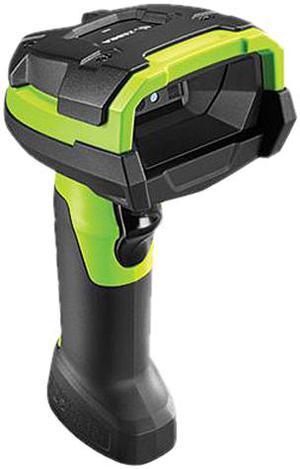
Zebra DS3678-SR0F003VZWW DS3608-SR Ultra-Rugged Handheld Barcode Scanner
- Part Number: DS3678-SR0F003VZWW
- Form Factor: Handheld
- Connectivity: Cordless
- Scan Engine: Standard Range 2D Imager
- Model #: DS3678-SR0F003VZWW
- $729.99 –
- More options from $729.99 - $906.99
- Free Shipping
Quick View
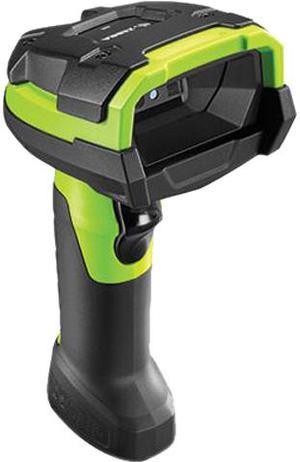
Zebra DS3678-SR Ultra-Rugged Handheld Cordless 1D/2D Barcode Scanner, FIPS, Vibration Motor, Standard Cradle USB Kit, Industrial Green - DS3678-SR3U4210SFW
- Series: Symbol
- Part Number: DS3678-SR3U4210SFW
- Form Factor: Handheld
- Connectivity: Cordless
- Model #: DS3678-SR3U4210SFW
- $1,085.00 –
- More options from $1,085.00 - $1,641.27
- Free Shipping
Quick View
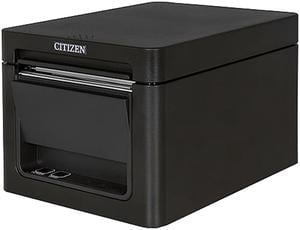
Citizen CT-E651BTUBK CT-E651 Series Fast High Performance Direct Thermal Receipt and Label Printer – USB/Bluetooth – Black
- Model #: CT-E651BTUBK
- $309.99 –
- More options from $309.99 - $452.09
- Free Shipping
Quick View
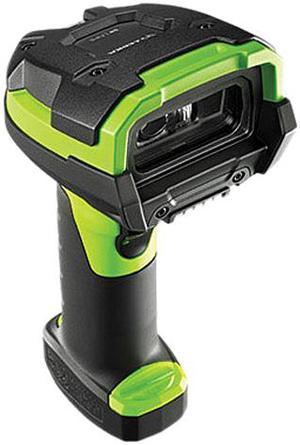
Zebra DS3678-HD3U4210SFW DS3608-SR Ultra-Rugged Handheld Barcode Scanner
- Part Number: DS3678-HD3U4210SFW
- Form Factor: Handheld
- Connectivity: Cordless
- Scan Engine: 2D High Density
- Model #: DS3678-HD3U4210SFW
- $1,098.00 –
- More options from $1,074.15 - $1,098.00
- Free Shipping
Quick View
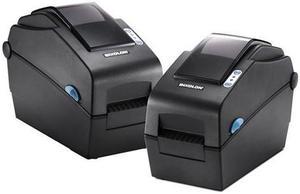
Bixolon SLP-DX220G 2” Desktop Direct Thermal Barcode/Label/Wristband Printer, 203 dpi, Serial, USB, SLCS, BPL-Z, BPL-E - Black
- Printer Type: Desktop
- Interface: Serial / USB
- Model #: SLP-DX220G
- $299.00
- $225.99 –
- Save: $73.01 (24%)
- More options from $225.99 - $248.91
- Free Shipping
Quick View
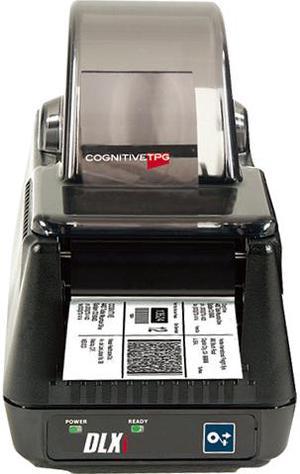
CognitiveTPG DBT24-2085-G1E DLXi Thermal Desktop Label Printer, 2.4", 203 dpi, 8Mb, 5 ips, USB, USB-A, Serial, Ethernet
- Printer Type: Desktop
- Memory: 8MB Flash
- Barcode Type: 29 standard bar codes, including Add2, Add5, Codabar, Code39, Code93, Code 128A/B/C, D2of5, I2of5, EAN8/8+, EAN13/13+, EAN128, Maxicode mode 0, MSI/MSI1, PDF417, Plessey, Postnet, UPCA/A+, DataMatrix, Aztec, QR Code, RSS
- Media sizes supported: Roll Diameter: 4.7" (119 mm)
- Model #: DBT24-2085-G1E
- $577.99
- $440.99 –
- Save: $137.00 (23%)
- $2.99 Shipping
Quick View
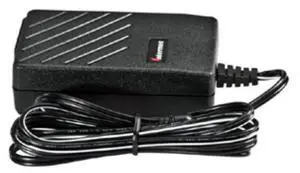
Honeywell AC POWER SUPPLY 12V/30W 1.35 X 3011-8248-001
- Product Type: Computer Accessories
- Weight: 0.1900
- Model #: 3011-8248-001
- $125.99 –
- Free Shipping
Quick View
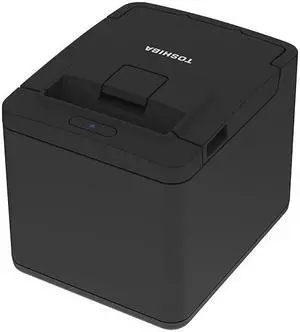
Toshiba, HSP100 POS Direct Thermal Receipt Printer (ATO) with Ethernet and Power Supply Unit
- Model #: HSP100EPSUKIT
- $218.99 –
- More options from $207.96 - $271.06
- $11.33 Shipping
Quick View
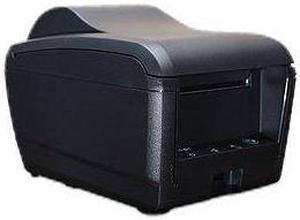
POSIFLEX PP9000S10410UD High Speed Thermal printer, Black, Serial cable and power supply
- Color: Black
- Printer Type: Desktop
- Interface: Serial
- Model #: PP9000S10410UD
- $236.99 –
- More options from $236.99 - $269.98
- $4.99 Shipping
Quick View
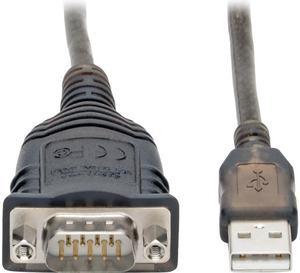
Tripp Lite U209-30N-IND USB to RS485/RS422 FTDI Serial Adapter Cable 30 in.
- Type: USB
- Connector Number: 1
- Model #: U209-30N-IND
- $50.70 –
- More options from $43.20 - $102.99
- Free Shipping
Quick View
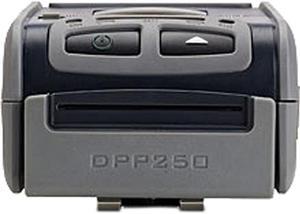
Infinite Peripherals DPP-250 DPP-250-BT Line thermal dot printing 60mms/s (480 dots/sec) at 8.5 V 203 dpi (8x9 dots/mm) Mobile Printer
- Printer Type: Mobile
- Fonts Included: Resident Fonts Font A: 12 x 24 dots (32 char. per line) Font B: 9 x 16 dots (42 char. per line) Loadable Fonts Font C: 12 x 24 dots (32 char. per line) Font D: 9 x 16 dots (42 char. per line)
- Barcode Type: 1D - EAN13, EAN8, UPC-A, UPC-E, Codebar, Code39, Code128 2D - PDF417, QR Code
- Media sizes supported: 58mm +0/-1mm X 45mm diameter, thickness 60 µm
- Model #: DPP-250-BT
- $299.00
- $216.99 –
- Save: $82.01 (27%)
- More options from $216.99 - $249.77
- $2.99 Shipping

Quick View
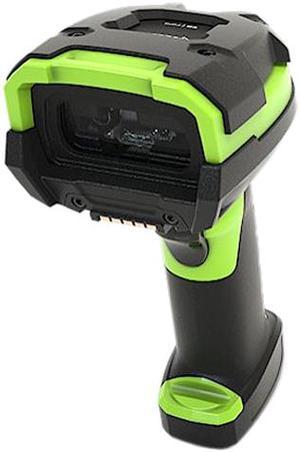
Zebra DS3678-HP2F003VZWW DS3608-SR Ultra-Rugged Handheld Barcode Scanner
- Part Number: DS3678-HP2F003VZWW
- Form Factor: Handheld
- Connectivity: Cordless
- Scan Engine: 2D Imager with Image Capture
- Model #: DS3678-HP2F003VZWW
- $899.99 –
- $10.99 Shipping
Quick View
Zebra LI3678-ER Handheld Cordless Barcode Scanner, Extended Range 1D Linear Imager, USB Kit - LI3678-ER3U4210S1W
- Part Number: LI3678-ER3U4210S1W
- Form Factor: Handheld
- Connectivity: Cordless
- Scan Engine: 1D Linear Imager
- Model #: LI3678-ER3U4210S1W
- $1,165.99 –
- More options from $1,123.98 - $1,165.99
- Free Shipping
Quick View
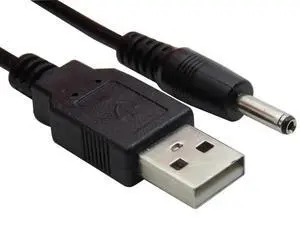
Aomoproing USB to DC 3.5mm x 1.35mm Barrel Jack Power Cable, 5V DC Barrel Plug Power Supply Cord for LED Strip, Router, Speaker, Electronics
Limited time offer, ends 07/09
- Model #: Aomoproing-wyx502
- $15.48 –
- Free Shipping
Quick View
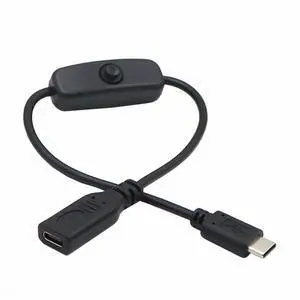
USB-C Extension Cable with On Off Power Switch Button USB Type-C Male to Female for Laptop Keyboard Raspberry Pi 4B
- Model #: UC-148-NG
- $8.99 –
- Free Shipping
Quick View
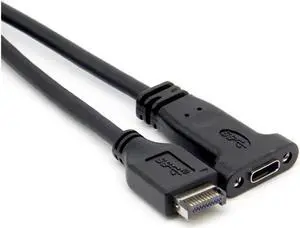
Aomoproing Motherboard USB 3.1 Front Panel Header Type E Male to USB-C Female Expansion Cable, 50cm Computer Connector
Limited time offer, ends 07/09
- Model #: Aomoproing-wyx160
- $22.39 –
- Free Shipping

Any questions? Our AI beta will help you find out quickly.
Try me now
Choosing the Right Printer for Your Office Needs
When it comes to office solutions, printers and scanners are essential tools for any business. Whether you need to print important documents, scan invoices, or create professional-quality marketing materials, having the right equipment is crucial. In this article, we will explore the different types of printers and scanners available in the market and provide tips on how to choose the best one for your office.
All-in-One Printers: Versatility and Convenience
all-in-one printers, also known as multifunction printers, are a popular choice for offices. These devices combine the functionality of a printer, scanner, copier, and sometimes even a fax machine into a single unit. They offer versatility and convenience, allowing you to perform multiple tasks without the need for separate devices. All-in-one printers are available in both inkjet and laser options, catering to different printing needs and budgets.
Specialized Printers for Specific Tasks
In addition to all-in-one printers, there are specialized printers designed for specific tasks. For example, 3D printers are ideal for creating prototypes or intricate models, while barcode and label printers are perfect for businesses that require efficient inventory management. laser printers are known for their fast printing speeds and high-quality output, making them suitable for offices with high-volume printing needs. inkjet printers, on the other hand, are more cost-effective and can produce vibrant color prints.
Choosing the Right Supplies
Once you have selected the right printer for your office, it is important to choose the right supplies to ensure optimal performance and longevity. When it comes to inkjet printers, using high-quality ink cartridges is essential to achieve the best print quality and prevent clogging. For laser printers, it is important to choose the right type of toner cartridges that are compatible with your printer model. Additionally, investing in high-quality paper can make a significant difference in the final print results.
FAQs: Common Questions about Printers and Scanners
| Q: How often should I replace the ink cartridges? | A: The frequency of replacing ink cartridges depends on your printing volume. However, it is recommended to replace them when the print quality starts to degrade. |
|---|---|
| Q: Can I use third-party ink cartridges with my printer? | A: While it is possible to use third-party ink cartridges, it is important to ensure compatibility with your printer model. Using incompatible cartridges may result in poor print quality or damage to the printer. |
| Q: How do I clean the scanner glass? | A: To clean the scanner glass, use a soft, lint-free cloth slightly dampened with glass cleaner. Gently wipe the glass surface to remove any smudges or debris. |
| Q: What is the difference between optical and interpolated resolution in scanners? | A: Optical resolution refers to the actual hardware resolution of the scanner, while interpolated resolution is achieved through software enhancements. Optical resolution provides more accurate and detailed scans. |
| Q: How can I improve the scanning speed? | A: To improve scanning speed, reduce the scanning resolution, use black and white mode instead of color, and ensure that the scanner is connected to a high-speed USB port. |