

Your Browsing History

Any questions? Our AI mode will help you find out quickly.
Try me now
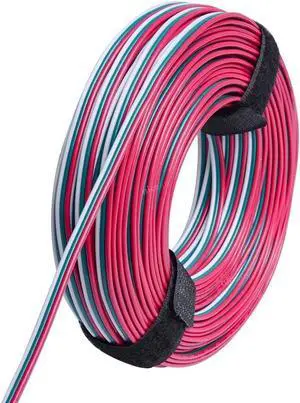
Quick View
80 Feet(24 Meter) 3 Pin LED Extension Wire 20 AWG,for WS2812B WS2811 Addressable Dream Color Tape Light Wiring,3 Conductor Electrical Cable for Digital IC Tape Light,Hook Up Wire
- Model #: Tong409397169954miao
- $37.88 –
- Free Shipping
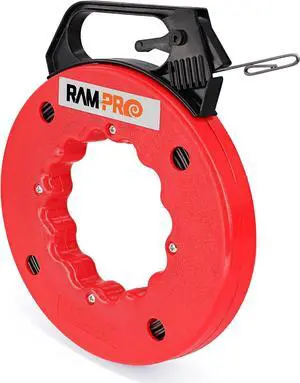
Quick View
Fish Tape Wire Puller 50ft - Easy to use Cable Puller Tool with Double Loop Tip - Flexible Wire Fishing Tools for Walls and Electrical Conduit - 1/8 Steel Fish Tape Durable Housing - RamPro
- Model #: Tong409397164393miao
- $39.88 –
- Free Shipping
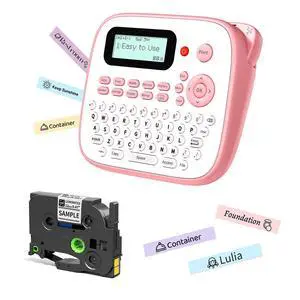
Quick View
Pink Label Maker Machine with-Tape, Portable Kids Label Maker, Handheld Electric Label Maker with Keyboard, D210S Easy Labeler with Multiple Fonts Frame Barcode for Home Office School Supplies
- Brand: EazeID
- Series: D210S Pink Label Maker
- Part Number: 12mm
- Printer Type: Portable Pink label maker machine with tape, Handheld electric label maker with keyboard
- Model #: 481303626484
- $59.99 –
- Free Shipping
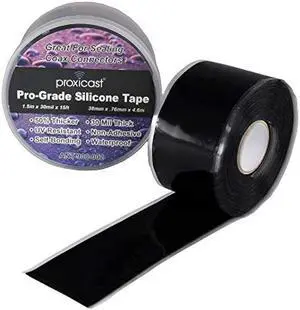
Quick View
Proxicast Pro-Grade Extra Strong 30mil Weatherproof Self-Fusing Silicone Rubber Sealing Tape For Outdoor Antenna Coax & Electrical Cables, Hose/Pipe Leaks & Emergency Repairs (1.5 x 15' roll) - Black
- Connector Type: type
- Model #: 603904578832525
- $38.77 –
- More options from $37.91
- Free Shipping
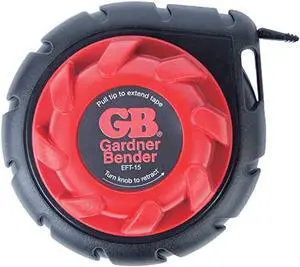
Quick View
Gardner Bender EFT-15 Mini Cable Snake, 15 Ft Steel Fish Tape, Electrical Wire Fishing Tape, Red & Black
- Connector Type: type
- Model #: 603904578916225
- $38.77 –
- Free Shipping
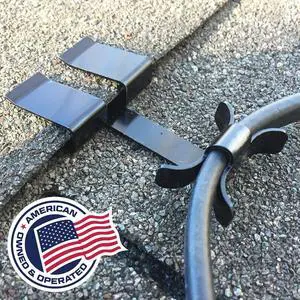
Quick View
Roof Clips, Safe for Heat Tape, Electric Cable & Roof Heat Cable Installation, Prevents Roof Damage, Easy Nail-Free Outdoor Cable Clips, Your Ultimate Cable Clip (.325-25 Pack)
- Model #: Tong409397164386miao
- $92.88 –
- Free Shipping
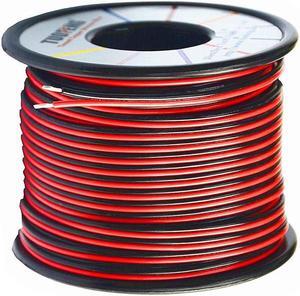
Quick View
TUOFENG 20AWG Electrical Wire 100 ft Red Black Hookup Wire | 12V/24V DC Cable, LED Strips Extension Wire, 20 Gauge Stranded Wire, For Doorbell, LED Ribbon Lamp Tape Lighting
- Model #: Tong409397171599miao
- $38.88 –
- Free Shipping
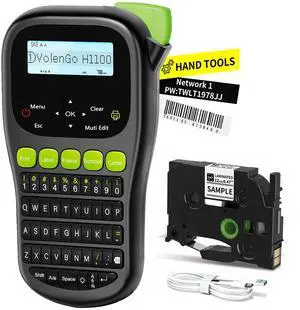
Quick View
Label Maker Machine with Tape, Wire Label Maker Waterproof Labels, H1100 Handheld Electric Labelmaker with Keyboard, Backlit-LCD & One-Touch Key & Laminated Tape, Home Industrial Office Organization
- Brand: VolenGo
- Series: VolenGo
- Part Number: H1100-BK
- Print Technology: Thermal
- Model #: 804406578609
- $59.99 –
- Free Shipping
Quick View
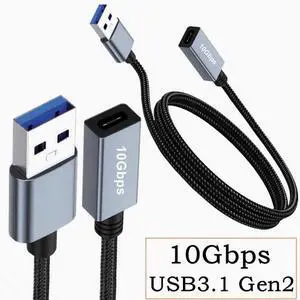
Double-sided 10Gbps data tape chip usb3.2 cable USB Revolution Type-C female conversion cable Gen2 1m
Limited time offer, ends 10/10
- Model #: S555
- $22.45 –
- Free Shipping
Quick View
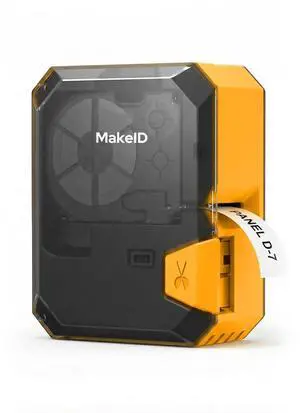
P31S Portable Industrial Label Maker with Tape, 300dpi | 1 Inch Bluetooth Label Printer with 0.75" x 19.68ft Label, Harsh Environment Resistant, for Wire, Cable & Heat Shrink Tubes
- Brand: Makeid
- Series: P31S-OR-CRUS-01
- Part Number: P31S-OR-CRUS-01
- Print Technology: Thermal
- Model #: 908965346849
- $138.99 –
- Free Shipping
Quick View
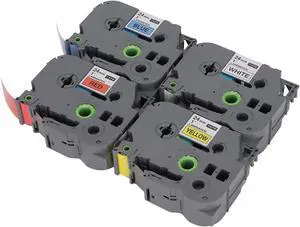
4Pcs 24mm Label Maker Tape Set, TZ Tape with Transparent Cover, High-Toughness, Clear & Fast Printing, for Job Cards, Folder Labels, Material Plates, Cable Identification
- Model #: HANZB0H5ZHNWPK
- $72.99 –
- Free Shipping
Quick View
4Pcs 24mm Label Maker Tape Set, TZ Tape with Transparent Cover, High Toughness, Clear Fast Printing for Job Cards, Folder Labels, Material Plates, Cable Identification
- Model #: HANZB0H46L9756
- $72.99 –
- Free Shipping
Quick View
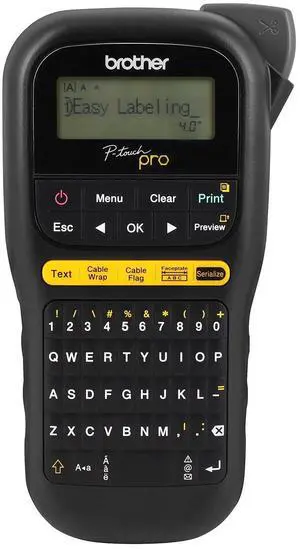
Genuine P-touch PTH111 P-Touch Pro Label Maker
- Brand: Brother
- Series: PTH111
- Part Number: PTH111
- Print Technology: Thermal
- Model #: 673932019835
- $85.99 –
- Free Shipping
Quick View
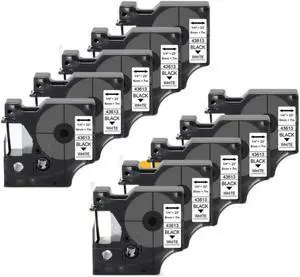
Label Tape Cassette 10PK 6mm 43613 Black On White Compatible with LabelManager 160 5200 4200 Maker
- Model #: HANZB0GYKNM1RD
- $134.99 –
- Free Shipping
Quick View
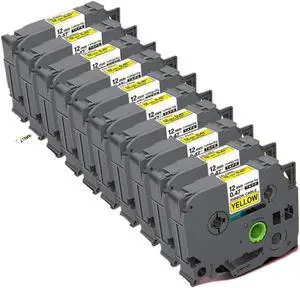
10PK 12mm TZ Yellow Tape TZ-FX631 TZFX631 Flexible ID Wire Label Cassette Ribbon Compatible with Label Maker
- Model #: HANZB0H6V35D6D
- $158.99 –
- Free Shipping
Quick View
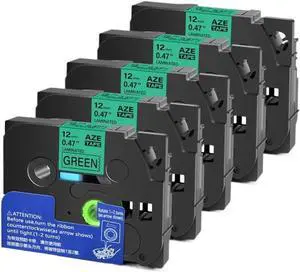
5 Pack Black On Green Label Tape 9mm 12mm 18mm 24mm X 8m Compatible with TZE 731 Label Maker
- Model #: HANZB0H7NV6HM6
- $101.99 –
- Free Shipping
Quick View
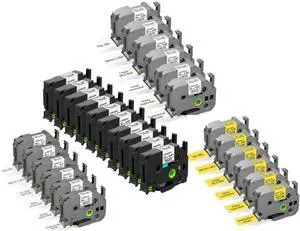
28-Pack Laminated Label Maker Tape, Including 22-Pack White Tape (10-PK 12mm + 6-PK 18mm + 6-PK 24mm) + 6-Pack Yellow Tape 24mm Compatible with Brother Label Maker
- Model #: HANZB0GDZYZX83
- $216.99 –
- Free Shipping
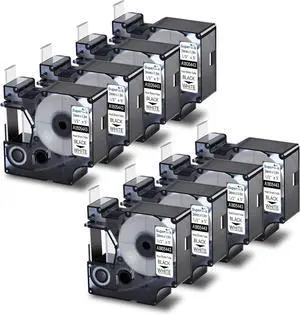
Quick View
8 Pack Compatible Labels Tape Replacement for DYMO 1805443 24mm 1" x 5ft Black on White Heat Shrink Tube Labels for Cables Use with Rhino 6000 6500 Industrial Label Maker
- Model #: HANZB0B9SKMRD7
- $93.99 –
- Free Shipping
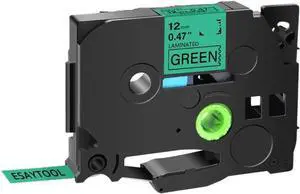
Quick View
5Pcs Black On Green Label Tape Compatible with Maker for 731 12mm X8m Ribbon Universal Fit
- Model #: HANZB0GVQ51YXX
- $93.99 –
- Free Shipping
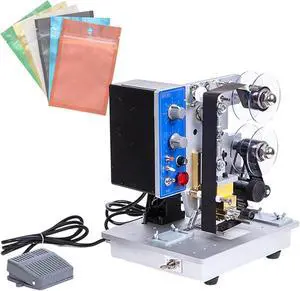
Quick View
Electric Ribbon Code Printer,Electric Plastic Bag Printing Coding Tool,200 W Production Date Automatic Coding Machine,0-200 6 Gear Temperature Adjustment
- Model #: HANZB0FCBMY6CC
- $815.99 –
- Free Shipping
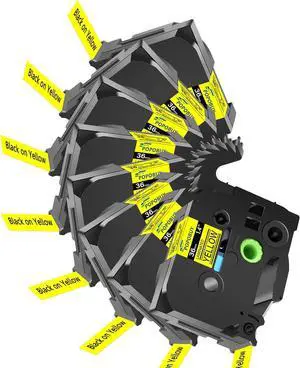
Quick View
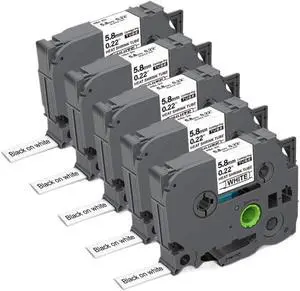
Heat Shrink Tube Label Tape 5.8mm Black On White HSE211 HSe 211 HSe-211 Compatible with Label Maker
- Model #: HANZB0H6VH691Q
- $123.99 –
- Free Shipping
Quick View
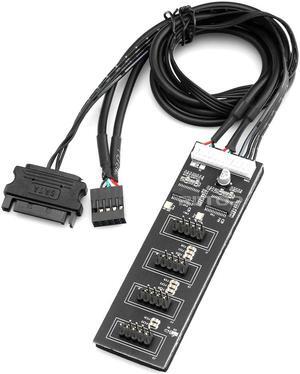
RIITOP 9Pin 1 to 4 USB Header Splitter, USB 2.0 Header Splitter with SATA Power Cable, 1 to 4 USB Header Splitter Internal USB Hub for CPU/WiFi Receiver/Fans/RGB Light/Printer/Scanner
Limited time offer, ends 10/07
- Connector Type: 9pin USB 2.0 Header 1 to 4 Female Extension Cable
- Model #: 9P1T4SATA-UIT-1P
- $17.99 –
- Free Shipping
Quick View
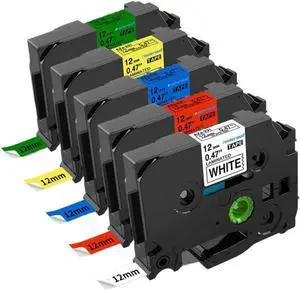
5PCS 12mm Compatible Label Tape TZE 231 431 531 631 for Labeling Maker Cassette Works with PT-H100 PT-H110 Printers
- Model #: HANZB0GMRS2XL5
- $92.99 –
- Free Shipping
Quick View
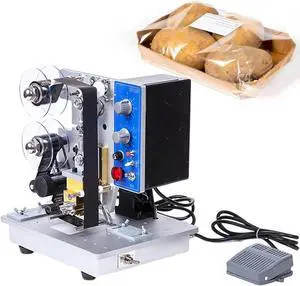
Automatic Ribbon Coding Machine,Electric Ribbon Coding Printer Machine,Date Code Heat Stamping Printing Device,for Labels Stickers Cartons and Other Soft Materials
- Model #: HANZB0FCBFBQTN
- $815.99 –
- Free Shipping
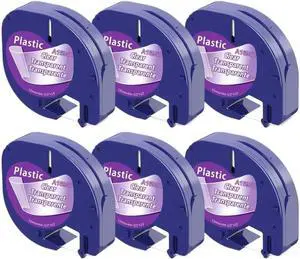
Quick View
12mm Clear Plastic Label Tape Compatible with LT100H and LT100T Label Makers, 4m Length, Black on Transparent, Replacement for Part #12267
- Model #: HANZB0H9JX3VCD
- $106.99 –
- Free Shipping
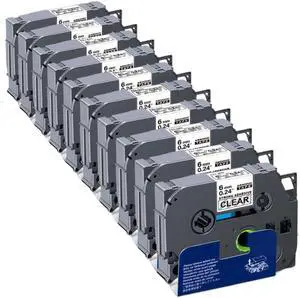
Quick View
6mm Label Tape 10PK S111 S111 Tape Tack Acrylic Adhesive Black On Clear Compatible with Label Maker
- Model #: HANZB0GKTRCGV1
- $110.99 –
- Free Shipping
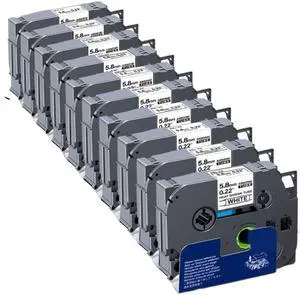
Quick View
Heat Shrink Tube Label Tape 5.8mm Black On White HSe211 HSe-211 HSe 211 Compatible with Label Maker
- Model #: HANZB0H6RTB1L3
- $165.99 –
- Free Shipping
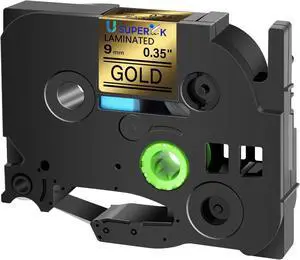
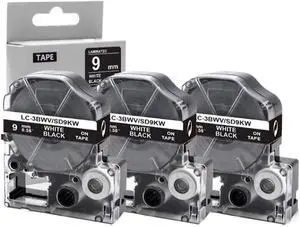
Quick View
3 Pack 9mm SD9KW Tape White On Black Compatible with LW-300 LW-400 Label Maker
- Model #: HANZB0GLFJLDGT
- $81.99 –
- Free Shipping
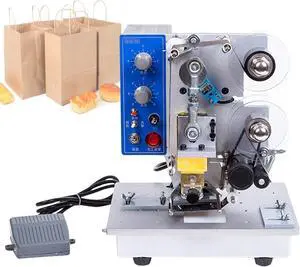
Quick View
Automatic Ribbon Coding Machine,Electric Thermal Ribbon Marking Machine,Commercial Monochrome Thermal Printer,for Plastic Bag Printing Hot Foil Coding
- Model #: HANZB0FCBMY19X
- $815.99 –
- Free Shipping
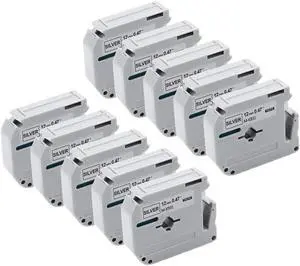
Quick View
Label Tape Compatible with PT-70 PT-90 Label Maker 12mm MK931 MK-931 M-K931 Black On Silver
- Model #: HANZB0H6RC25VR
- $135.99 –
- Free Shipping
Quick View
Label Tape Cassette 10PK 6mm 43613 Black On White Compatible with LabelManager 160 5200 4200 Maker
- Model #: HANZB0H6VKPQLQ
- $136.99 –
- Free Shipping
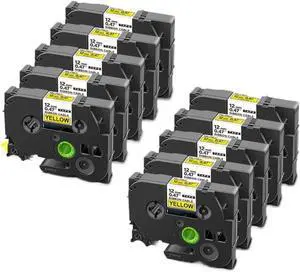
Quick View
Flexible Label Tape FX 631 12mm Black On Yellow 10PK Compatible with Label Maker
- Model #: HANZB0H7W7MJ9C
- $141.99 –
- Free Shipping
Quick View
Electric Thermal Ribbon Marking Machine,Automatic Ribbon Coding Machine,Commercial Monochrome Thermal Printer Desktop,for Plastic Bag Printing Hot Foil Coding
- Model #: HANZB0FCBMTL4F
- $815.99 –
- Free Shipping
Related searches
Choosing the Right Printer for Your Office Needs
When it comes to office solutions, printers and scanners are essential tools for any business. Whether you need to print important documents, scan invoices, or create professional-quality marketing materials, having the right equipment is crucial. In this article, we will explore the different types of printers and scanners available in the market and provide tips on how to choose the best one for your office.
All-in-One Printers: Versatility and Convenience
all-in-one printers, also known as multifunction printers, are a popular choice for offices. These devices combine the functionality of a printer, scanner, copier, and sometimes even a fax machine into a single unit. They offer versatility and convenience, allowing you to perform multiple tasks without the need for separate devices. All-in-one printers are available in both inkjet and laser options, catering to different printing needs and budgets.
Specialized Printers for Specific Tasks
In addition to all-in-one printers, there are specialized printers designed for specific tasks. For example, 3D printers are ideal for creating prototypes or intricate models, while barcode and label printers are perfect for businesses that require efficient inventory management. laser printers are known for their fast printing speeds and high-quality output, making them suitable for offices with high-volume printing needs. inkjet printers, on the other hand, are more cost-effective and can produce vibrant color prints.
Choosing the Right Supplies
Once you have selected the right printer for your office, it is important to choose the right supplies to ensure optimal performance and longevity. When it comes to inkjet printers, using high-quality ink cartridges is essential to achieve the best print quality and prevent clogging. For laser printers, it is important to choose the right type of toner cartridges that are compatible with your printer model. Additionally, investing in high-quality paper can make a significant difference in the final print results.
FAQs: Common Questions about Printers and Scanners
| Q: How often should I replace the ink cartridges? | A: The frequency of replacing ink cartridges depends on your printing volume. However, it is recommended to replace them when the print quality starts to degrade. |
|---|---|
| Q: Can I use third-party ink cartridges with my printer? | A: While it is possible to use third-party ink cartridges, it is important to ensure compatibility with your printer model. Using incompatible cartridges may result in poor print quality or damage to the printer. |
| Q: How do I clean the scanner glass? | A: To clean the scanner glass, use a soft, lint-free cloth slightly dampened with glass cleaner. Gently wipe the glass surface to remove any smudges or debris. |
| Q: What is the difference between optical and interpolated resolution in scanners? | A: Optical resolution refers to the actual hardware resolution of the scanner, while interpolated resolution is achieved through software enhancements. Optical resolution provides more accurate and detailed scans. |
| Q: How can I improve the scanning speed? | A: To improve scanning speed, reduce the scanning resolution, use black and white mode instead of color, and ensure that the scanner is connected to a high-speed USB port. |