

Your Browsing History
- In Stock
- Sold by Newegg
- New
Quick View

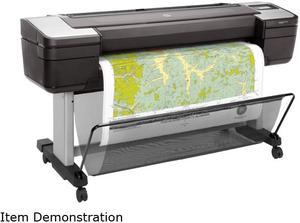
- Black Print Quality: 2400 x 1200 dpi
- Part Number: W6B55A#B1K
- Functions: Print
- Print Languages, std.: HP-GL/2, TIFF, JPEG, URF, CALS G4
- Model #: W6B55A#B1K
- $5,355.99 –
- $119.99 Shipping
Quick View
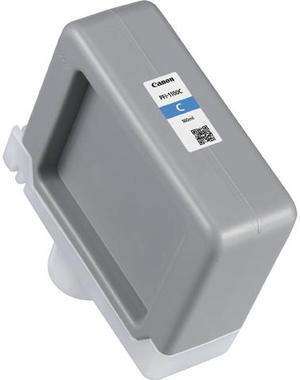
Canon 0851C001 PFI-1100 Original Ink Tank - Cyan - 160ml
- Brand: Canon
- Part Number: 0851C001
- Cartridge Quantity: 1
- Cartridge Color: Cyan
- Model #: 0851C001
- $124.99 –
- More options from $115.95 - $124.99
- Free Shipping
Quick View
- $5,899.99 –
- $119.99 Shipping
Quick View
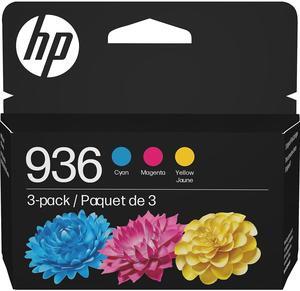
- Product Type: Ink, Toner & Drum Units
- Color: Cyan/Magenta/Yellow
- Model #: 6C3Z3LN
- $95.99 –
- $2.99 Shipping
Quick View
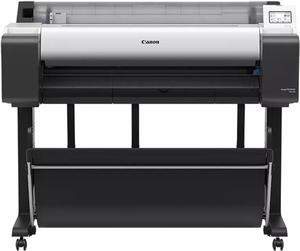
Canon imagePROGRAF TM-350 Large Format Printer
- Color Print Speed: CAD Drawing: Plain paper (A1) 0:17 (Fast Economy Mode), 3.2ppm Plain paper (A0) 0:32 (Fast Economy Mode) 0:41 (Fast) 1:08 (Standard) Poster: Plain Paper (A0) 0:37 (Fast Economy Mode) 0:43 (Fast) 1:18 (Standard) Heavy Coated Paper (A0) 1:40 (Fast) 2:33 (Standard)
- Number of Nozzles: Total : 15360 nozzles MBK : 5120 nozzles BK, C, M, Y: 2560 nozzles each
- Print Languages, std.: HP-GL/2, HP RTL, JPEG (Ver. JFIF 1.02), CALS G4 (submission via FTP only)
- Memory, std.: 2GB
- Model #: 6246C002AA
- $3,999.99 –
- More options from $3,999.99 - $4,199.00
- $119.99 Shipping
Quick View
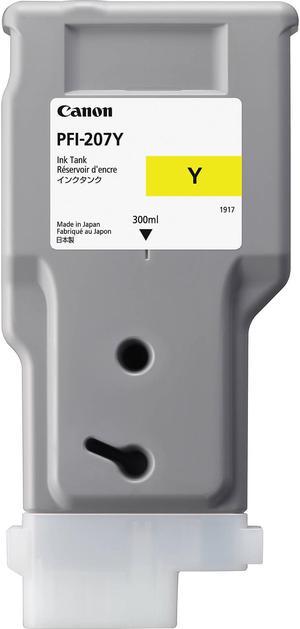
Canon PFI-207 Ink Cartridge - Yellow
- Part Number: 8792B001
- Cartridge Quantity: Single Pack
- Ink Type: Large Format Printer Ink Graph
- Model #: 8792B001
- $179.99 –
- Est. Shipping Fee $2.99

Quick View
- $113.36 –
Quick View
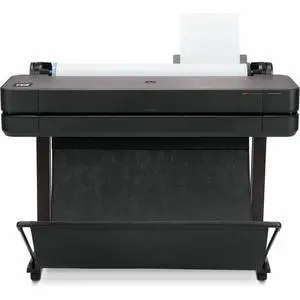
- Brand: HP
- Series: Designjet
- Part Number: 5HB11D#B1K
- Print Technology: InkJet
- Model #: 5HB11D#B1K
- $2,899.00
- $2,531.99 –
- Save: $367.01 (12%)
- More options from $2,531.99 - $2,662.02
- $90.10 Shipping
Quick View
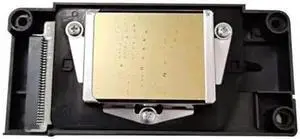
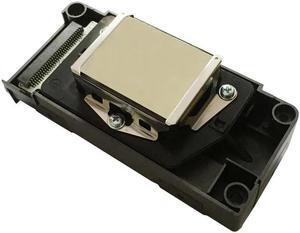
F186000 Printhead Unlocked Forepson-Large Format Printer
- Product Type: Printhead
- Model #: CH-DYJ-0851
- $4,810.20 –
- More options from $4,810.20 - $4,820.45
- Free Shipping
Quick View
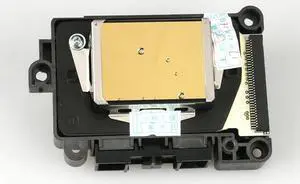
F187000 Printhead Unlocked Forepson-Large Format Printer
- Product Type: Printhead
- Model #: CH-DYJ-0849
- $4,650.20 –
- More options from $4,650.20 - $4,658.45
- Free Shipping
Quick View
F189000 Printhead Unlocked Forepson-Large Format Printer
- Product Type: Printhead
- Model #: CH-DYJ-0842
- $3,760.20 –
- More options from $3,760.20 - $3,767.45
- Free Shipping
Quick View
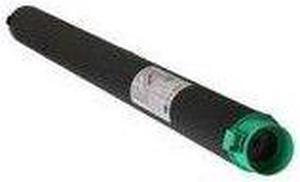
RICOH 821021 RICOH WIDE FORMAT BLACK TONER CARTRIDGE FOR USE IN GWD5100 GWD7140 LW5100 LW7140
- Model #: 821021
- $138.99
- $128.99 –
- Save: $10.00 (7%)
- More options from $114.18 - $128.99
- $2.99 Shipping
Quick View
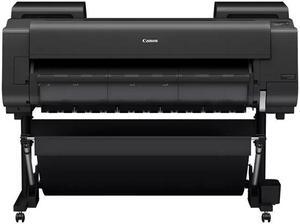
Canon imagePROGRAF GP-4600S Large Format Printer
- Color Print Speed: Plain paper (A0): 0:48 (Level 5) Coated paper (A0) 1:24 (Fast) 2:24 (Standard) Glossy Photo Paper (A0) 2:56 (Fast) 4:44 (Standard)
- Print Languages, std.: PDF (Ver.1.7), JPEG (Ver. JFIF 1.02)
- Media Type: Media Feed and Output Upper Roll Paper : One Roll, Upper-loading, Front Output Lower Roll Paper: One Roll, Front-loading, Front Output Cut Sheet : Upper-loading, Front Output (Manual feed using media locking lever) Media Width Roll paper: 152.4 - 1118mm Cut sheet: 152.4 - 1118mm Media Thickness Roll/Cut : 0.07 - 0.8mm Minimum Printable Length Roll paper: 101.6mm (Cross and canvas paper: 200mm) Cut sheet: 203.2mm Maximum Printable Length Roll paper : 18m (varies according to the OS and application) Cut sheet : 1.6m Maximum Media Roll Diameter 170mm Media Core Size Internal diameter of roll core: 2"/3"...
- Model #: 6413C002AA
- $5,499.99
- See price in cart
- Free Shipping
Quick View
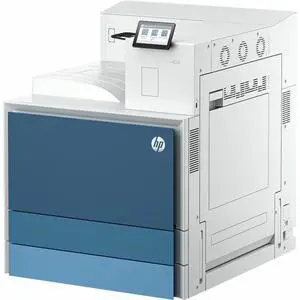
- Black Print Speed: Up to 70 ppm
- Brand: HP
- Series: LaserJet Enterprise 8501dn
- Part Number: 9S187A#BGJ
- Model #: 9S187A#BGJ
- $4,167.99 –
- More options from $4,167.99 - $4,193.31
- Free Shipping
Quick View
- $105.88 –
- $11.60 Shipping
Quick View
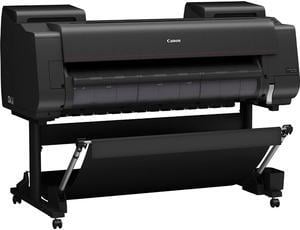
Canon imagePROGRAF PRO-4600 44" Large Format Printer
- Cartridges Compatible: Shipped with printer: 330 ml of each color Replacement: 160 ml PFI-3100 (PBK, C, M, Y, PC, PM, GY, PGY, R, B, CO), 160 ml PFI-2100 (MBK), 330 ml PFI-3300 (PBK, C, M, Y, PC, PM, GY, PGY, R, B, CO), 330 ml PFI-2300 (MBK), 700 ml PFI-3700 (PBK, C, M, Y, PC, PM, GY, PGY, R, B, CO), 700 ml PFI-2700 (MBK)
- Color Technologies: Pigment: PBK, MBK, C, M, Y, PC, PM, GY, PGY, R, B, +CO
- Feed Rate: Front-Loading Roll Feed: One Roll, Front Output Front-Loading Manual Feed: Front Loading, Front Output
- Print Languages, std.: SGRaster (Swift Graphic Raster), PDF, JPEG
- Model #: 6407C002AA
- $5,049.00 –
- More options from $5,049.00 - $5,449.00
- Free Shipping
Quick View
Canon PF-05 Print Head for imagePROGRAF Wide Format Printers (3872B003AA)
- Product Type: Printhead
- Compatibility: Canon imagePROGRAF iPF6300, IPF6300S, iPF6350, iPF8300, iPF8300S
- Model #: 3872B003AA
- $604.99 –
- $2.99 Shipping

Quick View
roller For TTP-268M (200dpi) industrial-grade wide format self-adhesive barcode printer accessories rubber roller
- Product Type: Printhead
- Model #: ZW-dyt-508
- $453.99 –
- Free Shipping
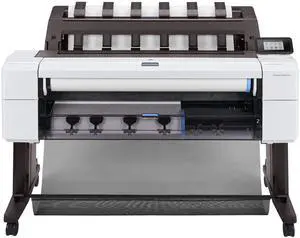
Quick View
- $8,099.99 –
- $119.99 Shipping
Quick View
Canon Canon 0834V800 Double Matte Film
- Product Sort: Printer Accessories
- Product Type: Film
- Compatibility: Canon Wide Format Printers: W8400D iPF500 iPR600 iPF700
- Specifications: Media Size: 36" x 125' Media Weight: 160g/m² Media Thickness: 5mil Print Technology: Inkjet Finishing: Matte
- Model #: 0834V800
- $294.00 –
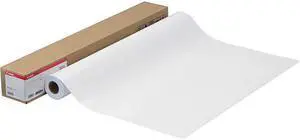
Quick View
Canon 0834V799 Double Matte Film
- Product Sort: Printer Accessories
- Product Type: Film
- Compatibility: Canon Wide Format Printers: W8400D iPF500 iPR600 iPF700
- Specifications: Media Size: 24" x 125' Media Weight: 160g/m Media Thickness: 5mil Print Technology: Inkjet Finishing: Matte
- Model #: 0834V799
- $196.00 –
- $21.60 Shipping
Quick View
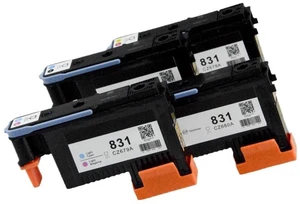
Compatible 831 Printhead Replacement (Black/Cyan) - Anti-Clog High-Resolution Nozzle, for Latex 110 310 330 360 560 Printers, Replaces CZ677A
- Model #: 469816737912
- $102.99 –
- Free Shipping
Quick View
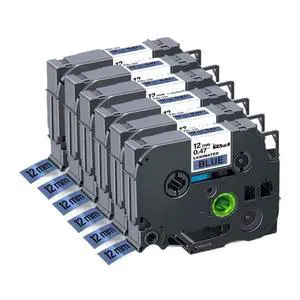
6pcs Compatible Label Tape for 12mm Black On White TZe 231 TZe 131 TZe 334 TZe 631 for PTH110 Label Printer(6PK Black on Blue)
Limited time offer, ends 10/16
- Model #: LC6W1JU7-1109
- $38.52 –
- Free Shipping
Quick View
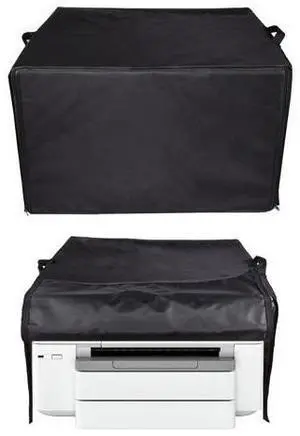
Heavy Duty Waterproof Printer Dust Cover For HP OfficeJet Pro 9730e/7740 Wide Format Wireless All-in-One Color Inkjet Printer
Limited time offer, ends 10/07
- Model #: OYSC5KU-8.5-2IN1-244
- $43.98 –
- Free Shipping
Quick View
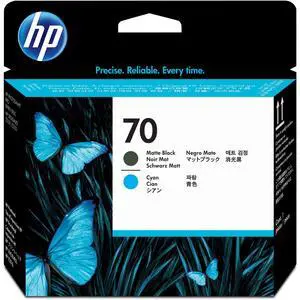
70 Matte Black & Cyan DesignJet Printhead (CD404A) for DesignJet Z5400, Z5200 & Z2100 Large Format Printers
Limited time offer, ends 09/30
- Model #: 182686113448
- $194.99 –
- Free Shipping
Quick View
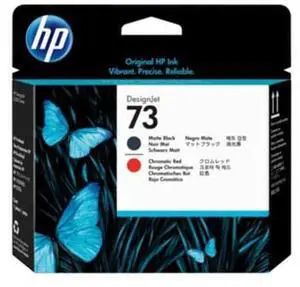
73 Matte Black & Chromatic Red DesignJet Printhead (CD949A) for DesignJet Z3200 Large Format Printers
Limited time offer, ends 09/30
- Model #: 186184772107
- $194.99 –
- Free Shipping
Quick View
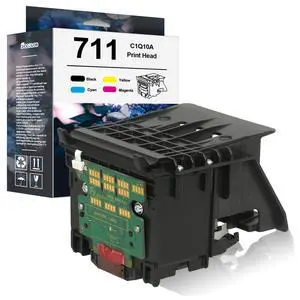
711 Printhead Kit High Yield C1Q10A Pinter Head with Chip Upgraded | Compatible with 711 PinterHead Replacement for T120 T125 T130 T520 T525 T530 T100 Large Format Plotter Printer
Limited time offer, ends 10/05
- Model #: 968170253711
- $398.99 –
- Free Shipping
Quick View
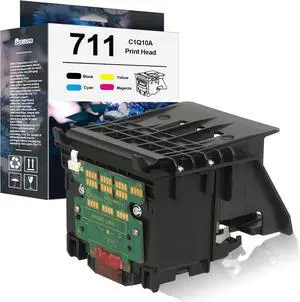
711 Printhead Kit High Yield C1Q10A Pinter Head Compatible with 711 PinterHead (with Chip Upgraded) Replacement for T120 T125 T130 T520 T525 T530 T100 Large Format Plotter Printer
Limited time offer, ends 09/30
- Model #: 970510136332
- $398.99 –
- Free Shipping
Quick View
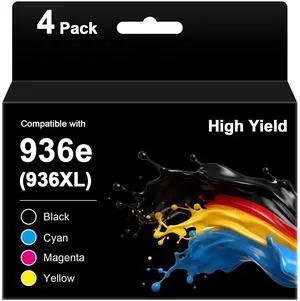
936 936XL 936e Ink Cartridges for HP Printers 9125e 9120 9130 9135e 9730e Replacement for HP Ink 936 936e for Office Jet Pro 9125 9135 9110b 9130b, Wide Format 9730e 9720e, 4-Pack HP936e with Chip
Limited time offer, ends 10/05
- Model #: 470163739893
- $230.99 –
- Free Shipping
Quick View
711 Printhead Kit High Yield C1Q10A Pinter Head Compatible with HP 711 PinterHead (with Chip Upgraded) Replacement for HP T120 T125 T130 T520 T525 T530 T100 Large Format Plotter Printer
Limited time offer, ends 09/26
- Model #: BAMB0FJKJCDD1
- $329.96 –
- Free Shipping
Quick View
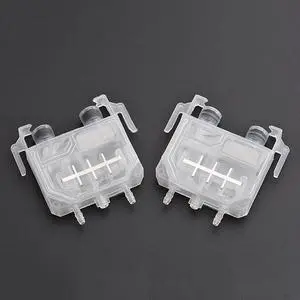
1PC 1201 ink damper printhead filter for large format printer for Xuli Dika Polar ink dumper ( tube connect directly )
- Product Type: Replacement Parts
- Model #: Dyjmh-231221-578
- $68.69 –
- Free Shipping
Quick View
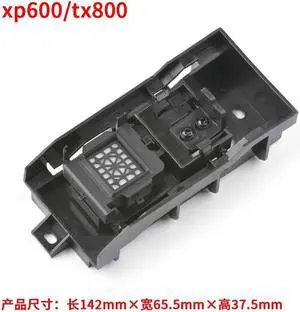
Cap top assembly forepson-TX800 XP600 print head clean unit capping station component Chinese large format printer part
- Product Type: Replacement Parts
- Model #: Dyjmh-231221-128
- $103.69 –
- Free Shipping
Quick View
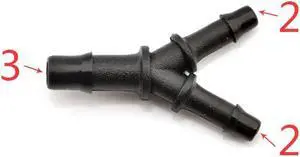
20pcs Eco solvent Y Shape Ink Tube Connector for Large format Y Ink Tube white Connector printer machine(10)
- Product Type: Replacement Parts
- Model #: Dyjmh-231221-343
- $53.49 –
- Free Shipping
Quick View
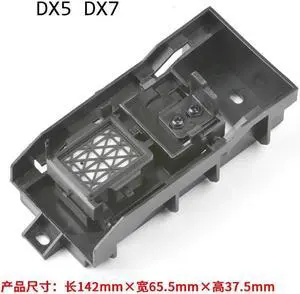
Cap top assembly forepson-DX5 DX7 print head clean unit capping station component Chinese large format printer part
- Product Type: Replacement Parts
- Model #: Dyjmh-231221-127
- $103.69 –
- Free Shipping
Quick View
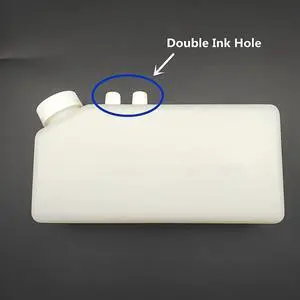
4PCS Corrosion resistant White Eco solven ink box ink tank 1200ml for eco solvent printer large format printer(4pcs Double Ink hole)
- Product Type: Replacement Parts
- Model #: Dyjmh-231221-048
- $153.49 –
- Free Shipping

Any questions? Our AI mode will help you find out quickly.
Try me now
Choosing the Right Printer for Your Office Needs
When it comes to office solutions, printers and scanners are essential tools for any business. Whether you need to print important documents, scan invoices, or create professional-quality marketing materials, having the right equipment is crucial. In this article, we will explore the different types of printers and scanners available in the market and provide tips on how to choose the best one for your office.
All-in-One Printers: Versatility and Convenience
all-in-one printers, also known as multifunction printers, are a popular choice for offices. These devices combine the functionality of a printer, scanner, copier, and sometimes even a fax machine into a single unit. They offer versatility and convenience, allowing you to perform multiple tasks without the need for separate devices. All-in-one printers are available in both inkjet and laser options, catering to different printing needs and budgets.
Specialized Printers for Specific Tasks
In addition to all-in-one printers, there are specialized printers designed for specific tasks. For example, 3D printers are ideal for creating prototypes or intricate models, while barcode and label printers are perfect for businesses that require efficient inventory management. laser printers are known for their fast printing speeds and high-quality output, making them suitable for offices with high-volume printing needs. inkjet printers, on the other hand, are more cost-effective and can produce vibrant color prints.
Choosing the Right Supplies
Once you have selected the right printer for your office, it is important to choose the right supplies to ensure optimal performance and longevity. When it comes to inkjet printers, using high-quality ink cartridges is essential to achieve the best print quality and prevent clogging. For laser printers, it is important to choose the right type of toner cartridges that are compatible with your printer model. Additionally, investing in high-quality paper can make a significant difference in the final print results.
FAQs: Common Questions about Printers and Scanners
| Q: How often should I replace the ink cartridges? | A: The frequency of replacing ink cartridges depends on your printing volume. However, it is recommended to replace them when the print quality starts to degrade. |
|---|---|
| Q: Can I use third-party ink cartridges with my printer? | A: While it is possible to use third-party ink cartridges, it is important to ensure compatibility with your printer model. Using incompatible cartridges may result in poor print quality or damage to the printer. |
| Q: How do I clean the scanner glass? | A: To clean the scanner glass, use a soft, lint-free cloth slightly dampened with glass cleaner. Gently wipe the glass surface to remove any smudges or debris. |
| Q: What is the difference between optical and interpolated resolution in scanners? | A: Optical resolution refers to the actual hardware resolution of the scanner, while interpolated resolution is achieved through software enhancements. Optical resolution provides more accurate and detailed scans. |
| Q: How can I improve the scanning speed? | A: To improve scanning speed, reduce the scanning resolution, use black and white mode instead of color, and ensure that the scanner is connected to a high-speed USB port. |