

Your Browsing History
- In Stock
- Sold by Newegg
- Make an Offer
- New
Quick View
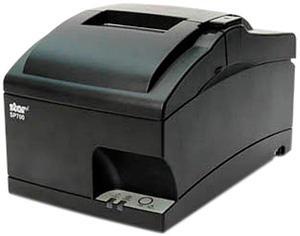
Star Micronics SP700 Impact Receipt Printer - Gray - SP742MD GRY US (39332310)
- Color: Gray
- Printer Type: Desktop
- Memory: 16MB Flash
- Fonts Included: Font Size: 5 x 9 / 7 x 9 Character Size: 1.20 (W) x 2.42 (H) / 1.50 (W) x 2.42 (H) mm Character Set: 95 Alphanumeric, 32 International Code Pages: 40 Character Per Inch: 16.90" / 14.10"
- Model #: 39332310
- $309.99 –
- Free Shipping
Quick View
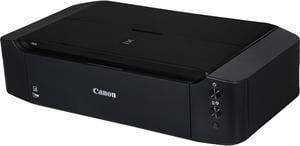
Canon PIXMA iP8720 (8746B002AA) 9600 DPI x 2400 DPI Wireless Color Inkjet Printer
- Black Print Quality: 600 x 600 dpi
- Cartridges Compatible: PGI-250 Pigment Black XL CLI-251 Cyan XL CLI-251 Magenta XL CLI-251 Yellow XL CLI-251 Gray XL CLI-251 Black XL PGI-250 Pigment Black CLI-251 Cyan CLI-251 Magenta CLI-251 Yellow CLI-251 Gray CLI-251 Black
- Part Number: 8746B002AA
- Color Print Speed: Approx 10.4 ipm
- Model #: iP8720
- $313.99
- See price in cart
- More options from $313.00
- Free Shipping
Quick View
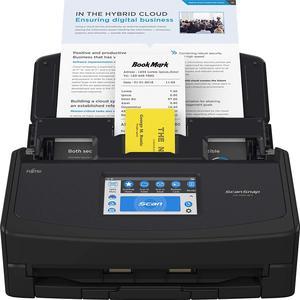
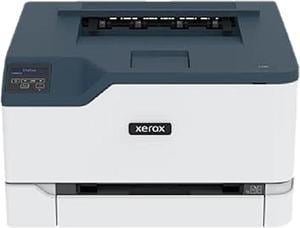
Xerox C230/DNI Colour Laser Printer
- Recommended Use: Plain Paper Print
- Black Print Speed: Up to 22 ppm - B/W (ISO/IEC 24734) - A4 (210 x 297 mm) Up to 24 ppm - B/W (ISO/IEC 24734) - ANSI A (Letter) (216 x 279 mm)
- Black Print Quality: 600 x 600 dpi
- Brand: Xerox
- Model #: C230/DNI
- $319.99 –
- More options from $319.99 - $539.00
- Free Shipping
Quick View
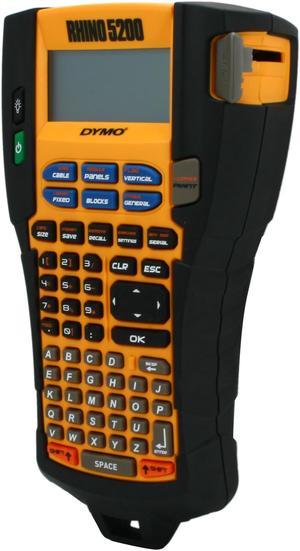
Dymo Rhino 5200 Industrial Label Printer (1755749)
- Printer Type: Mobile
- Memory: Save up to 99 locations
- Barcode Type: Code 39 and Code 128
- Cutter: Manual
- Model #: 1755749
- $219.99 –
- More options from $219.99 - $335.00
Quick View
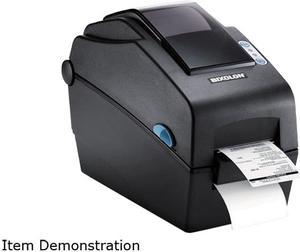
Bixolon SLP-DX220EG 2” Desktop Direct Thermal Barcode/Label/Wristband Printer, 203 dpi, Serial, Ethernet, SLCS, BPL-Z, BPL-E - Black
- Model #: SLP-DX220EG
- $359.00
- $289.99 –
- Save: $69.01 (19%)
- More options from $289.99 - $306.90
- $5.99 Shipping
Quick View
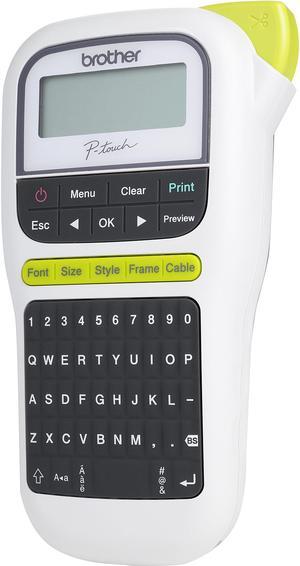
Brother P-touch PT-H110 Easy, Portable Label Maker, Thermal Transfer, 180 dpi, 20mm./sec, Up to 2 Print Lines, Manual Cutter
- Printer Type: Mobile
- Memory: Up to 15 labels Built-in Memory
- Fonts Included: Fonts: Helsinki, Brussels, Florida Font Styles: Normal, Bold, Outline, Shadow, Italic, Italic Bold, Italic Outline, Italic Shadow, Vertical, Vertical Bold Font Sizes: Small, Medium, Large
- Cutter: Manual
- Model #: PT-H110
- $45.99 –
- More options from $39.11 - $59.20
- Free Shipping
Quick View
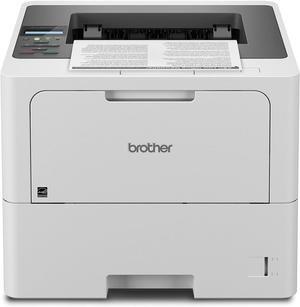
Brother HL-L6210DW Business Monochrome Laser Printer with Large Paper Capacity, Wireless Networking, and Duplex Printing, White
- Model #: BEHL-L6210DW
- $459.99 –
- Free Shipping
Quick View
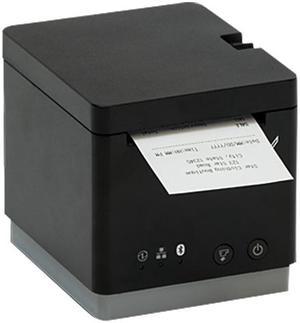
Star Micronics 39652110 mC-Print2 Thermal Receipt Printer, 2", Cutter, Ethernet (LAN), USB, CloudPRNT, Black - MCP20 BK US
- Color: Black
- Printer Type: Desktop
- Cutter: Auto Cutter (Partial Cut)
- Reliability MCBF: 60 Million Lines
- Model #: 39652110
- $237.99 –
- More options from $237.99 - $261.13
- $11.18 Shipping
Quick View

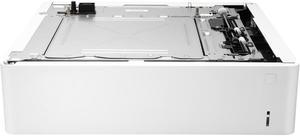
- Part Number: 6QN57A
- Product Sort: Printer Accessories
- Product Type: Paper Tray
- Compatibility: HP Color LaserJet Printers: 6700 6701
- Model #: 6QN57A
- $369.00
- $295.20 –
- Save: $73.80 (20%)
- More options from $295.20 - $391.76
- Free Shipping

![Warrky USB C to HDMI Cable 4K, [10FT / 3M, Braided, High Speed] Thunderbolt 3 to HDMI Adapter Compatible for New iPad, MacBook Pro/Air, iMac, Galaxy S20 S10 S9 S8, Surface, Dell, HP](https://c1.neweggimages.com/productimage/nb300/B38FD24042709GSLF30.jpg "Warrky USB C to HDMI Cable 4K, [10FT / 3M, Braided, High Speed] Thunderbolt 3 to HDMI Adapter Compatible for New iPad, MacBook Pro/Air, iMac, Galaxy S20 S10 S9 S8, Surface, Dell, HP")

Quick View

- $320.99 –
- More options from $320.99
- Free Shipping
Quick View
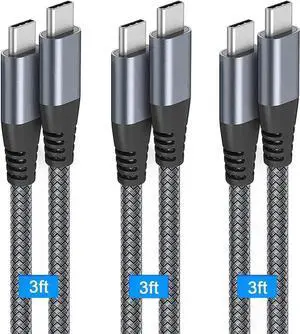
3-Pack 3.3FT USB-C to USB-C PD 60W Fast Charging Cable for MacBook, iPad, Galaxy, Switch & All Type-C Devices
Limited time offer, ends 07/30
- Model #: C24W- USB395
Quick View
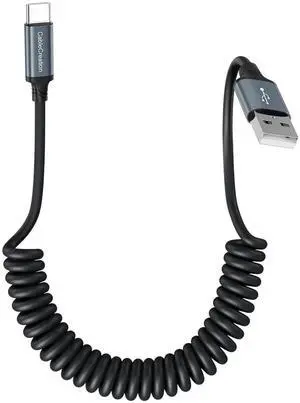
Coiled USB A to USB-C Charging & Data Cable | Car-Use Cord for CarPlay & Android Auto, Compatible with iPhone 15/16, Samsung S24/S23, Pixel & Tablets
Limited time offer, ends 07/30
- Model #: C24W- USB456
Quick View
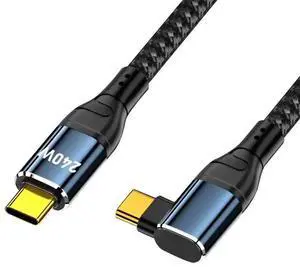
0.5M 90° Right Angle USB-C to USB-C Cable|Max 240W(48V 5A) PD Fast Charging, USB2.0 480Mbps Data Transfer
Limited time offer, ends 07/30
- Model #: C24W- USB500
Quick View
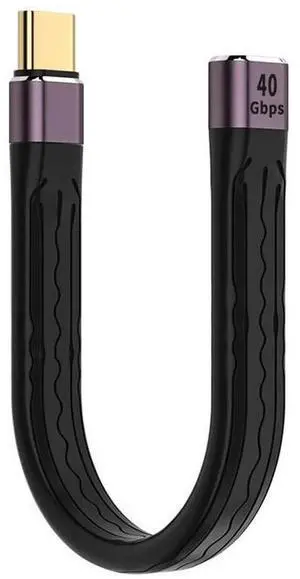
13cm Slim Flat USB4 Male to Female Extension Cable | 40Gbps Data, 100W PD Charging, 8K@60Hz Video Output
Limited time offer, ends 07/30
- Model #: C24W- USB589
Quick View
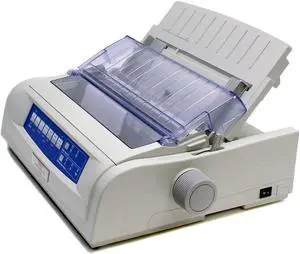
OKIDATA MICROLINE 420 (62418701) - Parallel, USB 9 pin 120V Up to 570cps 240 x 216 Dot Matrix Printer
- Print Speed: Super Speed Draft (cps): 570 High Speed Draft (cps): 510 Utility Speed (cps): 380 Near Letter Quality Speed (cps): 95
- Printhead Life: 400 million
- Ribbon Life: 7.5 million
- Feed Rate: 4.5 ips
- Model #: 62418701
- $1,414.48 –
- Free Shipping
Quick View
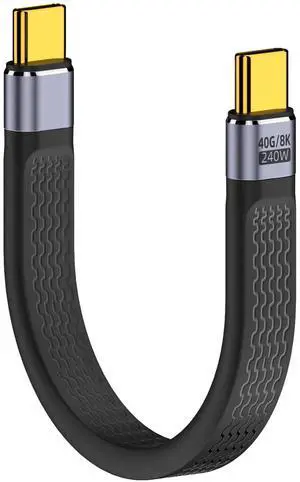
5.3 Inch Short USB4 USB-C to USB-C Cable | 240W PD Fast Charging, 40Gbps Data, 8K@60Hz Video, Compatible with Thunderbolt 3/4, Laptops, Tablets & Smartphones
Limited time offer, ends 07/30
- Model #: C24W- USB598
Quick View
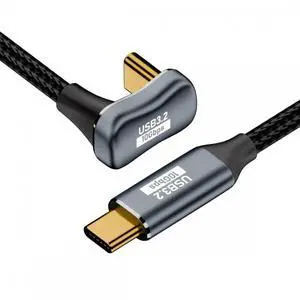
50cm U-Shaped Back Angled USB C Male to Male Extension Cable, USB3.1 Gen2 10Gbps Data & 100W PD Fast Charging Cord with Protective Sleeve for Laptops & USB-C Devices
Limited time offer, ends 07/30
- Model #: C24W- USB319
Quick View
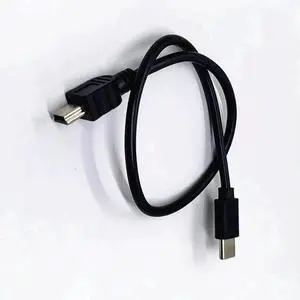
USB-C to Mini USB OTG Cable, Direct Camera-to-Phone Cord for Canon EOS 350D/400D/450D/40D/5D/5D Mark II/7D, Instant Photo & Video Edit on Type-C Phones
Limited time offer, ends 07/30
- Model #: C24W- USB558
Quick View
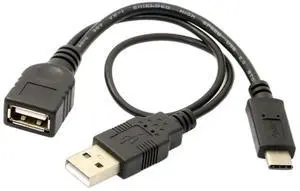
USB 3.1 Type-C Male to USB-A Female OTG Adapter Cable with Extra Power Supply Port
Limited time offer, ends 07/30
- Model #: C24W- USB163
Quick View
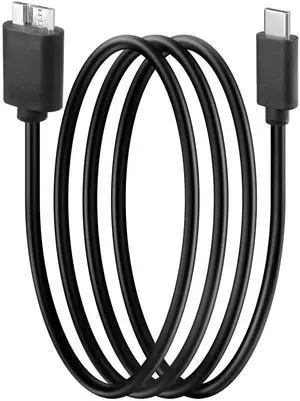
3FT/1M USBC to Micro B External Hard Drive Cable | Fast Charging & High Speed Data Sync Cord
Limited time offer, ends 07/30
- Model #: C24W- USB182
Quick View
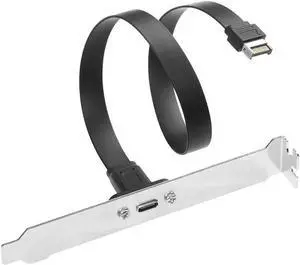
1.64FT Flat USB3.2 Gen2x2 20Gbps Type-E A Key 20Pin Header to USB-C Female PCIe Full-Profile Bracket Extension Cable
Limited time offer, ends 07/30
- Model #: C24W- USB104
Quick View
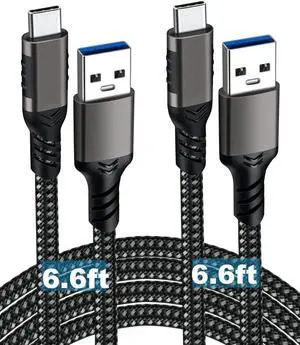
2-Pack 6.6FT USB-A to USB-C Cable | USB3.2 Gen1 60W 3A Fast Charging & High-Speed Data Cord for Samsung Galaxy S23/S22/S21/S20 Ultra & All Type-C Devices
Limited time offer, ends 07/30
- Model #: C24W- USB99
Quick View
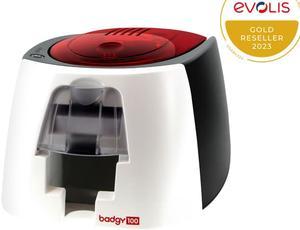
EVOLIS BADGY100 COLOR ID CARD PRINTER
- Memory: 16 MB of memory (RAM)
- Barcode Type: Single-side print module
- Media Type: Card type: PVC cards
- Media sizes supported: Card thickness: 0.50 to 0.76 mm, automatic adjustment of the gauge Card format: ISO CR-80 – ISO 7810 (53.98 x 85.60 mm) Included in the solution: pack of 50 PVC cards 0.76 mm
- Model #: B12U0000RS
- $649.00
- $599.00 –
- Save: $50.00 (7%)
- More options from $599.00 - $631.78
- Free Shipping
Quick View
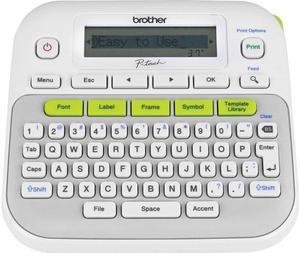
Brother P-touch PT-D210 Easy-to-Use Label Maker, Thermal Transfer, 180 dpi, 20mm./sec, Up to 2 Print Lines, Manual Cutter
- Printer Type: Mobile
- Fonts Included: Fonts: Helsinki, Brussels, Belgium, Florida, Los Angeles, San Diego, US, Calgary, Atlanta, Adams, Brunei, Istanbul, Sofia, Germany Font Styles: Normal, Bold, Outline, Shadow, Italic, Italic Bold, Italic Outline, Italic Shadow, Vertical, Solid Font Sizes: Small, Medium, Large
- Cutter: Manual
- Media Type: Standard Laminated, Flexible ID, Extra Strength Adhesive , Non-Laminated Iron-on Fabric, Acid Free
- Model #: PT-D210
- $87.73 –
- More options from $87.73 - $104.60
- Free Shipping
Quick View
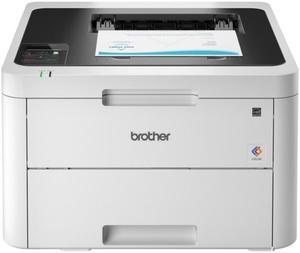
Brother Wireless HL-L3295CDW Compact Digital Color Printer
- Cartridges Compatible: 4x Toner
- Color Print Speed: 31 ppm
- Time To First Page (seconds): 12.5 Seconds (Color) 12.5 Seconds (Black)
- Print Languages, std.: Adobe PDF 1.7, HP PCL 5c, HP PCL 5e, HP PCL 6, XPS
- Model #: HL-L3295CDW
- $471.68 –
- More options from $429.99 - $500.99
Quick View
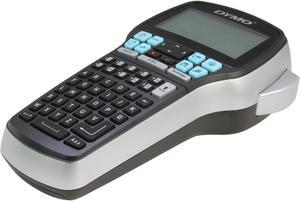
DYMO LabelManager 420P High Performance Portable Label Maker with PC or Mac Connection (1768815)
- Printer Type: Mobile
- Memory: 9 Labels Stored
- Fonts Included: Number of Font Sizes: 7 Number of Styles: 10 Text, 8 Fonts
- Barcode Type: Code 128, Code 39, EAN-13, EAN-8, UPC-A, UPC-E
- Model #: 1768815
- $159.03 –
- More options from $124.27 - $278.00
- Free Shipping
Quick View
Lexmark 50G0851 Media Output Expander - Tray
- Product Type: Other Accessories
- Color: Black
- Model #: 50G0851
- $178.30 –
- More options from $177.99 - $244.00
Quick View
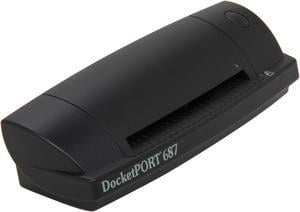
PenPower DocketPORT 687 Duplex ID Scanner (SWOCR0687)
- Brand: PenPower
- Series: DocketPort 687
- Type: Duplex
- Element Type: Dual, 2 linear color CMOS
- Model #: SWOCR0687
- $321.09 –
- More options from $321.09 - $344.25
Quick View
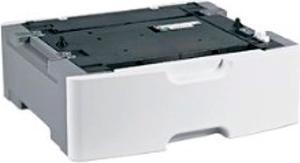
Lexmark 25B2900 550-Sheet Media Tray for MX822ade/adxe, MX826ade/adxe
- Product Type: Paper Tray
- Color: Black
- Features: Sold as 1 Each.
- Model #: 734646631549
- $299.99
- $272.99 –
- Save: $27.00 (9%)
- More options from $272.99 - $348.71
- $2.99 Shipping
Quick View
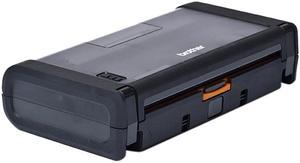
Brother Carrying Case Media Roll Portable Printer
- Color: Black
- Model #: PA-RC-001
- $135.79 –
- More options from $133.99 - $156.09
- Free Shipping
Quick View
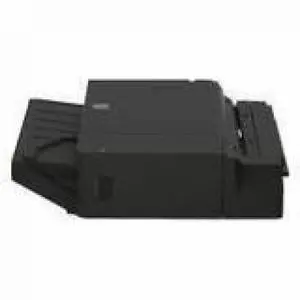
Lexmark 500-Sheet Staple Finisher (fits HP kit) - Plain Paper - A4, A3, B5, B4, Executive, Letter, Folio, Officio, Legal, - 11" x 17" - 500 Sheets 20L8809
- Brand: LEXMARK
- Part Number: 20L8809
- Product Type: Staple Finisher
- Color: Black
- Model #: 20L8809
- $799.99 –
- More options from $799.99 - $1,083.00
- Free Shipping
Quick View
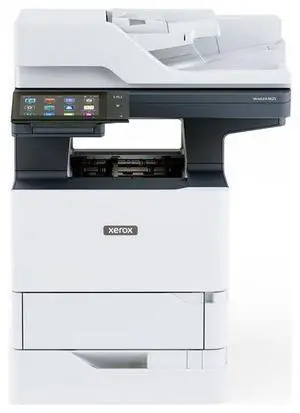
- $2,999.00 –
- More options from $2,999.00 - $3,389.00
- Free Shipping

Quick View
LEXMARK 50G0803 550-Sheet Tray Insert
- Product Sort: Printing Supplies
- Product Type: Paper Tray
- Specifications: Media Types Supported Labels, Card Stock, Plain Paper, Transparencies, Envelopes, Refer to the Card Stock & Label Guide.
- Dimensions: 11.0 x 50.2 x 4.21 cm
- Model #: 50G0803
- $117.99 –
- More options from $117.99 - $172.00
- Free Shipping
Quick View
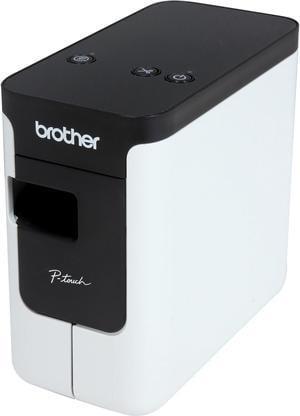
Brother P-touch PT-P700 PC-Connectable Label Printer for PC and Mac, Thermal Transfer, 180 x 360 dpi, 30mm./sec, Up to 4 Print Lines, Auto Cutter, Barcode Printing, USB
- Printer Type: Desktop
- Fonts Included: Fonts: TrueType Font Sizes: Scalable
- Barcode Type: CODE39, UPC-A, UPC-E, ITF (1-2/5), EAN-8, EAN-13, GS1-128 (UCC/EAN-128), CODE128, CODABAR, POSTNET, GS1 DataBar (RSS), QR Code, PDF417, Data Matrix, Laser Bar Code, ISBN-2 (EAN13 AddOn2), ISBN-5 (EAN13 AddOn5), Micro QR Code, MaxiCode, GS-1 Composite, AztecCode
- Cutter: Auto-Cutter
- Model #: PTP700

Any questions? Our AI beta will help you find out quickly.
Try me now
Choosing the Right Printer for Your Office Needs
When it comes to office solutions, printers and scanners are essential tools for any business. Whether you need to print important documents, scan invoices, or create professional-quality marketing materials, having the right equipment is crucial. In this article, we will explore the different types of printers and scanners available in the market and provide tips on how to choose the best one for your office.
All-in-One Printers: Versatility and Convenience
all-in-one printers, also known as multifunction printers, are a popular choice for offices. These devices combine the functionality of a printer, scanner, copier, and sometimes even a fax machine into a single unit. They offer versatility and convenience, allowing you to perform multiple tasks without the need for separate devices. All-in-one printers are available in both inkjet and laser options, catering to different printing needs and budgets.
Specialized Printers for Specific Tasks
In addition to all-in-one printers, there are specialized printers designed for specific tasks. For example, 3D printers are ideal for creating prototypes or intricate models, while barcode and label printers are perfect for businesses that require efficient inventory management. laser printers are known for their fast printing speeds and high-quality output, making them suitable for offices with high-volume printing needs. inkjet printers, on the other hand, are more cost-effective and can produce vibrant color prints.
Choosing the Right Supplies
Once you have selected the right printer for your office, it is important to choose the right supplies to ensure optimal performance and longevity. When it comes to inkjet printers, using high-quality ink cartridges is essential to achieve the best print quality and prevent clogging. For laser printers, it is important to choose the right type of toner cartridges that are compatible with your printer model. Additionally, investing in high-quality paper can make a significant difference in the final print results.
FAQs: Common Questions about Printers and Scanners
| Q: How often should I replace the ink cartridges? | A: The frequency of replacing ink cartridges depends on your printing volume. However, it is recommended to replace them when the print quality starts to degrade. |
|---|---|
| Q: Can I use third-party ink cartridges with my printer? | A: While it is possible to use third-party ink cartridges, it is important to ensure compatibility with your printer model. Using incompatible cartridges may result in poor print quality or damage to the printer. |
| Q: How do I clean the scanner glass? | A: To clean the scanner glass, use a soft, lint-free cloth slightly dampened with glass cleaner. Gently wipe the glass surface to remove any smudges or debris. |
| Q: What is the difference between optical and interpolated resolution in scanners? | A: Optical resolution refers to the actual hardware resolution of the scanner, while interpolated resolution is achieved through software enhancements. Optical resolution provides more accurate and detailed scans. |
| Q: How can I improve the scanning speed? | A: To improve scanning speed, reduce the scanning resolution, use black and white mode instead of color, and ensure that the scanner is connected to a high-speed USB port. |