• In Stock
  • Sold by Newegg
  • Make an Offer
  • New
Department
Show More
Brands
Show More
Price
Show More
Black Print Speed
Max. Duty Cycle
Show More
Series
Show More
Output Type
Connectivity Technology
Recommended Use
Duplex printing
USB Ports
LPT Ports
Network Ports
Sold by
All Top Brands
Availability
Condition
Current Promotion
Discount
Useful Links
Customer Ratings
avatar

Any questions? Our AI beta will help you find out quickly.

Sort By:
View:
Hahnemuhle Matte FineArt Textured Paper Sample Pack, 13x19", DIN A3+, 10 Sheets
Quick View
  •  
  • $38.40 
  • $9.10 Shipping
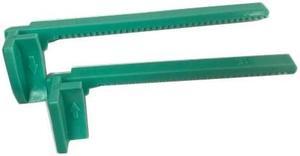
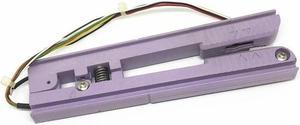
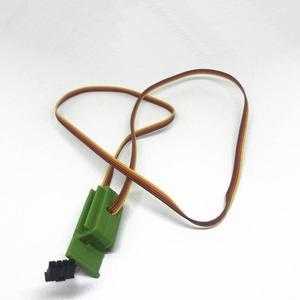
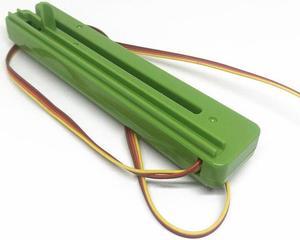
left and right rack clip paper guide paper jam buckle For 244 243eplus342E 342e 245 247(left)
Quick View
  •  
  • $126.99 
  • Free Shipping
left and right rack clip paper guide paper jam buckle For 244 243eplus342E 342e 245 247(Right)
Quick View
  •  
  • $126.99 
  • Free Shipping
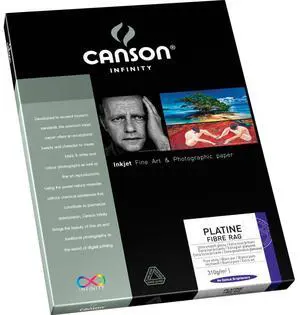
Canson Infinity Platine Fibre Rag Satin Fine Art Paper (13x19"), 25 Sheets
Quick View
  •  
  • $140.45 
  • $12.85 Shipping
Canon 2 Pack LU-101 Pro Luster Photo Paper (8.5x11"), 50 Sheets #6211B004 2
Quick View
  •  
  • $72.00 
  • $12.85 Shipping
printing shaft paper feeding shaft For Internet APOS mobile credit card machine  A8
Quick View
left and right rack clip paper guide paper jam buckle For 244 243eplus342E 342e 245 247(1 pair)
Quick View
  •  
  • $216.99 
  • Free Shipping
rubber roller paper reel rubber reel For Le brush mobile pos terminal lp201 H60 UnionPay pos
Quick View
  •  
  • $81.99 
  • Free Shipping
paper roller For E550 printing shaft World ME31 8110 Baifu S58 S90 E350
Quick View
  •  
  • $81.99 
  • Free Shipping
rubber roller gear pressure paper shaft For E-psonE-psonT58p T58S m-t123 movement partner PD58P
Quick View
  •  
  • $87.99 
  • Free Shipping
paper jammer For T200E T300 4503 4402 4403E 4502 g810 paper guide left and right rack
Quick View
  •  
  • $246.99 
  • Free Shipping
paper feeding gear For 628 FTP-628MCL101#50 WIN58PG gear 2008iii
Quick View
  •  
  • $51.99 
  • Free Shipping
small hole paper feeding gear For tp ftp628mcl103 POS58G 58L AB-58MK T58DP
Quick View
  •  
  • $51.99 
  • Free Shipping
ribbon sensor For TTP 244 plus 243E 342E  ribbon sensor paper gap sensor sensor accessories
Quick View
  •  
  • $156.99 
  • Free Shipping
ribbon Recycling Motor Paper Feed Motor For TTP-244plus Motor 243Epro 342E B-2404
Quick View
  •  
  • $147.99 
  • Free Shipping
left and right paper clamps For PC43T printer accessories PC43T
Quick View
left and right paper clamps For PC43T printer accessories PC43T
  • Product Type: Printhead
  • Model #: ZW-dyt-613
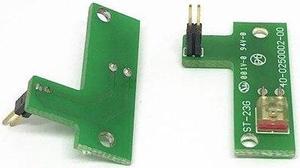
sensor transmitter paper gap sensor sensor For 245 TTP 343 247 345 (up)
Quick View
barcode printer accessories black label sensor paper sensor For TTP 384M(black label sensor)
Quick View
  •  
  • $306.99 
  • Free Shipping
sensor transmitter paper gap sensor sensor For 245 TTP 343 247 345 (down)
Quick View
paper sensor For TTP 384M barcode printer accessories black label sensor paper sensor
Quick View
  •  
  • $396.99 
  • Free Shipping
Printer paper sensor For   SR408/SR412/SR424/GT412 printing accessories paper sensor
Quick View
left and right rack bar code machine accessories paper jammer adjustable paper guide buckle For 244 PLUS 243E
Quick View
  •  
  • $306.99 
  • Free Shipping
Hahnemuhle FineArt Baryta Satin Photo Paper (17x22"), 25 Sheets #10641224
Quick View
  •  
  • $219.34 
  • $16.60 Shipping
barcode printer accessories black label sensor paper sensor For TTP 384M(paper sensor)
Quick View
  •  
  • $456.99 
  • Free Shipping
paper sensor For TTP 384M barcode printer accessories black label sensor paper sensor
Quick View
  •  
  • $486.99 
  • Free Shipping
paper supply shaft put label shaft lever For TTP-344MPLUS 644M 346M 2410M 246M
Quick View
  •  
  • $306.99 
  • Free Shipping
Moab Entrada Rag Fine Art Bright White Matte Inkjet Paper, 290gsm, 44"x40' Roll
Quick View
  •  
  • $291.39 
  • $25.35 Shipping
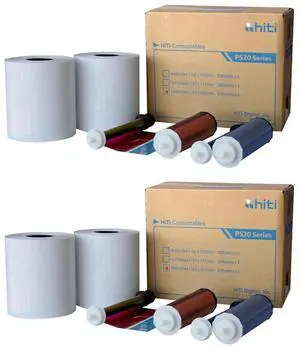
DNP 4x6" Paper and Ink Roll Media Set for IDW500 Printer, 350 Prints (2-Pack)
Quick View
  •  
  • $329.98 
  • $19.10 Shipping

Choosing the Right Printer for Your Office Needs

When it comes to office solutions, printers and scanners are essential tools for any business. Whether you need to print important documents, scan invoices, or create professional-quality marketing materials, having the right equipment is crucial. In this article, we will explore the different types of printers and scanners available in the market and provide tips on how to choose the best one for your office.

All-in-One Printers: Versatility and Convenience

all-in-one printers, also known as multifunction printers, are a popular choice for offices. These devices combine the functionality of a printer, scanner, copier, and sometimes even a fax machine into a single unit. They offer versatility and convenience, allowing you to perform multiple tasks without the need for separate devices. All-in-one printers are available in both inkjet and laser options, catering to different printing needs and budgets.

Specialized Printers for Specific Tasks

In addition to all-in-one printers, there are specialized printers designed for specific tasks. For example, 3D printers are ideal for creating prototypes or intricate models, while barcode and label printers are perfect for businesses that require efficient inventory management. laser printers are known for their fast printing speeds and high-quality output, making them suitable for offices with high-volume printing needs. inkjet printers, on the other hand, are more cost-effective and can produce vibrant color prints.

Choosing the Right Supplies

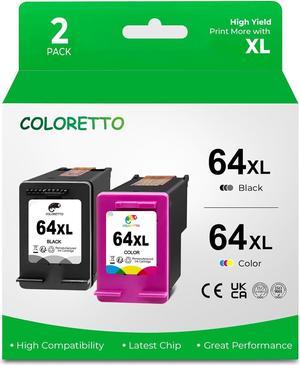
Once you have selected the right printer for your office, it is important to choose the right supplies to ensure optimal performance and longevity. When it comes to inkjet printers, using high-quality ink cartridges is essential to achieve the best print quality and prevent clogging. For laser printers, it is important to choose the right type of toner cartridges that are compatible with your printer model. Additionally, investing in high-quality paper can make a significant difference in the final print results.

FAQs: Common Questions about Printers and Scanners

Q: How often should I replace the ink cartridges?A: The frequency of replacing ink cartridges depends on your printing volume. However, it is recommended to replace them when the print quality starts to degrade.
Q: Can I use third-party ink cartridges with my printer?A: While it is possible to use third-party ink cartridges, it is important to ensure compatibility with your printer model. Using incompatible cartridges may result in poor print quality or damage to the printer.
Q: How do I clean the scanner glass?A: To clean the scanner glass, use a soft, lint-free cloth slightly dampened with glass cleaner. Gently wipe the glass surface to remove any smudges or debris.
Q: What is the difference between optical and interpolated resolution in scanners?A: Optical resolution refers to the actual hardware resolution of the scanner, while interpolated resolution is achieved through software enhancements. Optical resolution provides more accurate and detailed scans.
Q: How can I improve the scanning speed?A: To improve scanning speed, reduce the scanning resolution, use black and white mode instead of color, and ensure that the scanner is connected to a high-speed USB port.