

Your Browsing History
- In Stock
- Sold by Newegg
- Make an Offer
- New

Any questions? Our AI mode will help you find out quickly.
Try me now
Quick View
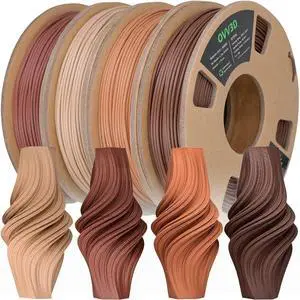
OVV3D Wood 3D Printer Filament Bundle, Wood PLA Filament 1.75mm Bundle, Add More Than 30% Real WoodFiber, Walnut, Oak, Cherry, Teak, 1.75 PLA Filament 3D Printing Filament, 200g X 4 Pack
- Diameter: 1.75
- Color: 4 Pack Wood Bundle
- Brand: OVVNYXE
- Weight: 1.32 kilograms
- Model #: 122658003696
- $51.99 –
- Free Shipping
Quick View
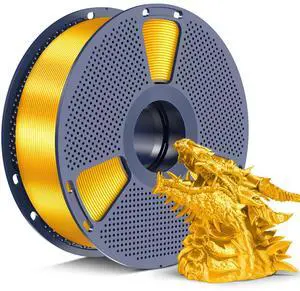
SUNLU Silk PLA+ Filament 1.75mm, Chrome Like Gloss Finish, Smooth Silk Texture, Upgraded Formula for Stable Printing, 1kg(2.2lbs) PLA Plus 3D Printer Filament, Gold
- Material: Polylactic Acid
- Diameter: 1.75
- Color: A-silkpla-gold
- Brand: YOOPAI
- Model #: 072413442847
- $38.99 –
- Free Shipping
Quick View
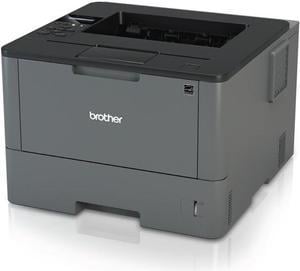
Brother HL-L5000D -Business Monochrome Laser Printer with Duplex Printing and Parallel Interface
- Output Capacity, std.: 150 sheets
- Black Print Quality: 1200 x 1200 dpi
- Cartridges Compatible: TN-820 TN-850
- Part Number: HL-L5000D
- Model #: HL-L5000D
- $383.58 –
- More options from $250.00 - $398.56
- Free Shipping

Quick View
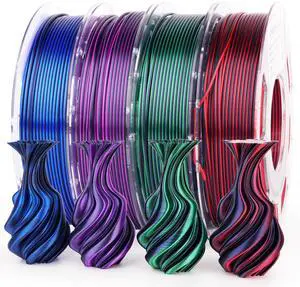
Silk PLA 3D Printer Filament Bundle, Shiny Dual Color PLA Filament 1.75mm Pack, Color Change PLA 3D Printing Filament for Most FDM 3D Printer, Black Series 200g X 4 Spools
- Material: PLA
- Diameter: 1.75
- Color: Dual Black Purple/Black Red/Black Green/Black Blue
- Brand: AMOLEN
- Model #: 281119690759
- $51.99 –
- Free Shipping
Quick View
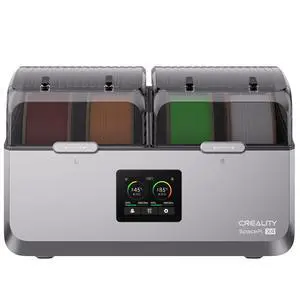
Creality SpacePi X4 Filament Dryer, 4 Spools dry and print, Dual Independent Heating Chambers
- Brand: Creality
- Type: Filament Dryer
- Compatible System: Large size for 1kg/2kg spools. Works perfectly with all standard filament diameters 1.75/2.85mm.
- Features: Housing Material: ABS/PA/PC Flame Retardant Grade: UL 94 V-0 Temperature Range: 45-85? Drying Time: 1-48h Applicable Filament: Spool Diameter = 200mm, width = 150mm, wire diameter:1.75/2.85mm
- Model #: 4005010102
- $199.00 –
- Free Shipping
Quick View
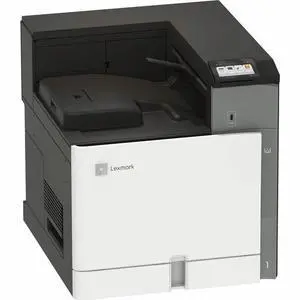
Lexmark CS963e Wired/Wireless Color Laser Printer - TAA Compliant - 55 ppm Mono / 55 ppm Color - 4800 dpi Print - Automatic Duplex Print - 700 Sheets Input - Ethernet - Wireless LAN (20L8050)
- Black Print Speed: Up to: Black: 55 ppm2 (Letter)
- Black Print Quality: 1200 dpi x 1200 dpi
- Brand: Lexmark
- Part Number: 20L8050
- Model #: 20L8050
- $4,439.99 –
- More options from $4,439.99 - $4,867.99
- Free Shipping
Quick View

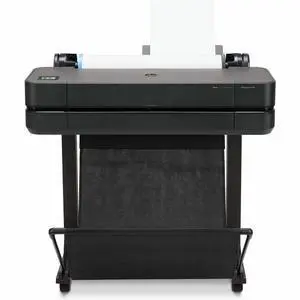
- Black Print Speed: 30 Second
- Black Print Quality: 2400 x 1200
- Brand: HP
- Series: Designjet
- Model #: 5HB09D#B1K
- $1,599.99 –
- Free Shipping

Quick View
- Recommended Use: Workgroup
- Output Capacity, std.: 150-sheet output bin
- Black Print Speed: Letter: Up to 29 ppm Black A4: Up to 27 ppm Black Print speed (Landscape, A5): Up to 49 ppm Black
- Black Print Quality: Up to 600 x 600 dpi
- Model #: 3PZ95ABGJ
- $759.99 –
- More options from $759.99 - $999.40
- $21.16 Shipping
Quick View
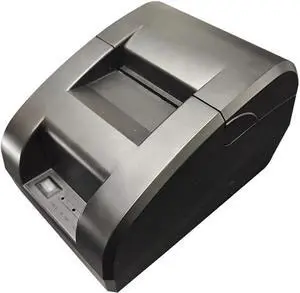
Ticket Machines Thermal Printers Orders Flight Tickets Takeout Supermarkets, Restaurants, Etc
- Model #: ENGEB0GRSWD3K4
- $559.99 –
- Free Shipping
Quick View
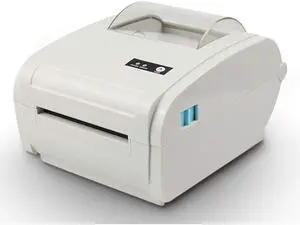
Multifunction Desktop 110mm Thermal Paper Printer Barcode Label BT Communication Interface Maker
- Model #: HANZB0GRHHJ5XK
- $840.99 –
- Free Shipping
Quick View
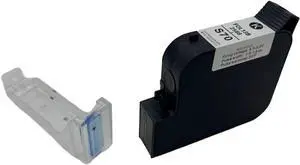
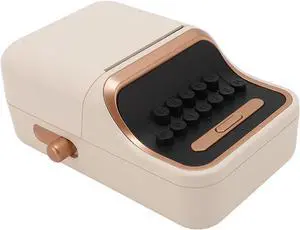
BT Label Printer, BT Thermal Printer, Portable Vintage Style, 30 to 52mm Label, Portable Thermal Label Printer for Office Business Home
- Model #: ENGEB0DPJ38RFY
- $71.99 –
- Free Shipping
Quick View
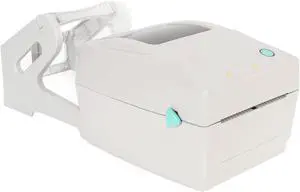
Thermal Printer 100x150MM A6 Label Printer for Shipping
- Model #: CHIPB0DHXKJJ78
- $191.99 –
- Free Shipping
Quick View
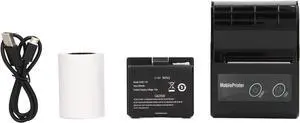
Receipt Printer Smartphone Controlled Thermal Label Printer with 200dpi Resolution and 1 Roll of Printer Paper
- Model #: CHIDB0CS612ZS2
- $74.99 –
- Free Shipping
Quick View
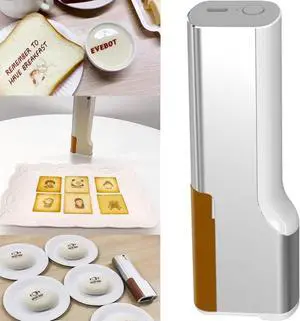
Mini Food Printer - Coffee Printer Latte Art Printer,Handheld Food PrintPen, Food Printer,Printer Pen & Edible Inkjet Printer,Food Machine PrintPen in Bread Cake,Brown
- Model #: CHIPB0D7Y33CKW
- $671.99 –
- Free Shipping
Quick View
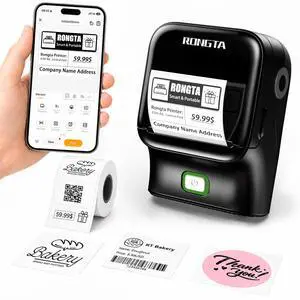
Bluetooth Label Maker Machine, Thermal Label Printer Easy to Use for Office, Home, Business, Came with 1 Roll 2x1.18 inch White Label(Black)
- Brand: Honeywell
- Part Number: 2 Inch Label Maker-R22A
- Print Technology: Direct Thermal
- Printer Type: Desktop
- Model #: 134452532301
- $51.99 –
- Free Shipping
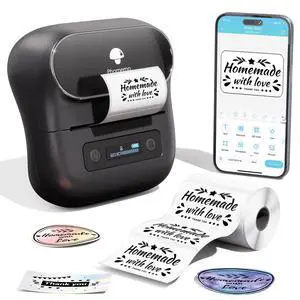
Quick View
Label Maker,M220 Label Printer,3 Inch Bluetooth Thermal Label Maker Machine with 7900+ Icons,1900+ Templates,550+ Fonts,for Kids School Items,Small Business,Large Sticker
- Brand: Honeywell
- Part Number: M220
- Print Technology: Direct Thermal
- Printer Type: Desktop
- Model #: 534076667504
- $67.99 –
- Free Shipping
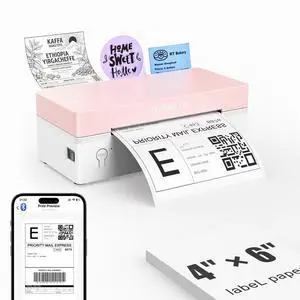
Quick View
4x6 Bluetooth Thermal Label Printer, Wireless Shipping Label Printers for Shipping Packages Small Business Office or Home, Compatible with iPhone Android iPad macOS Windows, Pink
- Brand: Honeywell
- Part Number: RP425-WH
- Cutter: Rewind
- Ribbon Characteristics: Thermal
- Model #: 673041779690
- $68.99 –
- Free Shipping
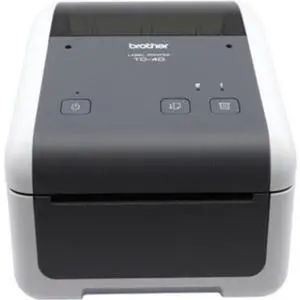
Quick View
Brother TD4420DN 4.3 Direct Thermal Monochrome Desktop Label Receipt Printer - 203dpi - 8ips (TD4420DN)
- Brand: Brother Mobile Solutions
- Part Number: TD4420DN
- Print Technology: Direct Thermal
- Printer Type: Desktop
- Model #: TD4420DN
- $368.73 –
- More options from $368.73 - $577.24
- Free Shipping
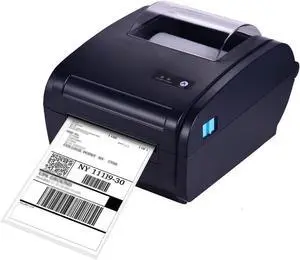
Quick View
Thermal Label Printer for 4x6 Shipping Package Label 160mm/s &BT Connection Printer Label Maker Sticker Max.110mm Paper Width
- Model #: ENGEB0GQLZRWHN
- $875.99 –
- Free Shipping
Quick View
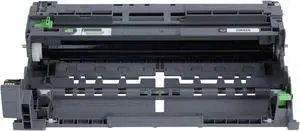
Brother Drum Unit DR925
- Part Number: DR925
- Compatible Products: HL-L5215DW, HL-L6415DW, HL-L6415DWT, HL-EX415DW
- Model #: DR925
- $273.49 –
- More options from $260.49 - $360.91
- Free Shipping
Quick View
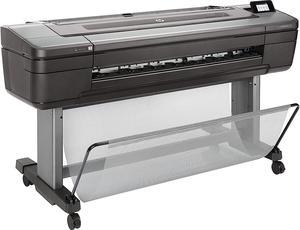
- Black Print Quality: 2400 x 1200 dpi
- Cartridges Compatible: Pigment-based
- Part Number: W3Z71A#B1K
- Functions: Print
- Model #: W3Z71A#B1K
- $4,395.00 –
- Free Shipping
Quick View
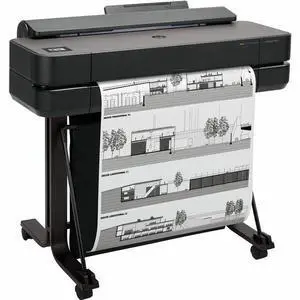
- Brand: HP
- Series: Designjet
- Part Number: 5HB08T#B1K
- Print Technology: InkJet
- Model #: 5HB08T#B1K
- $2,325.00
- $1,967.99 –
- Save: $357.01 (15%)
- $33.34 Shipping
Quick View
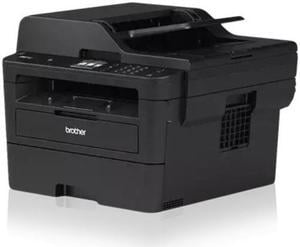
Brother MFC-L2820DW XL Wireless All-in-One Monochrome Laser Printer with High-Yield Toner (4200 Pages)
- Cartridges Compatible: TN830, TN830XL, TN830XL 2PK, DR830
- Display: 2.7 in.
- Scan Resolution, Optical: 600 dpi
- Windows Compatible: Windows 10 Education; Windows 10 Enterprise; Windows 10 Home; Windows 10 Pro; Windows 11; Windows 11 Home; Windows 11 Pro; Chrome OS; Mac OS
- Model #: MFC-L2820DW XL
- $354.01 –
- More options from $354.01 - $564.99
Quick View
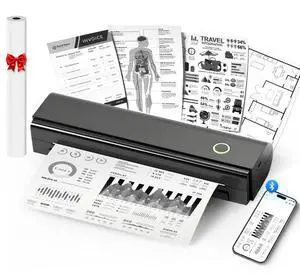
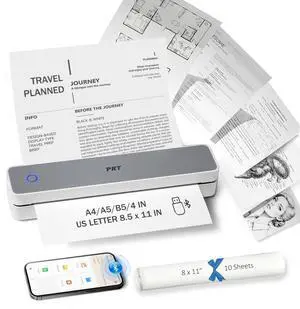
Portable Printers Wireless for Travel, N80 Wireless Thermal Printer Bluetooth Inkless Printer Support 8.5" X 11" US Letter & A4, Compatible with iOS, Android, Laptop
- Brand: NDYIN
- Series: N80
- Color: Black
- Print Technology: Thermal
- Model #: 111377817009
- $63.99 –
- More options from $63.99 - $65.99
- Free Shipping
Quick View
Brother TD-4550DNWB 4.3” Desktop Wireless Network Direct Thermal Label, Tag, Wristband, and Receipt Printer, 300 dpi, USB, Serial, Ethernet LAN, Wi-Fi WLAN, Bluetooth BLE, MFi, Tear Up, Peeler, Cutter
- Printer Type: Desktop
- Memory: 64MB Flash
- Cutter: Cutter
- Interface: Bluetooth / Ethernet / Serial / USB / WiFi
- Model #: TD4550DNWB
- $426.08 –
- More options from $426.08 - $660.27
- Free Shipping
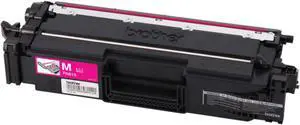
Quick View
Brother TN815M Original Super High (XXL Series) Yield Laser Toner Cartridge - Magenta
- Part Number: TN815M
- Cartridge Quantity: 1
- Compatible Products: HL-L9430CDN HL-L9470CDN MFC-L9630CDN MFC-L9670CDN.
- Approximate Page Yield: 12000 Pages
- Model #: TN815M
- $311.29 –
- More options from $311.29 - $320.55
- $2.99 Shipping
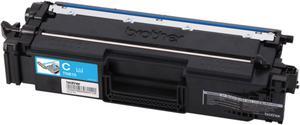
Quick View
Brother TN815C Original Super High (XXL Series) Yield Laser Toner Cartridge - Cyan
- Part Number: TN815C
- Cartridge Quantity: 1
- Compatible Products: Brother Printers: HL-L9430CDN HL-L9470CDN MFC-L9630CDN MFC-L9670CDN.
- Approximate Page Yield: 12000 Pages
- Model #: TN815C
- $311.99 –
- More options from $311.29 - $320.55
- $2.99 Shipping
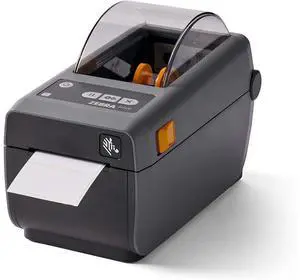
Quick View
ZD41022-D01E00EZ ZD410 Direct Thermal Desktop Printer Print Width of 2 in USB Ethernet Connectivity ZD41022-D01E00EZ
- Model #: D01E00EZ
- $299.00 –
- Free Shipping
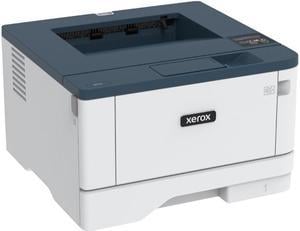
Quick View
Xerox B310/DNI Monochrome Laser Printer
- Output Capacity, std.: 150 sheets
- Black Print Quality: 600 x 600 dpi
- Functions: Print Only
- Time To First Page (seconds): As fast as 5.9 seconds (black and white)
- Model #: B310/DNI
- $416.60 –
- More options from $379.99 - $568.62
- Free Shipping
Quick View
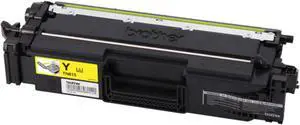
Brother TN815Y Original Super High (XXL Series) Yield Laser Toner Cartridge - Yellow
- Part Number: TN815Y
- Cartridge Quantity: 1
- Compatible Products: HL-L9430CDN HL-L9470CDN MFC-L9630CDN MFC-L9670CDN
- Approximate Page Yield: 12000 Pages
- Model #: TN815Y
- $311.29 –
- More options from $311.29 - $320.55
- $2.99 Shipping
Choosing the Right Printer for Your Office Needs
When it comes to office solutions, printers and scanners are essential tools for any business. Whether you need to print important documents, scan invoices, or create professional-quality marketing materials, having the right equipment is crucial. In this article, we will explore the different types of printers and scanners available in the market and provide tips on how to choose the best one for your office.
All-in-One Printers: Versatility and Convenience
all-in-one printers, also known as multifunction printers, are a popular choice for offices. These devices combine the functionality of a printer, scanner, copier, and sometimes even a fax machine into a single unit. They offer versatility and convenience, allowing you to perform multiple tasks without the need for separate devices. All-in-one printers are available in both inkjet and laser options, catering to different printing needs and budgets.
Specialized Printers for Specific Tasks
In addition to all-in-one printers, there are specialized printers designed for specific tasks. For example, 3D printers are ideal for creating prototypes or intricate models, while barcode and label printers are perfect for businesses that require efficient inventory management. laser printers are known for their fast printing speeds and high-quality output, making them suitable for offices with high-volume printing needs. inkjet printers, on the other hand, are more cost-effective and can produce vibrant color prints.
Choosing the Right Supplies
Once you have selected the right printer for your office, it is important to choose the right supplies to ensure optimal performance and longevity. When it comes to inkjet printers, using high-quality ink cartridges is essential to achieve the best print quality and prevent clogging. For laser printers, it is important to choose the right type of toner cartridges that are compatible with your printer model. Additionally, investing in high-quality paper can make a significant difference in the final print results.
FAQs: Common Questions about Printers and Scanners
| Q: How often should I replace the ink cartridges? | A: The frequency of replacing ink cartridges depends on your printing volume. However, it is recommended to replace them when the print quality starts to degrade. |
|---|---|
| Q: Can I use third-party ink cartridges with my printer? | A: While it is possible to use third-party ink cartridges, it is important to ensure compatibility with your printer model. Using incompatible cartridges may result in poor print quality or damage to the printer. |
| Q: How do I clean the scanner glass? | A: To clean the scanner glass, use a soft, lint-free cloth slightly dampened with glass cleaner. Gently wipe the glass surface to remove any smudges or debris. |
| Q: What is the difference between optical and interpolated resolution in scanners? | A: Optical resolution refers to the actual hardware resolution of the scanner, while interpolated resolution is achieved through software enhancements. Optical resolution provides more accurate and detailed scans. |
| Q: How can I improve the scanning speed? | A: To improve scanning speed, reduce the scanning resolution, use black and white mode instead of color, and ensure that the scanner is connected to a high-speed USB port. |