

Your Browsing History
- Sold by Newegg
- Make an Offer
- New

Any questions? Our AI beta will help you find out quickly.
Try me now
Quick View
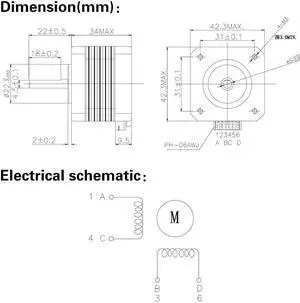
(Pack of 4pcs) NEMA17 Stepper Motor High Torque Bipolar DC Step Motor Kit by MOTOU
- Model #: 433330052607ComputerzoneGANG
- $64.89 –
- Free Shipping
Quick View
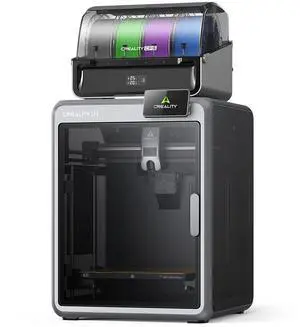
Creality K2 Combo 3D Printer + CFS, 600mm/s, 260x260x260mm Build Volume, Dual AI Cameras, Auto Leveling, Compatible PLA PETG ABS PLA-CF
- Brand: Creality
- Type: 3D Printer
- Number of Extruders: Dual-gear direct drive extruder
- Build Size: Build Volume: 260 x 260 x 260 mm
- Model #: 1002110058
- $699.00 –
- Free Shipping
Quick View
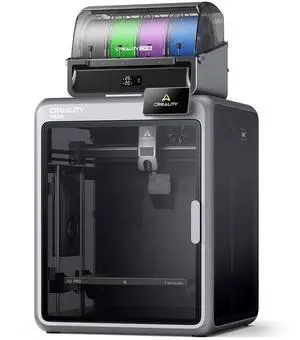
Creality K2 Pro Combo 3D Printer + CFS, 600mm/s, 300x300x300mm Build Volume, Active Chamber Heating, Dual AI Cameras, Auto Leveling, ABS/ASA/PLA-CF Ready
- Brand: Creality
- Type: 3D Printer
- Build Size: Build Volume: 300 x 300 x 300 mm
- Features: K2 PRO SPECIFICATIONS: Printing Technology: Fused Deposition Modeling Build Volume: 300 x 300 x 300 mm Printing Speed: Max 600 mm/s Acceleration: Max 20000 mm/s2 Printing Accuracy: 100±0.1 mm Layer Height: 0.05-0.3 mm Extruder: Dual-gear direct drive extruder Filament Diameter: 1.75 mm Nozzle Diameter: 0.4 mm Nozzle Temperature: Max 300 °C Heatbed Temperature: Max 110 °C Chamber Temperature: Max 60°C Build Plate: Flexible PEI build plate Leveling Mode: Full-auto leveling XYE Motor: Step-servo motors for XY axis and extruder File Transfer: USB Drive/Ethernet/WiFi File Storage: 32GB EMMC RFID Sensor Printer: Included Rated Voltage: 100-240V ~ AC 50/60 Hz Display Screen: 4" color touch screen Rated Power: 1300W Supported Filaments: PLA...
- Model #: 1002110056
- $1,049.00 –
- Free Shipping
Quick View
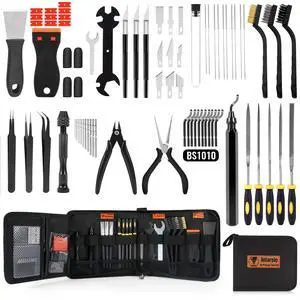
68Pcs 3D Printer Tools Kit with Storage Case, 3D Printer Accessories - Deburring Tool, 3D Printer Removing Scrapers, Metal Files, Brushes, Hand Drill, Tweezers, for Bambu Lab, Ender 3, Kobra, etc.
- Brand: Creality
- Part Number: 3D-TK001-DD-430
- Color: Black
- Type: Filament
- Model #: 492944648935
- $66.95 –
- Free Shipping
Quick View
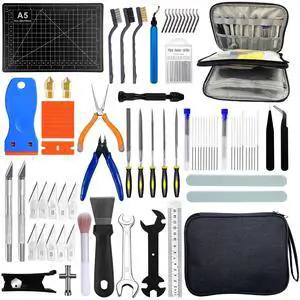
91PCS 3D Printer Tools Kit, 3D Printing Tool Set with Nozzle Cleaning, Removal, Deburring, Finishing Tools, Complete Post-Processing Tool Kit for 3D Printers for FDM & SLA Printers
- Brand: Creality
- Part Number: 3D Printer Tool Kit 01
- Specification: metal and high-density plastic, 9 L x 6 W x 1.6 H inches, 2 pounds, 3DPTK-91, 3D Printer Tool Kit 01
- Features: metal and high-density plastic, PLA, ABS, PETG, Resin, FDM & SLA Printers, Brass
- Model #: 314311727854
- $58.34 –
- Free Shipping
Quick View
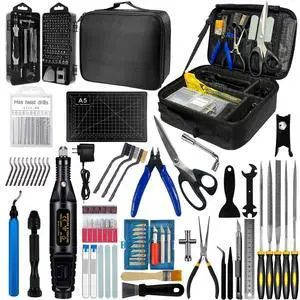
212Pcs 3D Printer Tool Kit with 3D Printer Accessories Bring Tool Box Includes Deburring Ideal for Disassembly Cleaning and Precision Machining Toolboxes
- Brand: Creality
- Part Number: PJ01
- Type: Filament
- Compatible System: 212pcs Tools with Oxford bag
- Model #: 084398022518
- $75.99 –
- Free Shipping
Quick View
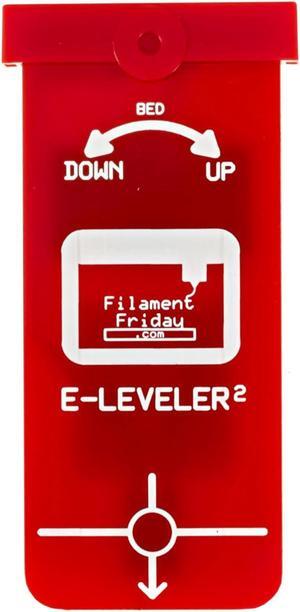
E-Leveler 2 - The Original 3D Printer Electronic Bed Leveling Tool
- Model #: vfrtR302951372138
- $49.48 –
- Free Shipping
Quick View
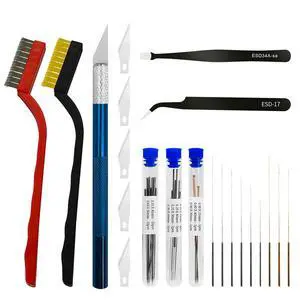
42Pcs 3D Printer Nozzle Cleaning Tool Kit, 0.15/0.20/0.25/0.30/0.35/0.4/0.5/0.6/0.8 mm Nozzle Cleaner Needles,3D Printer Extruder Hotend Cleaning Brush with Tool Bag, for Bambu Lab, Ender3/Kobra
- Brand: Creality
- Part Number: S-TOOL KIT
- Color: Black
- Type: Filament
- Model #: 241802033920
- $24.89 –
- Free Shipping

Quick View
68Pcs 3D Printer Tools Kit with Storage Case, 3D Printer Accessories - Deburring Tool, 3D Printer Removing Scrapers, Metal Files, Brushes, Hand Drill, Tweezers, for Bambu Lab, Ender 3, Kobra, etc.
- Brand: Creality
- Part Number: 3D-TK001-DD-430
- Color: Black
- Type: Filament
- Model #: 737840282159
- $64.99 –
- Free Shipping
Quick View
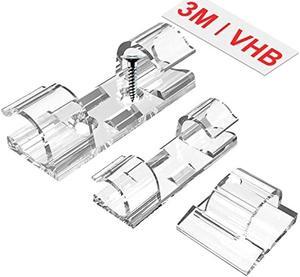
TidyHelper Outdoor Light Clips (Assorted Sizes, 60 PCS), Adhesive Cable Cord Organizer for Wall, Clear Wire Holder Electric Wires, PC Management Under Desk, Christmas LED M&L
- Connector Type: type
- Model #: 603904578710625
- $25.94 –
- Free Shipping
Quick View
E-Leveler 2 - The Original 3D Printer Electronic Bed Leveling Tool
- Model #: 433330049577ComputerzoneGANG
- $48.89 –
- Free Shipping
Quick View
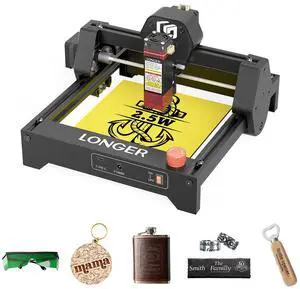
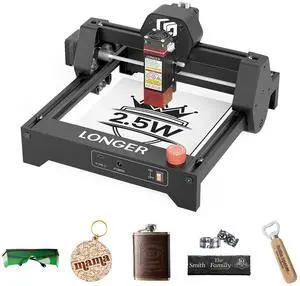
LONGER Ray5 mini 2.5W Laser Engraver and Portable Laser Engraver, 0.04mm Laser Spot, 12000mm/min, Desktop Laser Engraver, Ideal for DIY Projects on Wood, Metal, Acrylic, Leather, and More
Limited time offer, ends 07/23
- Model #: Ray5 mini 2.5W
Quick View
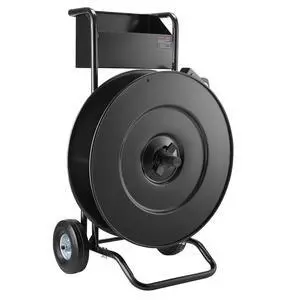
Banding Strapping Cart, for PET/PP Coils with 8" or 16" Core, Heavy Duty Strapping Dispenser with Upgrade Drum Brake System, Rubber Wheels and Built-in Spacious Tool Tray, 110 lbs Capacity
Limited time offer, ends 08/02
- Model #: 366948214504
- $600.99
- See price in cart
- Free Shipping
Quick View
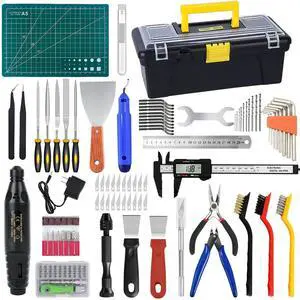
135PCS 3D Printer Tools & Accessories Kit with Tool Box for 3D Printer Modeler Basic Tools Diverse,Including Nozzle Cleaning Kit,Polishing Machine,Deburring Tool for Remove/Trim and Finish 3D Print
- Brand: Creality
- Part Number: JKH-US-XJ020
- Type: Filament
- Compatible System: 135PCS
- Model #: 224130595735
- $64.99 –
- Free Shipping
Quick View
E-Leveler 2 - The Original 3D Printer Electronic Bed Leveling Tool
- Model #: EQWER462277172246
- $49.88 –
- Free Shipping
Quick View
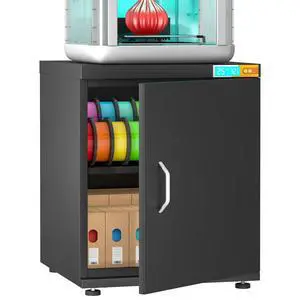
3D Printer Stand for H2C,P1S,Filament Storage,25% RH Control Filament Moisture-Proof Dehumidification Cabinet 40 Rolls 3D Printing Sealing and Protection for PLA/ABS/TPU/Nylon (Black 180L)
Limited time offer, ends 08/02
- Model #: 912602632841
- $499.99
- See price in cart
- Free Shipping
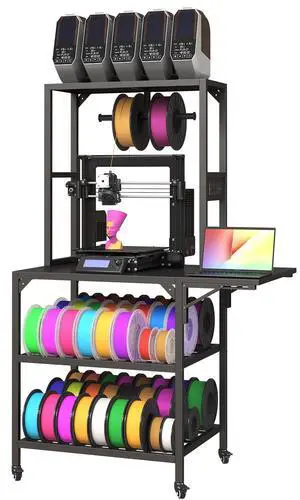
Quick View
3D Printer Stand, Heavy Duty 3D Printer Table Stand with Filament Storage Rack, T-Shaped Spools Holder Rack with Wheels,3D Printer Workbench for 3D Printing Studio
Limited time offer, ends 08/04
- Model #: 321469741366
- $259.99
- See price in cart
- Free Shipping
Quick View
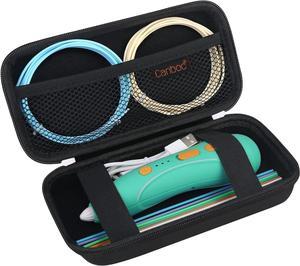
Canboc Hard Case for 3Doodler Start+ Essentials (2024) 3D Pen Set for Kids, 3D Pens Storage Organizer Carrying Holder, Mesh Pocket fit 3Doodler Start Plastic Filaments, USB Cable, Black (CASE ONLY)
- Model #: 433330052812ComputerzoneGANG
- $25.89 –
- Free Shipping
Quick View
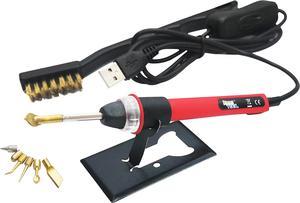
KINGTOOL 3D Printer Accessories Tool Kit, 3D Printing/Modify Finishing Tool, Cleaning Needle, Scarper, (USB Powered) (Scarlett)
- Model #: EQWER462277177913
- $58.88 –
- Free Shipping
Quick View
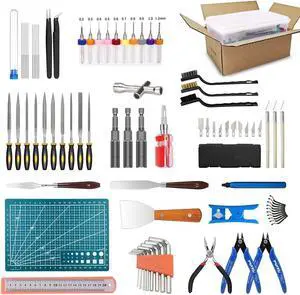
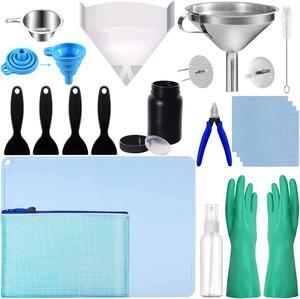
LCD 3D Printer Accessories Resin Tool Kit Includes Stainless Steel Funnel, Resin Filter, Silicone Pad, Photosensitive Resin Bottle, Basic Tools for SLA/DLP Printing
- Model #: EQWER462277172307
- $50.88 –
- Free Shipping
Quick View
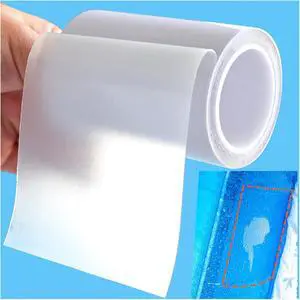
Birllaid Inflatable Patch Repair Kit Waterproof Heavy Duty, Clear TPU Repair Tape for Bounce House, Tent, Canvas, Canopy, Pool Floats, Swimming Ring
- Model #: EQWER462277179092
- $25.88 –
- Free Shipping
Quick View
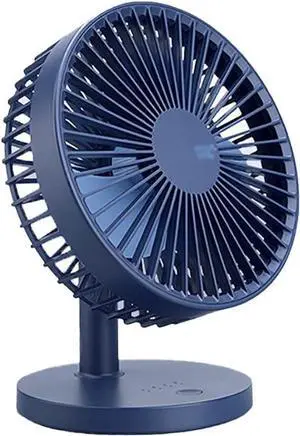
USB Desk Fan Battery Operated Fan 3 Speed Multi-Purpose with Sturdy Clamp for Stylish Kids Girls Women Men Mini Fan (Color : White) (Blue)
- Model #: DEEUB0DTHP9NL8
- $185.99 –
- Free Shipping
Quick View
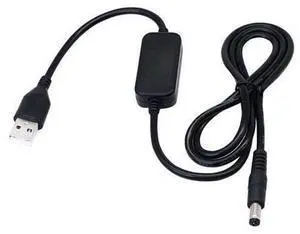
3.28ft USB 5V to DC 12V Converter Step Up Voltage Converter Power Cable,for Camera, Desk lamp, Speakers, Blue Tooth Headset, and Other 5V Devices.(5.5 x 2.1mm)
Limited time offer, ends 07/15
- Model #: BLC73X-616-ZM-663
- $19.98 –
- Free Shipping
Quick View
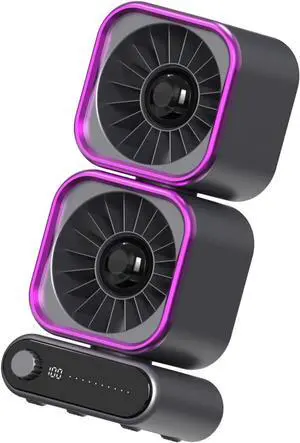
Portable USB Desk Fan with Digital Display and 3 Speeds for Home or Motor Desktop Fan with Type-C Charging and Adjustable Tilt Perfect for Small Spaces
- Model #: DEEUB0H2XFJ6JF
- $90.99 –
- Free Shipping
Quick View
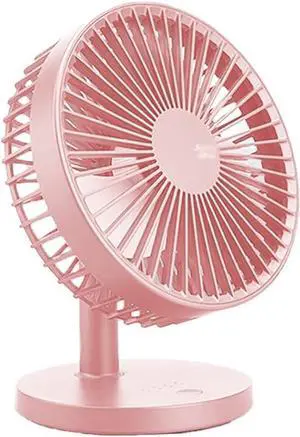
USB Desk Fan Battery Operated Fan 3 Speed Multi-Purpose with Sturdy Clamp for Stylish Kids Girls Women Men Mini Fan (Color : White) (Pink)
- Model #: DEEUB0DTHN9D69
- $185.99 –
- Free Shipping

Quick View
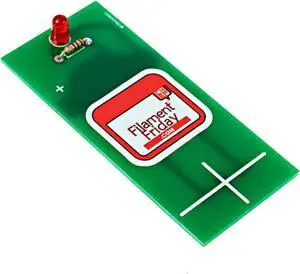
E-Leveler 3D Printer Electronic Bed Leveling Tool
- Model #: 433330051464ComputerzoneGANG
- $39.89 –
- Free Shipping
Quick View
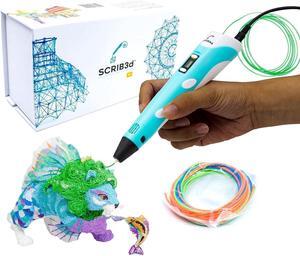
SCRIB3D P1 3D Printing Pen with Display - Includes 3D Pen, 3 Starter Colors of PLA Filament, Stencil Book + Project Guide, and Charger
- Model #: SOYE517526154013WEI
- $69.39 –
- Free Shipping
Choosing the Right Printer for Your Office Needs
When it comes to office solutions, printers and scanners are essential tools for any business. Whether you need to print important documents, scan invoices, or create professional-quality marketing materials, having the right equipment is crucial. In this article, we will explore the different types of printers and scanners available in the market and provide tips on how to choose the best one for your office.
All-in-One Printers: Versatility and Convenience
all-in-one printers, also known as multifunction printers, are a popular choice for offices. These devices combine the functionality of a printer, scanner, copier, and sometimes even a fax machine into a single unit. They offer versatility and convenience, allowing you to perform multiple tasks without the need for separate devices. All-in-one printers are available in both inkjet and laser options, catering to different printing needs and budgets.
Specialized Printers for Specific Tasks
In addition to all-in-one printers, there are specialized printers designed for specific tasks. For example, 3D printers are ideal for creating prototypes or intricate models, while barcode and label printers are perfect for businesses that require efficient inventory management. laser printers are known for their fast printing speeds and high-quality output, making them suitable for offices with high-volume printing needs. inkjet printers, on the other hand, are more cost-effective and can produce vibrant color prints.
Choosing the Right Supplies
Once you have selected the right printer for your office, it is important to choose the right supplies to ensure optimal performance and longevity. When it comes to inkjet printers, using high-quality ink cartridges is essential to achieve the best print quality and prevent clogging. For laser printers, it is important to choose the right type of toner cartridges that are compatible with your printer model. Additionally, investing in high-quality paper can make a significant difference in the final print results.
FAQs: Common Questions about Printers and Scanners
| Q: How often should I replace the ink cartridges? | A: The frequency of replacing ink cartridges depends on your printing volume. However, it is recommended to replace them when the print quality starts to degrade. |
|---|---|
| Q: Can I use third-party ink cartridges with my printer? | A: While it is possible to use third-party ink cartridges, it is important to ensure compatibility with your printer model. Using incompatible cartridges may result in poor print quality or damage to the printer. |
| Q: How do I clean the scanner glass? | A: To clean the scanner glass, use a soft, lint-free cloth slightly dampened with glass cleaner. Gently wipe the glass surface to remove any smudges or debris. |
| Q: What is the difference between optical and interpolated resolution in scanners? | A: Optical resolution refers to the actual hardware resolution of the scanner, while interpolated resolution is achieved through software enhancements. Optical resolution provides more accurate and detailed scans. |
| Q: How can I improve the scanning speed? | A: To improve scanning speed, reduce the scanning resolution, use black and white mode instead of color, and ensure that the scanner is connected to a high-speed USB port. |