


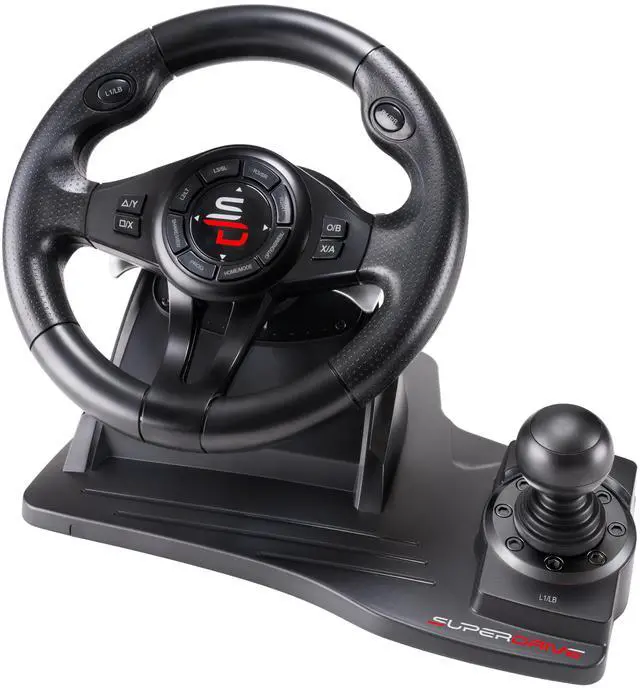


GS550 Drive Pro steering wheel
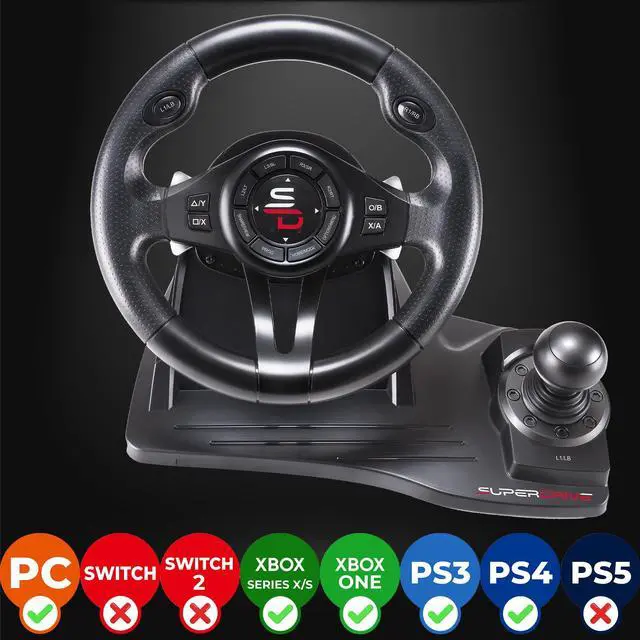
Xbox Serie X / PS4 / Xbox One / PS3 / PC compatible accessory
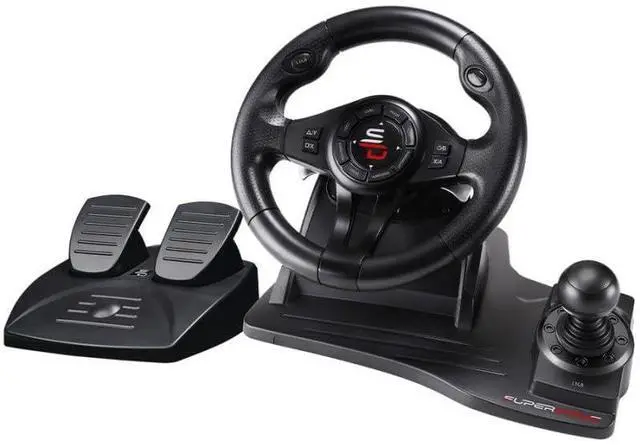
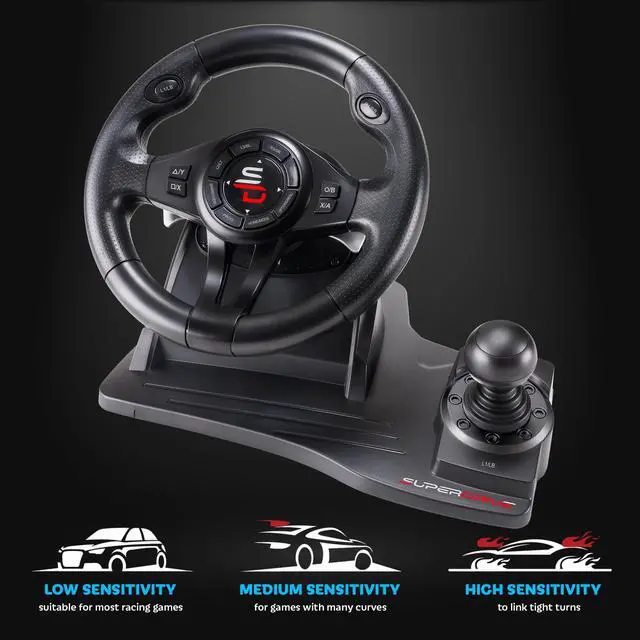
- Steering wheel
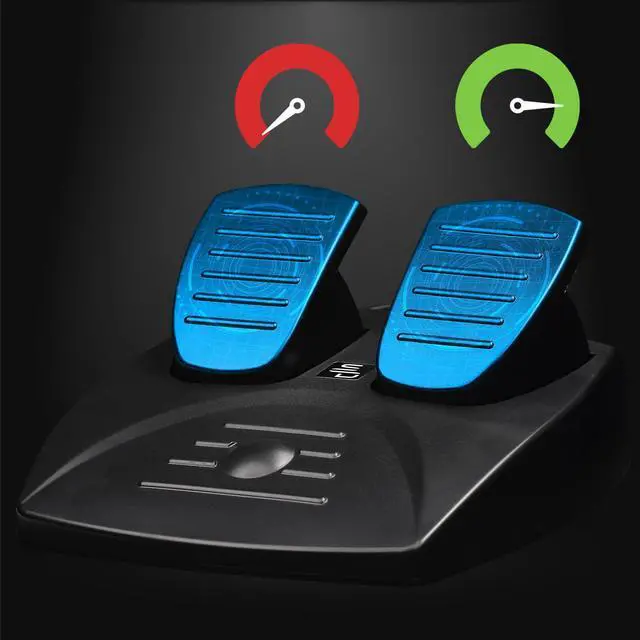
- Pedals
- Gearshifter
- Gear Shift paddle
Compatible with all games:
Program your shuttlecock and play all the racing games:
Gran Turismo Sport / Forza Motorsport 7 / Forza Horizon 5 / Asseto Corsa / Project Cars 2 / Dirt Rally 5 / The Crew 2 / F1 2021 / Drive Club / Need for Speed,
Features:
- 180 ° rotation
- Double vibration motor
- Fully programmable
- Sensitivity adjustment
- Compatible with Xbox Serie X, PS4, Xbox One, PS3, PC
- Gear lever +/-
- Pedals
- Anti-sweaty grip coating
A complete steering wheel

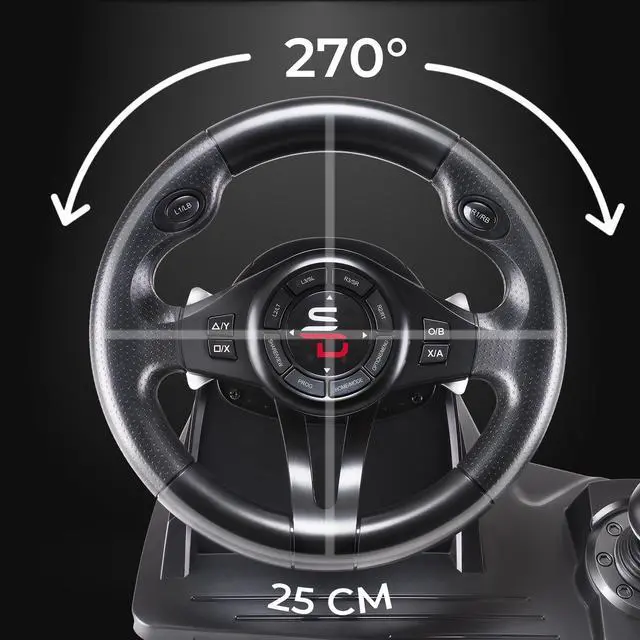
270 ° rotation
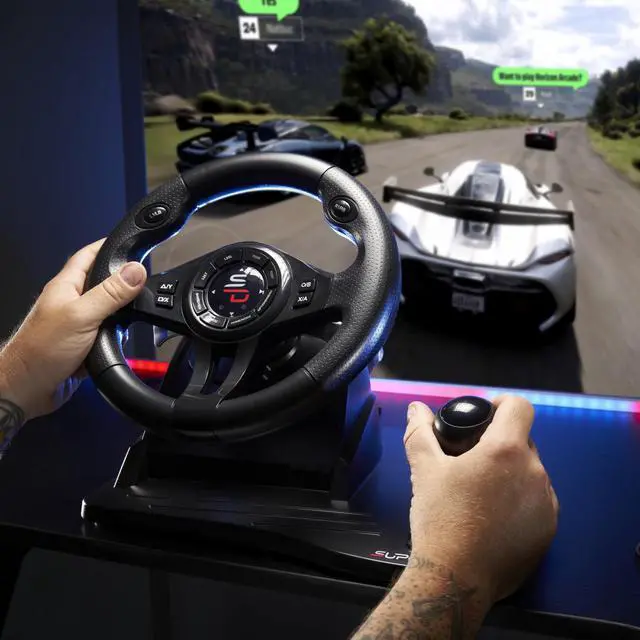
Discover real driving sensations.

Double vibration motor
Live an unforgettable driving experience.

Fully programmable
Program your steering wheel buttons to play any racing game.

3 sensitivity modes
Adapt the sensitivity of the steering wheel to your driving style.
- Arcade
- Pro
- Expert
Unique and immersive game sensations

Speed lever
- Function + / -
- Reverse gear

Gear shift paddles
- Paddles at the back of the steering wheel
- + / - function

Fully programmable
- Gear lever
- Crankset
- Gear shift paddles
- Buttons
- Pedals

Multi-platform compatible:
- Xbox Serie X
- PS4
- Xbox One
- PC
 SV200 |  SV450 |  SV750 |  GS550 |  GS750 |  GS850-X | |
|---|---|---|---|---|---|---|
| Customer Reviews | — | — | — | — | — | — |
| Price | — | — | — no data | — | — | — |
| Steering wheel rotation | 180° | 180° | 270° | 270° | 270° | 270° |
| Pedals | Accelerator pedal, brake pedal | Accelerator pedal, brake pedal | Accelerator pedal, brake pedal | Accelerator pedal, brake pedal | Accelerator pedal, brake pedal | Accelerator pedal, brake pedal, clutch pedal |
| Gear Shift | Paddles +/- | Paddles (+/-) | Paddles (+/-) | Gear shifter (+/-) & Paddles (+/-) | Gear shifter (+/-) & Paddles (+/-) | Manual gear shifter (6 speed + Reverse) & Paddles (+/-) |
| Vibration | no data | no data | Double vibration motor | Double vibration motor | Double vibration motor | Double vibration motor |
| Compatibility | PS4 - XBOX ONE - PC - PS3 - NINTENDO SWITCH | XBOX SERIE X - PS4 - XBOX ONE - PC - NINTENDO SWITCH - PS3 | XBOX SERIE X - PS4 - XBOX ONE - PC - NINTENDO SWITCH - PS3 | XBOX SERIE X - PS4 - XBOX ONE - PC - PS3 | XBOX SERIE X - PS4 - XBOX ONE - PC - PS3 | XBOX SERIE X - PS4 - XBOX ONE |
| Game Compatibility | All games thanks to the key programming function | All games thanks to the key programming function | All games thanks to the key programming function | All games thanks to the key programming function | All games thanks to the key programming function | All games thanks to the key programming function |
| Gaming headset compatible | no data | no data | ? | no data | no data | ? |
| Attachment | Suction cups | Suction cups | Suction cups + Clamping screws | Suction cups | Suction cup + ergonomic shape for the thighs | Suction cups + Clamping screws |
| Compatible Driving Cockpit de simulation | no data | no data | ? | no data | no data | ? |
| Steering wheel size | 8.66" | 9.44" | 11.02" | 9.84" | 10.23" | 11.02" |
Follow the procedure below to connect your steering wheel to the console

Connection on Xbox Serie X, PS4 and Xbox One:
Connection on Xbox Serie X, PS4 and Xbox One:
- Leave your console off and connect your steering wheel to the usb port on the console and to the micro usb port on your controller.
- Turn on your console from the power button (make sure the controller is turned off).
- Once the console is on, press the “Home” button on your steering wheel.
Connect to Nintendo Switch:
- Go to the console's settings
- Then in the "Controllers & sensors" menu
- Activate the option "Cable connection to the pro controller".
- Connect your steering wheel to the usb port on the console dock.
GS550 Drive Pro steering wheel
Xbox Serie X / PS4 / Xbox One / PS3 / PC compatible accessory
- Steering wheel
- Pedals
- Gearshifter
- Gear Shift paddle
Compatible with all games:
Program your shuttlecock and play all the racing games:
Gran Turismo Sport / Forza Motorsport 7 / Forza Horizon 5 / Asseto Corsa / Project Cars 2 / Dirt Rally 5 / The Crew 2 / F1 2021 / Drive Club / Need for Speed,
Features:
- 180 ° rotation
- Double vibration motor
- Fully programmable
- Sensitivity adjustment
- Compatible with Xbox Serie X, PS4, Xbox One, PS3, PC
- Gear lever +/-
- Pedals
- Anti-sweaty grip coating
A complete steering wheel

270 ° rotation
Discover real driving sensations.
Double vibration motor
Live an unforgettable driving experience.
Fully programmable
Program your steering wheel buttons to play any racing game.

3 sensitivity modes
Adapt the sensitivity of the steering wheel to your driving style.
- Arcade
- Pro
- Expert
Unique and immersive game sensations

Speed lever
- Function + / -
- Reverse gear

Gear shift paddles
- Paddles at the back of the steering wheel
- + / - function
Fully programmable
- Gear lever
- Crankset
- Gear shift paddles
- Buttons
- Pedals
Multi-platform compatible:
- Xbox Serie X
- PS4
- Xbox One
- PC
SV200 | SV450 | SV750 | GS550 | GS750 | GS850-X | |
|---|---|---|---|---|---|---|
| Customer Reviews | — | — | — | — | — | — |
| Price | — | — | — no data | — | — | — |
| Steering wheel rotation | 180° | 180° | 270° | 270° | 270° | 270° |
| Pedals | Accelerator pedal, brake pedal | Accelerator pedal, brake pedal | Accelerator pedal, brake pedal | Accelerator pedal, brake pedal | Accelerator pedal, brake pedal | Accelerator pedal, brake pedal, clutch pedal |
| Gear Shift | Paddles +/- | Paddles (+/-) | Paddles (+/-) | Gear shifter (+/-) & Paddles (+/-) | Gear shifter (+/-) & Paddles (+/-) | Manual gear shifter (6 speed + Reverse) & Paddles (+/-) |
| Vibration | no data | no data | Double vibration motor | Double vibration motor | Double vibration motor | Double vibration motor |
| Compatibility | PS4 - XBOX ONE - PC - PS3 - NINTENDO SWITCH | XBOX SERIE X - PS4 - XBOX ONE - PC - NINTENDO SWITCH - PS3 | XBOX SERIE X - PS4 - XBOX ONE - PC - NINTENDO SWITCH - PS3 | XBOX SERIE X - PS4 - XBOX ONE - PC - PS3 | XBOX SERIE X - PS4 - XBOX ONE - PC - PS3 | XBOX SERIE X - PS4 - XBOX ONE |
| Game Compatibility | All games thanks to the key programming function | All games thanks to the key programming function | All games thanks to the key programming function | All games thanks to the key programming function | All games thanks to the key programming function | All games thanks to the key programming function |
| Gaming headset compatible | no data | no data | ? | no data | no data | ? |
| Attachment | Suction cups | Suction cups | Suction cups + Clamping screws | Suction cups | Suction cup + ergonomic shape for the thighs | Suction cups + Clamping screws |
| Compatible Driving Cockpit de simulation | no data | no data | ? | no data | no data | ? |
| Steering wheel size | 8.66" | 9.44" | 11.02" | 9.84" | 10.23" | 11.02" |
Follow the procedure below to connect your steering wheel to the console
Connection on Xbox Serie X, PS4 and Xbox One:
Connection on Xbox Serie X, PS4 and Xbox One:
- Leave your console off and connect your steering wheel to the usb port on the console and to the micro usb port on your controller.
- Turn on your console from the power button (make sure the controller is turned off).
- Once the console is on, press the “Home” button on your steering wheel.
Connect to Nintendo Switch:
- Go to the console's settings
- Then in the "Controllers & sensors" menu
- Activate the option "Cable connection to the pro controller".
- Connect your steering wheel to the usb port on the console dock.