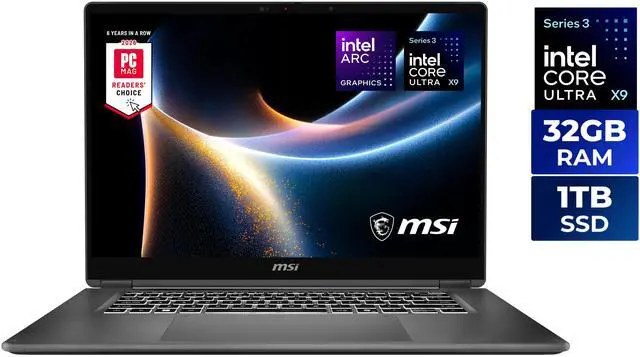
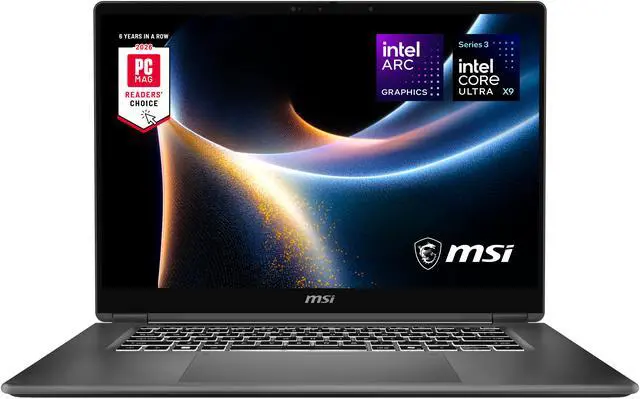
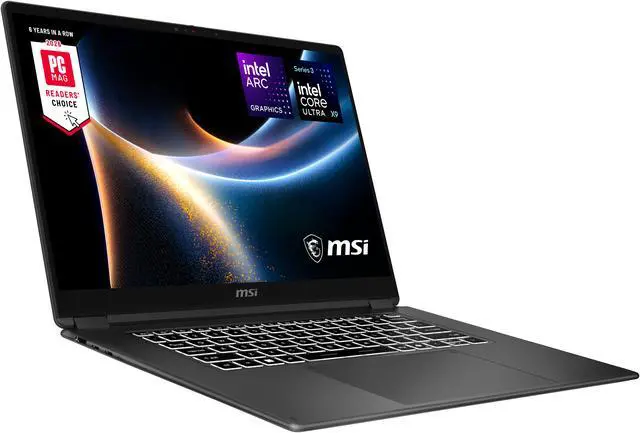
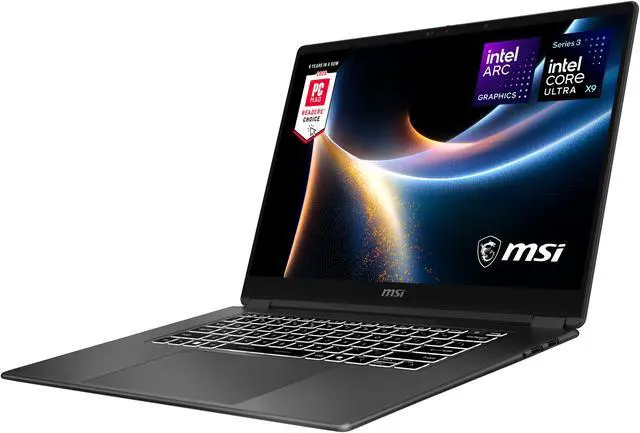
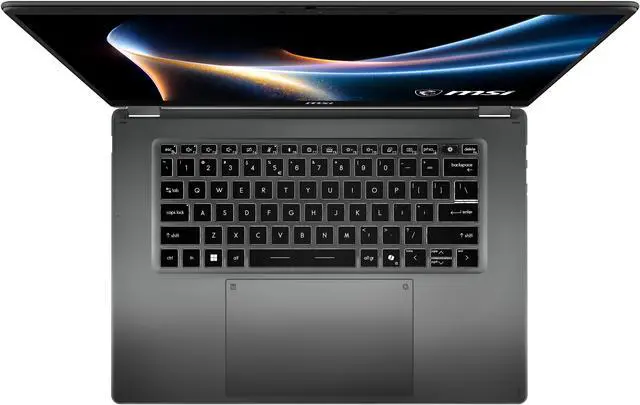
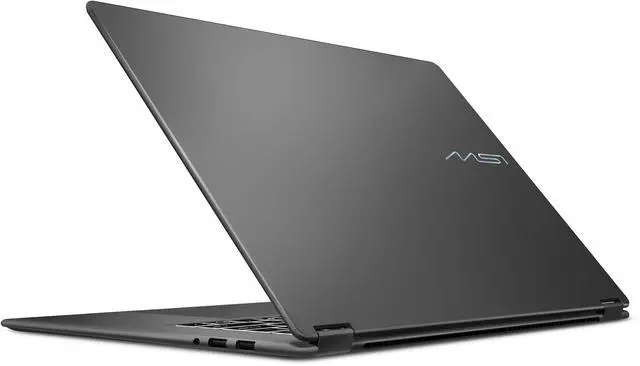
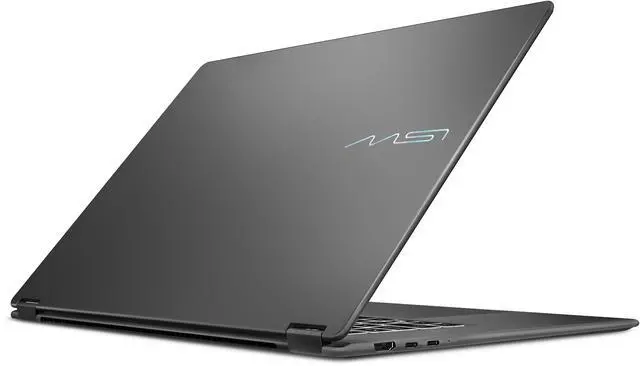
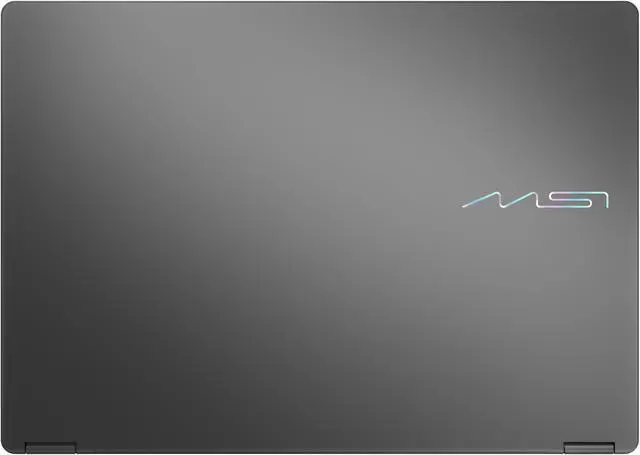
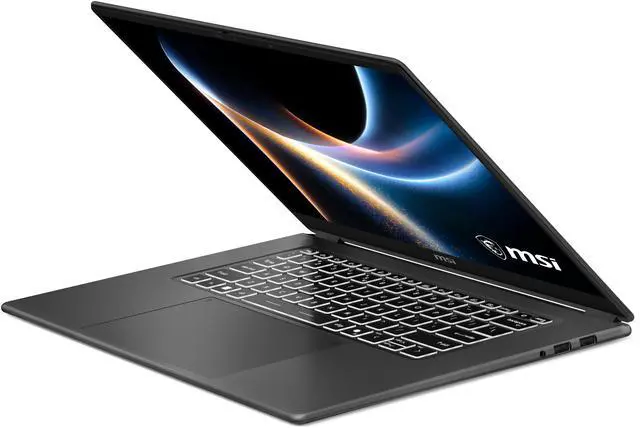
The MSI Prestige 16 Flip AI+ is a 16-inch 2-in-1 OLED touchscreen laptop built for professionals, students, and creators who want a thin, premium system with 32GB RAM, a 1TB SSD, Wi-Fi 7, and flexible pen-enabled use for productivity, note-taking, and everyday creative work.
Recommended For
- Professionals who want one laptop for desk work, travel, presentations, and occasional pen input. MSI positions the Prestige 16 Flip AI+ for business/productivity use, and reviews consistently highlight its slim 16-inch 2-in-1 design, strong port selection, and enough everyday performance for documents, browser-heavy workflows, and video calls.
- Users who spend long days in Office apps, web apps, research tabs, and meetings, but still want a larger screen they can carry. PCWorld found it especially well suited to office tasks and noted roughly full-workday battery in real use, while MSI markets the line as a flagship business/productivity series.
- Creators and note-takers who benefit more from display quality and stylus support than from discrete-GPU speed. The 16-inch 2.8K 120Hz OLED panel, touch support, and included pen make it a practical fit for sketching, markup, visual review, and light photo/video work.
- Buyers who want a 16-inch convertible without stepping up to a heavier workstation-style machine. Reviews describe it as slim and light for its size, which matches community interest from shoppers comparing it against other premium thin-and-light models rather than gaming laptops.
Real-World Use Scenarios
- Working through a full day of email, browser tabs, documents, spreadsheets, and video calls is a natural fit; reviews consistently describe it as smooth for everyday office multitasking, with enough battery life for a typical workday away from an outlet.
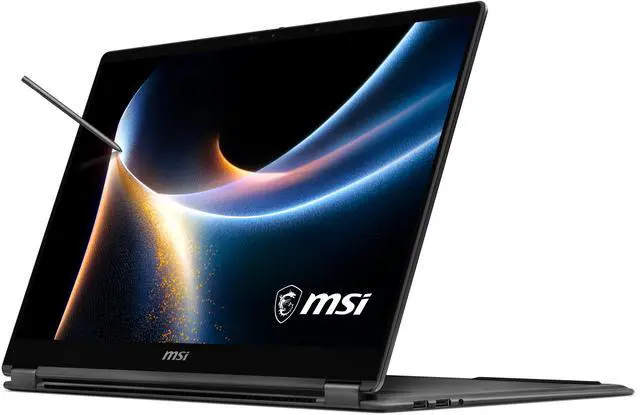
- Using it in tablet, tent, or presentation mode for handwritten notes, sketching ideas, or marking up PDFs makes sense in meetings and classroom-style workflows; the included pen and 360-degree hinge support this kind of annotation-first use better than a standard clamshell laptop.
- Watching movies, reviewing photos, or doing color-sensitive creative work like slide design and light image editing should feel noticeably better than on a basic IPS business laptop, because the OLED touchscreen is repeatedly highlighted as one of the machine’s strongest everyday advantages.
- For light photo edits, short video edits, and content prep on the go, it should be usable and responsive, but long exports or sustained heavy rendering are not its main strength; reviews point to good short-burst performance with quieter tuning rather than top-tier sustained speed.
- It can handle casual or lighter games after work, but it is better suited to short sessions than demanding marathon play; integrated Arc graphics are enough for lighter gaming, while thermal limits in thin 2-in-1 use can reduce frame rates in heavier titles over time.
Spec Summary
| Attribute | Value |
|---|
| Best For | 16" convertible users who need a thin-and-light OLED touchscreen laptop for business, mainstream productivity, entertainment and student use |
|---|
| Processor And Core Count | Intel Core Ultra X9 388H (Intel Core Ultra X9 series) 16-core (4P+12E) processor with 18 MB L3 cache; base ~2.1 GHz, up to 5.1 GHz |
|---|
| GPU And VRAM | Intel Arc integrated graphics using shared system memory (no dedicated video memory listed) |
|---|
| Display Spec | 16.0" touchscreen OLED, 2880 x 1800 native resolution with 120 Hz refresh (external source lists matte finish) |
|---|
| Memory Configuration | 32 GB onboard LPDDR5x 8533 memory (32 GB installed) |
|---|
| Storage And Expansion | 1 TB NVMe M.2 SSD (internal solid-state storage) |
|---|
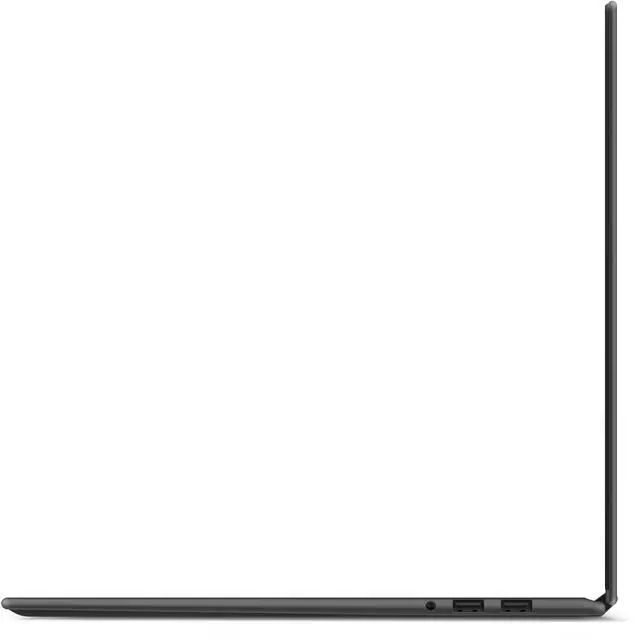
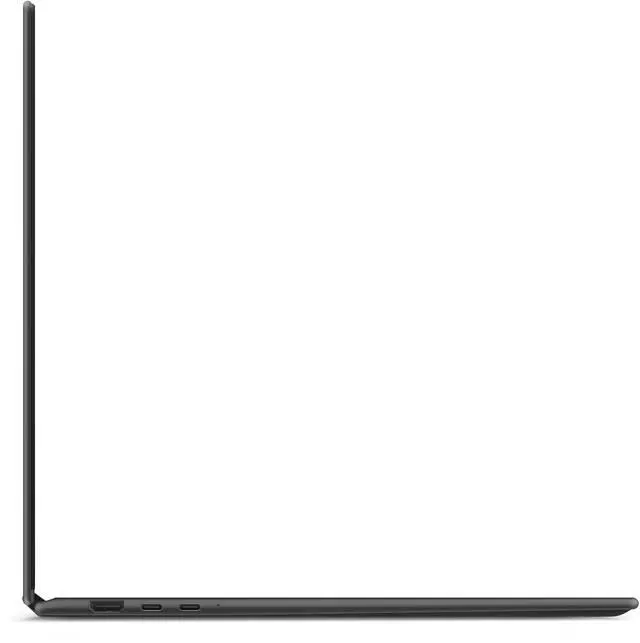
| High Speed I O | 2 x USB 3.2 Gen 2 Type-A, 2 x Thunderbolt 4, 1 x HDMI 2.1, and 1 x headphone/microphone combo jack |
|---|
| Battery And Power | 4-cell 81 Wh lithium‑polymer battery with fast‑charging support; 65-watt AC adapter included |
|---|
| Wired And Wireless Networking | Wi‑Fi 7 (802.11be) wireless LAN and Bluetooth 6.0 |
|---|
| Webcam And Privacy | Front IR FHD RGB webcam (1080p @ 30 fps) with privacy shutter and IR face-recognition support for biometric sign-in |
|---|
| Keyboard And Control | White backlit keyboard with fingerprint reader, Action Touchpad, and touchscreen input; MSI Nano Pen included in box |
|---|
| Audio Setup | Four 2W speakers and built-in microphone(s); headphone/microphone combo jack for external audio |
|---|
| Portability and Chassis | Convertible 2-in-1 thin-and-light design; dimensions 14.08 x 10.01 x 0.55 inches and weight 3.53 lbs |
|---|
| Operating System | Windows 11 Home |
|---|
| Model Identifiers | MSI Prestige 16 Flip AI+ C3MTG-056US (also referenced as PRE16FLIPC3056), 2026 model/edition |
|---|
| Special Features | AI Ready platform features and convertible touchscreen design targeted at business/mainstream use cases |
|---|
Reference Q&A
Q: Should I choose the MSI Prestige 16 Flip AI+ or a Dell XPS 16 for work and everyday creative use?
A: Choose the MSI Prestige 16 Flip AI+ if you want a 16-inch OLED 2-in-1 with pen support, lower weight, and flexible tablet or presentation use. Reviews point to its strong display, long battery life, quiet tuning, and broad port selection for productivity. Choose the Dell XPS 16 if your priority is sustained CPU performance in a traditional clamshell design, since comparative testing shows the XPS 16 can pull ahead under heavier long-duration workloads thanks to more aggressive performance tuning and cooling.
Q: Is the Core Ultra X9 388H version worth buying over a lower-tier Prestige 16 Flip AI+ configuration?
A: Yes, the X9 388H configuration is the better fit if you expect heavier multitasking, more demanding integrated-graphics work, or longer useful life from the system. MSI positions the X9 388H model above Ultra 7 variants, and third-party testing around this platform indicates the newer Arc B390-class integrated graphics is a meaningful step up from older or lower-tier Intel integrated options. If your workload is mainly web, Office, video calls, and note-taking, a lower-tier Prestige 16 Flip AI+ can still make sense and should deliver the same core design, display, and 2-in-1 experience.
Q: Is the MSI Prestige 16 Flip AI+ a better choice than the previous MSI Prestige 16 AI Evo generation?
A: Choose the Prestige 16 Flip AI+ if you specifically want the newer 2-in-1 form factor, OLED touch display, pen support, Wi-Fi 7, and updated AI-focused Intel platform. Choose the older Prestige 16 AI Evo if your goal is simply stronger value in a conventional laptop, because review data on MSI's recent Prestige 16 lineup shows some previous-generation models can remain competitive or even stronger in raw CPU-heavy tasks depending on configuration. The newer Flip model is easier to justify when versatility matters more than chasing the fastest sustained benchmark result.
Q: Should I get the MSI Prestige 16 Flip AI+ or an LG Gram Pro 16 2-in-1 if portability is my top priority?
A: Choose the MSI Prestige 16 Flip AI+ if you want portability without giving up a 120Hz OLED panel, strong ports, and business-oriented features in a 16-inch convertible. Choose the LG Gram Pro 16 2-in-1 if your main goal is the lightest-feeling large-screen convertible and you prefer LG's gram-style emphasis on mobility. Both target thin 16-inch 2-in-1 use, but the MSI makes a stronger case when you also care about higher-spec memory, Wi‑Fi 7, and a more performance-oriented X9 configuration.
Q: Is the MSI Prestige 16 Flip AI+ better for portability-focused use or performance-first use?
A: The MSI Prestige 16 Flip AI+ is a stronger fit for portability-focused productivity than for performance-first buying. Independent review testing describes it as a light 16-inch convertible with a high-quality OLED display, strong battery life, quiet behavior, and enough CPU and integrated GPU performance for office work, multitasking, and light creative tasks. If your work involves sustained rendering, heavier video exports, or long GPU-intensive sessions, a thicker laptop or a model with more aggressive cooling will usually be the better match.
Q: Is the MSI Prestige 16 Flip AI+ a good travel work laptop?
A: Yes, if your priority is a large, high-quality screen in a portable 2-in-1. It is relatively thin and light for a 16-inch convertible at 3.53 lbs and 0.55 inches, and it includes a 16-inch 2880 x 1800 OLED touch display, Wi‑Fi 7, a 81Wh battery, and a bundled pen. The trade-off is that it is still a 16-inch device, so it is less compact than 13- or 14-inch travel laptops, and comparable retail discussion patterns on similar 16-inch 2-in-1s often center on size, weight, and limited ports.
Q: Is it good for note-taking, meetings, and office work?
A: Yes. This model fits that use case well because it is a 2-in-1 with touch support, includes the MSI Nano Pen, has 32GB RAM for heavy multitasking, and has an IR FHD webcam with privacy shutter and fingerprint reader for video calls and sign-in. It is better suited to productivity, meetings, annotation, and document work than to users who need a discrete GPU for heavier 3D or gaming workloads.
Q: Who is this laptop most suitable for?
A: It is most suitable for business users, students in productivity-heavy programs, consultants, and creators who want a premium 16-inch touchscreen convertible with pen input and strong multitasking. The 32GB onboard memory, 1TB SSD, OLED 120Hz display, and Thunderbolt 4 support make it a strong fit for office apps, browser-heavy workflows, presentations, note-taking, and light creative work. It is less suitable for buyers who prioritize upgradeable RAM, a smaller chassis, or high-end gaming graphics.
Q: What are the main trade-offs versus a similar alternative like the Acer Swift 16 AI or HP Spectre x360 16?
A: The MSI's main advantages are its 2-in-1 flip design, included pen, 32GB RAM, OLED 120Hz display, and business-oriented feature set. The main trade-offs are price and portability relative to some alternatives. On Best Buy, comparable 16-inch AI laptops such as Acer Swift 16 AI and HP OmniBook X 16 appear at lower prices, and retail feedback on similar large convertibles often highlights concerns about keyboard layout, glare, weight, or port count. If you specifically want pen-enabled 16-inch convertible use, the MSI is more specialized; if you mainly want a large AI laptop for typing and media, some clamshell alternatives may offer better value.
Q: Is it better than a standard laptop if I do not plan to use tablet mode or a pen?
A: Not necessarily. If you will not use touch, pen input, or the flip hinge, a standard clamshell laptop may give you better value, fewer hinge-related compromises, or a lighter feel for the money. The MSI Prestige 16 Flip AI+ makes the most sense for buyers who will actually use handwriting, presentation mode, tent mode, or touchscreen workflows. Otherwise, a non-convertible 14- to 16-inch productivity laptop can be the more efficient purchase.
Q: Is the MSI Prestige 16 Flip AI+ a good fit for work, study, and note-taking?
A: Yes, if you want a large 2-in-1 for productivity. Its 16-inch 2880x1800 OLED touch display, 120Hz refresh rate, 32GB RAM, 1TB SSD, and included pen make it well suited to office work, web use, reading, annotation, and handwritten notes. The main trade-off is that a 16-inch convertible is less tablet-like and less compact than smaller 13- or 14-inch 2-in-1 models.
Q: Is it worth buying if I want one laptop for both productivity and some light gaming?
A: It can be a reasonable choice if productivity comes first and gaming is secondary. The Core Ultra X9 388H and Intel Arc integrated graphics are strong enough for lighter games and some older or less demanding titles, but this is still a thin business-oriented 2-in-1 with integrated graphics, not a gaming laptop. If gaming is a major priority, a laptop with dedicated graphics is the safer choice.
Q: What are the main trade-offs of the MSI Prestige 16 Flip AI+?
A: The main trade-offs are heat under sustained load, integrated rather than dedicated graphics, and the size of a 16-inch convertible. It offers a high-resolution OLED touchscreen, pen support, 32GB of memory, and strong connectivity, but users specifically discuss thermals as a concern when the system is pushed harder. It makes more sense as a premium work-first 2-in-1 than as a performance-first laptop.
Q: Is battery life good enough for travel or a full workday?
A: For typical productivity use, it appears suitable for mobile work. Community discussion around this model line describes strong battery life for web, video, and office tasks, while runtime drops sharply under full-performance workloads. In practical terms, it is a better fit for unplugged productivity than for long gaming or sustained heavy compute use away from a charger.