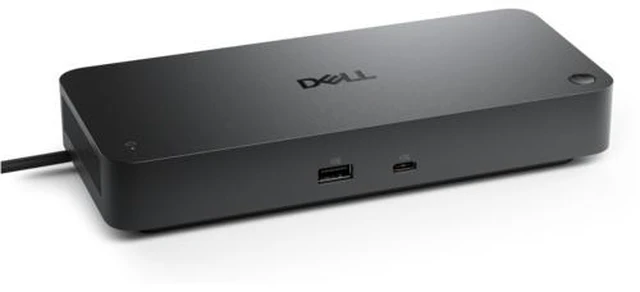
The Dell Pro Thunderbolt 5 Smart Dock (SD25TB5) is a laptop docking station for people who want to connect peripherals, wired networking, and multiple displays through one Thunderbolt connection; it’s best suited to compatible work laptops and desk-based setups.
Recommended For
- IT teams managing Dell laptop fleets that need centralized dock firmware updates, peripheral inventory, and enterprise features such as Intel AMT on supported vPro systems.
- Desk-based workstation users who connect several high-resolution monitors, wired Ethernet, and multiple USB or Thunderbolt peripherals through one host connection; supported display configurations depend on the laptop and its graphics capabilities.
- Dell laptop users with demanding workstation setups who want one-cable docking and high-power charging; Dell lists up to 300 W for supported Dell computers.
- Professionals planning a Thunderbolt 5 workstation desk who need ample display connections, fast peripheral links, and a dock that can also serve as a managed office device.
Real-World Use Scenarios
- At a fixed office desk, a professional connects a compatible laptop to the dock to use wired Ethernet, monitors, and USB peripherals; one host-cable connection brings those desk devices together, with charging depending on the laptop’s support.
- For a workstation setup with several high-resolution monitors, the dock provides multiple direct display connections, helping users build a multi-screen workspace without relying on separate video adapters; the laptop’s graphics, connection, and display capabilities determine the usable configuration.
- In an organization managing compatible Dell laptops, IT staff can use the dock’s management features for tasks such as remote firmware updates and device administration, reducing the need to handle every dock at an employee’s desk.
- A user with a laptop that supports high-wattage USB-C charging can use the dock as the desk’s charging connection as well as its peripheral hub; the laptop must support the relevant power-delivery level to benefit from the dock’s higher charging capacity.
- For work involving external storage, a user can connect a compatible Thunderbolt or USB drive alongside a monitor and other peripherals, keeping those devices available through the dock; transfer speeds can vary with the laptop, drive, and bandwidth shared with connected devices.




 here!