

Your Browsing History
- Free 30-day Returns
$73.99

Meet Your Seller

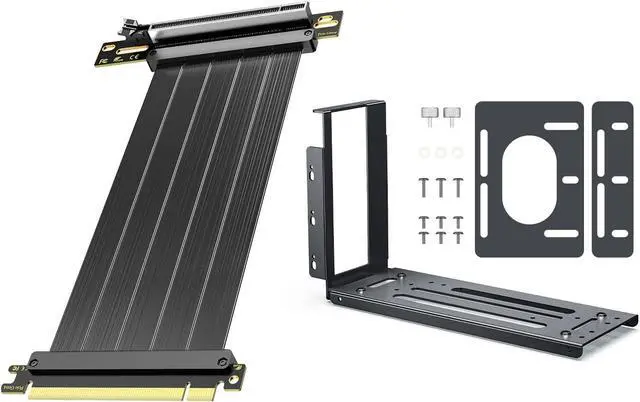



JEYI PCIe 4.0 Riser Cable 20cm Black Vertical GPU 2-Slot Mount Bracket
- Package List1JEYI PCIe 4.0 Riser Cable 200MM/ 20cm/ 0.65ft Black 2JEYI Vertical GPU 2-Slot Mount Bracket
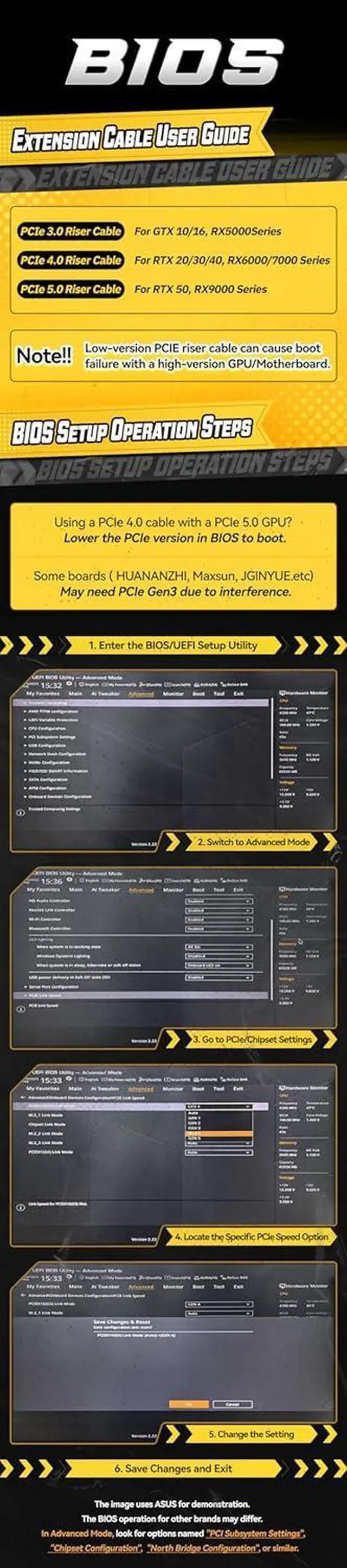
- NOTE: Low-version PCIE riser cable can cause boot failure with a high-version GPU/Motherboard. 1. Enter the BIOS/UEFl Setup Utility; 2.Switch to Advanced Mode; 3.Go to PCle/Chipset Settings,PCIEX16(G5) Link Model: GEN4; 4.Locate the Specific PCle Speed Option; 5.Change the Setting; 6.Save Changes and Exit;
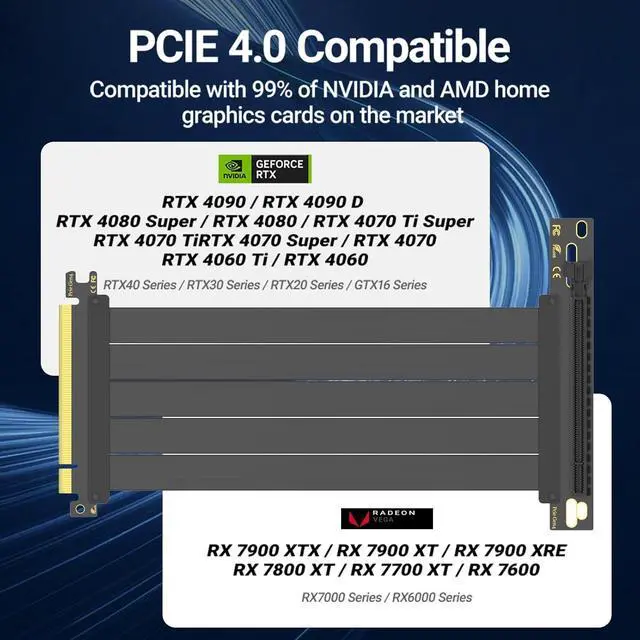
- PCIe 4.0 x16 Full Speed: Supports 16 GT/s bandwidth for GPUs (RTX 4090 Ti, 3090 Ti, RX 7900) Graphics Card and PCIe 4.0 motherboards. Backward compatible with PCIe 3.0/2.0.
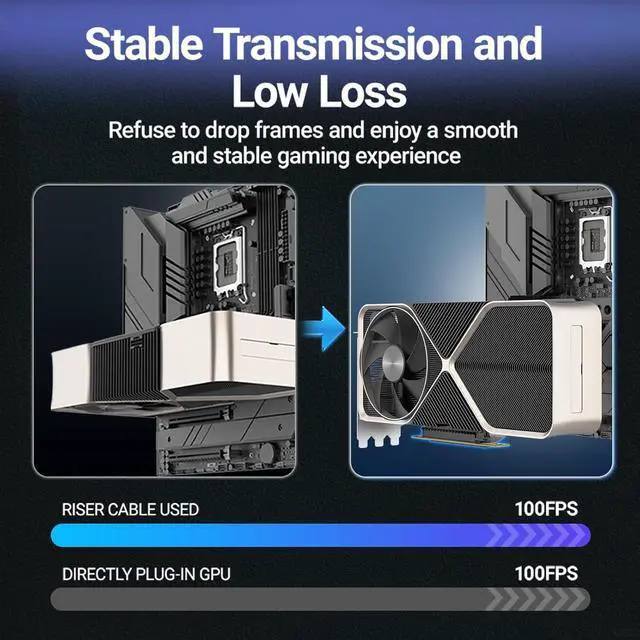
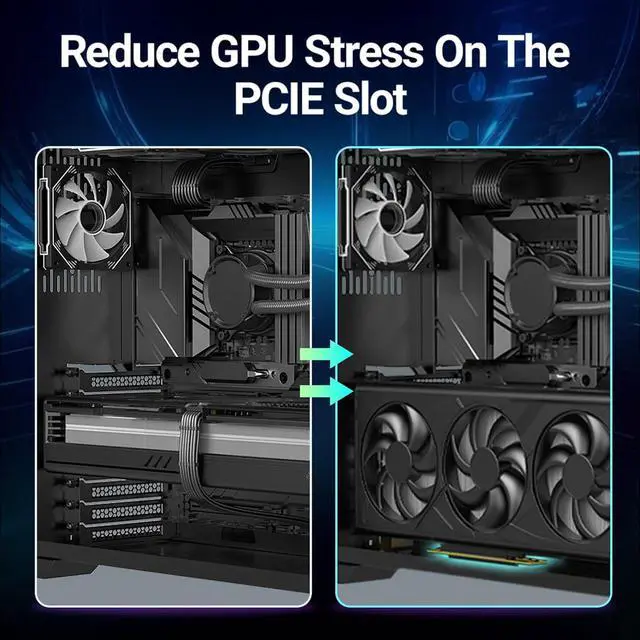
- Perfect 20cm Length: Ideal for vertical GPU mounting or compact builds. Flexible routing maximizes airflow in ATX/mid-tower cases
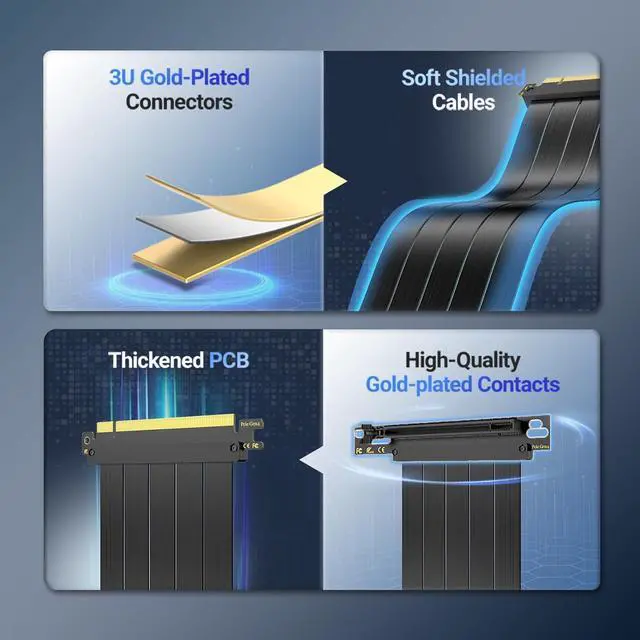
- Durable & Stable Design: Gold-plated connectors + shielded braided cable ensure minimal signal loss, corrosion resistance, and long-term reliability
+
+
Overview
Specs
Reviews

Any questions? Our AI beta will help you find out quickly.
Try me now
Package List1JEYI PCIe 4.0 Riser Cable 200MM/ 20cm/ 0.65ft Black 2JEYI Vertical GPU 2-Slot Mount Bracket
NOTE: Low-version PCIE riser cable can cause boot failure with a high-version GPU/Motherboard. 1. Enter the BIOS/UEFl Setup Utility; 2.Switch to Advanced Mode; 3.Go to PCle/Chipset Settings,PCIEX16(G5) Link Model: GEN4; 4.Locate the Specific PCle Speed Option; 5.Change the Setting; 6.Save Changes and Exit;
PCIe 4.0 x16 Full Speed: Supports 16 GT/s bandwidth for GPUs (RTX 4090 Ti, 3090 Ti, RX 7900) Graphics Card and PCIe 4.0 motherboards. Backward compatible with PCIe 3.0/2.0.
Perfect 20cm Length: Ideal for vertical GPU mounting or compact builds. Flexible routing maximizes airflow in ATX/mid-tower cases
Durable & Stable Design: Gold-plated connectors + shielded braided cable ensure minimal signal loss, corrosion resistance, and long-term reliability
NOTE: Low-version PCIE riser cable can cause boot failure with a high-version GPU/Motherboard. 1. Enter the BIOS/UEFl Setup Utility; 2.Switch to Advanced Mode; 3.Go to PCle/Chipset Settings,PCIEX16(G5) Link Model: GEN4; 4.Locate the Specific PCle Speed Option; 5.Change the Setting; 6.Save Changes and Exit;
PCIe 4.0 x16 Full Speed: Supports 16 GT/s bandwidth for GPUs (RTX 4090 Ti, 3090 Ti, RX 7900) Graphics Card and PCIe 4.0 motherboards. Backward compatible with PCIe 3.0/2.0.
Perfect 20cm Length: Ideal for vertical GPU mounting or compact builds. Flexible routing maximizes airflow in ATX/mid-tower cases
Durable & Stable Design: Gold-plated connectors + shielded braided cable ensure minimal signal loss, corrosion resistance, and long-term reliability
Warranty & Returns
Warranty, Returns, And Additional Information
Warranty
- Please contact the Seller directly for warranty information. Warranty information may also be found on the Manufacturer's website.
- CONTACT
Return Policies
- Return for refund within: 30 days
- Return for replacement within: 30 days
- This item is covered by DHINGDOM TRADING CO., LIMITED Return Policy
Manufacturer Contact Info
- For a directory of all our manufacturers, please click below.
- Manufacturers Directory
LOADING...