

Your Browsing History

Meet Your Seller



Visit EmpressTech Store
FOLLOW
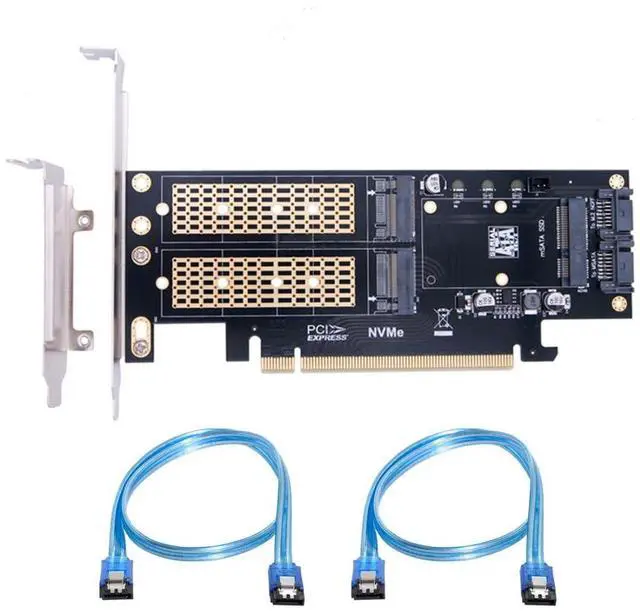
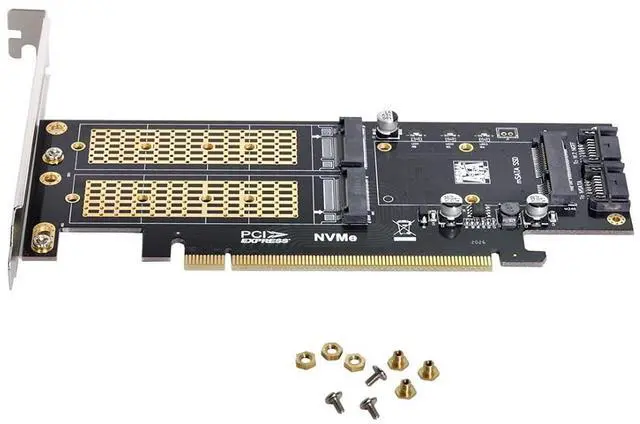
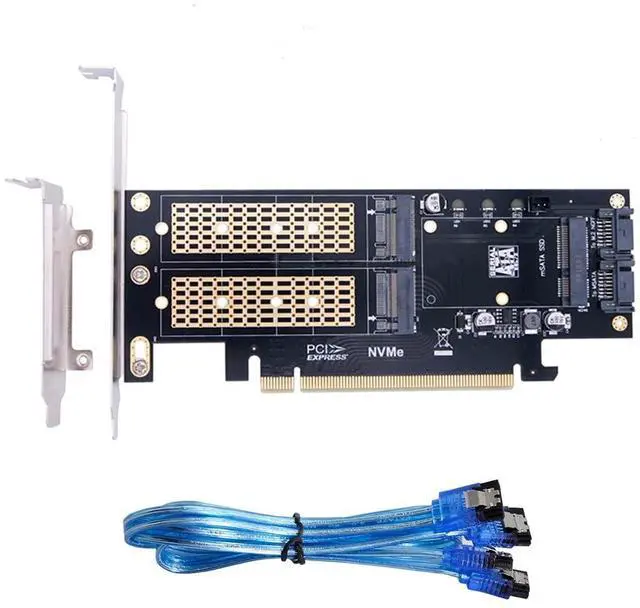
3 in 1 M.2 NVME/NGFF/mSATA SSD to PCIe 3.0/4.0 X16 Motherboard SSD Upgrade Expansion Card Adapter
Limited time offer, ends 07/12 By EmpressTech
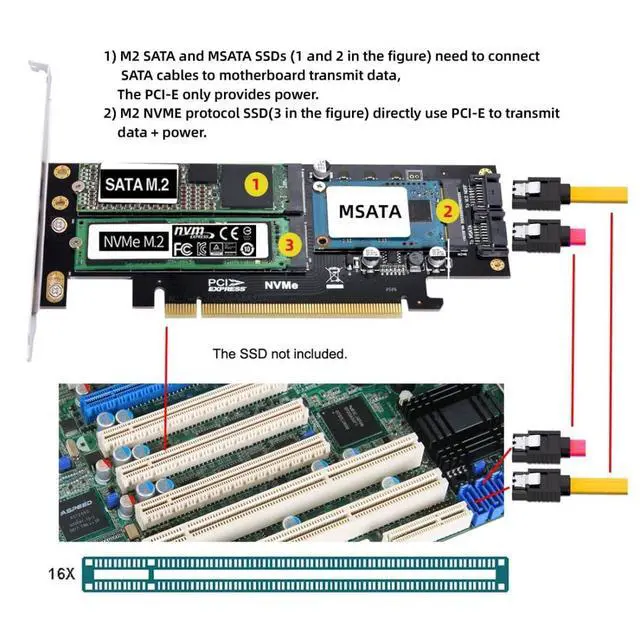
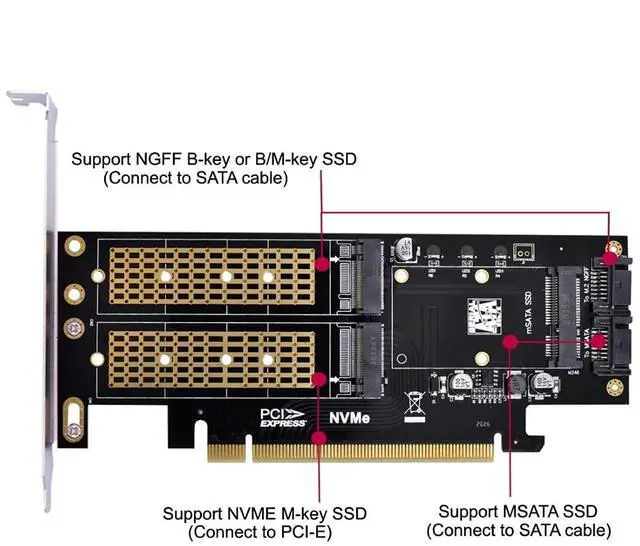
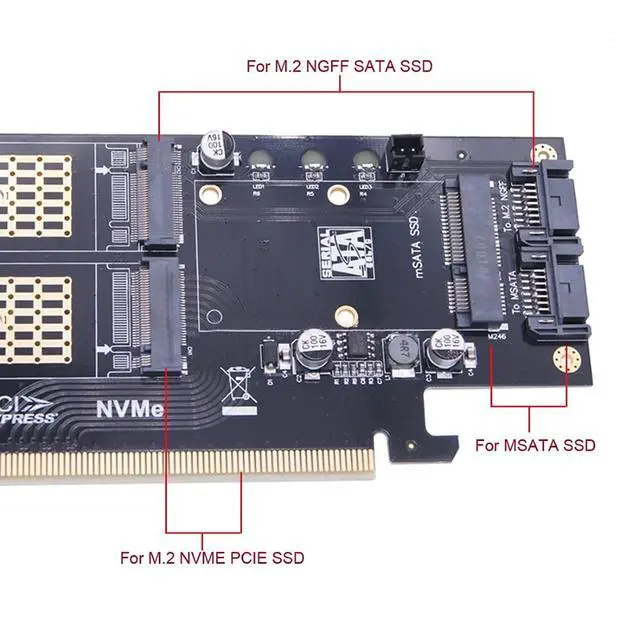
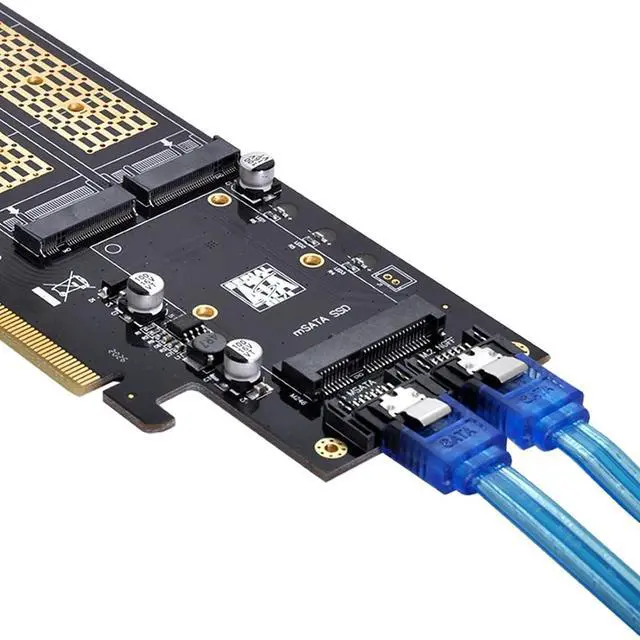
- 1) Note: M.2 SATA and mSATA SSDs (1 and 2 in the diagram) need to be connected to the motherboard via a SATA cable to transfer data; the PCI-E interface only provides power.; 2) Note: M.2 NVMe protocol SSDs (3 in the diagram) directly use PCI-E for both data transfer and power supply.; 3) The three SSD Can work at same time.Transfer to the operating system and does not require any software drivers.; 4) The three solid-state drives are all powered by PCI-E interfaces, no additional power supply is required, and they support 2230/2242/2260/2280mm M.2 solid-state drives and 30/50mm mSATA solid-state drives.; 5) System requirements: Motherboard: Z97 or higher; Operating system: Windows 10 or higher.
+
+
Overview
Specs
Reviews

Any questions? Our AI beta will help you find out quickly.
Try me now
Product description ChenYang M. 2 NVME to PCIe 3.0 / 4.0 X16 SATA/MSATA SSD to SATA 3 in 1 Combo SSD Upgrade Expansion Card Adapter The three SSD Can work at same time. Transfer to the operating system and does not require any software drivers. For MSATA SSD, You need to connect the SATA cable to Motherboard SATA Port. For NGFF B/M-key or B-Key SSD, You need to connect the SATA cable to Motherboard SATA Port. For NGFF M-key NVME SSD, You need to connect the PCI-E to Motherboard.
System requirement:
Motherboard: Z97 or later and Windows 10 or later.
System requirement:
Motherboard: Z97 or later and Windows 10 or later.
Warranty & Returns
Warranty, Returns, And Additional Information
Warranty
- Please contact the Seller directly for warranty information. Warranty information may also be found on the Manufacturer's website.
- CONTACT
Return Policies
- Return for refund within: 30 days
- Return for replacement within: 30 days
- This item is covered by EmpressTech Return Policy
Manufacturer Contact Info
- For a directory of all our manufacturers, please click below.
- Manufacturers Directory
LOADING...