

Your Browsing History
- Free 30-day Returns
$80.88
Ships from China.



Meet Your Seller

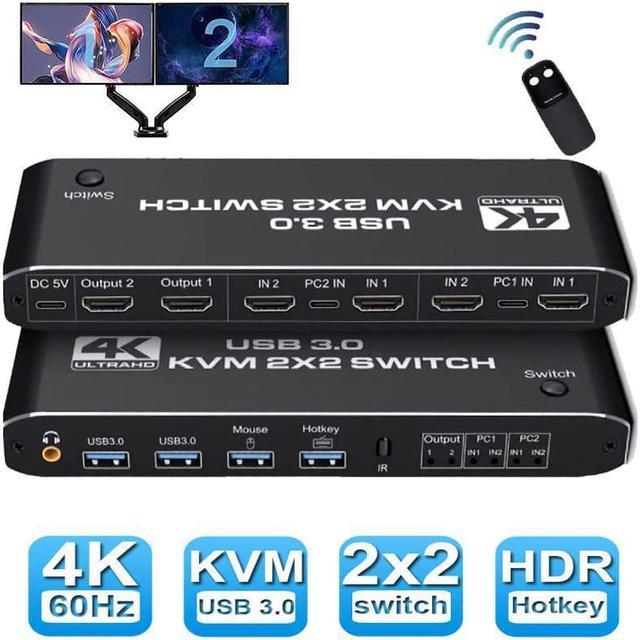




Dual Monitor HDMI USB 3.0 KVM Switch, 2x2 USB3.0 HDMI KVM Switch, 2 in 2 Out 4K @60Hz HDMI KVM Switcher 2x2 Mixed Display 2 Monitors 2 Computer for PC laptop
Limited time offer, ends 07/09 By Electronics store
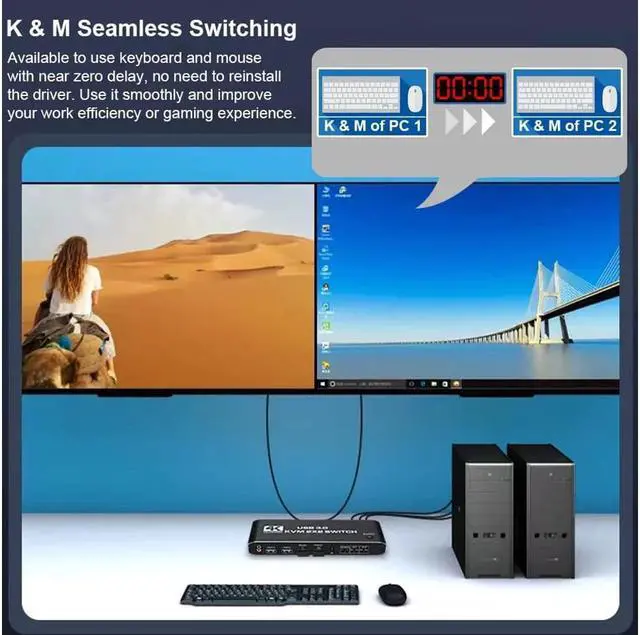
- [HDMI KVM USB switch dual monitor] This KVM Switch allows control 2 computer with one set of controls (keyboard and mouse) and two display screen. Realizes 2 in and 2 out free selection synchronous switching. You can centrally control and manage hosts laptop or game console without having to move from one workstation to another.
- [UHD 4K Visual Enjoyment] Supports HDMI 2.0 and standard HDCP 2.2. Support max resolution up to 4K@60Hz,1080@144Hz, also support 1080P@120Hz or lower resolution, makes image display more exquisite and realistic.
- [Dual HDMI KVM Switch with USB 3.0 Port] Supports Connecting your USB 3.0 port device such as Scanner/USB driver/3D Printer/Monitor Camera
- [2.0CH Audio Extractor]Comes with a 3.5mm Audio Jack port with a DAC chip inside, which can be inserted into a 3-segment 3.5mm earpiece device.
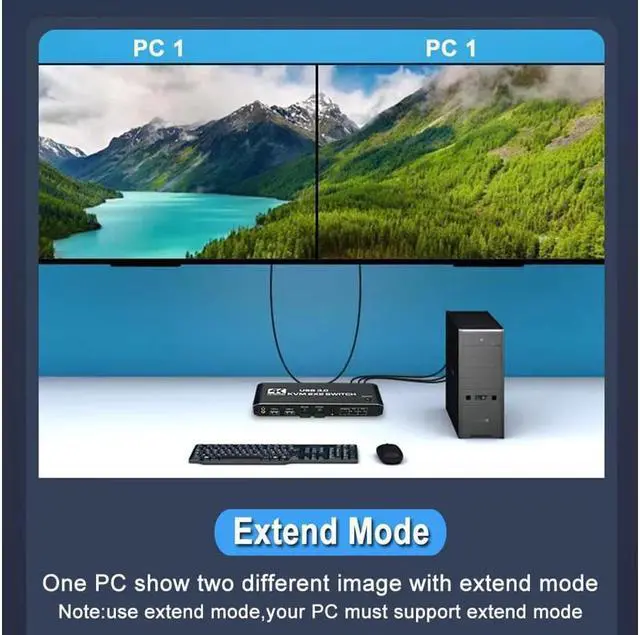
- [Wide Compatibility] This HDMI kvm switch kit support mirror mode,extend mode and crisscross mode. It has adaptive EDID, adapt to Windows, macOS, Linux, UNIX etc..
+
+
Overview
Specs
Reviews

Any questions? Our AI beta will help you find out quickly.
Try me now
Features:
- Support HDMI 2.0 b HDCP 2.2
- Resolution: Support 1080P/1080@144Hz, 3840x2160p, 4K/60Hz resolution, adaptive screen resolution
- Support system: Windows XP, Windows7, Windows10, Apple MAC, Linux, Unix and other operating systems
- Supports high current hard disk devices
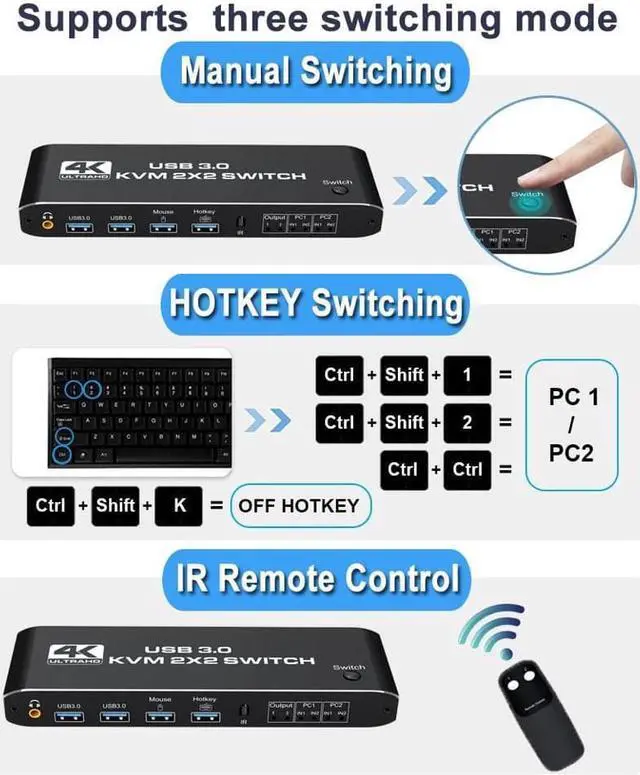
- Three Switching Method:
1. Press the "Select" button on the KVM switch panel to switch between the two source devices;
2. use hotkey switch(Ctrl+Shift+ 1 / 2 to PC1 / PC2 or Ctrl + Ctrl), Ctrl+Shift+ K to turn off hotkey;
3. use IR remote contrl to switch PC 1/ PC 2.
:
2 In 2 Out 4K USB 3.0 HDMI KVM Switch Box dual monitor for 2 PC Sharing Keyboard Mouse Printer Plug Play Video 2 Display USB Swltch Splitter
- Product Type: HDMI USB 3.0 KVM Switch (2 in 2 out)
- Input Port: HDMI 2.0 x 4, USB-C x2, USB 3.0 x 4
- Output Port: 2 x HDMI 2.0, 1 x L/R audio
- Dimensions: 111.8 x 63.2 x 24.5 mm
- Material: Aluminum Alloy shellanti-rust, anti-corrosion, anti-interference, fast transmission, surtace oxidation
Package contents:
1 x HDMI KVM USB Switch
2 x USB data cable
1 x USB power cable
1 x IR Remote Control (Without AAA battery)
1 x User Manual
- Support HDMI 2.0 b HDCP 2.2
- Resolution: Support 1080P/1080@144Hz, 3840x2160p, 4K/60Hz resolution, adaptive screen resolution
- Support system: Windows XP, Windows7, Windows10, Apple MAC, Linux, Unix and other operating systems
- Supports high current hard disk devices
- Three Switching Method:
1. Press the "Select" button on the KVM switch panel to switch between the two source devices;
2. use hotkey switch(Ctrl+Shift+ 1 / 2 to PC1 / PC2 or Ctrl + Ctrl), Ctrl+Shift+ K to turn off hotkey;
3. use IR remote contrl to switch PC 1/ PC 2.
Specifications
:
2 In 2 Out 4K USB 3.0 HDMI KVM Switch Box dual monitor for 2 PC Sharing Keyboard Mouse Printer Plug Play Video 2 Display USB Swltch Splitter
- Product Type: HDMI USB 3.0 KVM Switch (2 in 2 out)
- Input Port: HDMI 2.0 x 4, USB-C x2, USB 3.0 x 4
- Output Port: 2 x HDMI 2.0, 1 x L/R audio
- Dimensions: 111.8 x 63.2 x 24.5 mm
- Material: Aluminum Alloy shellanti-rust, anti-corrosion, anti-interference, fast transmission, surtace oxidation
Package contents:
1 x HDMI KVM USB Switch
2 x USB data cable
1 x USB power cable
1 x IR Remote Control (Without AAA battery)
1 x User Manual
Warranty & Returns
Warranty, Returns, And Additional Information
Warranty
- Please contact the Seller directly for warranty information. Warranty information may also be found on the Manufacturer's website.
- CONTACT
Return Policies
- Return for refund within: 30 days
- Return for replacement within: 30 days
- This item is covered by Electronics store Return Policy
Manufacturer Contact Info
- For a directory of all our manufacturers, please click below.
- Manufacturers Directory
LOADING...