
Your Browsing History
- Sold by Newegg

Any questions? Our AI beta will help you find out quickly.
Try me now
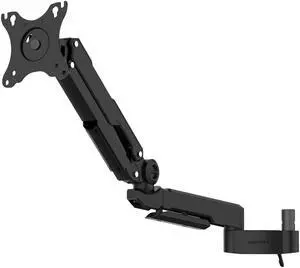

Quick View
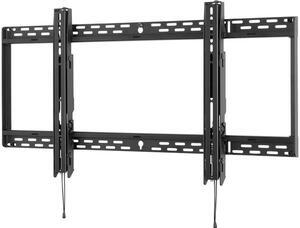
Peerless-AV SmartMount SF670 Universal Flat Wall Mount for 46" to 90" Displays
- Mount Style: Wall Mount
- TV Weight Capacity: Max. load 250 lbs.
- Feature: Universal mount fits displays with mounting patterns up to 895 x450mm (35.25" W x 17.72" H) Low-profile design holds display only 1.73" (44mm) from the wall For mounts requiring standard hardware, installed with a Philips screwdriver, please purchase SF670P Easy hang wall plate allows a bolt to be pre-installed to ease wall plate installation Lateral display adjustment up to11.25" (286mm) 1" of post-installation vertical adjustment provides flexibility in the installation Includes fastener pack with all necessary mounting and display attachment hardware For mounts requiring theft resistant hardware, installed with security tool (included), please purchase SF670
- Height: 19.48"
- Model #: SF670
- $149.00
- See price in cart
- Free Shipping
Quick View
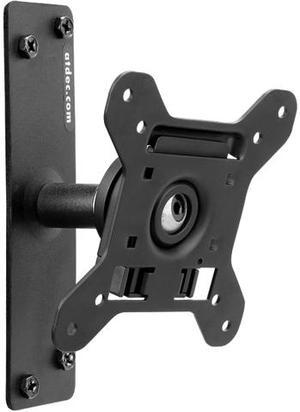
Atdec SD-WD Tilt TV Mount, 3.1" From Wall, VESA 100 X 100, Max Load 55 lbs
- Type: Wall Mount
- Specifications: Max Weight per mount (lbs): 55 Quick release Mounting Head: Yes Mounting Hole Pattern (mm): 75 x 75; 100 x 100 Screen rotation (portrait/landscape): 360° Tilt/pan adjustment: Ball joint mechanism allows 20 degrees display adjustment in any direction from the vertical plane Display pan adjustment: 90 degrees left and right, total of 180 degrees Mounting options: Wall Fixed Distance from wall to rear of display: 3.1" Number of studs required: 1 Color: Black
- Model #: SD-WD
Quick View
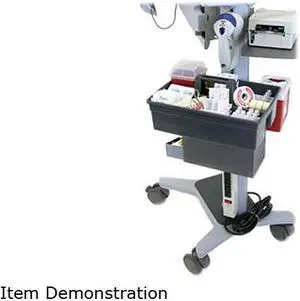
Ergotron 60-587-207 T-Slot Interface Bracket Kit
- Type: T-Slot Bracket Kit
- Specifications: Description: Interface Bracket Kit (aluminum); aka T-Slot Bracket Kit Includes: (1) Angled T-Slot Interface Bracket, (2) Light-Duty T-Slot Brackets, mounting hardware, manual Light-Duty Brackets can be used with most Ergotron carts; Angled Interface Bracket can be used with Neo-Flex Mobile WorkSpace Carts, Mobile MediaCenters, StyleView 31/32 Carts and WorkFit C-Mod Workstations Install either the Angled Interface Bracket or the Light-Duty Brackets; to deploy both types of brackets on a cart requires two kits Consideration should be given to weight of component being mounted relative to its height on cart to avoid tip hazard
- Parts: 3 years limited
- Labor: 3 years limited
- Model #: 60-587-207
Quick View
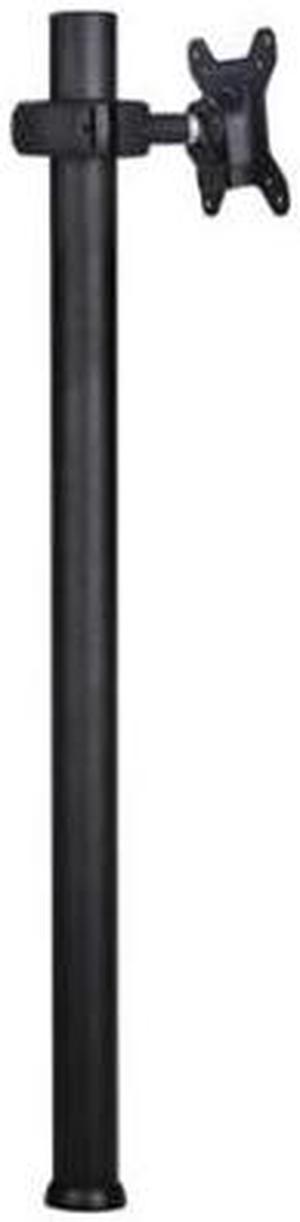
atdec SD-DP-750 Spacedec Display Quick Shift Donut Pole Display Stand Medium (Black)
- Type: Stand
- Specifications: Max Weight per mount (lbs): 26.5 Quick release Mounting Head: Yes Mounting Hole Pattern (mm): - 75 x 75; 100 x 100 - Require 200 x 100 Add AC-AP-2010 adaptor plate to your order Screen rotation (portrait/landscape): 360° Rotation around pole: 360° OR FIXED Tilt/pan adjustment: Ball joint mechanism allows 20 degrees display adjustment in any direction from the vertical plane Display pan adjustment: 90 degrees left and right, total of 180 degrees Pole height (inches): 29.5 Cable management: Integrated Mounting options: Desk clamp and bolt through Pole diameter(inches): 1.6 Display Compatibility: - Spacedec Donut Pole is compatible with most Flat Panel Displays between 12" (30cm) and 24" (61cm) that feature either 75mm x 75mm (3 x 3") or 100mm x 100mm (4 x 4") VESA mounting hole patterns Mount...
- Model #: SD-DP-750
- $180.70 –
- More options from $143.39 - $367.22
- Free Shipping
Quick View
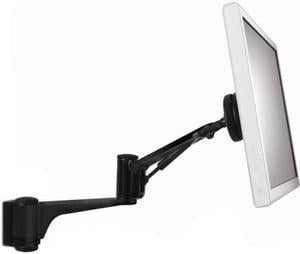
atdec SD-AT-DW-BK Spacedec Acrobat Articulated Wall Arm
- Type: Monitor Arm
- Specifications: Max Weight per mount (lbs): 19.8 Mounting Hole Pattern (mm): 75 x 75; 100 x 100 Screen rotation (portrait/landscape): 360° Tilt/pan adjustment: Ball joint mechanism allows 40 degrees display adjustment in any direction from the vertical plane Display pan adjustment: 90 degrees left and right, total of 180 degrees Cable management: Integrated Mounting options: Wall Maximum reach (inches): 24 Maximum distance from the wall (inches): 24 Number of studs required: 1 Hardware required for installation: All mounting hardware included Color: Black
- Weight: 20
- Parts: 5 Year
- Model #: SD-AT-DW-BK
- $186.82 –
- More options from $186.82 - $258.40
- $16.99 Shipping
Quick View
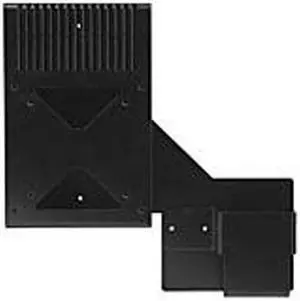
Planar 997-3185-00 C- and S- Series Thin Client Bracket
- Type: Mount
- Parts: 100 days limited
- Labor: 100 days limited
- Model #: 997-3185-00
- $153.18 –
- More options from $153.18 - $169.86
- Free Shipping