




Specifications
- Material : ABS
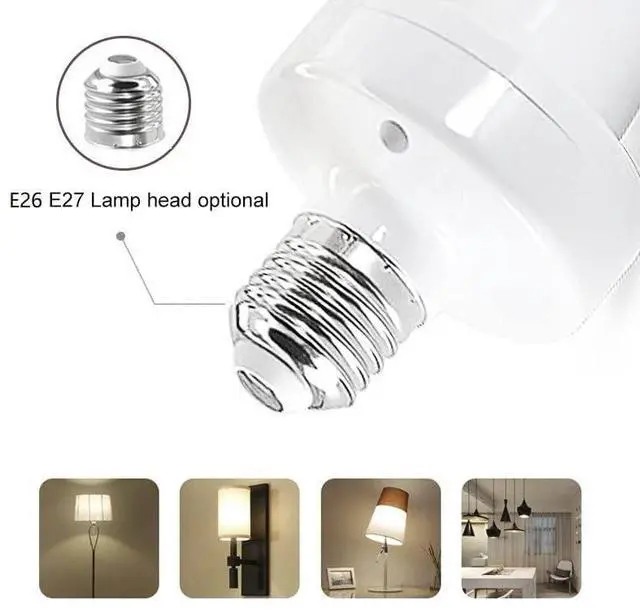
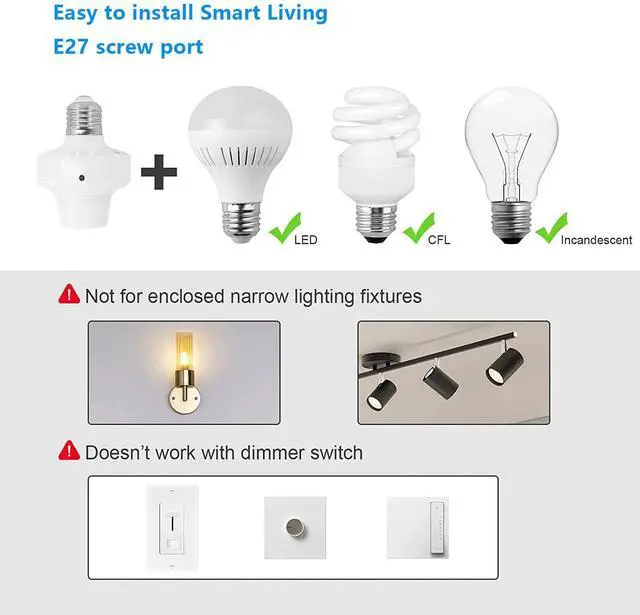
- Type : E26/E27
- Voltage : AC 90~175V, 50/60Hz
- Remote Control Distance : About 100 ft(in open area)
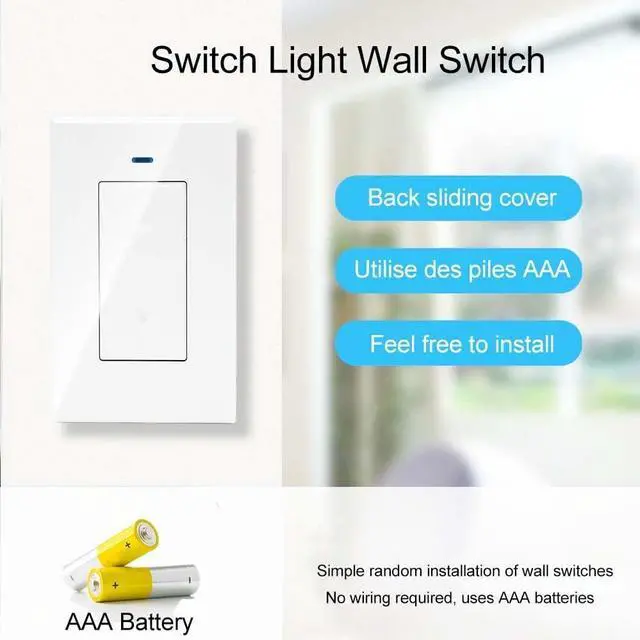
- Remote power supply: two AAA batteries (not included)
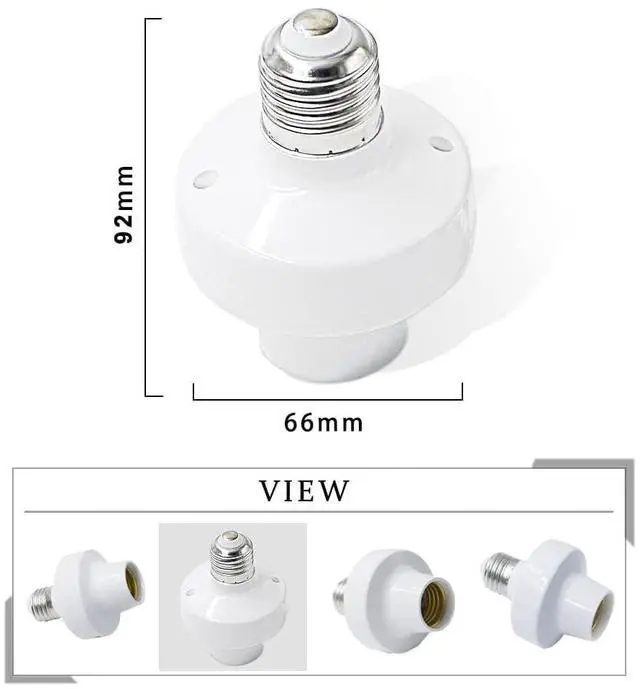
- Socket Size : About 9.2cm*6.3cm*6.3cm
- Transmission frequency : 433.92MHz
- Max Load : LED Lamp: 80W; Energy Saving Lamp: 100W; Incandescent Lamp: 200 watts.
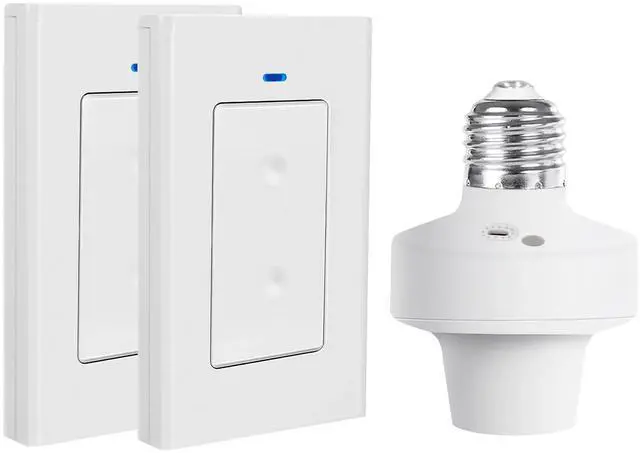
RF433M Programmable E26 E27 Bulb Base Lampholder
Home Automation Lighting Fixtures
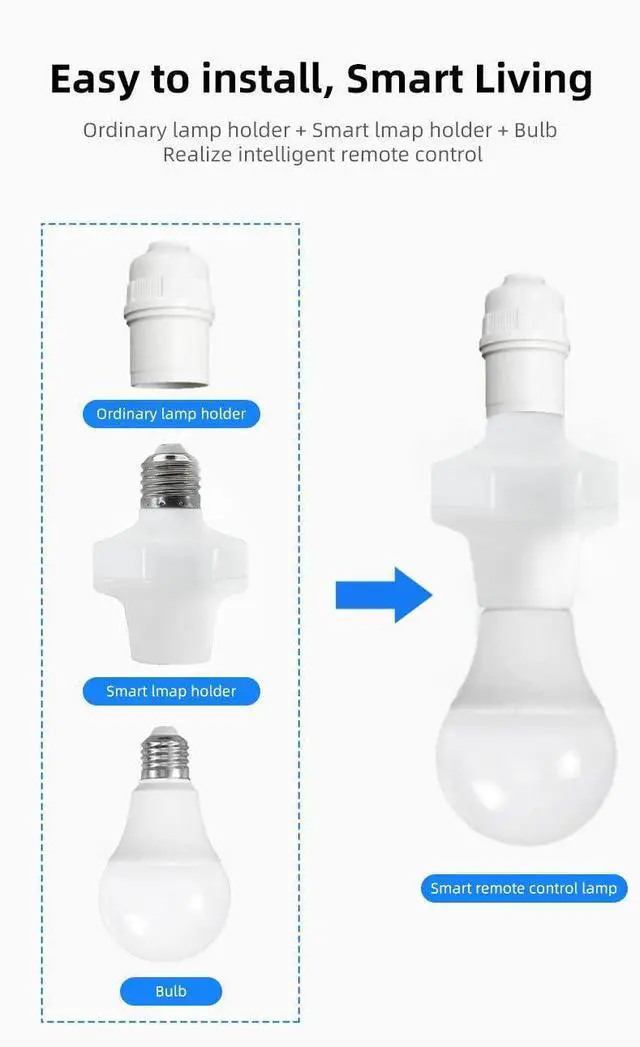
No wiring required, easy to install, convenient for home/office use.
Get rid of the troublesome and unstable WIFI control switch. No complicated setup and no need to worry about the strength of WIFI signal.
Note
Use in a dry environment.
If used outdoors, use in a sheltered area.

100 ft. remote control range
Powerful radio frequency transmissions can pass through walls and doors to control lights in open areas up to 100 feet away. (Wireless range may be shortened by other electronic devices, appliances, walls or other physical obstructions).
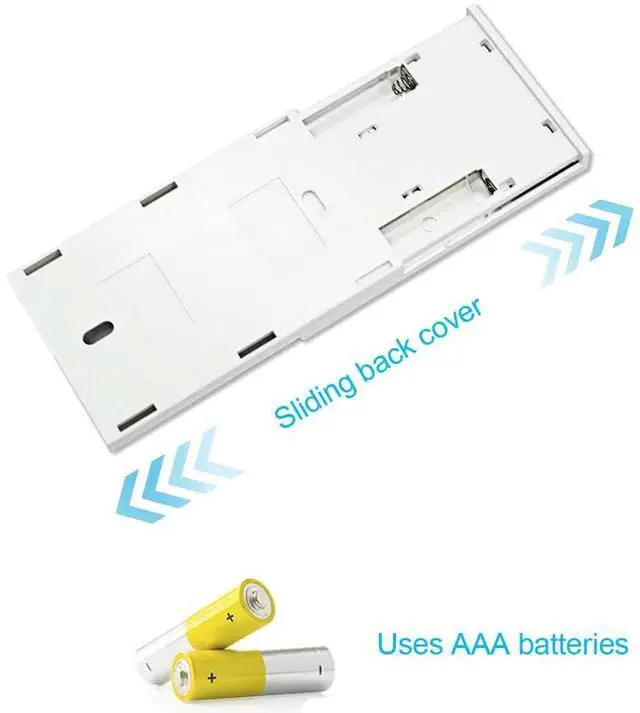
Requires two AAA batteries (not included).
Slide-open design—do not pry open.
About Working Modes
Same as most controllers, there are 3 functional modes, Momentary, Toggle, Latched. Latched Mode is recommended to meet the needs of home lighting, need to be paired by the customer.
Note : If you want both buttons of the remote panel to work you need to use a specific latched mode.
Momentary:Press the wireless panel button without releasing, the light is on; when the wireless panel button is released, the light is off.
Toggle:Press the wireless panel button, the light is on; press the wireless panel button again, the light is off.
Latched : Press the wireless panel button, the light turns on; press another button, the light turns off. (Recommended)
Power on setting: off by default, can be set to turn on at power on.
Reset: factory reset, this will clear all paired remotes!
Please note: If you want to change to another mode, please follow the instructions on the product page to reset the product and select the working mode pairing.
Working mode setting
1. Reset: Press the learning button on the lampholder 8 times continuously, the indicator light will flash 7 times and then go out.
2. Momentary mode: press the learning button on the lampholder 4 times continuously, the indicator light is always on and the lampholder enters the pairing state; press the wireless panel button, the indicator light flashes 3 times and then goes out, then the learning is successful.
3. Toggle mode: Press the learning button of the lampholder 2 times continuously, the indicator light is always on and the lampholder enters the code pair state; press the wireless panel button , the indicator light flashes 3 times and then goes off, then learning is successful.
4. Latched mode:
press the learning button of the lampholder 3 times continuously, the indicator light is always on and the lampholder enters the code pairing state;
Press the button of the wireless panel, the indicator light of the lampholder flashes and then lights up,
then press another button of the wireless panel, the indicator light flashes 3 times and then goes off, then the learning is successful.
5.Power on setting: Press the learn button of the lamp holder for 6 times continuously, the indicator light blinks and then the load light becomes normal light, that is, the setting is successful.Reboot power light will turn on automatically.
 Wireless Smart Lamp Holder |  Wireless Remote Control Lamp Holder |  Wireless Smart Lamp Holder |  Wireless Smart Lamp Holder |  Wireless Smart Lamp Holder |  Wireless Smart Lamp Holder | |
|---|---|---|---|---|---|---|
| Price | — | — | — | — | — | — |
| Style | wifi | RF 433mhz | bluetooth + 2.4ghz | wifi + 2.4ghz | zigbee + 2.4ghz | wifi |
| APP | Smart Life App | no data | Ewelink APP | Ewelink APP | Ewelink APP | Ewelink APP |
| Transmitter Characteristics | Supported, to be purchased separately | On/Off + Timed Off | ALL ON/ALL OFF | ALL ON/ALL OFF | ALL ON/ALL OFF | Supported, to be purchased separately |
| Alexa | ? | no data | no data | ? | ? | ? |
| Google Home | ? | no data | no data | ? | no data | ? |
Specifications
- Material : ABS
- Type : E26/E27
- Voltage : AC 90~175V, 50/60Hz
- Remote Control Distance : About 100 ft(in open area)
- Remote power supply: two AAA batteries (not included)
- Socket Size : About 9.2cm*6.3cm*6.3cm
- Transmission frequency : 433.92MHz
- Max Load : LED Lamp: 80W; Energy Saving Lamp: 100W; Incandescent Lamp: 200 watts.
RF433M Programmable E26 E27 Bulb Base Lampholder
Home Automation Lighting Fixtures
No wiring required, easy to install, convenient for home/office use.
Get rid of the troublesome and unstable WIFI control switch. No complicated setup and no need to worry about the strength of WIFI signal.
Note
Use in a dry environment.
If used outdoors, use in a sheltered area.
100 ft. remote control range
Powerful radio frequency transmissions can pass through walls and doors to control lights in open areas up to 100 feet away. (Wireless range may be shortened by other electronic devices, appliances, walls or other physical obstructions).
Requires two AAA batteries (not included).
Slide-open design—do not pry open.
About Working Modes
Same as most controllers, there are 3 functional modes, Momentary, Toggle, Latched. Latched Mode is recommended to meet the needs of home lighting, need to be paired by the customer.
Note : If you want both buttons of the remote panel to work you need to use a specific latched mode.
Momentary:Press the wireless panel button without releasing, the light is on; when the wireless panel button is released, the light is off.
Toggle:Press the wireless panel button, the light is on; press the wireless panel button again, the light is off.
Latched : Press the wireless panel button, the light turns on; press another button, the light turns off. (Recommended)
Power on setting: off by default, can be set to turn on at power on.
Reset: factory reset, this will clear all paired remotes!
Please note: If you want to change to another mode, please follow the instructions on the product page to reset the product and select the working mode pairing.
Working mode setting
1. Reset: Press the learning button on the lampholder 8 times continuously, the indicator light will flash 7 times and then go out.
2. Momentary mode: press the learning button on the lampholder 4 times continuously, the indicator light is always on and the lampholder enters the pairing state; press the wireless panel button, the indicator light flashes 3 times and then goes out, then the learning is successful.
3. Toggle mode: Press the learning button of the lampholder 2 times continuously, the indicator light is always on and the lampholder enters the code pair state; press the wireless panel button , the indicator light flashes 3 times and then goes off, then learning is successful.
4. Latched mode:
press the learning button of the lampholder 3 times continuously, the indicator light is always on and the lampholder enters the code pairing state;
Press the button of the wireless panel, the indicator light of the lampholder flashes and then lights up,
then press another button of the wireless panel, the indicator light flashes 3 times and then goes off, then the learning is successful.
5.Power on setting: Press the learn button of the lamp holder for 6 times continuously, the indicator light blinks and then the load light becomes normal light, that is, the setting is successful.Reboot power light will turn on automatically.
Wireless Smart Lamp Holder | Wireless Remote Control Lamp Holder | Wireless Smart Lamp Holder | Wireless Smart Lamp Holder | Wireless Smart Lamp Holder | Wireless Smart Lamp Holder | |
|---|---|---|---|---|---|---|
| Price | — | — | — | — | — | — |
| Style | wifi | RF 433mhz | bluetooth + 2.4ghz | wifi + 2.4ghz | zigbee + 2.4ghz | wifi |
| APP | Smart Life App | no data | Ewelink APP | Ewelink APP | Ewelink APP | Ewelink APP |
| Transmitter Characteristics | Supported, to be purchased separately | On/Off + Timed Off | ALL ON/ALL OFF | ALL ON/ALL OFF | ALL ON/ALL OFF | Supported, to be purchased separately |
| Alexa | ? | no data | no data | ? | ? | ? |
| Google Home | ? | no data | no data | ? | no data | ? |