




KEY FEATURES

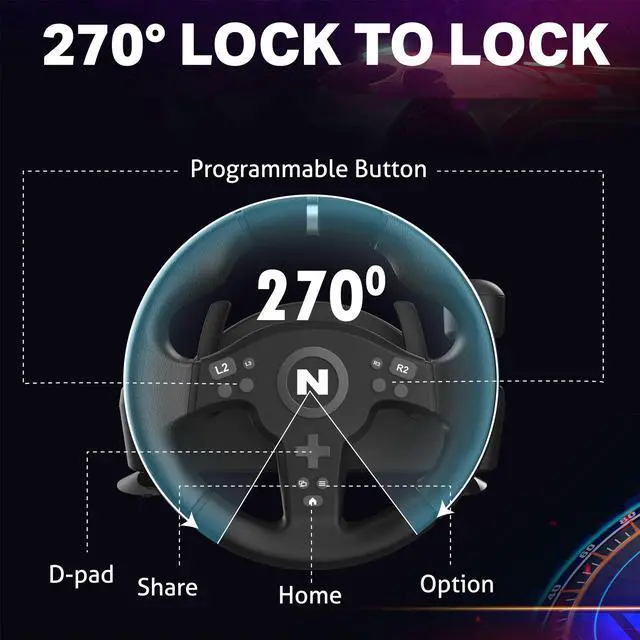
270° STEERING & CUSTOM BUTTONS
Fixed 270° steering rotation ensures stable, predictable control. Custom buttons can be mapped for quick access to commonly used functions.

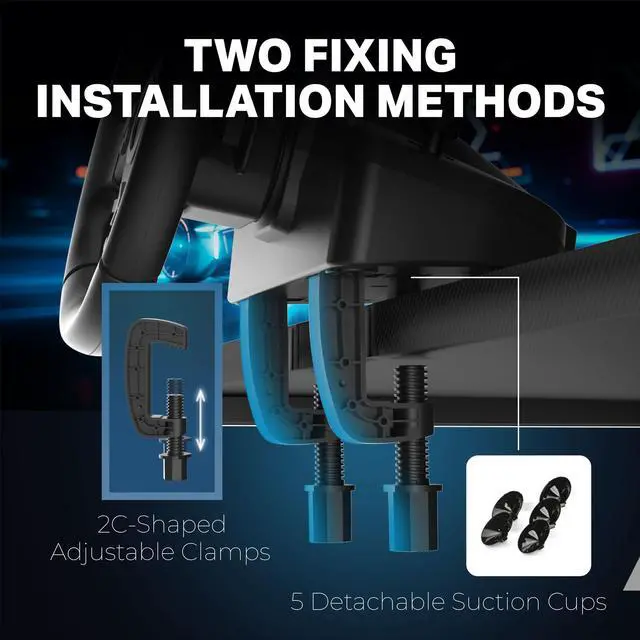
TWO FIXING METHODS
Supports two fixing methods:
• Desk clamp for firm, long-term mounting
• Suction cups for quick setup on smooth surfaces

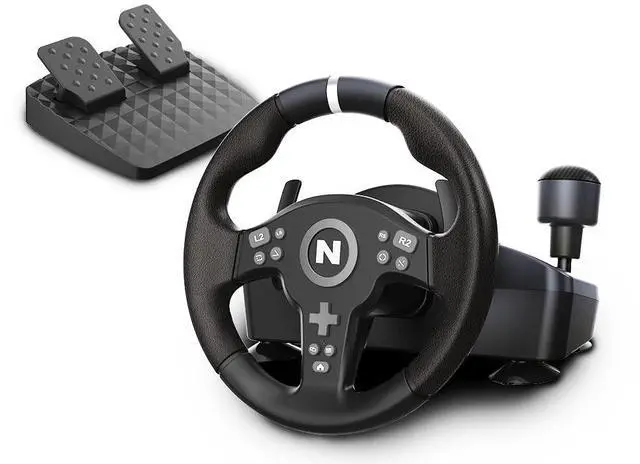
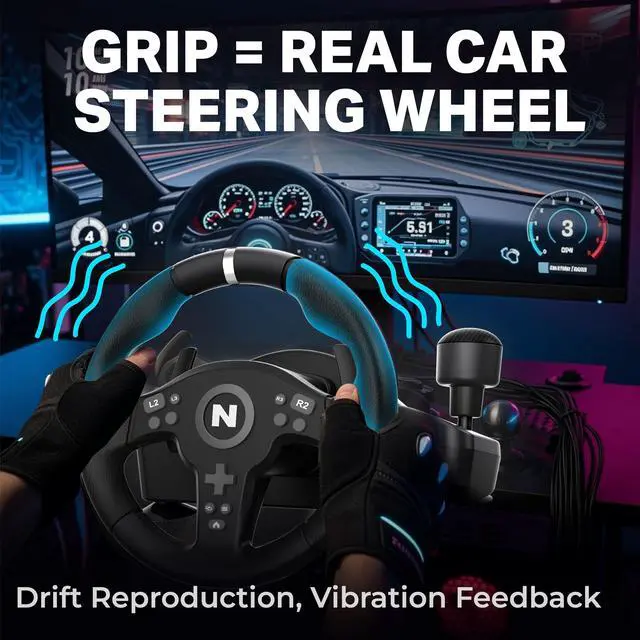
ERGONOMIC GRIP
The ergonomic wheel grip is designed for comfort, helping reduce hand fatigue during longer racing sessions.

VIBRATION FEEDBACK
Built-in vibration feedback adds tactile response during acceleration, braking, and cornering.

INTEGRATED GEAR SHIFTER
Built with an integrated gear shifter for quick and intuitive shifting.

DUAL PADDLE SHIFTERS
Responsive paddle shifters are positioned behind the wheel for easy access while driving.

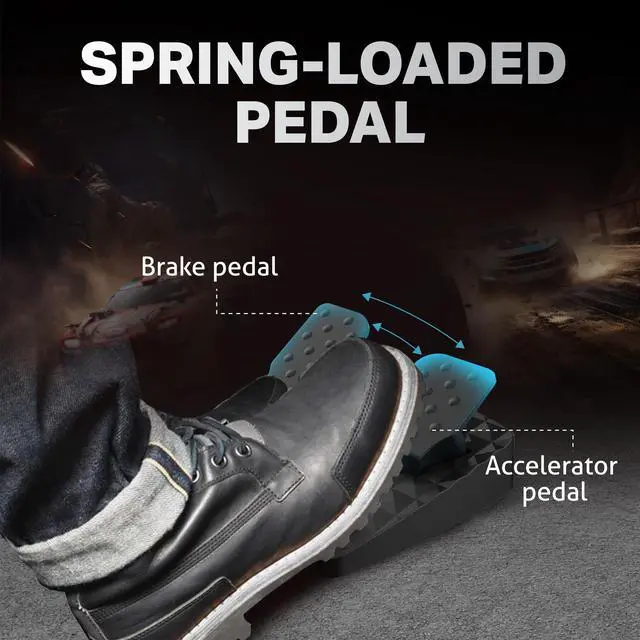
RESPONSIVE PEDAL SET
Includes a dedicated accelerator and brake pedal set designed for smooth and responsive input.

PRECISION STEERING MECHANISM
A precision internal steering mechanism ensures smooth and consistent wheel movement.

Do I need to connect the original controller?
Yes. On PS4 / PS3 / Xbox One / Xbox Series X|S, the original console controller must be connected.
Without it, the wheel will not function correctly. Third-party controllers are not supported.
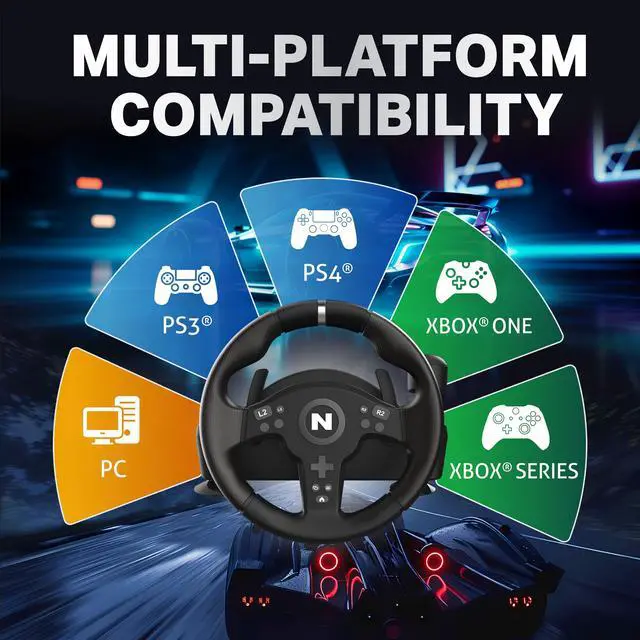
What platforms is the NiTHO Drive PRO V200 racing wheel compatible with?
The V200 Racing Wheel is compatible with PC (Windows), PS4, PS3, Xbox One, Xbox Series X|S, Switch, and Switch 2. For PS4, PS3 and Xbox, the wheel must be used with the original console controller connected. Third-party controllers are not supported.
Does the NiTHO Drive PRO V200 work with PS5 games?
The V200 does not support native PS5 games.
When used on a PS5 console, it supports PS4 games only, and an original PS4 controller must be connected to the wheel.
What should I do if the NiTHO Drive PRO V200 is not recognized on Switch 2?
If the wheel is not detected on Switch 2, a firmware update may be required.
Please visit the Manuals & Drivers section on the website and update the firmware using a Windows PC.
After updating, the wheel should work normally on Switch 2.
What is the wheel size and steering rotation of the NiTHO Drive PRO V200?
The V200 features a 9.5-inch (240 mm) racing wheel with 270° steering rotation.


KEY FEATURES
270° STEERING & CUSTOM BUTTONS
Fixed 270° steering rotation ensures stable, predictable control. Custom buttons can be mapped for quick access to commonly used functions.
TWO FIXING METHODS
Supports two fixing methods:
• Desk clamp for firm, long-term mounting
• Suction cups for quick setup on smooth surfaces
ERGONOMIC GRIP
The ergonomic wheel grip is designed for comfort, helping reduce hand fatigue during longer racing sessions.
VIBRATION FEEDBACK
Built-in vibration feedback adds tactile response during acceleration, braking, and cornering.
INTEGRATED GEAR SHIFTER
Built with an integrated gear shifter for quick and intuitive shifting.
DUAL PADDLE SHIFTERS
Responsive paddle shifters are positioned behind the wheel for easy access while driving.
RESPONSIVE PEDAL SET
Includes a dedicated accelerator and brake pedal set designed for smooth and responsive input.
PRECISION STEERING MECHANISM
A precision internal steering mechanism ensures smooth and consistent wheel movement.

Do I need to connect the original controller?
Yes. On PS4 / PS3 / Xbox One / Xbox Series X|S, the original console controller must be connected.
Without it, the wheel will not function correctly. Third-party controllers are not supported.
What platforms is the NiTHO Drive PRO V200 racing wheel compatible with?
The V200 Racing Wheel is compatible with PC (Windows), PS4, PS3, Xbox One, Xbox Series X|S, Switch, and Switch 2. For PS4, PS3 and Xbox, the wheel must be used with the original console controller connected. Third-party controllers are not supported.
Does the NiTHO Drive PRO V200 work with PS5 games?
The V200 does not support native PS5 games.
When used on a PS5 console, it supports PS4 games only, and an original PS4 controller must be connected to the wheel.
What should I do if the NiTHO Drive PRO V200 is not recognized on Switch 2?
If the wheel is not detected on Switch 2, a firmware update may be required.
Please visit the Manuals & Drivers section on the website and update the firmware using a Windows PC.
After updating, the wheel should work normally on Switch 2.
What is the wheel size and steering rotation of the NiTHO Drive PRO V200?
The V200 features a 9.5-inch (240 mm) racing wheel with 270° steering rotation.