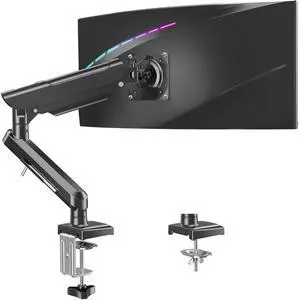
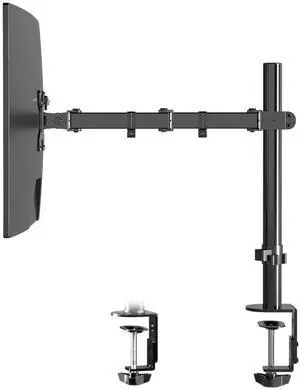
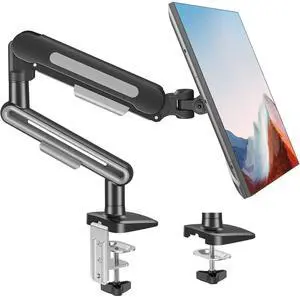
Freelift Dual Monitor Stand - Upgrade Your Workspace

Our monitor stand customizes your screens for a new level of flexible working. The dual monitor mount is an ideal choice for anyone seeking ergonomic comfort.
Are you Still Using Screws to Adjust the Monitor?

Freelift - Easy to position with one hand

Others - Hard to adjust with screw
How to Adjust Tension and Tilt Angle?

The monitor arm is pre-set to minimum tension. Depending on the weight of your actual monitor, you may need to adjust the tension of arm with 6mm Allen key.
Will this dual monitor stand fit your setup?
Please confirm your monitor's size is within 32'', the VESA pattern is 75x75mm or 100x100mm, and weight is 4.4-22 lbs. Your desk thickness is 0.39''-2.76''(clamp mount); or thickness of 0.39''-2.76''and hole diameter of 0.39''-2.36''(grommet mount).
What if your desk is thicker than 2.76 inches?
If your desk thickness is more than 2.76'', just freely to relate with us for a suitable longer clamp.
What is the solution if your monitor VESA pattern is not 75x75mm or 100x100mm?
If your VESA pattern is 200x100mm or 200x200mm, please go to purchase a VESA extender adapter, the model number is MU9010. If your VESA exceeds the above range or has no VESA holes, you will need to purchase a suitable VESA adapter.
When the monitor keeps tilting down, how we can solve it?
You could adjust the tilting bolt for the monitor.
1. Loosen the bolt 1-2 turns with the Allen Key
2. Hold the monitor with both hands and adjust it to the right position
3. Tighten the bolt firmly with the Allen Key
Why does not the arm stay in the position needed?
Please note that when out of the factory, the value of the monitor arm is generally adjusted to the minimum value which makes the arms lean forward. You could refer to the manual to adjust the value according to the weight of your monitor.
Freelift Dual Monitor Stand - Upgrade Your Workspace

Our monitor stand customizes your screens for a new level of flexible working. The dual monitor mount is an ideal choice for anyone seeking ergonomic comfort.
Are you Still Using Screws to Adjust the Monitor?

Freelift - Easy to position with one hand

Others - Hard to adjust with screw
How to Adjust Tension and Tilt Angle?

The monitor arm is pre-set to minimum tension. Depending on the weight of your actual monitor, you may need to adjust the tension of arm with 6mm Allen key.
Will this dual monitor stand fit your setup?
Please confirm your monitor's size is within 32'', the VESA pattern is 75x75mm or 100x100mm, and weight is 4.4-22 lbs. Your desk thickness is 0.39''-2.76''(clamp mount); or thickness of 0.39''-2.76''and hole diameter of 0.39''-2.36''(grommet mount).
What if your desk is thicker than 2.76 inches?
If your desk thickness is more than 2.76'', just freely to relate with us for a suitable longer clamp.
What is the solution if your monitor VESA pattern is not 75x75mm or 100x100mm?
If your VESA pattern is 200x100mm or 200x200mm, please go to purchase a VESA extender adapter, the model number is MU9010. If your VESA exceeds the above range or has no VESA holes, you will need to purchase a suitable VESA adapter.
When the monitor keeps tilting down, how we can solve it?
You could adjust the tilting bolt for the monitor.
1. Loosen the bolt 1-2 turns with the Allen Key
2. Hold the monitor with both hands and adjust it to the right position
3. Tighten the bolt firmly with the Allen Key
Why does not the arm stay in the position needed?
Please note that when out of the factory, the value of the monitor arm is generally adjusted to the minimum value which makes the arms lean forward. You could refer to the manual to adjust the value according to the weight of your monitor.