

Your Browsing History
- Free 30-day Returns
$89.89


Meet Your Seller

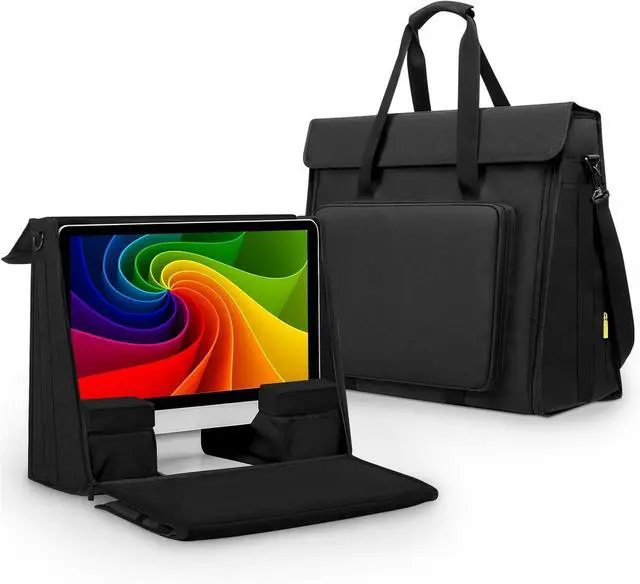
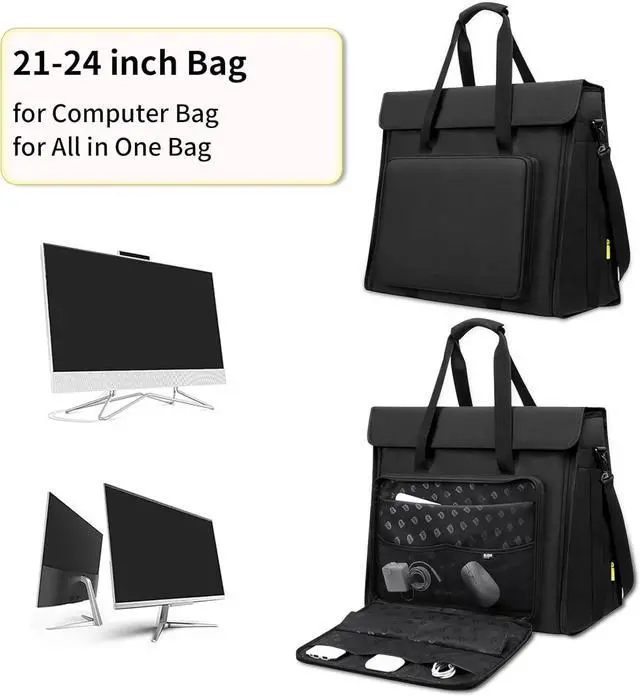
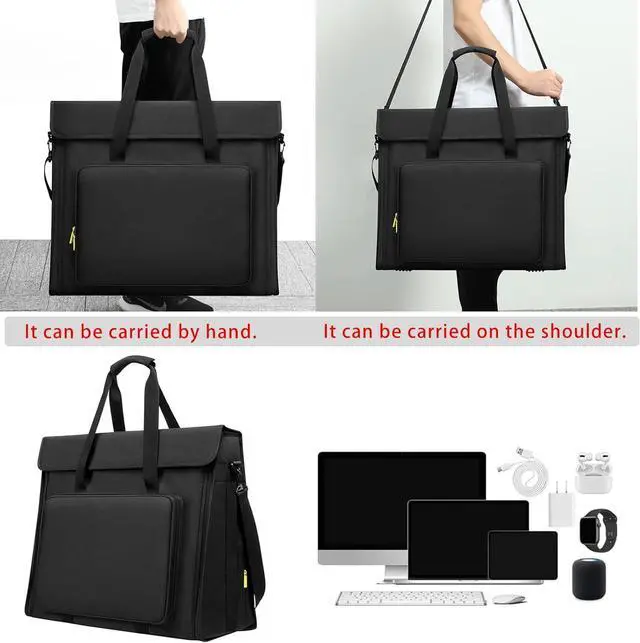
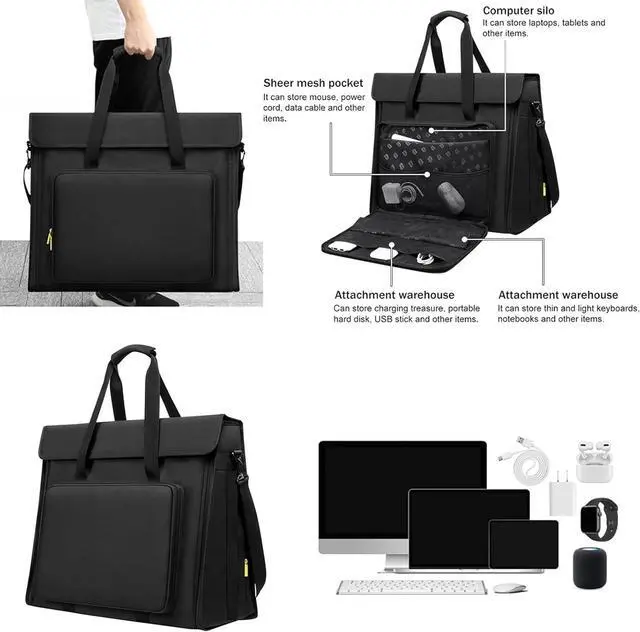
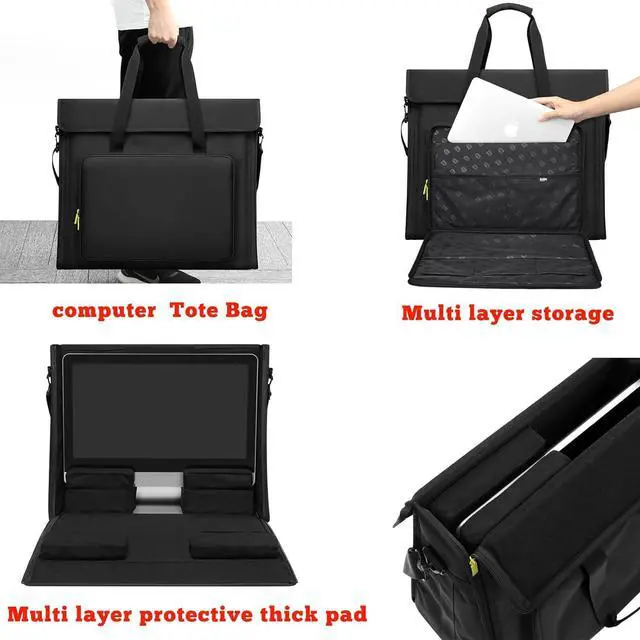
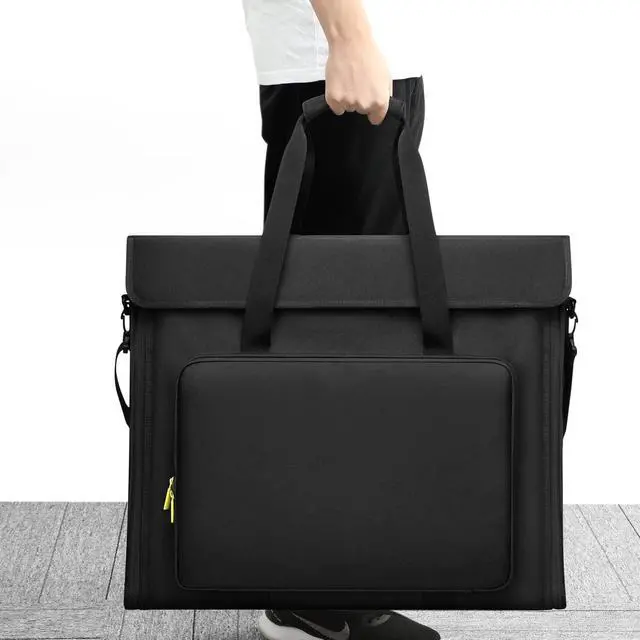


21/24 inch LCD Screen Computer Tote Bag Compatible with iMac All in One Desktop Monitor Computer Bag Travel Storage Carrying with Shoulder Strap
- compatible with iMac All in One 21-24 inch LCD Screen Display Desktop Computer Carry bag Tote Bag , with Shoulder Strap .
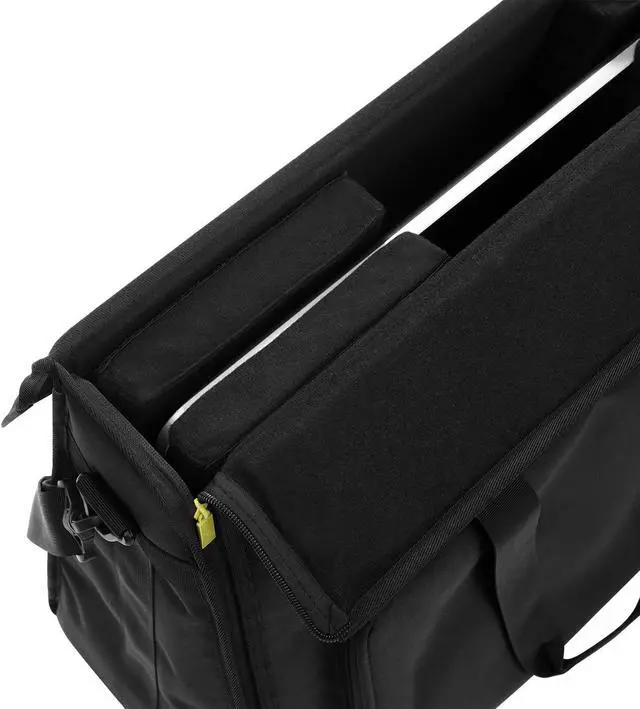
- EXCELLENT PROTECTION: The outer material is strong, tear-resistant and water-repellent nylon, and the inner is a soft velvet lining, plus a padded PE foam pad. All-round protection of your screen from scratches and bumps.
- Large capacity design: There is also a sponge compartment in the middle of main compartment, which you can hold for other items.The front compartment can put your for All in One peripherals, like keyboard, headphone, mouse, trackpad, etc.
- Humanized design : Rubber feet and PVC protection on bottom of bag.Removable adjustable carry strap and padded handle let it more easier to carry your for All in One desktop computer everywhere.
- Safe and secure: Sturdy, durable hard panel reinforcement in front flap for extra screen protection.[After Sell Service] Enjoy Your Hobby A Like Without The Burden Of Defective Products!
+
+
Overview
Specs
Reviews

Any questions? Our AI beta will help you find out quickly.
Try me now
Purchase instructions:
1. You must verify that your specific laptop model is listed in our title or description. Buying the wrong model can damage your laptop;
2. You must verify your parameters (including maximum resolution: UHD, QHD, FHD or HD; Whether it has touch function; The connector is either 30pin or 40pin; Refresh rate 60Hz, 120Hz, 144Hz, 165Hz, 240HZ or other. After double checking the above information, you will receive the correct product.
3. The following is a method to query the maximum resolution
My Laptop - Display - Maximum Resolution
4. The following is a method for querying refresh rates
Please Check PC Refresh Rate: Right click on your desktop > Go to the Display settings > Click Advanced display settings > Display information - Refresh rate (Hz)
1. You must verify that your specific laptop model is listed in our title or description. Buying the wrong model can damage your laptop;
2. You must verify your parameters (including maximum resolution: UHD, QHD, FHD or HD; Whether it has touch function; The connector is either 30pin or 40pin; Refresh rate 60Hz, 120Hz, 144Hz, 165Hz, 240HZ or other. After double checking the above information, you will receive the correct product.
3. The following is a method to query the maximum resolution
My Laptop - Display - Maximum Resolution
4. The following is a method for querying refresh rates
Please Check PC Refresh Rate: Right click on your desktop > Go to the Display settings > Click Advanced display settings > Display information - Refresh rate (Hz)
Warranty & Returns
Warranty, Returns, And Additional Information
Warranty
- Please contact the Seller directly for warranty information. Warranty information may also be found on the Manufacturer's website.
- CONTACT
Return Policies
- Return for refund within: 30 days
- Return for replacement within: 30 days
- This item is covered by Fix-Repairer Return Policy
Manufacturer Contact Info
- For a directory of all our manufacturers, please click below.
- Manufacturers Directory
LOADING...