Your Browsing History
- Free 30-day Returns
$81.99
Meet Your Seller
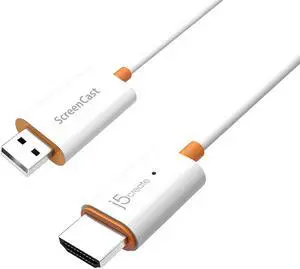
j5create ScreenCast HDMI Wireless Display Adapter Receiver - Mirror Phone, Tablet, Laptop to HDTV - Compatible with MiraCast, AirPlay, Android, Windows 10 PC, iOS, iPhone, Tablet (JVAW56)
- Effortless Wireless Streaming - Wirelessly projecting your favorite content from your phone, tablet, or laptop to the big screen. The ScreenCast Wireless Display Adapter supports Miracast and AirPlay, ensuring seamless compatibility with devices like Windows laptops, MacBooks, iPhones, iPads, and Android devices (Note: Not compatible with Chromebook). Experience freedom from cables and enjoy the convenience of instant screen sharing.
- Compact Design, Maximum Portability - Take your presentations or entertainment anywhere with this lightweight and portable wireless HDMI display adapter. Whether you're in the office, at home, or on the go. Perfect for conference rooms, multimedia learning, or creating a cinematic experience at home.
- Unmatched Stability and Low Latency - Stream with confidence thanks to the dual-band 2.4/5GHz antennas, delivering stable connections and smooth video playback. With a transmission range of up to 50 feet and ultra-low latency, the ScreenCast adapter ensures
+
+
Overview
Specs
Reviews
Any questions? Our AI beta will help you find out quickly.
Try me now
The JVAW56 wireless display adapter supports multiple wireless standards including Miracast and AirPlay. Users can extend their video sources by casting onto a bigger screen with a simple setup. The wide-ranging compatibility includes Windows laptops, MacBooks, iPhones, iPads, and Android devices.
The wireless display receiver can wirelessly mirror the entire screen of your smartphone, tablet or laptop to an HDTV or projector, so you can enjoy 1080P Full HD quality video streamed straight from your mobile device to your big screen TV or projector, without compromising on video quality.
No connection via Wi-Fi needed- by creating a dedicated wireless connection directly between your mobile device and TV or projector, it ensures quick and easy setup, and so you no longer need to worry about weak Wi-Fi signals, annoying lag times, and video freezing mid-frame. No apps needed either!
1. Plug the USB into the built-in USB port on your TV or a USB power adapter (USB extension cable included.)
2. Connect to the ScreenCast via your device's mirroring/display settings and you're ready to share. Note that iPhone/iPad/Mac users will need to connect to the SSID of ScreenCast first via the wireless internet settings on your device.
* For further instructions on how to set up on different operating systems, refer to the steps in the graphic above or the included quick start guide.
Wirelessly display content from your mobile devices onto a high-definition TV Experience the Visual Rush of 1080P Full HD Video Quick and Easy Setup Physical Specifications
The wireless display receiver can wirelessly mirror the entire screen of your smartphone, tablet or laptop to an HDTV or projector, so you can enjoy 1080P Full HD quality video streamed straight from your mobile device to your big screen TV or projector, without compromising on video quality.
No connection via Wi-Fi needed- by creating a dedicated wireless connection directly between your mobile device and TV or projector, it ensures quick and easy setup, and so you no longer need to worry about weak Wi-Fi signals, annoying lag times, and video freezing mid-frame. No apps needed either!
1. Plug the USB into the built-in USB port on your TV or a USB power adapter (USB extension cable included.)
2. Connect to the ScreenCast via your device's mirroring/display settings and you're ready to share. Note that iPhone/iPad/Mac users will need to connect to the SSID of ScreenCast first via the wireless internet settings on your device.
* For further instructions on how to set up on different operating systems, refer to the steps in the graphic above or the included quick start guide.
Wirelessly display content from your mobile devices onto a high-definition TV Experience the Visual Rush of 1080P Full HD Video Quick and Easy Setup Physical Specifications
Warranty & Returns
Warranty, Returns, And Additional Information
Warranty
- Please contact the Seller directly for warranty information. Warranty information may also be found on the Manufacturer's website.
- CONTACT
Return Policies
- Return for refund within: 30 days
- Return for replacement within: 30 days
- This item is covered by E-Transit Limited Return Policy
Manufacturer Contact Info
- For a directory of all our manufacturers, please click below.
- Manufacturers Directory
LOADING...