You’re seeing this ad based on the product’s relevance to your search query. If you are a seller and want to participate in this program click here to learn more.
Compatibility: Compatible with a wide range of operating systems, including Windows 11/10, Mac OS 13.x and later, Android, Chrome OS, Harmony OS and Ubuntu, while not supporting other Linux, iPad OS, iOS or Steam Deck. Does NOT support plug & play, please install the latest driver from our website (www.wavlink.com) to ensure full functionality of the dock.
Features: - 5*Video ports(3*HDMI+2*DP) support max. triple 4K@60Hz display in your required combination.
- 1*USB-C upstream is compatible with Thunderbolt 4/3 and full-functional USB4/3.2/3.1/3.0/2.0 Type-C/Type-A hosts, and provides up to 10Gbps data transfer and upstream 95W power delivery for the USB-C hosts.
- 1*USB-C PD IN 3.0 passthrough provides 100W power supply for the adapter.
Compatibility: Compatible Systems
-Thunderbolt 4 PC running Windows 10/11.
-Thunderbolt 3/4 Mac running Mac OS 11 or later.
-Compatible with Other USB4 and MFDP Hosts (Full-functional USB-C, supports DisplayPort+USB3.1+Power Delivery)
System Requirements: These are the minimum system requirements for installing Windows 11 on a PC. If your device does not meet these requirements, you may not be able to install Windows 11 on your device and might want to consider purchasing a new PC. If you are unsure whether your PC meets these requirements, you can check with your PC Original Equipment Manufacturer (OEM) or, if your device is already running Windows 10, you can use the PC Health Check app to assess compatibility. Note that this app does not check for graphics card or display, as most compatible devices will meet those requirements listed below.
Your device must be running Windows 10, version 2004 or later, to upgrade. Free updates are available through Windows Update in Settings>Update and Security.
Processor: 1 gigahertz (GHz) or faster with 2 or more cores on a compatible 6...
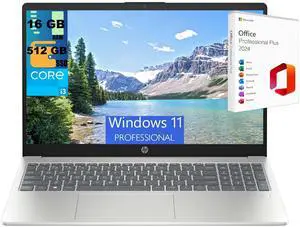
System Requirements: These are the minimum system requirements for installing Windows 11 on a PC. If your device does not meet these requirements, you may not be able to install Windows 11 on your device and might want to consider purchasing a new PC. If you are unsure whether your PC meets these requirements, you can check with your PC Original Equipment Manufacturer (OEM) or, if your device is already running Windows 10, you can use the PC Health Check app to assess compatibility. Note that this app does not check for graphics card or display, as most compatible devices will meet those requirements listed below.
Your device must be running Windows 10, version 2004 or later, to upgrade. Free updates are available through Windows Update in Settings>Update and Security.
Processor: 1 gigahertz (GHz) or faster with 2 or more cores on a compatible 64...
System Requirements: These are the minimum system requirements for installing Windows 11 on a PC. If your device does not meet these requirements, you may not be able to install Windows 11 on your device and might want to consider purchasing a new PC. If you are unsure whether your PC meets these requirements, you can check with your PC Original Equipment Manufacturer (OEM) or, if your device is already running Windows 10, you can use the PC Health Check app to assess compatibility. Note that this app does not check for graphics card or display, as most compatible devices will meet those requirements listed below.
Your device must be running Windows 10, version 2004 or later, to upgrade. Free updates are available through Windows Update in Settings>Update and Security.
Processor: 1 gigahertz (GHz) or faster with 2 or more cores on a compa...
Disclaimer: Currently, this item is available for activation/installation only to customers located in the United States, excluding Puerto Rico.
Minimum age limits may apply to use of AI features. Details: https://aka.ms/Copilot-In-M365-FAQ.
Brand: Microsoft
Name: Office 365 Home - 5 Devices, 1 Year Subscription - Download